
Turn Your Sketch into a Watercolor Illustration
AI sketch to watercolorAlready have a drawing you love? Upload your pencil sketch, ink drawing, or line art and turn it into a soft, hand-painted watercolor illustration. Explore delicate colors, beautiful paper textures, and vintage storybook charm while keeping your original subject and composition recognizable.
Give Your Drawing a Watercolor Finish
AI sketch to watercolorUpload the sketch you've already created. Describe the watercolor style you have in mind, choose your preferred settings, and generate a new illustrated version.
Image
OptionalAdd Image
Click or drag one source image here to start editing.
PNG, JPG, JPEG, or WEBP. The upload card is the primary starting point.
Enter a clear edit instruction. Cmd/Ctrl + Enter runs when ready.
0/5000Advanced
Create Result
Add a prompt before running.
A Fairytale Brought to Life in Watercolor
From delicate pencil outlines to a softly painted fantasy world, explore how watercolor can bring warmth, depth, and character to an existing illustration.
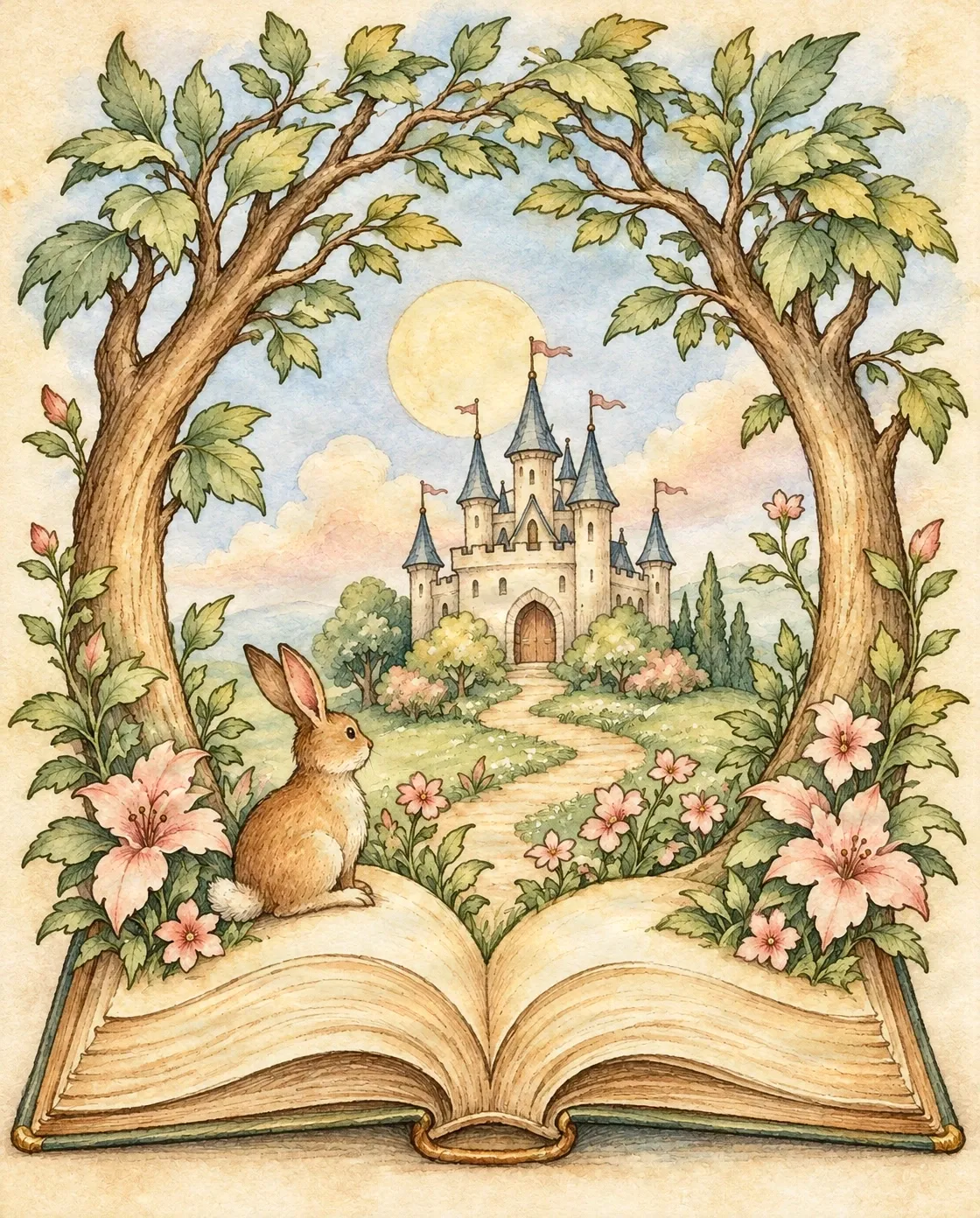
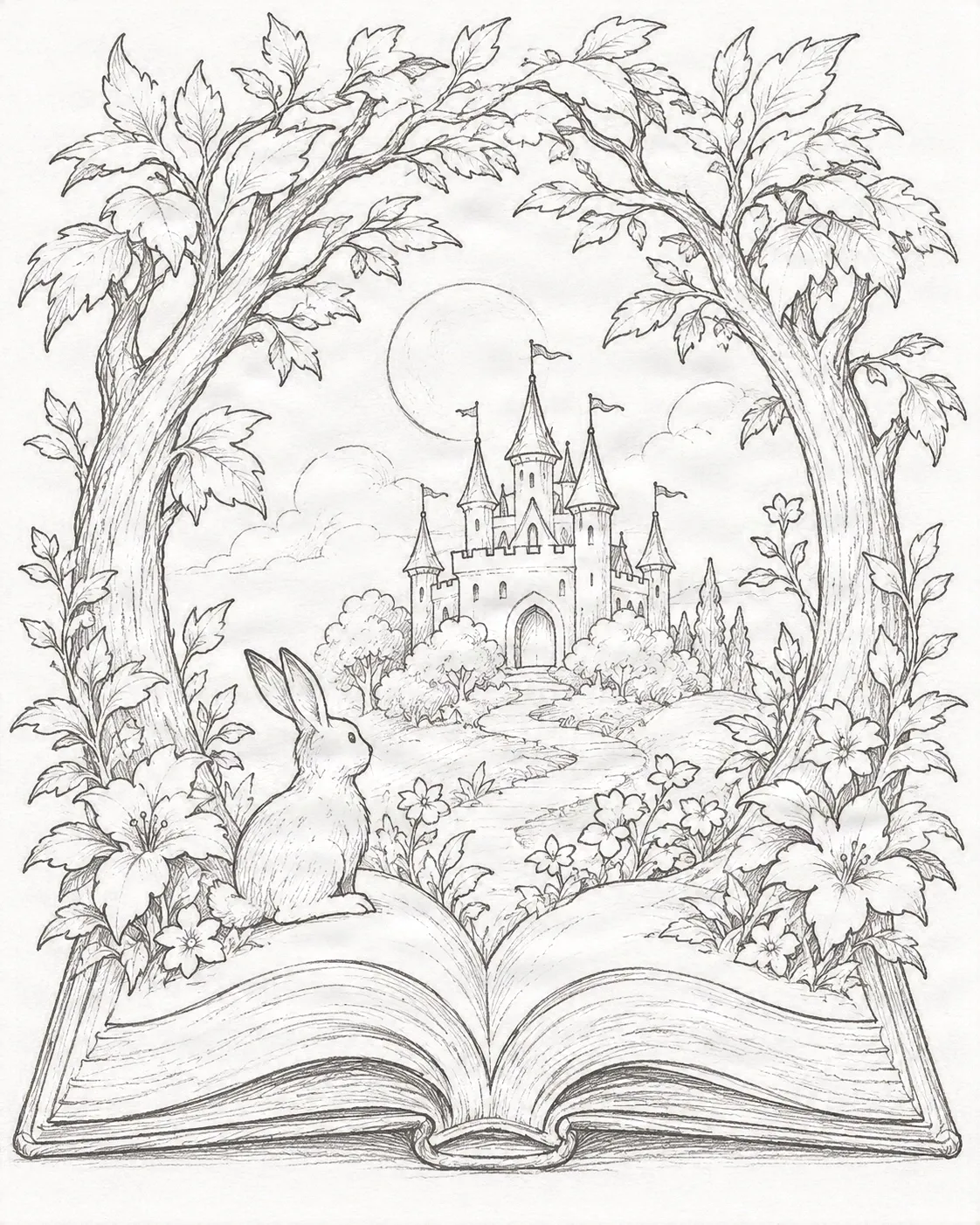
Editing Instruction
“Transform the uploaded pencil sketch into an elegant vintage watercolor storybook illustration. Preserve the original composition, subjects, perspective, and all recognizable details. Use muted sage greens, warm golden highlights, soft blue shadows, dusty rose flowers, delicate watercolor washes, and natural paper texture. Maintain the illustration's original structure without introducing new objects or changing the scene.”
Recent Sessions
Studio capabilities
Reference images (up to 10) guide composition and style. Mask-guided editing isn't available for this model — use a source image edit or Send Revision instead.
Works best with clear sketches and recognizable subjects. AI may reinterpret small details, so review your finished illustration before using it in an important project.
From Pencil Lines to Storybook Magic
A drawing doesn't have to stay black and white. See how a simple pencil sketch can become a colorful watercolor illustration with gentle washes, warm light, and painterly details. Our example begins with a hand-drawn fairytale scene: an open storybook, a small rabbit, a winding forest path, and a distant castle.
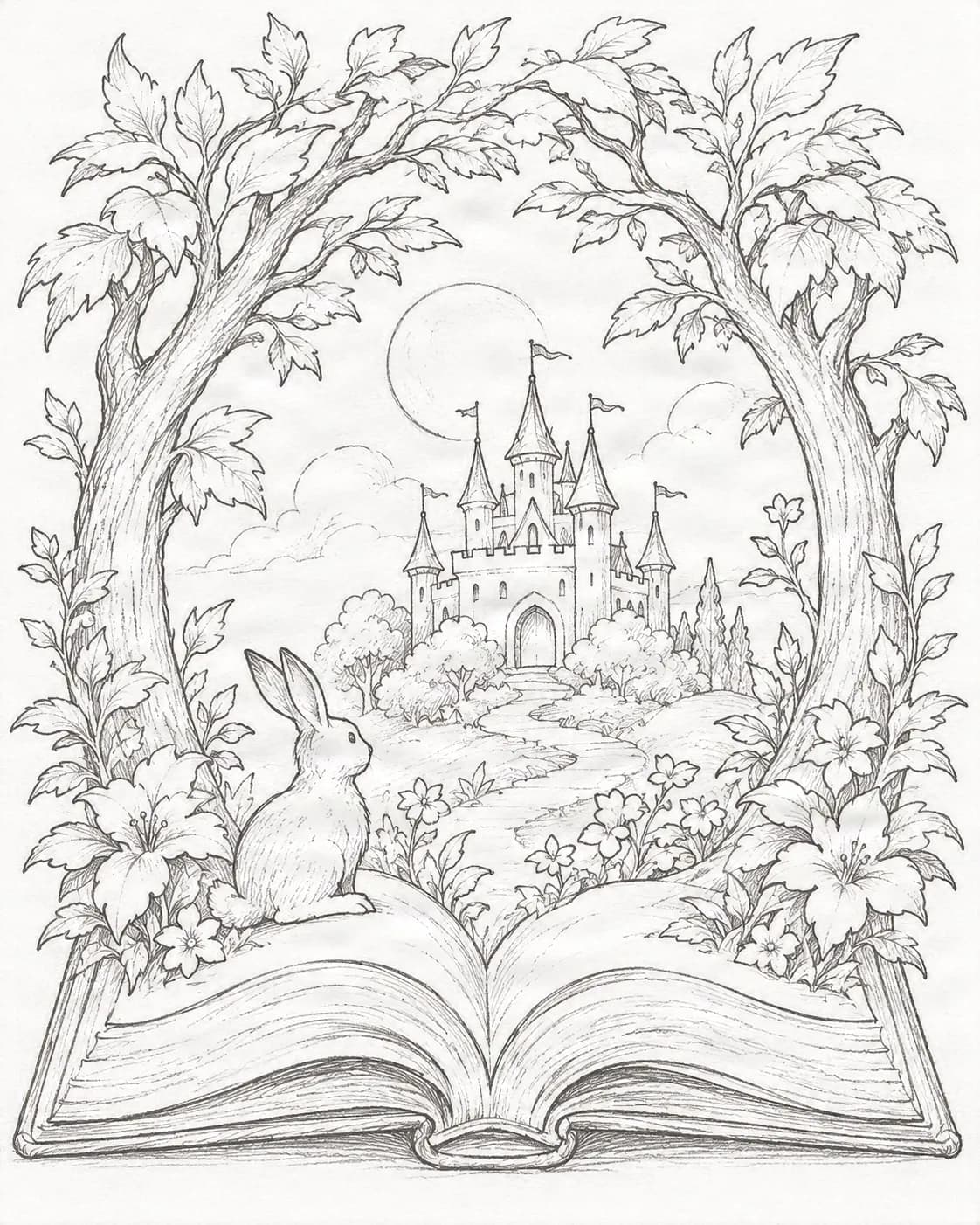 Original pencil sketch
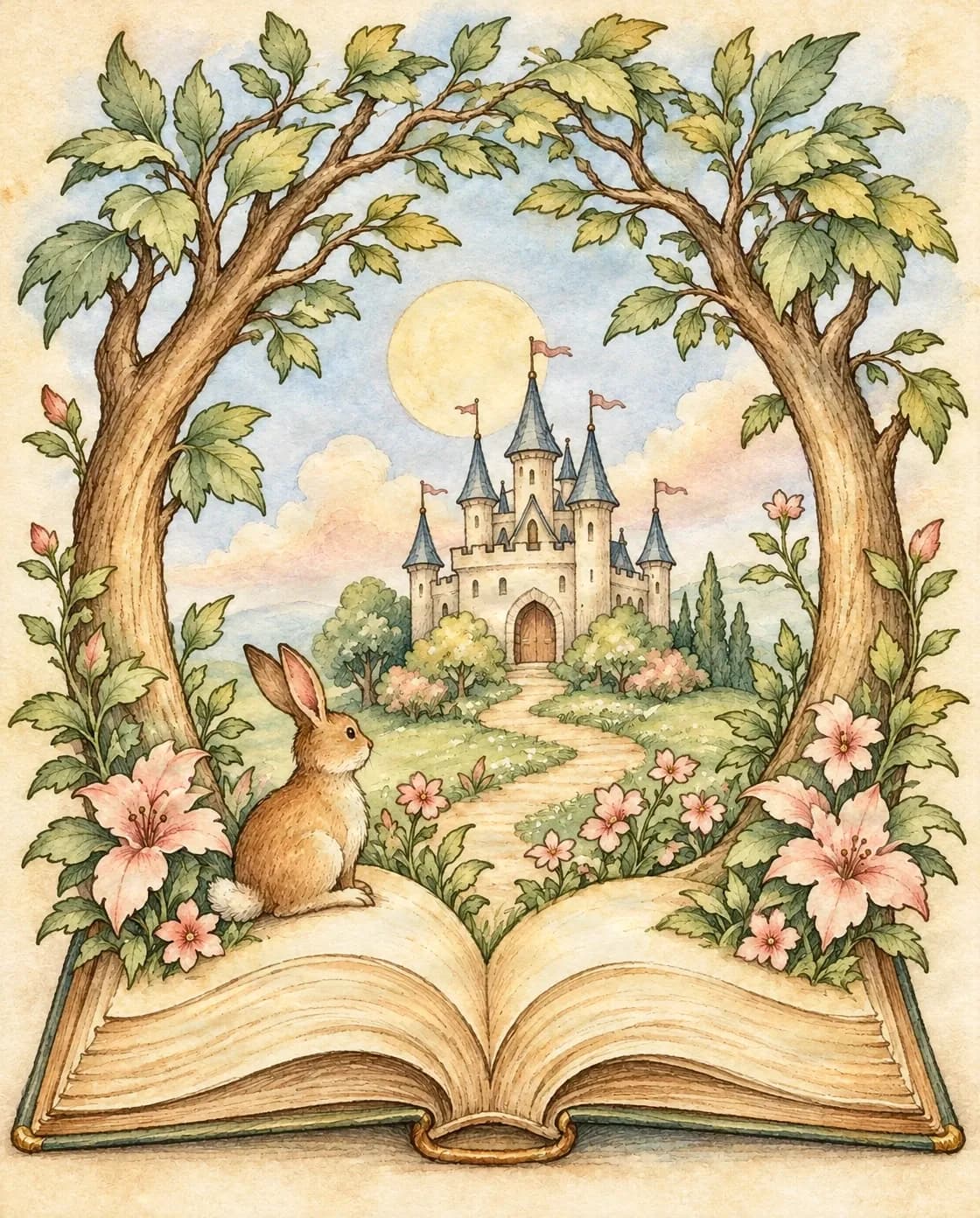 Watercolor illustration
A Fairytale Brought to Life in Watercolor
From delicate pencil outlines to a softly painted fantasy world, explore how watercolor can bring warmth, depth, and character to an existing illustration.
AI-generated results can vary. This example demonstrates one possible transformation rather than a guaranteed identical result.
You've Drawn the Idea. Now Bring It to Life.
You know what you want your illustration to look like. You've already drawn the characters, arranged the scenery, and worked out the composition. But turning those pencil lines into a finished watercolor painting can take time, materials, and plenty of experimentation.
Maybe you don't have watercolor supplies. Maybe you're still learning how to paint. Or perhaps you want to explore a few color palettes before deciding which direction feels right.
You shouldn't have to start your artwork all over again just to see it in color. Upload your sketch, choose a visual direction, and explore how it could look as a watercolor illustration.
Your drawing is already the foundation. Watercolor gives it another way to shine.
Keep Your Original Idea. Explore a New Artistic Style.
Start with the drawing you already have
You don't need to describe an entire scene from scratch. Upload your existing sketch and use it to guide the transformation.
Keep your composition recognizable
Your artwork provides the reference for the subjects, framing, perspective, and major visual elements. AI attempts to follow that structure while changing the rendering style.
Explore watercolor without painting supplies
Experiment with flowing colors, gentle shading, and paper-like textures without setting up brushes, paints, or a physical workspace.
Try different color moods
Explore warm vintage palettes, soft pastels, botanical greens, or atmospheric fairytale colors before settling on a direction.
Create illustrations for personal projects
Use your watercolor results as visual concepts for storybooks, gifts, character art, stationery, or other creative projects.
Keep creating after the transformation
Download the finished illustration or continue with ImageToLayers tools if you want to separate visual elements for further editing.
What Kind of Watercolor Illustration Do You Imagine?
Vintage storybook watercolor
Turn your sketch into a nostalgic illustration with warm paper tones, gentle pigments, natural greens, and the timeless feeling of a treasured storybook.
Best for: Fairytales, castles, forests, cottages, animals, and children's book concepts.
Try vintage storybookSoft pastel watercolor
Explore light washes, dreamy pastel colors, and delicate shading for an airy, peaceful illustration.
Best for: Nursery artwork, gentle portraits, flowers, whimsical animals, and keepsake illustrations.
Try soft pastelsBotanical watercolor
Bring flowers, leaves, branches, and nature sketches to life with layered green tones, subtle botanical colors, and natural watercolor textures.
Best for: Floral drawings, garden illustrations, botanical stationery, and nature-inspired artwork.
Try botanical watercolorFairytale watercolor painting
Add a little magic to your drawing with atmospheric lighting, whimsical colors, and softly painted details inspired by classic fantasy illustrations.
Best for: Fantasy landscapes, magical forests, storybook characters, and imaginative scenes.
Try fairytale watercolorThese are creative directions, not exact paint simulations. Results may vary depending on your original sketch and selected settings.
How to Turn a Sketch into Watercolor Art
Upload your original sketch
Start with your pencil drawing, line art, ink illustration, or another supported image. Clear subjects and well-defined outlines give AI a more useful reference.
Choose your watercolor style
Select a suggested watercolor direction or describe the colors, mood, and painting texture you prefer.
Generate your illustration
Choose the available image settings and submit your request. AI uses your uploaded sketch and instructions to create a new watercolor-style image.
Review and download
Compare the watercolor result with your original drawing. Check the composition, faces, important objects, and smaller details before downloading or trying another direction.
Turn Everyday Drawings into Something Special
Storybook creators
Bring characters, castles, forests, and imaginary worlds into color as you explore illustrations for a children's story or picture book.
Hobby artists
Try a watercolor look for your existing drawings without needing to learn traditional watercolor techniques first.
Parents and families
Explore turning a child's drawing or a family-created illustration into a colorful keepsake.
Character designers
Experiment with hand-painted color palettes for characters, creatures, costumes, and fantasy artwork.
Craft and paper art creators
Develop colorful artwork that you can later prepare for shadow boxes, layered paper designs, or other handmade projects.
Stationery and gift creators
Explore watercolor designs for cards, invitations, personal gifts, decorative prints, and illustrated stationery.
Check the applicable usage rights before distributing or selling generated artwork.
Give Your Watercolor a Strong Starting Point
Clear pencil outlines
Distinct outlines make it easier for AI to recognize the main subjects and follow their shapes.
Recognizable subjects
Characters, flowers, animals, houses, and scenery with clear forms are easier to interpret than highly abstract sketches.
Balanced composition
A drawing with enough space around important elements makes it easier to preserve the overall framing.
Minimal unwanted marks
If your sketch contains accidental scribbles or notes, clean them up before generating when possible.
Higher-quality source images
Use a well-lit scan or photograph of your drawing. Avoid heavy shadows, glare, and severe perspective distortion.
Your sketch doesn't need to be perfect. A simple drawing with clear shapes can still be a useful starting point.
A Few Small Choices Can Change the Whole Mood
Describe the colors you love
Try instructions such as muted sage green, soft rose pink, or warm golden afternoon light instead of simply asking for a colorful image.
Ask AI to preserve important details
Mention the objects, character features, or areas of the composition that should stay recognizable.
Choose a consistent art style
A clear visual direction, such as vintage storybook watercolor, can produce a more coherent result than combining many unrelated styles.
Keep the paper texture subtle
For delicate illustrations, request gentle paper grain and soft pigment edges rather than extremely heavy textures.
Compare before you use the result
Look closely at faces, hands, small objects, and overlapping shapes. AI may reinterpret or simplify fine details.
The best watercolor transformation isn't necessarily the most colorful one. It's the one that captures the feeling you wanted from your original drawing.
形に色を塗る以上のこと
従来のデジタル塗りは、領域を選択して色を塗り、既存の線画をほぼそのまま残す方法が一般的です。一方、Sketch to Watercolor Illustration は、より解釈的なアプローチを取ります。
従来の塗り
- •定義された領域の塗りつぶしやペイントに焦点を当てます。
- •手動で正確な色配置が可能です。
- •元の描画構造をアーティストが直接管理し続けます。
AI水彩変換
- •スケッチに対し、新しい絵画的解釈を生成します。
- •柔らかなテクスチャや光、色のブレンドを取り入れることができます。
- •細部の修正や追加編集が必要になる場合があります。
細部まで正確にコントロールしたい場合は従来の塗りを選び、既存のイラストから絵画的なビジュアル方向性を探求したい場合はAI水彩変換を選んでください。
水彩画が好きですか?編集可能なレイヤーに変換しよう。
クリエイティブなプロジェクトは、完成した画像で終わる必要はありません。水彩イラストを作成したら、キャラクターを動かしたり、背景を調整したり、個々のビジュアル要素を探求したくなることがあります。
前景と背景を分離する
全体を平面的な画像として編集するのではなく、個々のビジュアル要素を探求できます。
絵本のアートワークを準備する
キャラクターや装飾ディテール、風景を別々のビジュアル要素として扱い、将来の構成に活かせます。
レイヤード紙芸術を探求する
イラストを影箱や紙切りアートの素材として利用します。ベクトル化や実際のカット加工の追加準備が必要になる場合があります。
レイヤー分離は別個のワークフローです。AI が生成したレイヤーは完成画像の解釈であり、元のアーティストのソースレイヤーを復元したものではありません。
美しい結果でも、さらに詳しく見る価値があります
結果は新しい画像です
このツールは既存のファイルに実際の水彩顔料を適用するのではなく、水彩の解釈を生成します。
細部が変わることがあります
細い線や手、顔のディテール、装飾パターンなどの繊細な領域は、生成時に調整されることがあります。
正確な構図は保証されません
スケッチは出力の指針となりますが、AI が視点や比率、一部のディテールの配置を変更することがあります。
色の結果は変動します
同じスケッチとプロンプトでも、生成ごとに異なる配色やテクスチャになることがあります。
実物印刷には準備が必要です
印刷やその他の制作に使用する前に、解像度、色、レイアウトを確認してください。
生成されたイラストは、オリジナルのスケッチをピクセル単位で正確に再着色したものではなく、レビュー・改良・発展させることができるクリエイティブな成果として活用してください。
スケッチから水彩への質問
What is Sketch to Watercolor Illustration?
Sketch to Watercolor Illustration is an AI-powered image editing tool that transforms an uploaded drawing into a watercolor-style illustration. It uses your original sketch as a visual reference and generates a new image with watercolor-inspired colors, textures, and shading.
Will AI preserve my original sketch?
The tool uses your sketch as a reference and can be instructed to preserve the main composition, subjects, and visual details. However, exact preservation is not guaranteed, and smaller elements may change.
Do I need watercolor painting skills?
No. You can upload a drawing, describe your preferred look, and review the generated result. Artistic judgment is still helpful when choosing colors and evaluating details.
Can I convert a child's drawing into watercolor artwork?
Yes. A simple drawing can be used as the source image. Results depend on how clearly the AI can interpret the shapes and subjects, so review the output carefully.
Can I choose different watercolor styles?
Yes. You can describe styles such as vintage storybook, soft pastel, botanical watercolor, or fairytale watercolor. You can also adjust your prompt to explore different colors and visual moods.
Can I turn a photo into watercolor instead of a drawing?
The editor can accept different supported images, but this page is designed specifically for sketches and line drawings. Photographs may produce different results and can require a more suitable prompt.
Can I download the watercolor illustration?
Yes. You can download generated results through the editor when the job is completed successfully. Available output options depend on the editing workflow.
Can I use the watercolor illustration for a Cricut shadow box?
You can use it as source artwork for a shadow box design. A watercolor image is not automatically a cutting template; physical paper-cut projects require additional simplification, vector path preparation, and cutting checks.
Can I use my watercolor illustrations commercially?
Usage rights depend on your account plan, the applicable model and service terms, and the rights you have to your input artwork. Review the relevant terms before selling or distributing generated illustrations.
Can I turn a pencil sketch into a watercolor painting?
Yes. Upload a pencil sketch, describe the watercolor style you want, and generate a new illustration. Clear lines and recognizable subjects help the AI follow your original drawing.
Can I turn black-and-white line art into watercolor?
Yes. Black-and-white line drawings are suitable inputs, especially when subjects and shapes are easy to recognize. AI can use the line art to guide a watercolor-style transformation.
Can I create vintage storybook watercolor illustrations?
Yes. Describe a vintage storybook style with warm paper tones, muted colors, soft watercolor washes, and delicate hand-painted shading. The output will be an AI-generated interpretation of that direction.
Can I use this tool for flowers and botanical sketches?
Yes. Floral drawings, leaves, branches, and other nature illustrations are suitable subjects. You can request botanical colors, delicate shading, and natural watercolor textures.
Does the tool work with JPG and PNG sketches?
You can upload supported image formats through the editor, including common image files such as JPG and PNG. Check the uploader for current format and file-size requirements.
Can I change the colors after generating?
You can review your result and use another editing request to explore different colors or atmosphere. A follow-up generation may also change details beyond the colors, so compare each version with your original.
Can I turn the watercolor result into separate layers?
Yes, through a separate Image to Layers workflow. After generating the illustration, you can attempt to separate recognizable characters, foreground objects, and backgrounds for further editing.
Is Sketch to Watercolor Illustration free?
This page uses the Pro editing workflow, which requires credits for generation. The editor displays the applicable cost before you submit a request.
What if the watercolor result changes an important detail?
Try a more specific prompt explaining what should stay unchanged. You can also improve the clarity of the original sketch or make further edits. Generative editing cannot guarantee that every detail will be preserved.
作品を探求し続けよう
AI Sketch Generator
既存の画像を鉛筆、インク、炭などのスケッチスタイルに変換します。
AIスケッチジェネレーターを体験
Sketch to Clean Line Art
元のスケッチをさらにクリエイティブに使用する前に、線画をきれいに整えます。
スケッチをクリーンアップ
AI Line Art Colorizer
ラインアートを重要な要素として残しながら、カラーリングに特化したワークフローを体験してください。
ラインアートに色を付ける
絵本イラストをレイヤーに変換
完成した絵本イラストから、認識できるキャラクターや背景、オブジェクトをレイヤーに分離します。
絵本アートワークを分離
Shadow Box to Layers
紙切りやシャドウボックスプロジェクトに展開できるよう、アートワークからレイヤー化された画像要素を用意します。
シャドウボックスのレイヤーを体験
スケッチに水彩の魔法を少し加えましょう。
シーンをイメージし、最初の線を描き終えたら、柔らかな水彩の洗い、鮮やかな色彩、手描きの絵本イラストの魅力が加わった作品がどうなるかを体験してください。
描いた絵が変換の指針となります。結果は異なる場合があり、生成前にクレジットが表示されます。
Creative Toolkit Index
その他のAI機能を見る
Quick access to precision layer extraction, AI photo editing & asset tools.