
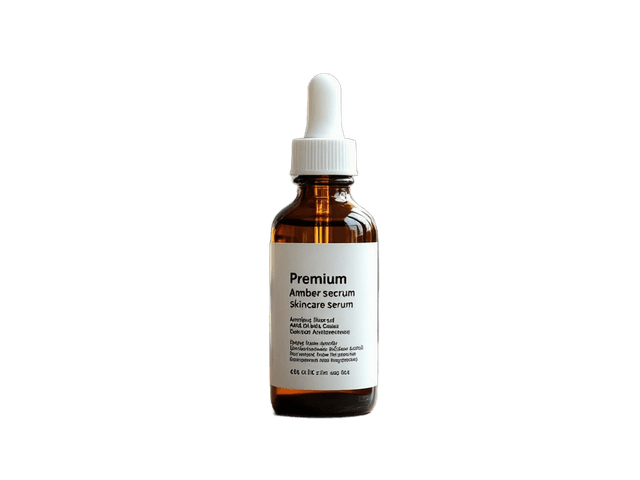
 White background
Give a product a cleaner backdrop
Remove distracting surroundings and make the product easier to use in listings, catalogs, and product layouts.
Turn a distracting or mismatched background into a clean white background while keeping the main person, product, pet, or object in your photo.
Useful for product images, portraits, profile photos, catalogs, documents, and clean visual layouts.
Upload your photo and we'll prepare the main subject on a clean white background.
Upload your photo
Choose a clear image with the person, product, pet, or object you want to keep.
Drop an image here or choose a file
PNG, JPG, or WebP
No image ready? Try a sample

Upload your own photo to create your result.
The one-time subject step costs 15 credits. After that, previewing and downloading the white background is free.
Clean and simple
You may already have the right person, product, pet, or object — just not the right background. A clean white background removes visual distractions and makes the subject easier to use across listings, layouts, profiles, presentations, and other designs.
See the difference
Keep the main subject and replace the surrounding scene with a simple white background.
White backgroundRemove distracting surroundings and make the product easier to use in listings, catalogs, and product layouts.
 White background
Replace a room, street, or other distracting setting with a simple white background.
 White background
Make the animal the visual focus without keeping the original surroundings.
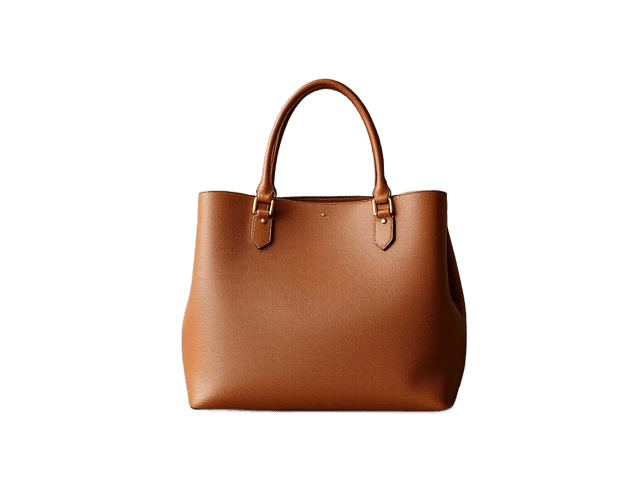 White background
Create a simpler asset that is easier to reuse in presentations, graphics, listings, and other designs.
When white works best
White or transparent?
White background · You're here
Better when you want a finished image that can be uploaded or placed directly into a white or neutral layout.
Transparent background
Better when you want to place the subject over different colors, scenes, or designs later.
Remove BackgroundNot sure? Choose transparency when you still want to change the background later. Choose white when the final image already needs a clean white canvas.
White is not always the right fit. Use Background Color Changer when you need black, gray, beige, blue, green, or an exact brand HEX color.
Choose Another Background ColorHow it works
Choose the image containing the person, product, pet, or object you want to keep.
The original background is removed so the main subject can be placed cleanly on white.
Check the edges, improve them if needed, then download the finished white-background image.
For a cleaner result
Sharp subject edges give the tool more information to work with.
A white shirt against a very light background or dark hair against a dark wall can be harder to separate cleanly.
Fine strands deserve a closer look before you download the final image.
Glass, reflections, thin fabric, and semi-transparent details can contain colors from the original background.
Check the details
A white background is simple, but it can make leftover color fringes or missing fine details more noticeable.
Fine strands can sometimes lose detail or carry a little color from the original scene.
Glass, bottles, reflective packaging, and other transparent materials can be more difficult to separate naturally.
The original scene may contain a shadow that does not transfer perfectly to a flat white background.
Straps, jewelry, wires, leaves, and other small elements should be reviewed before final use.
Use Improve edges if the first cutout needs more detail.
Before you publish
A white background can be useful for ecommerce, but each marketplace has its own current image requirements. Check the platform's rules before publishing.
This tool can create a white background, but it does not verify official image size, head position, lighting, facial-expression, or country-specific photo requirements.
Upload your photo and let the tool separate the main subject from the original background. The subject is then placed on a clean white background that you can preview and download.
The white background uses #FFFFFF, giving you a consistent solid white canvas.
Yes. This can be useful for product listings, catalogs, product cards, and other commercial layouts. Check the image requirements of the marketplace or platform where you plan to publish it.
Yes. A white background can make a portrait easier to use for profiles, team pages, presentations, resumes, and other professional layouts.
The white color itself does not alter the subject. The main variable is how accurately the subject can be separated from the original background, so review hair, fur, glass, reflections, and other fine edges.
Yes. Open Background Color Changer to choose black, gray, beige, blue, green, or any custom HEX color.
Yes. If the uploaded image already contains useful transparency, the tool can place it directly on white without removing the background again.
Use Improve Edges when hair, fur, glass, thin details, or difficult boundaries need a higher-quality extraction.
You can create a white-background product image, but marketplace requirements can change and may include rules beyond background color. Check the current platform guidelines before publishing.
The tool can change the background to white, but it does not check official passport or ID-photo requirements such as crop, dimensions, head position, lighting, or country-specific standards.
You can download the finished white-background image as PNG or JPG.
Upload an image, keep the main subject, and create a simple white background ready for your next layout or upload.
Creative Toolkit Index
Quick access to precision layer extraction, AI photo editing & asset tools.