
Qwen Image 3.0 Generator & Editor
Text-Rich Image Generator & EditorGenerate images from a prompt or edit up to 3 images with Qwen Image 3.0. Built for dense text, layouts, infographics, and multilingual copy — then send results to Image to Layers.
Qwen Image 3.0 Studio
Typography TierMultilingual text rendering, poster composition, and multi-image spatial layout.
Image
OptionalAdd Image
Click or drag one source image here to start editing.
PNG, JPG, JPEG, or WEBP. The upload card is the primary starting point.
Enter a clear edit instruction. Cmd/Ctrl + Enter runs when ready.
0/500Advanced
Create Result
Add a prompt before running.
Qwen Image 3.0 · Proofing Canvas
Interactive before / after inspection
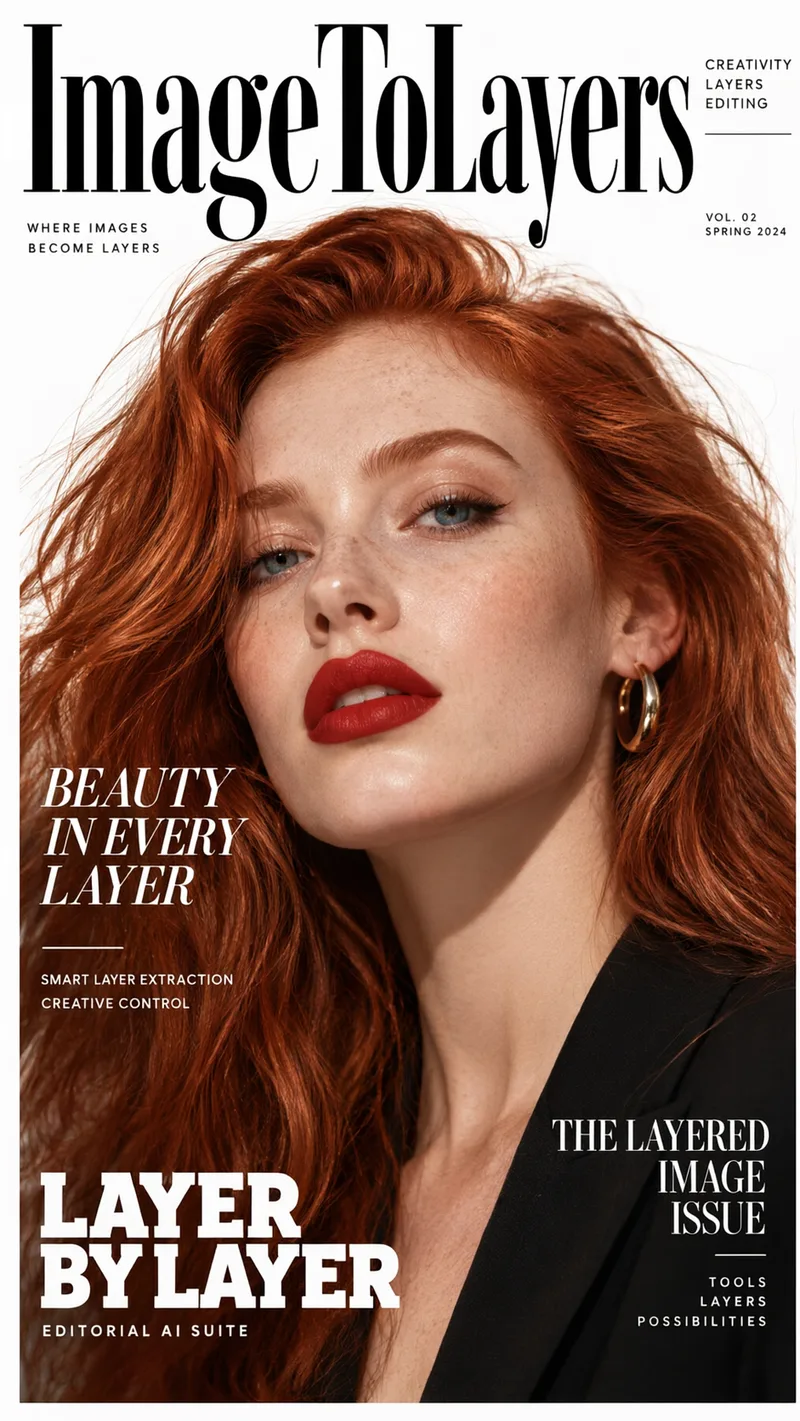
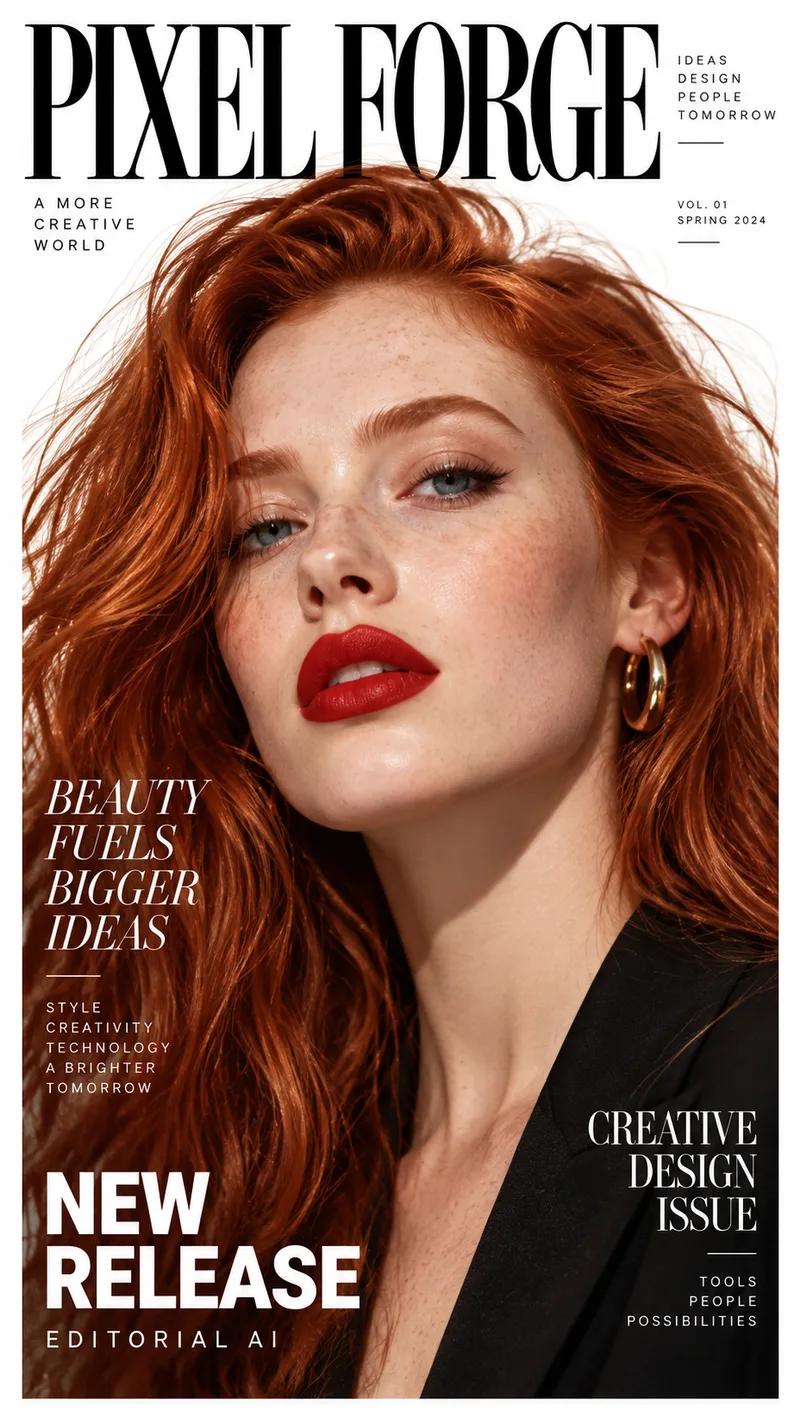
Studio Quality Standard
Recent Sessions
Studio capabilities
Output size is limited to 512-2048px per side. Mask-guided editing isn't available for this model — use a full-image edit or Send Revision instead.
Master In 4 Steps
Write a prompt, add optional images, set your output, then review and refine.
Write your prompt
Describe what to generate, or the editing instruction for your source image(s).
Add images (optional)
Upload a primary image and up to 2 references to edit or combine — up to 3 images total.
Set size, results, and seed
Pick an output size (512-2048px per side), how many results to generate (1-6), and an optional seed.
Review and refine
Compare results, send a revision to adjust one, or send it to Image to Layers for further editing.
Studio Performance
Real controls for generation and editing, not decorative toggles.
Prompt-only generation
Generate a new image from just a text prompt — no source image required.
Multi-image editing
Edit or combine up to 3 images (1 primary + 2 references) in one request.
Dense text rendering
Built for layouts with small, structured, and multilingual text.
Negative prompt & seed
Exclude unwanted elements and reproduce results with a fixed seed.
1-6 results per run
Generate multiple variants in a single request for faster selection.
Example Workflows
Infographic generator
Create a structured infographic with headings, icons, and body copy.
- 1.Describe the topic, sections, and key data points
- 2.Choose a size that fits the layout
- 3.Generate and review text legibility
- 4.Send a revision to adjust the layout
Poster with accurate text
Generate a poster with a bold headline and readable supporting text.
- 1.Describe the headline, subheading, and body text
- 2.Set a negative prompt to avoid unwanted elements
- 3.Generate and compare 1-6 variants
Menu and price list
Create a structured menu or price list layout with consistent typography.
- 1.Describe the sections, items, and prices
- 2.Choose a portrait or landscape size
- 3.Generate and review small-text accuracy
Storyboard generator
Generate sequential panels for a narrative or explainer sequence.
- 1.Describe each panel's scene and action
- 2.Use a fixed seed to keep style consistent across panels
- 3.Generate each panel and compare against the previous one
Newspaper layout
Create a dense, multi-column layout with headlines and body text.
- 1.Describe the headline, columns, and article structure
- 2.Generate and review column text legibility
- 3.Send a revision to adjust density or spacing
Website / UI mockup
Generate a screen layout with labeled buttons, menus, and text.
- 1.Describe the screen's sections and UI elements
- 2.Choose a widescreen size
- 3.Generate and review label accuracy
Product advertising visual
Combine a product reference with a new scene and ad copy.
- 1.Upload a primary product image
- 2.Describe the scene and any headline text
- 3.Generate and review the composition
Educational worksheet
Create a worksheet layout with instructions, diagrams, and answer spaces.
- 1.Describe the exercise type and instructions
- 2.Generate and review text clarity
- 3.Send a revision to adjust the layout
Qwen Image 3.0 vs GPT Image 2 vs Nano Banana Pro vs Nano Banana 2
Each model is a better fit for a different job. Here's how they actually compare.
| Qwen Image 3.0 | GPT Image 2 | Nano Banana Pro | Nano Banana 2 | |
|---|---|---|---|---|
| Credit pricing | Flat per result | Flat — same at every quality level | Scales with output resolution | Flat — same at every resolution |
| Output size control | Custom, 512-2048px per side | 3 fixed aspect ratios | 1K/2K/4K + 10 presets + Auto | 1K/2K/4K + 14 presets + Auto |
| Results per run | 1-6 | 1 | 1-4 | 1-4 |
| Max input images | 3 (1 primary + 2 references) | Up to 10 | Up to 13 | Up to 13 |
| Negative prompt | Supported | Not available | Not available | Not available |
| Seed control | Supported | Not available | Not available | Not available |
| Prompt-only generation | Supported | Supported | Supported | Supported |
| Mask-guided editing | Not supported | Not supported | Not supported | Not supported |
Choose Qwen Image 3.0 for dense text, layouts, infographics, and multi-result comparisons. Choose GPT Image 2, Nano Banana Pro, or Nano Banana 2 for broader aspect-ratio or resolution control.
Where Qwen Image 3.0 Fits
Infographics & data visuals
Create structured layouts with headings, icons, and body copy.
Posters & signage
Generate text-heavy posters, menus, and price lists.
Storyboards
Produce sequential panels with a consistent seed and style.
UI & layout mockups
Sketch screen layouts with labeled elements before production.
Educational materials
Generate worksheets and diagrams with clear instructional text.
Known Limitations
Very dense paragraphs
Long blocks of small body text may still need a manual proofreading pass.
Exact brand typography
Generated text approximates fonts and spacing — it isn't a substitute for a real typesetting tool.
Multi-panel consistency
Storyboard-style sequences benefit from a fixed seed and explicit style descriptions to stay consistent.
No native layer output
Qwen Image 3.0 produces flat images. Use Image to Layers for transparent assets and layered PSD export.
Frequently Asked
What is Qwen Image 3.0?
Do I need a source image to generate with Qwen Image 3.0?
How many images can I upload?
What output sizes are supported?
Can I generate multiple results at once?
How many credits does a generation cost?
Does it support negative prompts and seeds?
Does Qwen Image 3.0 support mask-guided editing?
Can I export a PSD directly?
Creative Toolkit Index
Explore More AI Features
Quick access to precision layer extraction, AI photo editing & asset tools.