
Native SVG output
Get a real SVG file instead of a raster JPG or PNG.
AI TEXT TO SVG
Describe the vector graphic you want and generate a real, scalable SVG with AI.
Create icons, illustrations, badges, stickers, simple logos, and vector artwork without drawing every path by hand.
Describe what you want to create. AI generates a downloadable SVG vector from your prompt.
Describe the subject, style, colors, composition, and level of detail.
Canvas
Preferred colors
Optional — guide the SVG toward a specific color palette.
Background color
Optional — suggest a background color for the generated design.
Prompt
“A friendly orange fox riding a vintage bicycle, simple flat vector illustration, bold clean geometric shapes, dark navy outlines, orange, cream and teal color palette, centered composition, playful modern editorial style, balanced negative space, clean professional vector artwork, no text, no lettering, no photorealism”
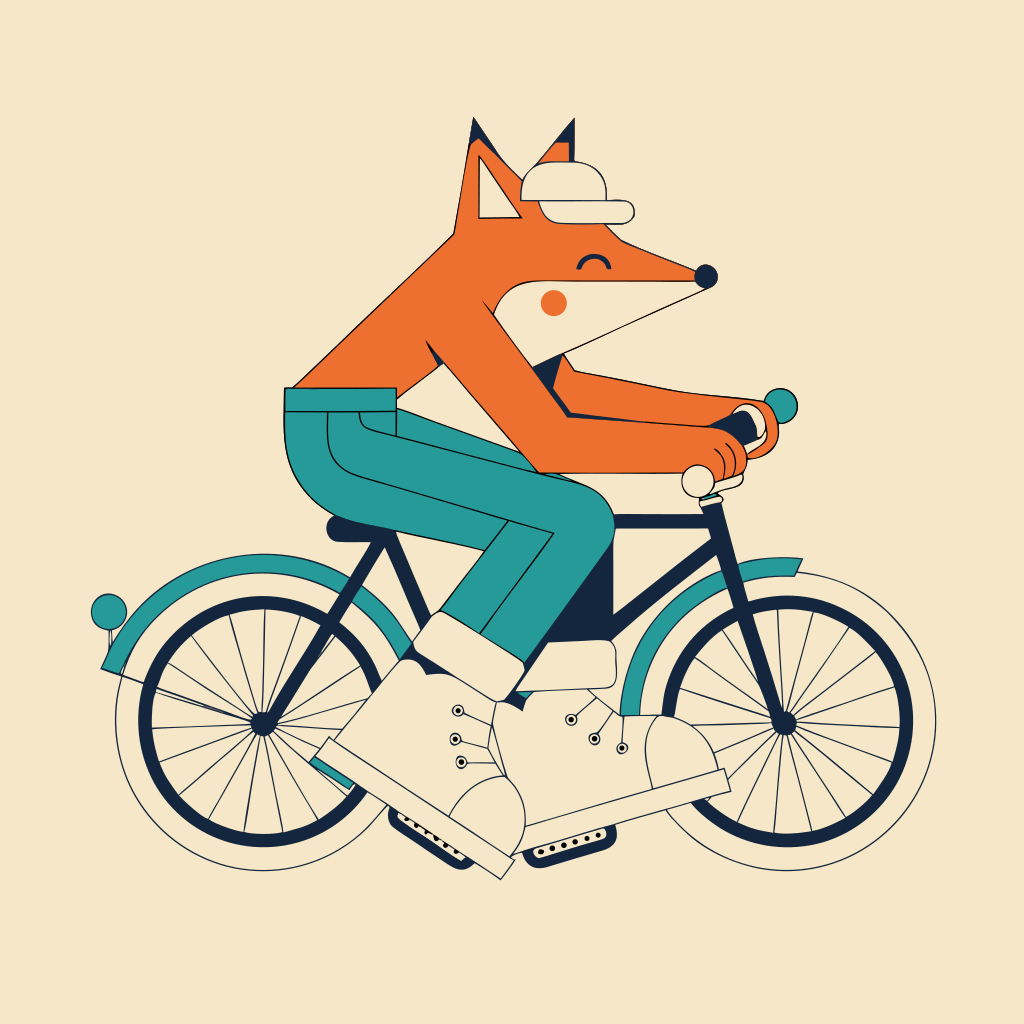
One prompt becomes a downloadable SVG vector.
Generated with the same Text to SVG workflow available on this page.
Get a real SVG file instead of a raster JPG or PNG.
Resize vector artwork without the usual pixelation of raster images.
Start from an idea instead of an existing image.
Open the SVG in compatible vector design software for further editing.
TEXT TO VECTOR
Traditional SVG workflows often start with drawing shapes manually or converting an existing image into vectors. Text to SVG starts with your idea: describe the graphic you want, and AI creates vector artwork as an SVG file.
You start with words. The result is an SVG vector file.
START WITH AN IDEA OR AN IMAGE
Describe a new vector graphic and generate it from scratch.
Upload an existing PNG, JPG, or WebP and convert its visible artwork into SVG vector shapes.
WHAT CAN YOU MAKE?
Generate clean graphic symbols, interface concepts, and simple visual marks.
Create flat graphic artwork for websites, presentations, packaging, or creative projects.
Generate playful standalone characters, objects, and decorative graphics.
Create circular, shield-shaped, and decorative badge concepts.
Explore simple graphic logo directions from a written idea.
Create botanical, geometric, abstract, seasonal, and ornamental graphics.
HOW IT WORKS
Write what you want to see, including subject, style, colors, and composition.
AI interprets your prompt and creates the design as SVG vector output.
Preview the result, then download the SVG for compatible design or creative workflows.
GOOD TO KNOW
Text to SVG is designed for visual and creative vector generation. It is not a CAD, drafting, or engineering tool. Small details, lettering, symmetry, geometry, or exact brand requirements may need manual adjustment.
For exact technical drawings, manufacturing geometry, or strict brand artwork, review and edit the SVG in professional vector software.
AI-generated lettering may not always be exact. For important names, slogans, labels, or legal copy, generate the visual artwork first and add final text in a design editor.
Yes. The output is an SVG vector file rather than only a JPG or PNG preview.
Yes. Text to SVG creates new artwork from a prompt. Image to SVG starts with an existing image and traces its visible artwork.
Yes. Choose a canvas format and provide optional preferred colors. AI may interpret those colors rather than match them exactly.
Yes. Open it in compatible vector software. Internal path structure can vary, so some results may be easier to edit than others.
It can generate logo concepts and simple graphic marks. Review originality, typography, geometry, and trademark requirements before professional use.
No. It creates creative vector graphics, not dimensionally accurate engineering or manufacturing geometry.
Create scalable vector artwork from a text prompt and download the result as an SVG file.
Generate SVGCreative Toolkit Index
Quick access to precision layer extraction, AI photo editing & asset tools.