
AI virtual try-on video
See how an outfit looks on you — in motion
Try on an outfit
Add a photo of yourself and a photo of the clothing. We'll create a short video of the look for you.
Front-facing or slightly angled standing photos usually work best.
Clothing to try on
Upload a clear image of the top, jacket, dress, or other garment you want to see on yourself.
Product images from an online store work well when the garment is easy to see.
See the result
Photo + Clothing → VideoOne photo. One outfit. One moving preview.
Generated with the same Try-On Video workflow available here.
AI-generated visual preview. Actual fit and fabric behavior may differ.
Upload a photo of yourself and the clothing you want to try. AI creates a short virtual try-on video so you can see the whole look without changing clothes or recording a new video.
Try jackets, tops, dresses, and other outfits from images you already have.
Use your own photo
See the outfit on you, not on a random model.
No changing room needed
Preview a look from just two images.
See it in motion
Go beyond a single static try-on image.
Private uploads
Your source images are used to create your result.
Why video?
A photo shows the outfit. A video shows the look.
A static virtual try-on can help you check the basic style. A short video gives you more context for the whole look — useful when you're deciding what to wear, what to buy, or which outfit you like best.
See the whole look
Get a better sense of how the clothing works with your overall appearance.
Compare outfits before deciding
Try different clothing images without putting on every item yourself.
Go beyond one frame
See your virtual try-on as a moving look instead of a single generated image.
Photo or video?
Which kind of try-on do you need?
Virtual Try-On Photo
For a quick outfit check
Use a static try-on when you mainly want to see whether you like the basic look.
Best for
- Trying several outfits
- Quick style checks
- A single finished image
- Lower-cost previews
Try-On Video
See it in motionFor a more dynamic preview
Choose video when you want to see the generated outfit as a moving look instead of a single frame.
Best for
- Seeing the outfit in motion
- Comparing favorite looks
- Sharing the result
- Getting more context than one image
Real try-on example
From clothing photo to try-on video
Start with one photo of yourself and one clothing image. See how they become a short virtual try-on preview.
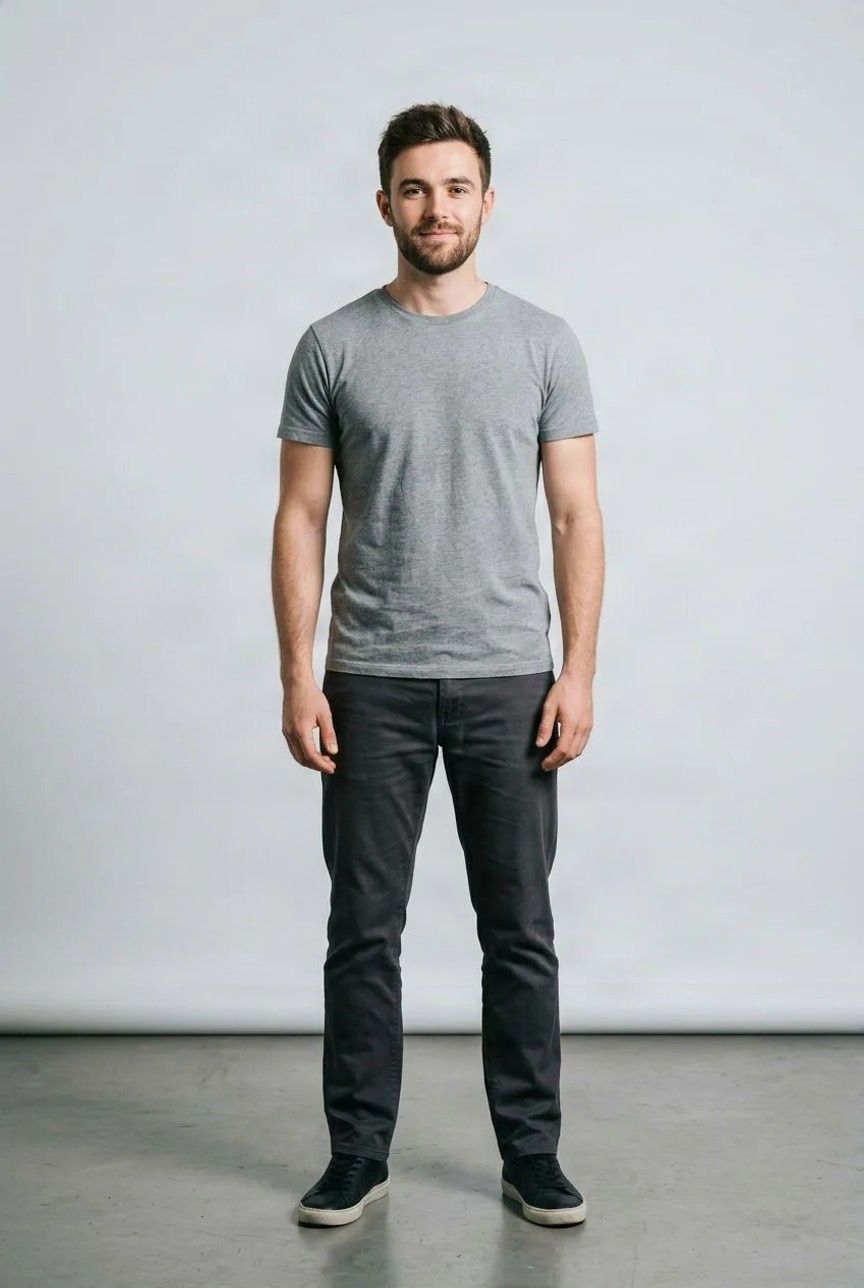
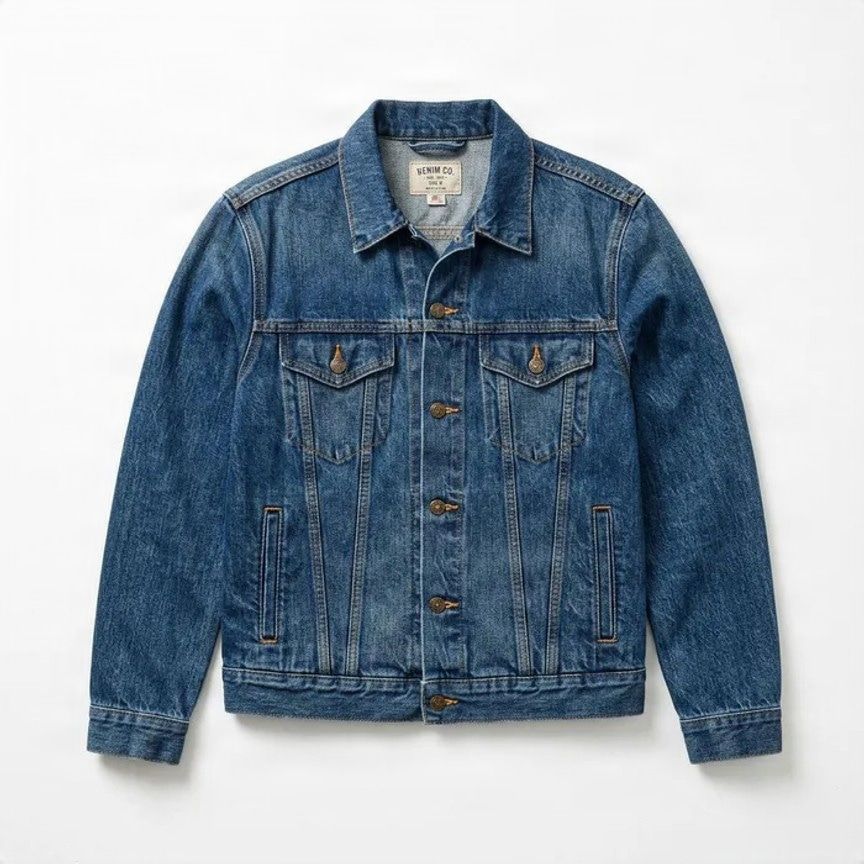
One real example generated with the same workflow used by this tool.
How it works
Try on clothes in three simple steps
Upload your photo
Choose a clear picture of yourself where the clothing area is easy to see.
Add the clothing
Upload the item you want to try on.
Watch your try-on
AI combines the two images and creates a short moving preview of the outfit.
Try before you decide
See the look before you commit
Shopping online
See how a jacket, top, dress, or other item might look on you before deciding whether to buy it.
Choosing between outfits
Compare different styles without changing clothes again and again.
Planning what to wear
Preview a look before a date, party, trip, event, or photoshoot.
Trying a different style
Explore clothing outside your usual wardrobe without actually putting it on.
Sharing an outfit idea
Create a moving preview to show a friend or share when asking for style advice.
Styling clothes you already own
Mix your own photo with clothing images to explore new outfit combinations.
Good to know
A visual preview — not a fitting-room guarantee
Try-On Video is AI-generated. It can help you explore how an outfit might look, but it cannot tell you exactly how the real garment will fit, stretch, drape, or move on your body.
Small details such as logos, prints, seams, jewelry, hands, fabric folds, and accessories may also change during generation.
Choosing a size? Always use the retailer's real measurements, size chart, and product information.
Get a better try-on
Start with clear photos
Face the camera
Front-facing or slightly angled standing photos usually work best.
Keep your body visible
Avoid large bags, crossed arms, or other objects covering the clothing area.
Use a clear clothing photo
Make sure the garment shape, sleeves, neckline, and important details are easy to see.
Keep it simple
One person and one main clothing item are easier for AI to interpret.
Transparent fabrics, very loose clothing, layered outfits, complex prints, or heavily covered bodies can be less predictable.
Frequently asked questions
What is an AI try-on video?
An AI try-on video combines your photo with a clothing image to create a short moving virtual preview of the outfit.
Do I need to wear the clothing first?
No. Upload your photo and an image of the clothing you want to try.
Can I use a clothing photo from an online store?
Yes. Clear product images where the garment is easy to see are usually the best starting point.
Do I need to create a virtual try-on photo first?
No. Upload your photo and the clothing directly on this page. The tool handles the full try-on video process for you.
Will the clothing fit exactly like this in real life?
No. The result is an AI-generated visual preview, not a real-world fitting or sizing simulation. Actual fit depends on your measurements, garment size, fabric, cut, and construction.
Will I still look like myself?
Your photo is used as the visual reference, but AI generation can still change some facial, body, hair, or clothing details.
What kinds of clothing work best?
Clear tops, jackets, dresses, and other recognizable garments are generally easier to preview. Transparent, heavily layered, oversized, or highly complex garments can be less predictable.
Can I try more than one outfit?
Yes. Upload another clothing image and create a new try-on whenever you want to compare a different look.
Can I download my try-on video?
Yes. Once generation is complete, you can view and download the finished result from the result page.
Wondering how that outfit would look on you?
Upload your photo, add the clothing you want to try, and turn the look into a short virtual try-on video.