
Turn One Product Image Into a 360°-Style Video
Upload a product photo and create a smooth rotating video that reveals the item from changing angles.
Create a product rotation video
Upload one clear product image. AI turns it into a smooth 360°-style video with changing product views.
Upload product image
Use a clear image with the full product visible and minimal obstruction.
JPG, PNG, or WebPAI-generated views may reconstruct parts of the product that are not visible in the original image.
See the result
1 Image → 360°-Style VideoOne product photo. Multiple changing angles. One smooth video.
Generated with the same production workflow available on this page.
One image in
Start with a single product photo.
No turntable needed
Create rotating product motion without filming a physical spin.
Changing angles
Reveal more of the product than a single static image can show.
AI-generated views
Hidden or unseen details may be reconstructed by AI.
What 360°-style means
A Rotating Product View — Not a Strict 3D Turntable
This tool creates an AI-generated 360°-style product video from a single image. The viewing angle changes around the product to create the feeling of a rotating showcase.
It does not create an exact 3D scan or guarantee a mathematically complete 0°–360° orbit. The video may cover a large range of angles without returning perfectly to the exact starting view.
Details hidden in the original photo—such as the back, ports, labels, or small design elements—may be reconstructed by AI.
360°-style means a generated rotating product presentation, not a precise physical 360° reconstruction.
Why video?
Show More Than a Single Product Photo
A rotating product video gives viewers a more dynamic sense of shape, silhouette, materials, and overall design.
Reveal changing angles
Show more of the product without shooting separate photos from every side.
Add motion to product pages
Turn a static image into a more engaging visual for listings, landing pages, and presentations.
Create without a studio setup
Skip the physical turntable, camera setup, and reshoot for a quick AI-generated preview.
Real example
From One Product Photo to a Rotating Video
One real result generated with this tool’s production workflow.
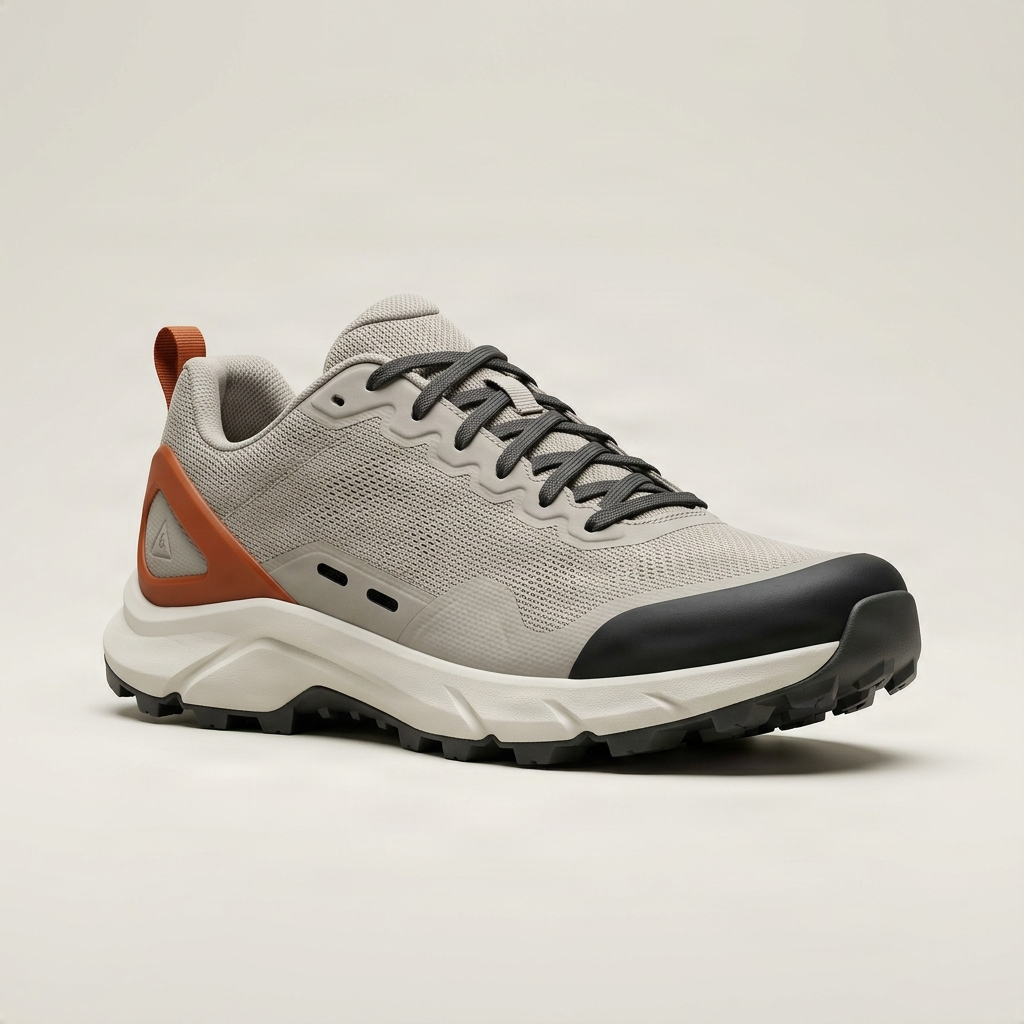
The video is AI-generated and may reconstruct product areas not visible in the source image.
How it works
Create a rotating product video in three steps
Upload your product
Choose a clear image where the full item is easy to see.
Generate the rotation
AI creates changing product views and turns them into a smooth rotating video.
Download your video
Preview the result and download the MP4 from your result page.
Where to use it
Turn static product images into moving showcases
Ecommerce product pages
Social media
Product landing pages
Ads and promotional creatives
Product presentations
Product concept previews
Images or video?
Choose the output that fits your workflow
Product 360 View Generator
Create separate static product views you can inspect and use individually.
Create product viewsProduct 360 Video Generator
Turn one image into a smooth 360°-style video with changing views.
Create 360°-style videoGood to know
AI-Generated Views Are Not Exact Product Reconstruction
When the video moves toward angles not shown in the source, AI may need to infer what those areas look like.
Logos, labels, text, buttons, ports, stitching, patterns, packaging information, and back-side features may change.
The result is designed for visual presentation and creative preview—not technical inspection or exact documentation.
Need exact details from every side? Use real multi-angle photography or a verified 3D product model.
Get a better result
Start with a strong product image
Show the full product
Keep the entire item visible inside the frame whenever possible.
Use a clean background
Simple or uncluttered backgrounds make the product easier for AI to understand.
Avoid heavy obstruction
Hands, packaging, or overlapping products can make generated views less consistent.
Use a clear, sharp image
Better source details give AI a stronger reference for shape, materials, and texture.
Prefer one main product
A single clearly defined product is easier to rotate consistently than a group.
Keep branding readable
Large, simple logos are easier to preserve than tiny labels or dense packaging text.
FAQ
Product 360 video questions
What is an AI Product 360 Video Generator?
It turns a single product image into a rotating video with changing product views, without requiring a physical turntable or 3D model.
Does it create a true 360-degree rotation?
Not necessarily. It creates a 360°-style AI video, not a mathematically exact 0°–360° orbit or guaranteed seamless loop.
What does “360°-style” mean?
The viewing angle changes to create the impression of a rotating product presentation. It is not a verified 3D render.
Will the video return to the exact starting angle?
Not always. The goal is smooth product motion rather than an exact seamless loop.
Does AI know what the back really looks like?
Only when that information is visible. Hidden sides and back details may be inferred by AI.
Are generated hidden details accurate?
They may not be. Logos, labels, ports, patterns, seams, and other hidden details can change.
Do I need multiple product photos?
No. The generator is designed to work from one product image.
Do I need a 3D model?
No GLB, OBJ, CAD file, or other 3D asset is required.
Do I need a physical turntable?
No. One clear product photo is enough to start.
What products work best?
Clearly visible single products such as shoes, bags, bottles, furniture, accessories, toys, and boxes usually work best.
What products are harder?
Transparent or reflective objects, complex machinery, tiny text, and important hidden components are less predictable.
Can I use it for ecommerce?
Yes, when an AI-generated visual is appropriate. Verify that the result matches the real item before publishing.
Can I use it for social media or ads?
Yes. It works well for promos, social posts, landing pages, ads, and launch teasers.
Can I download the video?
Yes. Preview and download the finished MP4 from the result page.
Turn your product photo into motion
Upload one product image and create a smooth AI-generated 360°-style video with changing product views.
Create 360°-Style VideoAI may reconstruct details that are not visible in the original image.