
Generate Product Images From Multiple Angles
Upload one product photo and create a consistent set of product images from different viewing angles.
Generate front, three-quarter, side, back, and additional product views without photographing every angle yourself.
Create multiple product views
Upload one clear product image, choose the views you need, and generate them as separate images.
Use a clear photo where the full product is visible and easy to recognize.
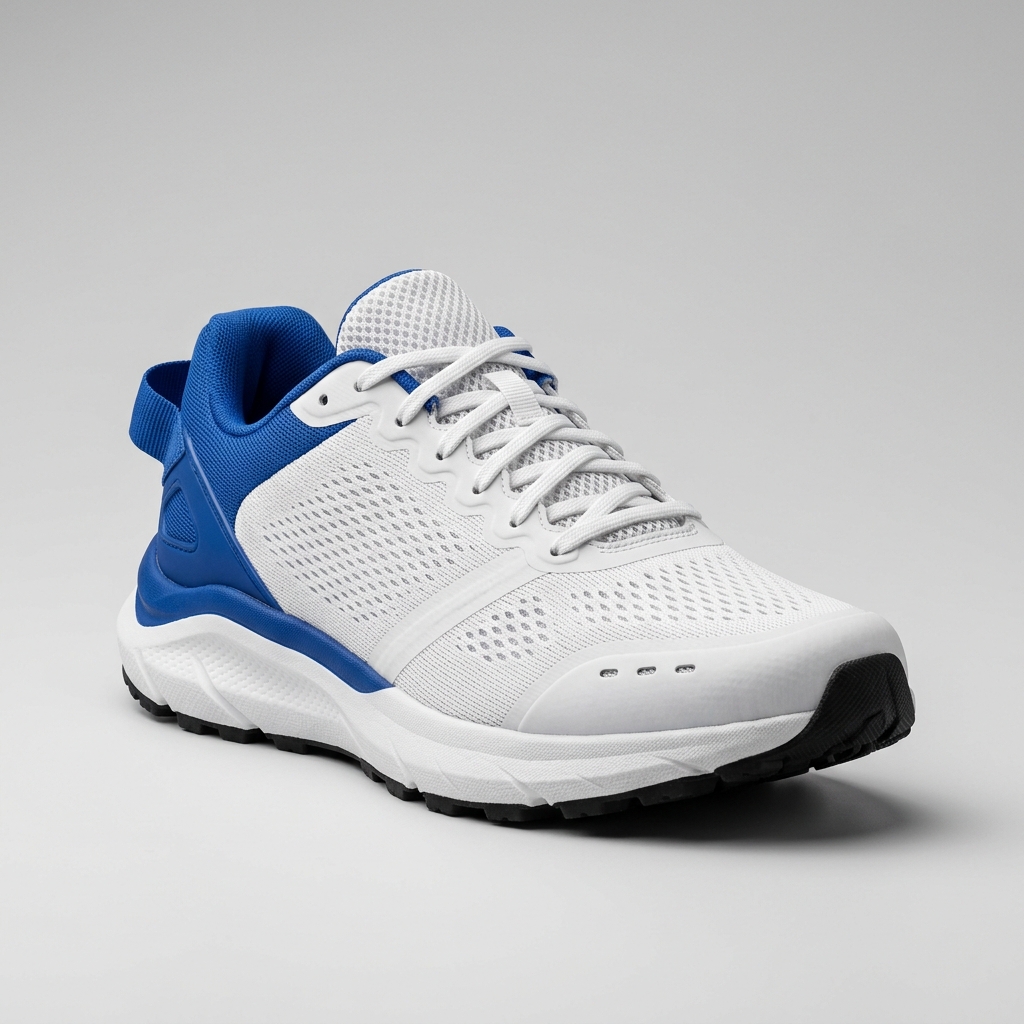
Ready to create multiple views for your product?
Click or drag & drop any photo here (PNG, JPG, WEBP)
Working with a character?
Related Angle Tools
AI Multiple Angles SuiteFront, side, back & 3/4 views in one run
Lateral, heel & outsole sneaker views
Front, side & rear model reference sheets
Front, side, back & 3/4 views for anime characters
One left or right profile, 30 credits
Clean marketplace angles for listings
Precise azimuth & elevation controls
Each selected view is generated as a separate image.
AI may reconstruct product details that are not visible in the original photo.
See the Angles
Original

Front · 3/4 · Side · Back
1 Image → Multiple Views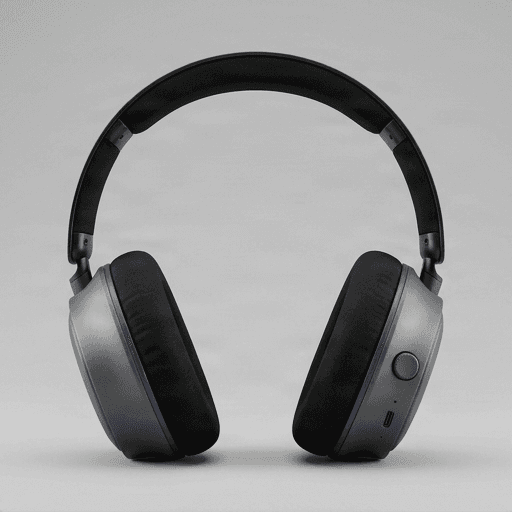

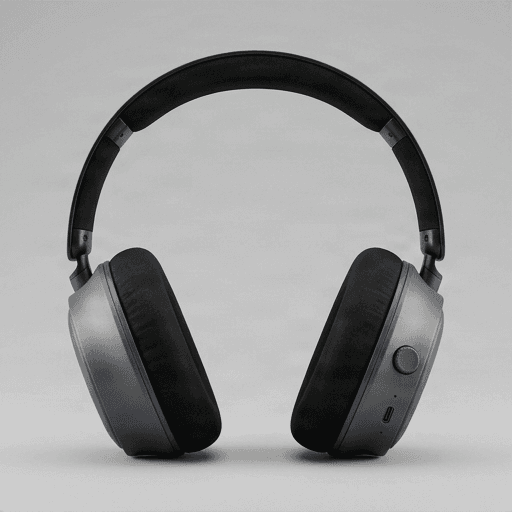
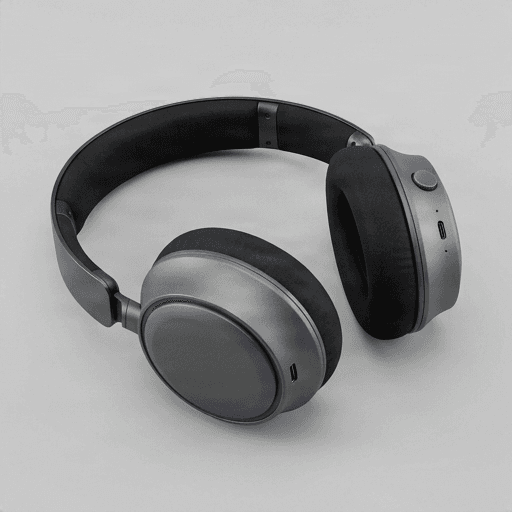
One product photo becomes a reusable set of product views.
Generated with the same Product 360 View workflow available here.
One image to start
Create multiple views from a single product photo.
Choose the angles
Generate only the product views you actually need.
Separate image outputs
Download each generated angle as its own image.
AI-reconstructed views
Hidden product details may be inferred from visible information.
Multiple Views From One Image
What Is an AI Product 360 View Generator?
An AI Product 360 View Generator creates a set of static product images from different viewing angles using one source photo.
Instead of photographing the same item repeatedly from the front, side, back, and three-quarter views, AI generates additional viewpoints while trying to preserve the product's overall shape, colors, materials, and visual identity.
The output is a set of images — not a video and not a 3D model.
Your Outputs
Multiple Product Angles as Separate Images
Front View
A clear front-facing product image.
Three-Quarter View
A more dimensional angle that reveals both the front and side.
Side View
See the profile, depth, and silhouette of the product.
Back View
Generate a view of the rear side when it is not available in the original photo.
Additional Angles
Create more viewpoints for a broader product image set.
Exact available angles depend on the view options selected in the generator.
Why Multiple Angles?
Show More of Your Product With Fewer Photos
Build richer product listings
Add more visual coverage when you only have one or a few original product photos.
Show shape and silhouette
Front, side, and three-quarter views make product form easier to understand.
Create consistent visual sets
Build a coordinated group of product images for listings, presentations, or marketing layouts.
Skip additional photography
Explore new angles without setting up another product shoot.
Real Example
One Product Photo, Multiple New Views
See how one source image can become a set of separate product views from different directions.
Original
Generated Product Views
One real result generated with the same workflow used by this tool.
Views that reveal hidden product areas may include AI-reconstructed details.
Generate Product Views in Three Steps
01 — Upload your product
Choose one clear product image.
02 — Choose your angles
Select the front, side, back, three-quarter, or other views you want to generate.
03 — Download your views
Review the finished results and download each product image separately.
Where to Use Them
Create Product Views for More Than One Purpose
Ecommerce listings
Add front, side, back, and three-quarter views to help customers understand the product.
Marketplace images
Create additional product angles for listings on marketplaces and storefronts.
Product presentations
Show multiple viewpoints in decks, pitches, product reviews, and launch materials.
Advertising creatives
Use different product angles across ads, banners, and campaign layouts.
Social media
Turn one product image into multiple pieces of visual content.
Product concept exploration
Visualize how a concept might appear from other viewpoints before a complete photoshoot.
360 Views or 3D-Style Views?
Choose the Type of Product Image You Need
Product 360 View Generator
Multiple AnglesBest when you want separate static images of the same product from different directions.
Best for
- Front / side / back images
- Multi-angle product listings
- Reference views
- Product image sets
- Individual angle downloads
3D Product Generator
Best when you want an actual 3D asset that can be rotated, inspected, and downloaded.
Best for
- Interactive viewing
- GLB downloads
- 3D experimentation
- Turntable exports
- Web 3D
Images or Video?
Static Product Views or a Rotating Video?
Product 360 Views
Generate separate product images that you can use, download, and edit individually.
Best for
- Product listings
- Static image galleries
- Angle-specific assets
- Reference images
- Individual downloads
Product 360 Video
In MotionCreate a 360°-style rotating product video from one image.
Best for
- Social media
- Product showcase videos
- Landing pages
- Ads
- Motion previews
Good to Know
Hidden Product Details May Be Reconstructed by AI
AI only sees the information available in your uploaded image. When you generate an angle that reveals a hidden side of the product, the model may need to infer what that area looks like.
Details such as logos, labels, text, seams, buttons, ports, patterns, fasteners, packaging information, or back-side features may change or be reconstructed differently.
Generated views are useful for visual presentation and creative workflows, but they should not be treated as exact technical documentation of unseen product areas.
Need exact views of every real product detail? Use original multi-angle photography or a verified 3D model.
Get Better Views
Start With a Clear Product Image
Show the full product
Keep the complete item visible inside the frame.
Use a simple background
Clean backgrounds make the product easier for AI to isolate and understand.
Avoid obstruction
Hands, props, packaging, or overlapping objects can make new angles less consistent.
Use a sharp image
Clear edges, textures, and visible materials provide stronger reference information.
Use one main product
A single product is easier to preserve consistently than several overlapping objects.
Start from a useful angle
Front or three-quarter product photos generally give AI more useful shape information than extreme or heavily cropped views.
What Works Best
Clear Products With Recognizable Shapes Perform Best
Often works well
- Shoes
- Bags
- Bottles
- Furniture
- Consumer electronics
- Toys
- Accessories
- Packaged goods
- Home products
- Product concepts
Can be less predictable
- Transparent products
- Mirrors
- Highly reflective surfaces
- Dense packaging text
- Complex machinery
- Thin cables or wires
- Products with important hidden ports
- Highly asymmetrical objects
These products can still be generated, but consistency across angles may vary.
Frequently Asked Questions
What is an AI Product 360 View Generator?
An AI Product 360 View Generator creates static product images from multiple viewing angles using a single source photo. It can generate front, side, back, three-quarter, and other product views without requiring a separate photo for every angle.
Does this generator create images or video?
It creates images. Each selected product angle is generated as a separate static image. If you want a rotating video instead, use the Product 360 Video Generator.
Does it create a real 3D model?
No. The generator creates 2D product images from different viewpoints. It does not create GLB, OBJ, FBX, CAD, or other downloadable 3D model files.
How many product photos do I need?
One clear product photo is enough to start.
What product angles can I generate?
Depending on the available view options, you can generate angles such as front, front three-quarter, side, back three-quarter, back, and opposite-side views.
Can I choose which angles to generate?
Yes. Select the product views you need instead of generating every available angle.
Will every generated angle show the exact real product?
Not always. AI tries to preserve the visible product design, but areas that are hidden in the source image may need to be reconstructed or inferred.
Will the generated back view be accurate?
If the back of the product is not visible in your original image, AI cannot know its exact design. It may generate a plausible back view based on the visible shape and product category.
Will logos and product text stay consistent?
Visible logos and design elements may be preserved, but small text, labels, patterns, symbols, packaging information, and other fine details can change between generated views.
What products work best?
Products with clear silhouettes and recognizable shapes usually work best, including shoes, bags, bottles, furniture, electronics, toys, accessories, and packaged goods.
Can I use the generated views for ecommerce?
Yes, when AI-generated product images are appropriate for your store or listing. Check important product details before publishing generated views as representations of the real item.
Is Product 360 View the same as Product 3D View?
No. Product 360 View focuses on generating separate images from multiple angles. Product 3D View focuses on polished images with a more dimensional or rendered-looking appearance.
Is Product 360 View the same as a 360° product video?
No. Product 360 View produces separate static images. Product 360 Video creates a moving, 360°-style product presentation.
Can I download each angle separately?
Yes. Generated product views are separate image outputs, so you can review and download the individual angles you want to use.
Can I use generated views as technical references?
They can be useful for visual reference and concept work, but AI-generated hidden details may not be physically accurate. For technical documentation, manufacturing, measurements, or engineering use, rely on verified photography, CAD files, or real 3D models.
Continue Your Product Image Workflow
AI 3D Product Generator
Create polished 3D-style product images from new perspectives.
Create 3D Product ViewsProduct 360 Video Generator
Turn one product image into a smooth 360°-style rotating product video.
Create Product VideoAI Product Photography
Place your product into styled scenes and marketing visuals.
Create Product PhotosSee Your Product From More Angles
Upload one product photo, choose the views you need, and generate a reusable set of product images from different angles.
Generate Product ViewsAI may reconstruct product details that are not visible in the source image.