
Generate AI backgrounds for product photos
Turn a simple product image into a polished commercial visual. Generate studio, lifestyle, ecommerce, premium, seasonal, or custom backgrounds around your product without setting up a new photoshoot.
Upload your image
Drag and drop or browse files
Quick styles & ideas:
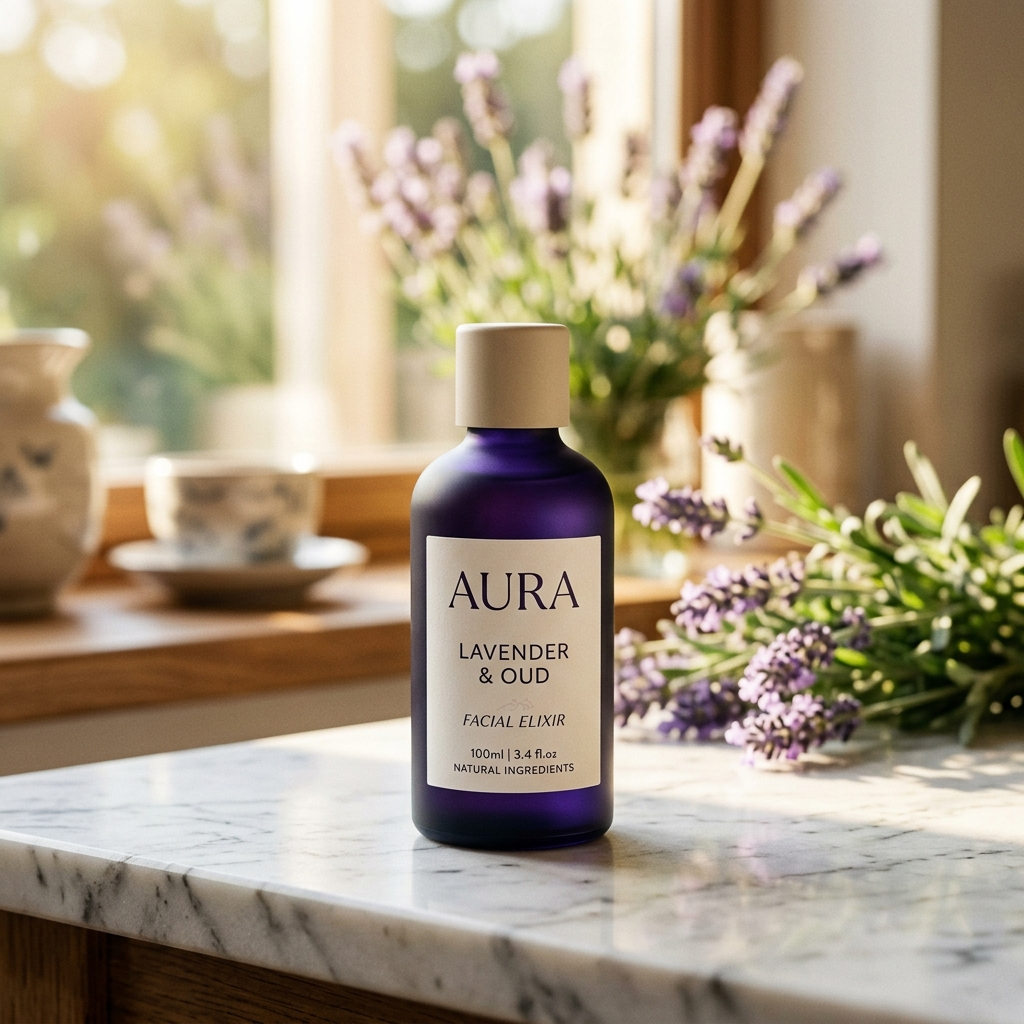
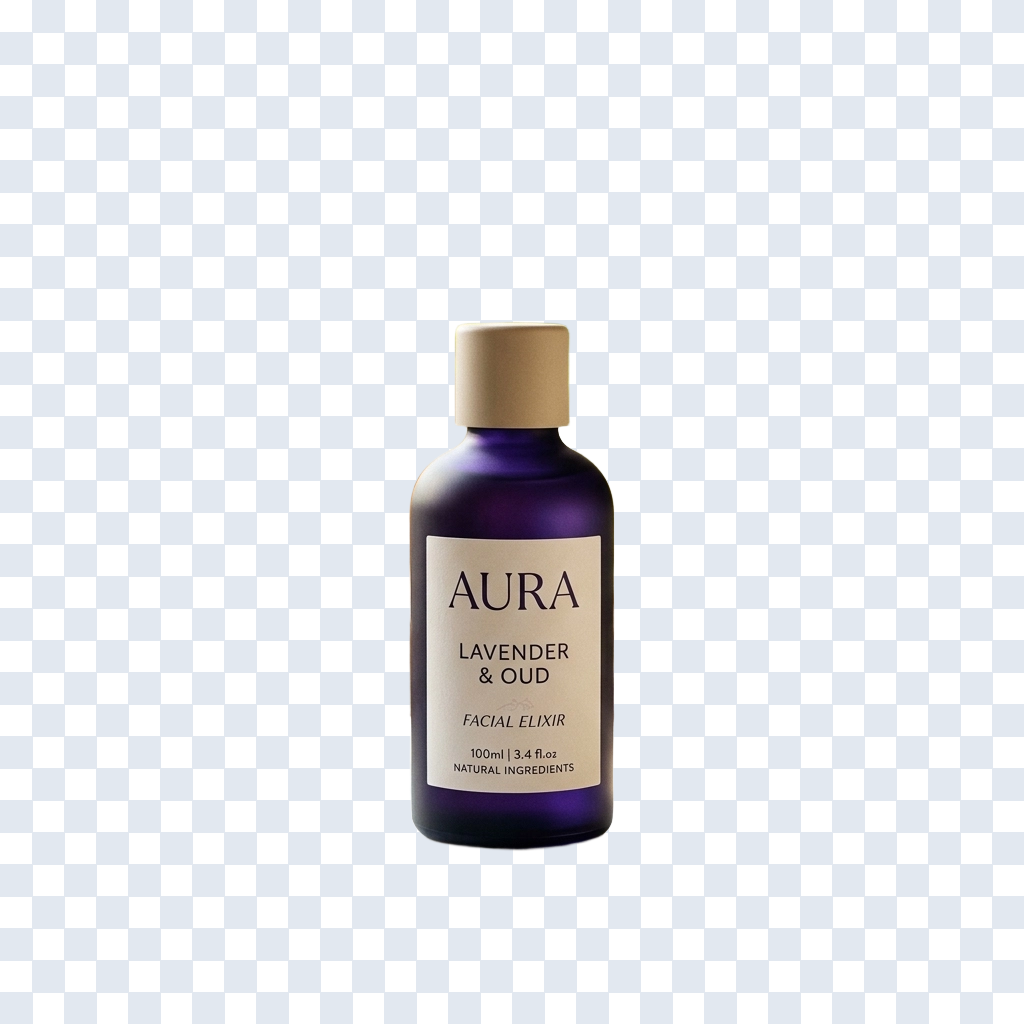
Create a complete background around your product
A strong product image is not only about the item itself. The background, display surface, lighting, shadows, depth, materials, and surrounding colors all influence how the product is perceived. ImageToLayers uses your product image as the visual anchor and generates a new environment around it, helping turn a simple source photo into a more polished commercial visual.
Built for product images
The generator keeps your product as the visual anchor while rebuilding the scene around it.
Studio and lifestyle scenes
Move between clean ecommerce studios and believable lifestyle settings from the same photo.
AI lighting and shadows
Generated scenes include contact shadows and lighting that help ground the product.
High-resolution output
Download a full-resolution result ready for listings, ads, and print.
Generate product backgrounds for different visual styles
Clean ecommerce
Create bright, simple environments that keep attention on the product for storefronts, product detail pages, and catalogs.
Studio
Generate seamless backdrops, controlled surfaces, soft lighting, gradients, pedestals, and commercial studio-style setups.
Lifestyle
Place products into kitchens, bathrooms, living spaces, offices, wellness environments, outdoor settings, or other contextual scenes.
Premium and luxury
Use darker environments, stone, glass, metal, controlled reflections, dramatic lighting, and more editorial styling.
Seasonal
Generate visual environments for holidays, launches, events, and temporary seasonal campaigns.
Ad and campaign
Create more expressive backgrounds with stronger color, negative space, graphic composition, or campaign-oriented lighting.
Generate a full scene, replace it, or keep it flat?
All three start from your existing product photo. Choose a complete AI scene, a flat color, or a specific replacement based on what the listing or campaign needs.
How to generate an AI background for a product photo
Turn one product photo into a complete commercial scene in a few focused steps.
- Step 101
Upload a product image
Choose a clear product photo where the item is visible and easy to distinguish from its current background.
- Step 202
Choose a visual direction
Start from a preset such as Clean Studio, Lifestyle Interior, or Luxury Dark, then customize the scene before generating.
- Step 303
Describe the product environment
Describe what should appear around the product: the scene, surface, lighting, materials, colors, and commercial mood.
- Step 404
Generate and review
Inspect product edges, labels, logos, packaging text, reflections, contact shadows, scale, and perspective before publishing.
How to write better product background prompts
For product imagery, focus on the environment you want to build around the item. The generator can already see the uploaded product, so your prompt is usually more useful when it describes the surrounding scene.
Studio
A clean, commercial studio setup with controlled lighting.
Luxury
A premium, editorial direction for higher-end products.
Lifestyle
A believable in-context setting for the product.
Campaign
A bolder, ad-ready direction with room for copy.
Tips for better AI product backgrounds
Start with a clear photo
A well-lit product image with clean edges gives the generator a stronger starting point.
Keep the full product visible
Avoid heavy cropping or occlusion so the product stays the clear visual anchor.
Describe the environment
Focus your prompt on the scene around the product rather than the product itself.
Mention the surface
Call out the surface material when contact with the scene matters, such as stone, wood, or fabric.
Keep labels visible
Keep important labels and logos visible in the source image so they stay easy to check.
Generate variations
Try multiple prompts when exploring studio, lifestyle, or campaign directions.
AI product backgrounds for ecommerce and marketing
Product detail pages
Create clean, polished product visuals for ecommerce PDPs and storefronts.
Catalogs
Generate consistent visual directions across collections, categories, or product families.
Beauty and skincare
Use neutral studio sets, stone surfaces, botanical scenes, gradients, and premium lighting for beauty products.
Food and beverage
Generate environments around bottles, cans, boxes, jars, coffee, packaged food, and beverage products.
Tech and electronics
Create modern studio setups, dark premium scenes, gradients, reflections, and minimal commercial environments.
Advertising and campaigns
Create backgrounds with stronger styling, negative space, dramatic lighting, or campaign-oriented composition.
Review important product details before publishing
The uploaded product remains the visual anchor of the generated scene, but generative processing can sometimes affect fine edges, transparent materials, reflections, labels, logos, packaging text, or small structural details.
Always review commercially important product geometry, branding, colors, packaging information, and visual accuracy before using a generated image in a listing, ad, catalog, or campaign.
Questions about AI product background generation
What is an AI product background generator?
An AI product background generator takes an existing product image and creates a new visual environment around it. The generated result can include a backdrop, floor or surface, lighting, depth, contact shadows, materials, scenery, and other contextual details.
How do I generate a background for a product photo?
Upload your product image, choose a preset or describe the environment you want, then generate the result. The source product remains the visual reference while AI creates a new scene around it.
Do I need to remove the product background first?
Not necessarily. You can start from an existing product image without manually removing the background first. Clear product separation and clean edges can still help the generator understand what should remain as the main subject.
Can I generate studio backgrounds for products?
Yes. You can request white, beige, gray, gradient, dark, textured, editorial, or pedestal-based studio scenes. You can also describe the surface and lighting to make the scene more specific.
Can I generate lifestyle backgrounds?
Yes. Products can be placed into visual contexts such as kitchens, bathrooms, living rooms, offices, wellness settings, outdoor environments, or other lifestyle scenes. The result is AI-generated and should be reviewed for realistic scale and interaction with the environment.
Can I create a product background with a pedestal?
Yes. Mention the pedestal or display surface in your prompt, such as limestone, acrylic, ceramic, glass, marble, wood, or a simple geometric plinth. Also describe the lighting if you want a specific commercial photography look.
Can AI generate shadows under the product?
Generated scenes can include contact shadows and environmental lighting that help the product feel grounded in the new setting. Because the shadows are AI-generated, check their direction, softness, and relationship to the product before publishing.
Can I use it for ecommerce product photos?
Yes. AI-generated product backgrounds can be useful for storefronts, product detail pages, catalogs, marketing images, campaigns, and social media. Make sure the final image meets the visual and content requirements of the marketplace or channel where you intend to use it.
Can I use it for Amazon or marketplace listings?
You can generate product visuals for ecommerce workflows, but individual marketplaces may have specific image requirements. For example, some listing placements may require plain backgrounds or have rules about additional graphics and props. Check the current requirements of the marketplace before publishing.
Can I create a plain white product background?
You can request a simple white studio scene, but if your only goal is a completely flat white background, a dedicated Background Color Changer is usually the more direct tool. Product Background Generator is most useful when you want a fuller scene with lighting, surfaces, shadows, or depth.
Can I generate several product backgrounds from the same image?
Yes. Reuse the same source image with different prompts or presets to generate studio, lifestyle, luxury, seasonal, or campaign variations. Each generation is a new AI output and may differ in composition and environmental details.
Will AI keep my product exactly unchanged?
The uploaded product is used as the main visual reference, but generative processing can sometimes influence fine edges, reflections, transparent materials, labels, logos, or small details. Review commercially important product features before using the image.
Is it suitable for products with transparent packaging or glass?
It can work, but transparent and reflective materials are more difficult because they visually interact with the surrounding scene. Check glass edges, reflections, refractions, highlights, liquid boundaries, and transparent packaging carefully after generation.
Will AI reproduce packaging text and logos correctly?
Important text and logos should always be reviewed. AI-generated processing can sometimes distort small typography, symbols, labels, or branded details, especially near edited boundaries. Use the source image as the accuracy reference.
Can I generate luxury product backgrounds?
Yes. You can describe dark surfaces, premium stone, glass, metallic materials, controlled rim lighting, soft reflections, dramatic shadows, or other high-end commercial directions. Keep the product itself as the main visual focus in the prompt.
Can I create backgrounds in my brand colors?
Yes. Include the desired colors in the background description, such as a muted brand blue, warm cream, soft coral, or a two-tone gradient. For strict brand color matching, review the generated result and make final color adjustments if exact values matter.
Can I use AI product backgrounds for ads?
Yes. You can create more expressive scenes for paid ads, launch creatives, social campaigns, and promotional images. If you need text or a headline later, it is usually better to leave intentional negative space in the generated composition and add exact typography separately.
What product photo works best as the source?
Use a clear, sufficiently large image with the full product visible, good focus, and clear boundaries. Extreme blur, heavy occlusion, very small products, or complicated reflections can make accurate scene integration more difficult.
Why does my product look like it is floating?
Floating usually happens when the generated surface, contact shadow, perspective, or product placement does not visually agree. Try explicitly describing the surface and lighting, for example, "placed naturally on a matte stone surface with a soft contact shadow directly beneath the product."
What if the generated background is too busy?
Simplify the prompt. Ask for a minimal studio, clean surface, limited color palette, subtle shadows, and no distracting props. Product backgrounds often work better when the environment supports the item instead of competing with it.
Does the AI recover the original background?
No. If the original background has been removed, hidden, or replaced, AI cannot know exactly what was originally there. The new background is generated from the source image and your instruction rather than recovered from invisible original pixels.
Can I use the generated product image commercially?
Generated backgrounds can support commercial workflows such as ecommerce, advertising, catalogs, social media, and campaign content. You should still review product accuracy, logos, trademarks, text, packaging claims, and any channel-specific requirements before publishing.
Related tools
AI Background Generator
Generate a new background for any image, not only product photos.
Background Color Changer
Swap in a flat white, gray, black, or brand-color background.
Product Photo Background Changer
Replace a product's background with one you already have in mind.
Background Remover
Remove the background entirely for a transparent, isolated product.
Turn one product image into a new visual direction
Upload your product, choose a background style or describe your own scene, and generate a polished new environment around it.
Generate a product background