
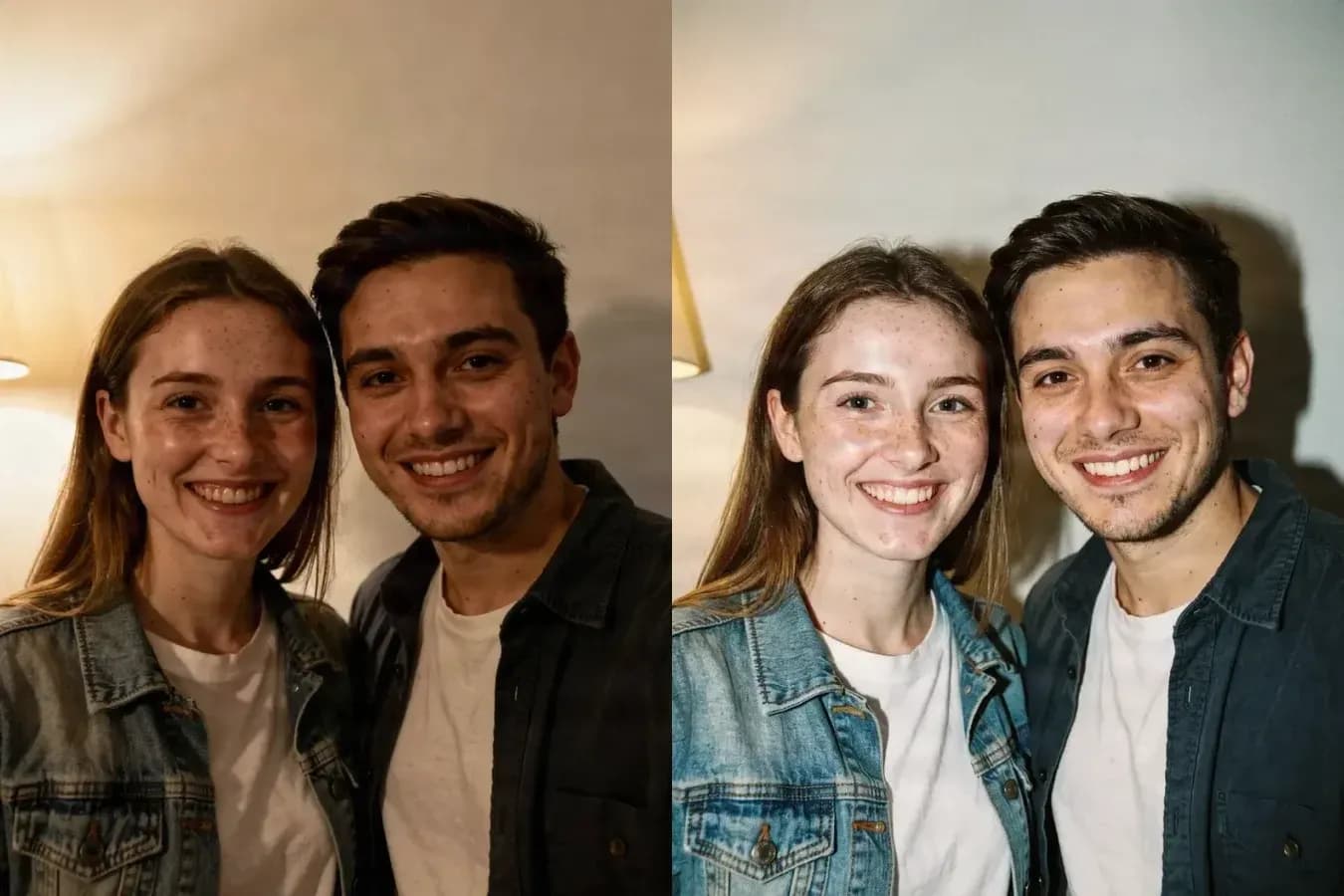
Original90s
Indoor snapshot to 90s Flash
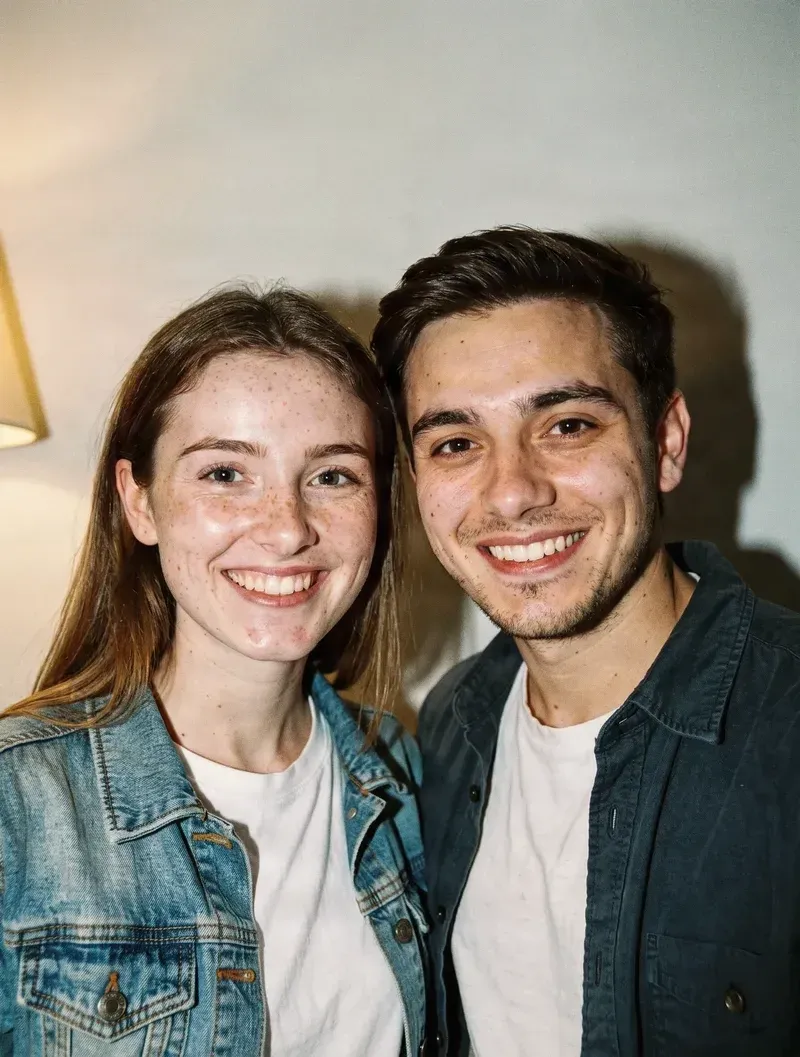
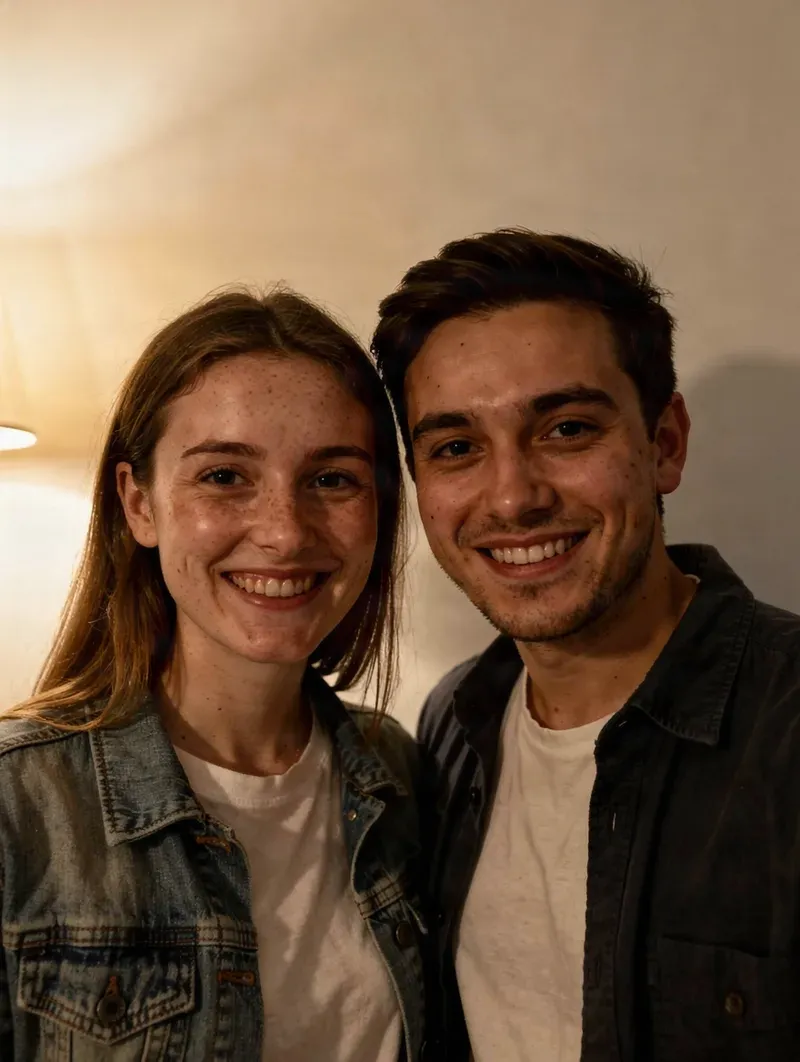
The warm room light gives way to direct on-camera flash: brighter faces, a hard cast shadow on the wall behind, and a darker surrounding exposure. Same two people, same pose, same framing.
90s photo look
Turn your photo into a 90s flash, disposable-camera, or yearbook portrait.
Drop a photo here
Portraits, selfies, couple photos, party photos, travel shots, and everyday snapshots work especially well.
AI-generated edits can vary slightly between generations.
30 credits per generation · new accounts start with 20 free credits. See plans
Just want to try something free? Use the free image generator →
Film grain and texture
Period color response
Designed to keep faces recognizable
✨ Drag the slider to compare the original photo with the 90s Flash version.
Real results
Real generations from this tool. Same people, same pose, same framing — only the photographic character changes.
The warm room light gives way to direct on-camera flash: brighter faces, a hard cast shadow on the wall behind, and a darker surrounding exposure. Same two people, same pose, same framing.
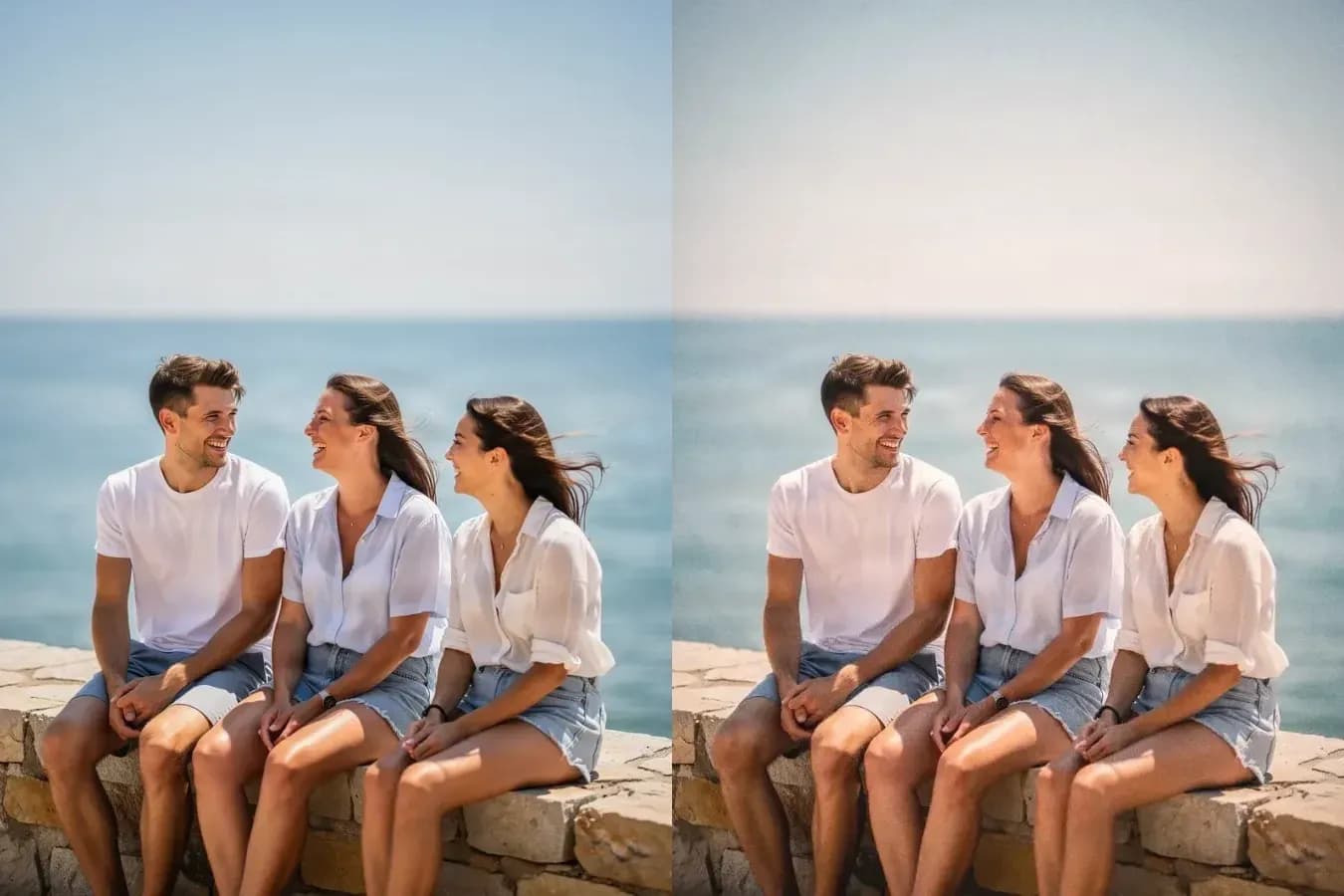
Visible film grain, softer consumer-lens rendering and warmer, uneven exposure across a three-person group — same people, same poses, same framing.
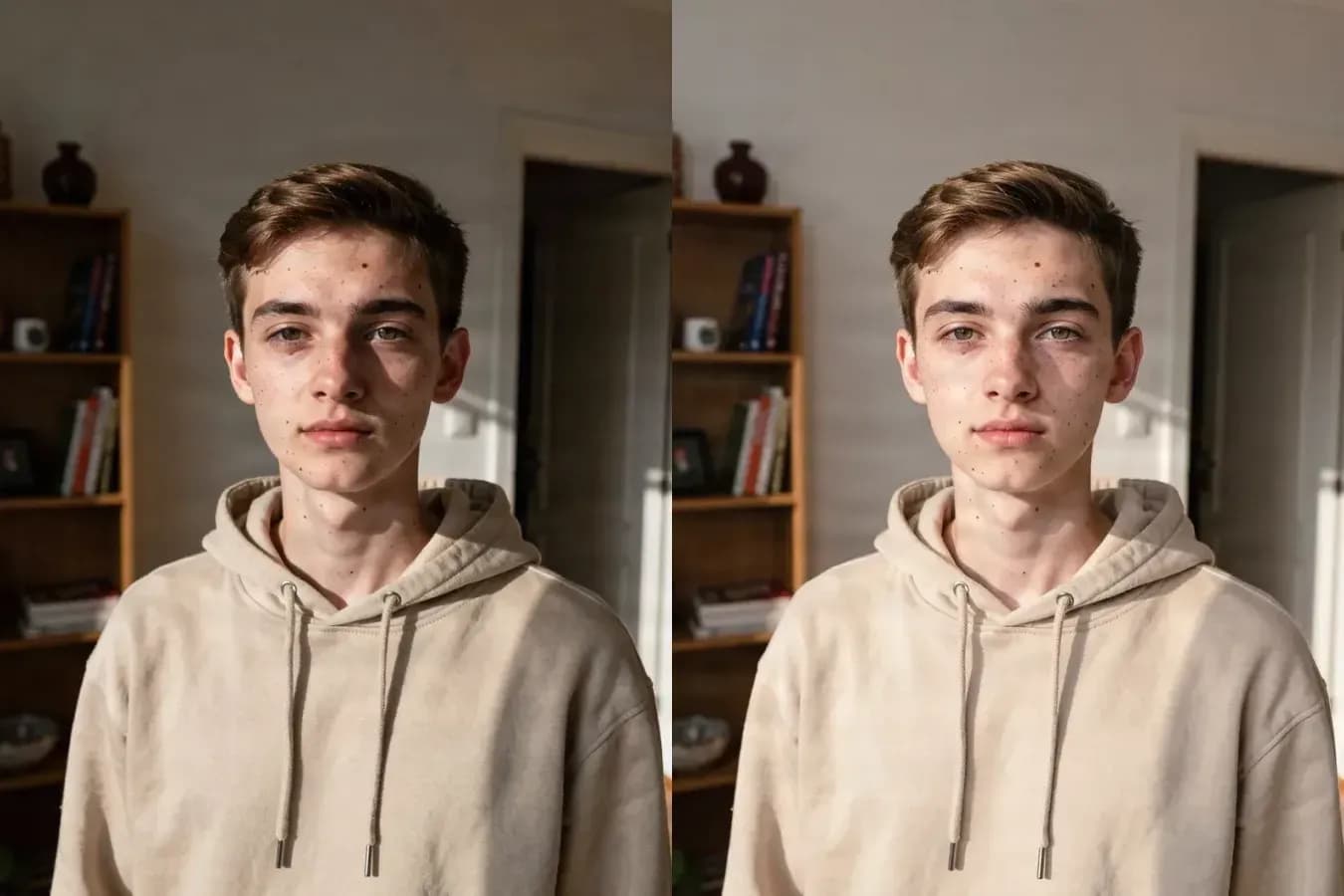
A hard window light across one side of the face gives way to even, controlled portrait lighting — the same person, the same hoodie, the same room, lit like a school photo.
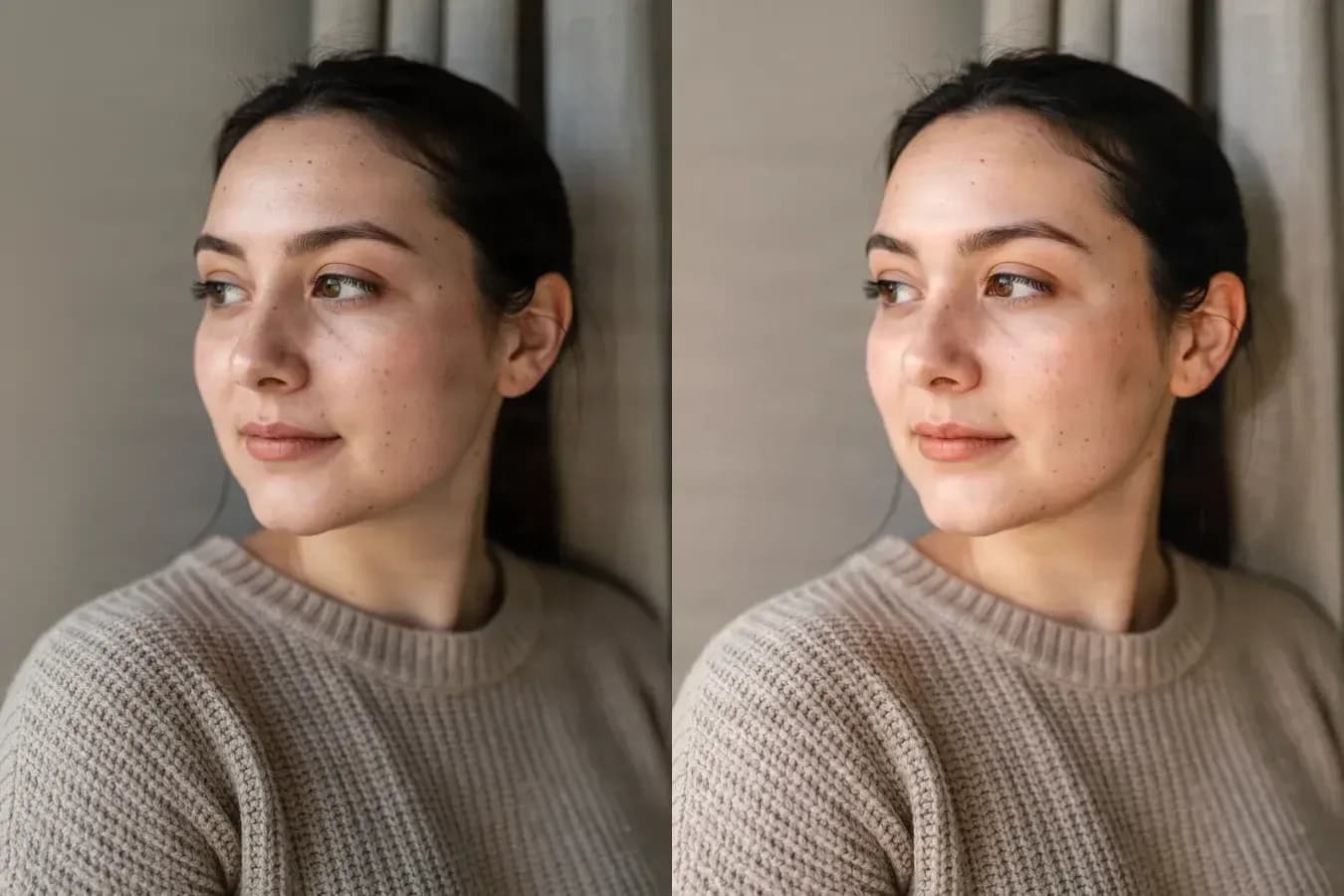
Softer beauty lighting, opened shadows and a gentle highlight bloom on an ordinary window-light portrait — without retouching away the freckles or changing the face.
How it works
1
Drop in a clear photo, or switch to Generate from prompt if you'd rather describe a scene from scratch.
2
Choose a style thumbnail and a strength. The free preview shows an instant in-browser filter so you can compare looks before paying anything.
3
AI reimagine costs 30 credits and relights the photo for real — drag the slider to compare with your original, then download or try another look.
Prompt mode tips
Before you upload
Your uploaded image is used to create the requested AI result. Avoid uploading images you do not have permission to use, and always review generated results before publishing or using them commercially.
Because AI-generated edits vary between generations, check the final image against the original before it goes anywhere that matters.
A 90s AI Photo Generator uses AI to create or restyle images with photographic characteristics associated with the 1990s, including direct flash, film grain, softer detail, vintage color response, disposable-camera texture, and period-inspired portrait styles.
The free preview runs entirely in your browser — it only applies a color and grain filter to your own photo, with no upload and no cost. AI reimagine (30 credits) sends the photo to the AI model, which physically relights the scene, adds real film grain, and renders a full-resolution result.
No. 90s Yearbook only relights your photo with even, soft studio-style lighting. Your background, outfit, pose, and framing stay the same — it does not create a new studio backdrop or wardrobe.
Restyle mode is designed to preserve recognizable facial features, but AI-generated edits can still vary. If a result changes your appearance more than you want, try Natural or Subtle strength and keep facial identity preservation enabled.
The free in-browser preview is a filter — color and grain only. AI reimagine goes further: it can reinterpret lighting, shadows, texture, and the overall photographic character of the scene, not just its colors.
Yes. Switch to Generate from prompt, describe the scene you want, choose a 90s style, and generate a completely new image.
Clear portraits, selfies, couples, small groups, party photos, travel photos, and everyday lifestyle images generally work well. Photos where important faces are extremely small, heavily blocked, or already badly blurred may be harder to preserve.
Generative AI introduces some variation each time it creates an image. This can affect grain, lighting, small details, and the exact appearance of the 90s effect. If you like the subject but want a different mood, try another style or generate another version.
More eras
The 90s are only one kind of vintage photography. Explore Polaroid, Y2K digicam, warm 35mm, faded film, film noir, and other retro looks.
Turn a modern portrait, party picture, couple photo, or everyday snapshot into something that feels like it came from the 1990s.
Creative Toolkit Index
Quick access to precision layer extraction, AI photo editing & asset tools.