
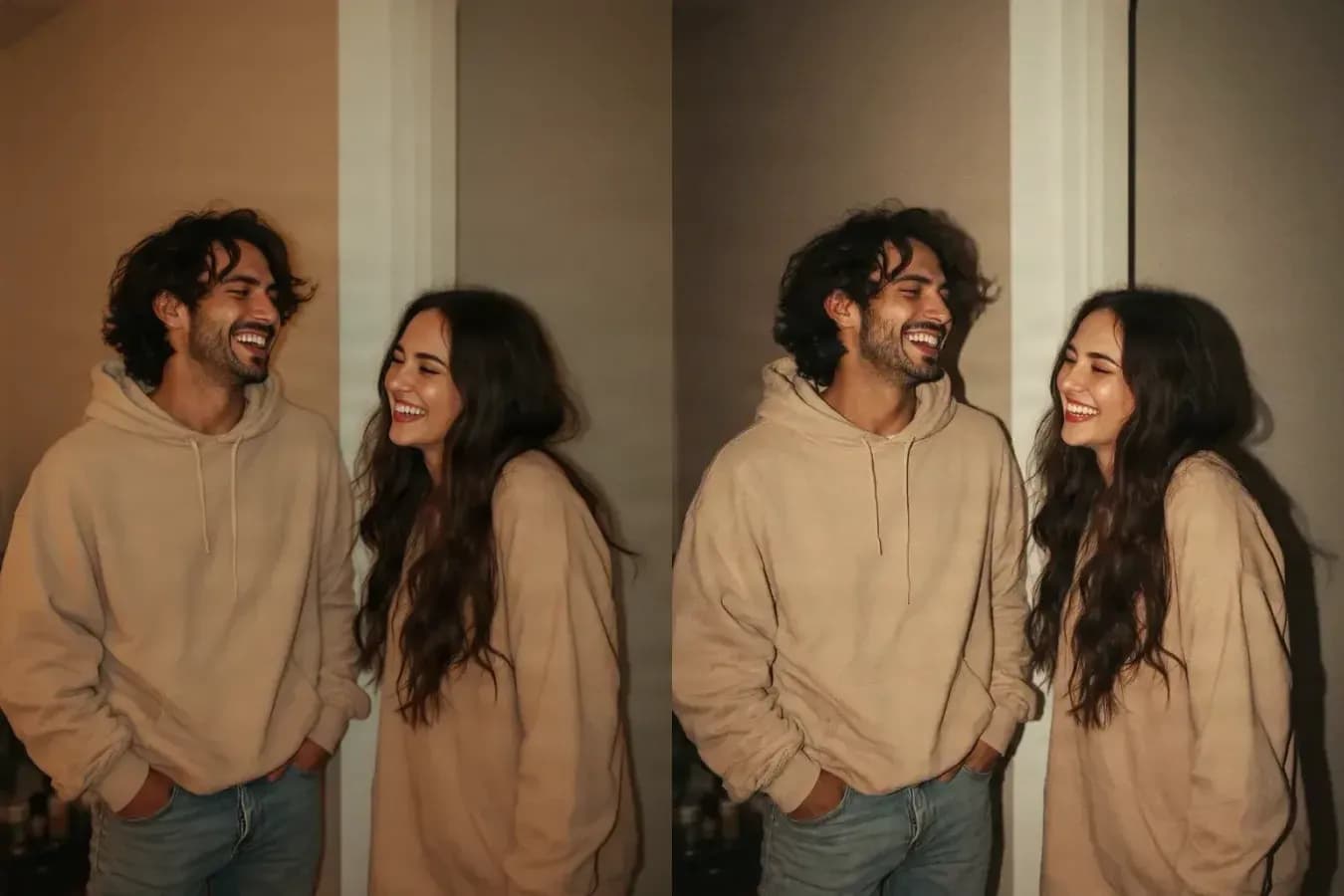
OriginalVintage
Party snapshot to 90s flash
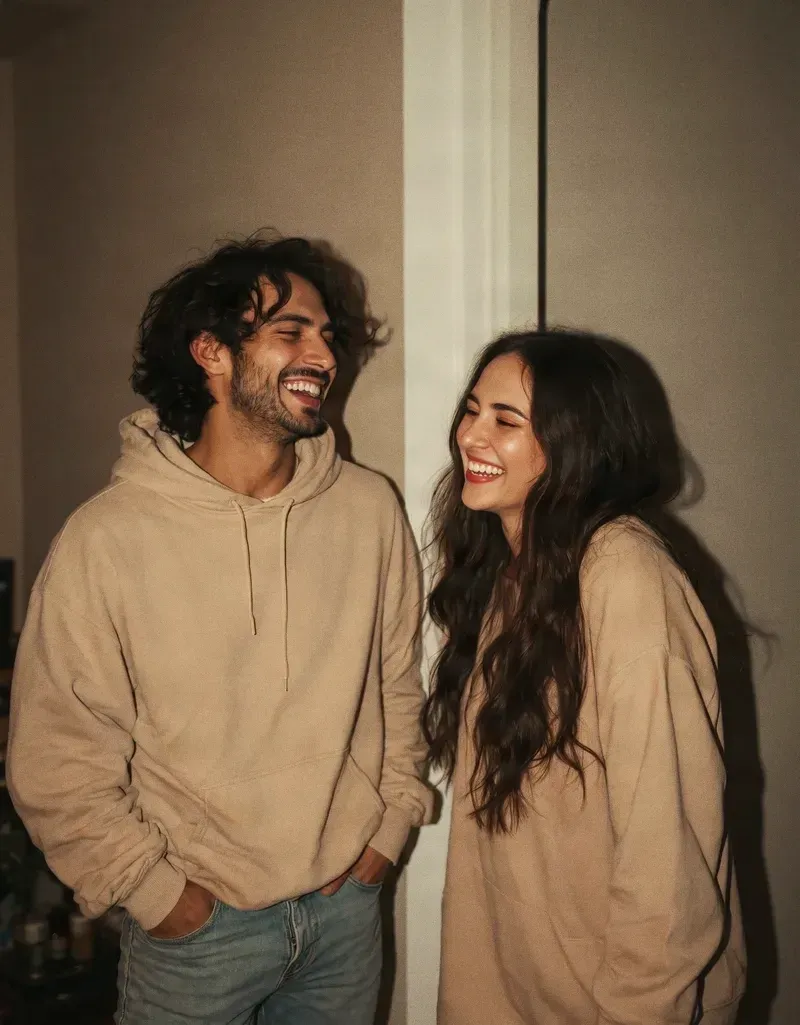
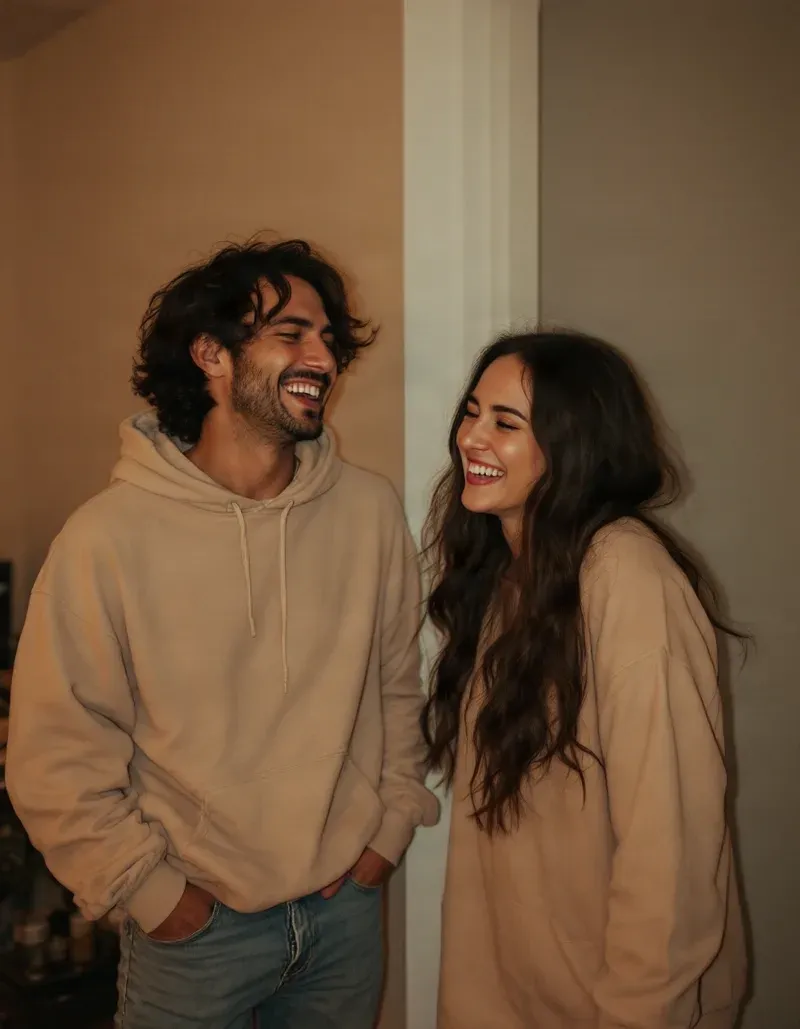
Hard on-camera flash, a real cast shadow on the wall behind, and light falling off into the background — same two people, same doorway, same moment.
Give your photos the look and feeling of another era. Create nostalgic film, 90s flash, disposable camera, Polaroid, Y2K digicam, and classic vintage photography styles in seconds.
Drop your photo here
Choose a portrait, couple photo, travel shot, product photo, or everyday snapshot.
Your photo will be processed after you start.
30 credits per generation · new accounts start with 20 free credits. See plans
Just want to try something free? Use the free image generator →
Film grain and texture
Period color response
Designed to keep faces recognizable
✨ Drag the slider to compare the original photo with the 90s Flash version.
Vintage styles
Each style changes the whole photographic character, not just the color. Pick the era that matches the feeling you are after.
Direct flash, deeper shadows, warm skin tones, and the spontaneous look of a late-night 1990s snapshot.
Best for: Nightlife, street portraits, parties, and candid photos.
Soft focus, visible grain, imperfect exposure, and the casual charm of a real disposable camera.
Best for: Casual snapshots, friends, travel, and imperfect everyday moments.
Muted colors, gentle contrast, subtle grain, and a timeless analog-film feel.
Best for: Any photo you want to feel older without pointing at one specific decade.
Soft colors, warm highlights, slightly faded tones, and the intimate feel of an instant photograph.
Best for: Couples, portraits, memories, and softer emotional images.
Bright flash, cool digital tones, early-2000s contrast, and the nostalgic look of compact digital cameras.
Best for: Portraits, fashion, nightlife, mirror photos, and early-2000s aesthetics.
Lower contrast, washed highlights, softened colors, and the look of a photo that has aged naturally over time.
Best for: Quiet nostalgic images, family photos, and archival moods.
Natural skin tones, rich warmth, fine grain, and the familiar character of classic 35mm photography.
Best for: Travel, lifestyle photography, portraits, and natural everyday scenes.
Dramatic black-and-white tones, deep shadows, hard light, and a cinematic vintage mood.
Best for: Dramatic portraits, editorial images, and cinematic black-and-white looks.
Before and after
Four everyday photos, each restyled into a different photographic era. The people, poses and framing stay as they were.
Hard on-camera flash, a real cast shadow on the wall behind, and light falling off into the background — same two people, same doorway, same moment.
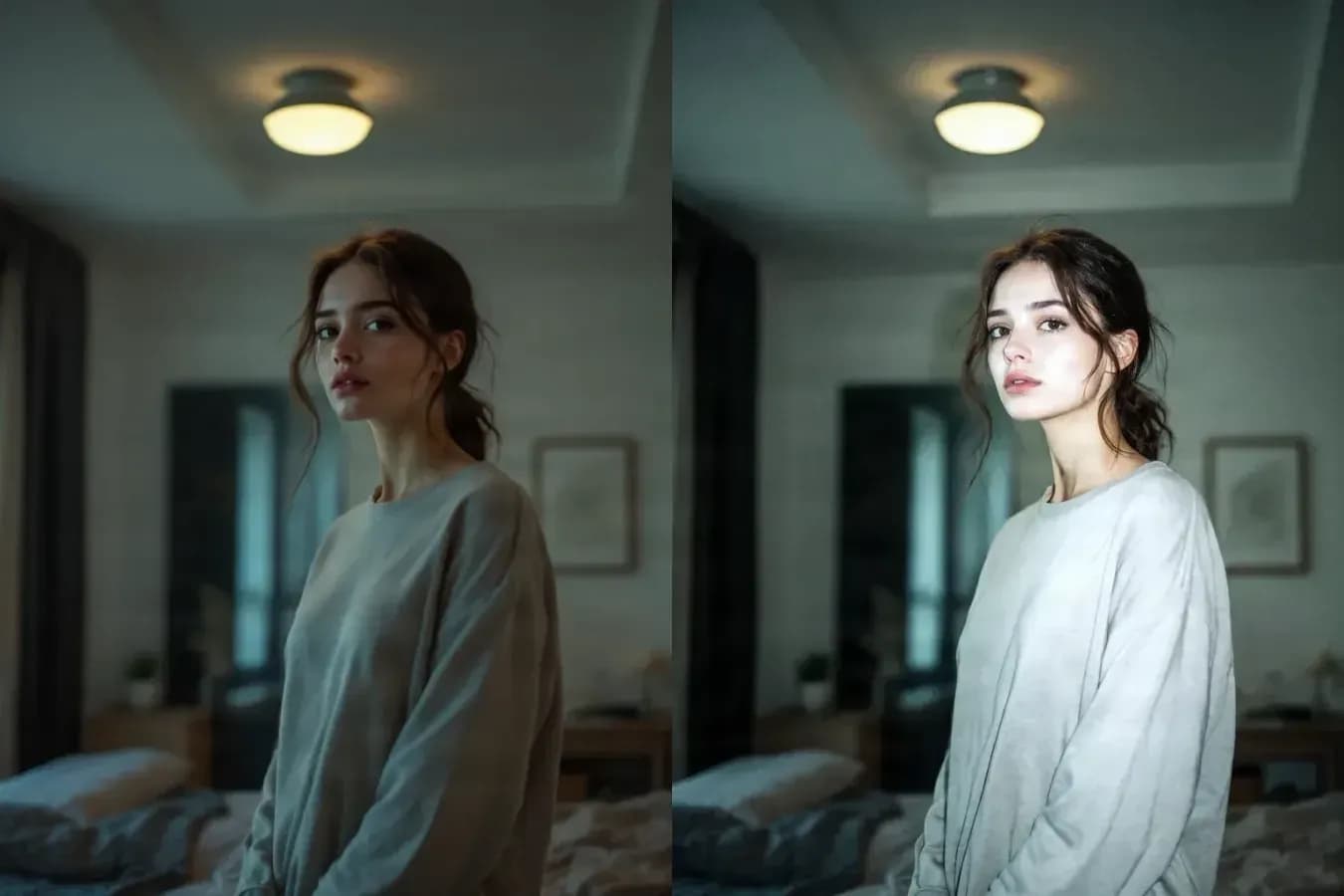
Flat built-in flash, clipped highlights, crushed shadows, and the cool-neutral white balance of an early compact camera.
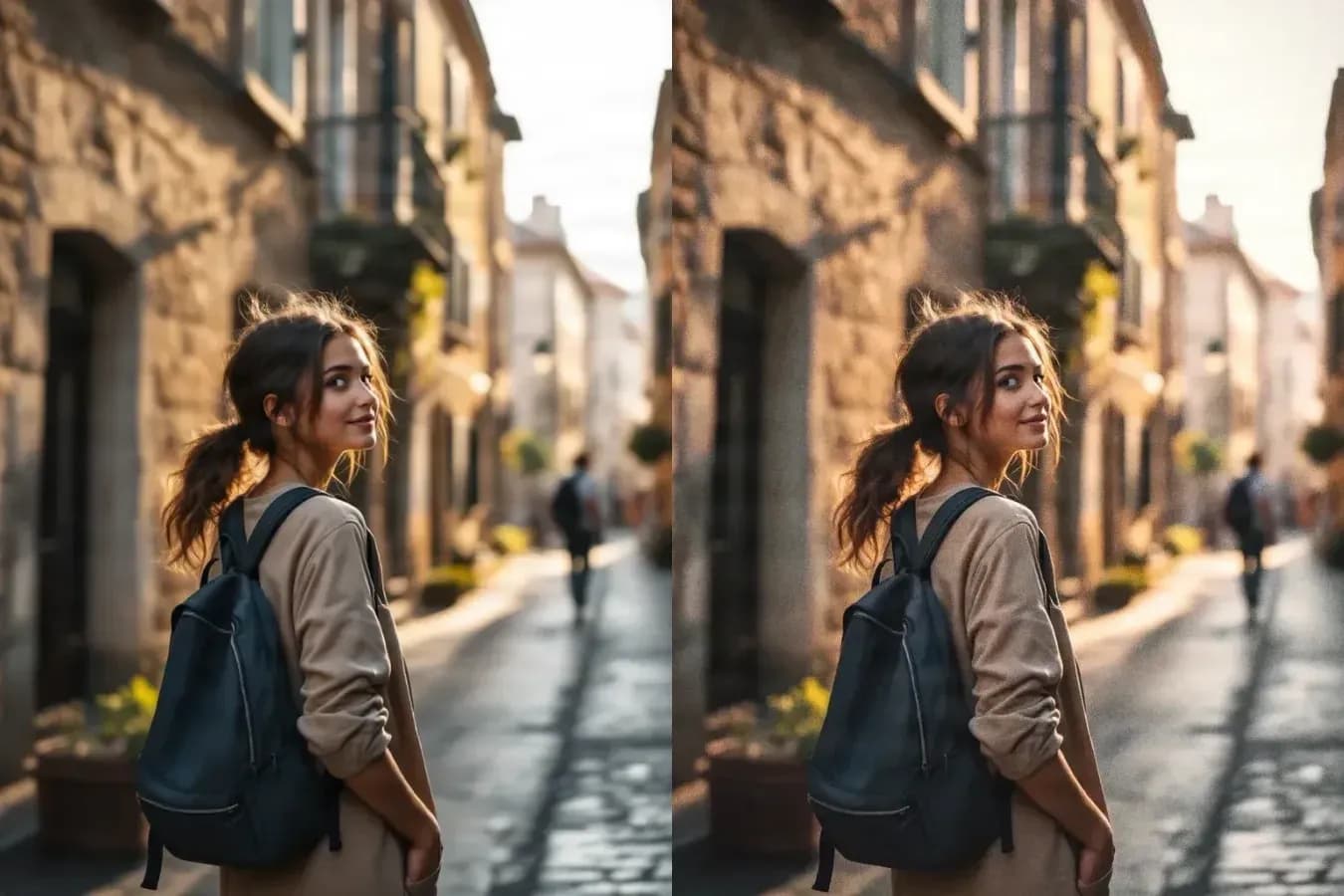
Visible film grain, softer plastic-lens rendering and warmer faded color — the same face, pose and framing.
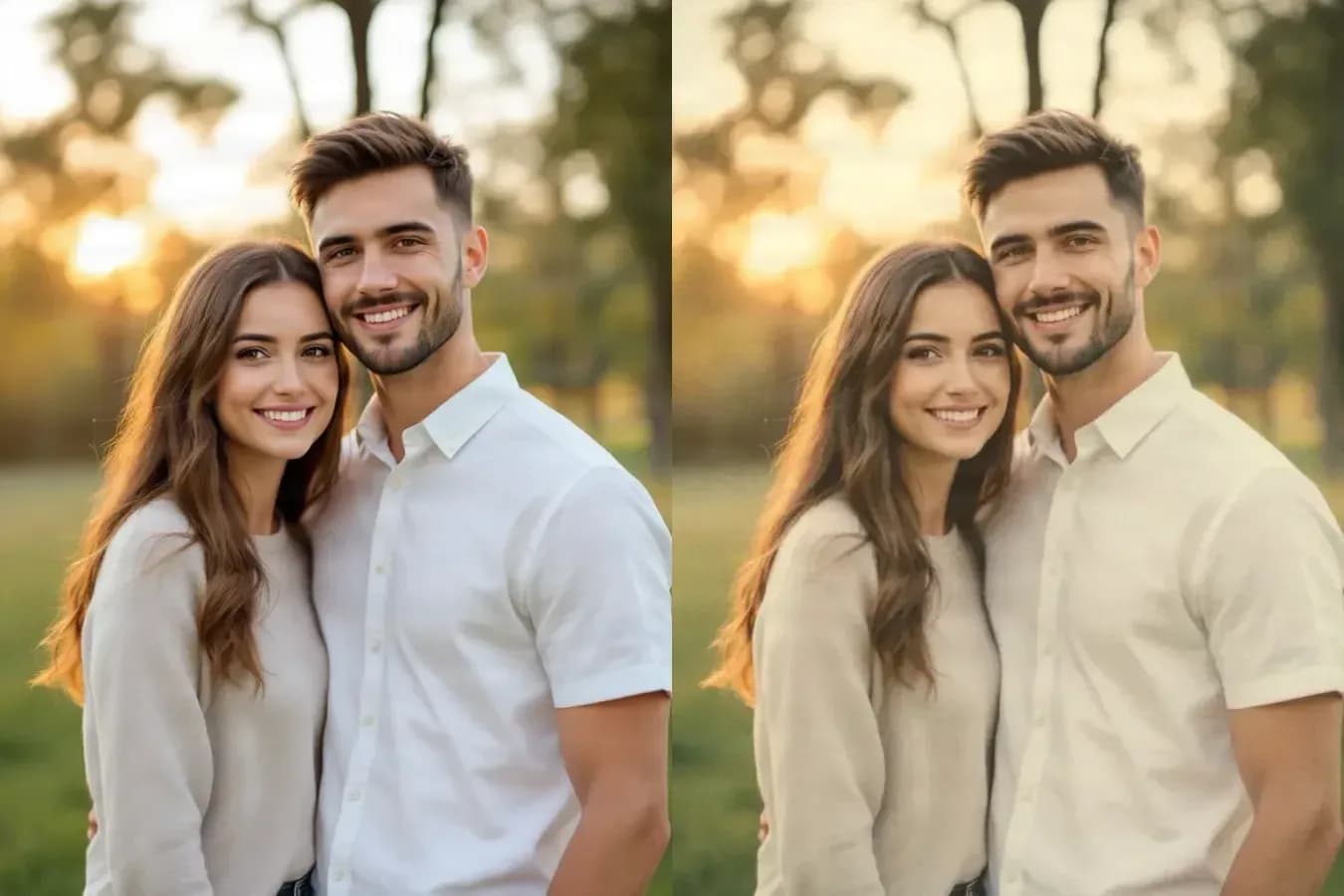
Lower microcontrast, warm creamy highlights and gently lifted shadows for a softer instant-film feel.
Not just a filter
A simple filter changes color. A convincing vintage photo changes the whole photographic character: grain, lighting, contrast, softness, color response, and atmosphere.
The AI Vintage Style Generator is designed to recreate that overall feeling while keeping the original subject and composition recognizable.
Identity and framing
You should not have to sacrifice the people, pose, framing, or important details in your photo just to get a different aesthetic.
Use identity and composition preservation to keep the image familiar while changing its visual era.
Effect strength
Not every photo needs heavy grain and extreme color shifts. Keep the effect subtle for a natural film look, or push it further for a stronger retro aesthetic.
Keep most of the original photo and add only a light vintage character.
A balanced vintage look that still feels believable. This is the default.
Push the grain, color shifts, lighting, and vintage character further.
Where people use it
Why it works
Some photos feel more meaningful when they look less perfect.
Softer focus, visible grain, uneven flash, faded colors, and warmer tones can make a modern image feel more personal, spontaneous, and lived-in.
How it works
Step 1
Choose the image you want to restyle, or start with a written idea instead.
Step 2
Choose from film, flash, Polaroid, digicam, faded, and cinematic vintage styles.
Step 3
Generate your vintage version, compare the result, and try other styles until you find the one that feels right.
Filter vs AI restyling
If you only want a color preset, a traditional filter may be enough. If you want the image to feel like it was actually photographed with a different type of camera or in a different visual era, AI restyling gives you more room to explore.
What stays the same
Vintage style should change the atmosphere, not replace the subject. That is why the editor gives you controls for preserving facial identity and composition when restyling uploaded photos.
Because AI-generated edits can vary, always review the final image before using it for important personal or commercial work.
More tools
Turn a photo into pencil, charcoal, ink, or line-art styles.
Open AI Sketch GeneratorTurn an everyday photo into a festive seasonal portrait.
Open AI Holiday Portrait GeneratorGenerate new images conditioned on an image you already have.
Open Reference Image GeneratorStart from a written prompt and generate images from scratch.
Open Image GeneratorAn AI vintage style generator changes the overall photographic character of an image to resemble older film, instant cameras, compact digital cameras, flash photography, or other retro visual styles.
Yes. Choose the 90s Flash style to add the stronger direct-flash lighting, deeper shadows, color response, and snapshot-like character commonly associated with 1990s photography.
Yes. The Y2K Digicam preset is designed around the bright flash, cooler digital color, stronger contrast, and compact-camera feel associated with early-2000s photos.
The tool includes an option to preserve facial identity when restyling photos. AI edits can still vary, so we recommend reviewing the result and trying a lower effect strength if you want the closest match to the original.
Not exactly. A normal filter mainly changes color, contrast, and overlays. AI restyling can also reinterpret lighting, texture, grain, softness, and the overall photographic mood.
Yes. Choose Subtle, Natural, or Strong depending on how much you want the original photo to change. You can also adjust film grain, color fade, and light leaks under More controls.
Yes. Switch to Generate from prompt, describe the image you want, and choose a vintage style to create a new image from scratch.
90s Flash, Y2K Digicam, Warm 35mm, and Polaroid are strong starting points for portraits. The best choice depends on whether you want something bold, casual, warm, or soft.
Y2K Digicam and 90s Flash work well for bold social posts, while Disposable Camera and Warm 35mm are better for softer, more natural photo-dump aesthetics.
Commercial use depends on the terms that apply to your account and the underlying generation service. Review the applicable usage terms before using generated images commercially.
Try the same image as a 90s flash photo, a faded film snapshot, a Y2K digicam shot, or a warm 35mm memory.
Creative Toolkit Index
Quick access to precision layer extraction, AI photo editing & asset tools.