
Keep Your Original Weapon Recognizable
Use its silhouette, colors, and design language as a reference while exploring upgrades, rather than intentionally replacing it with an unrelated weapon.
AI WEAPON EVOLUTION & RPG ITEM UPGRADES
Turn one weapon design into a series of upgraded versions. Upload a sword, axe, bow, staff, or fantasy weapon, choose how dramatic the upgrades should be, and explore new materials, details, and legendary designs while keeping your original weapon recognizable.
See how a basic sword can develop through upgraded materials, decorative details, and increasingly distinctive designs. Each stage builds on the same starting concept.
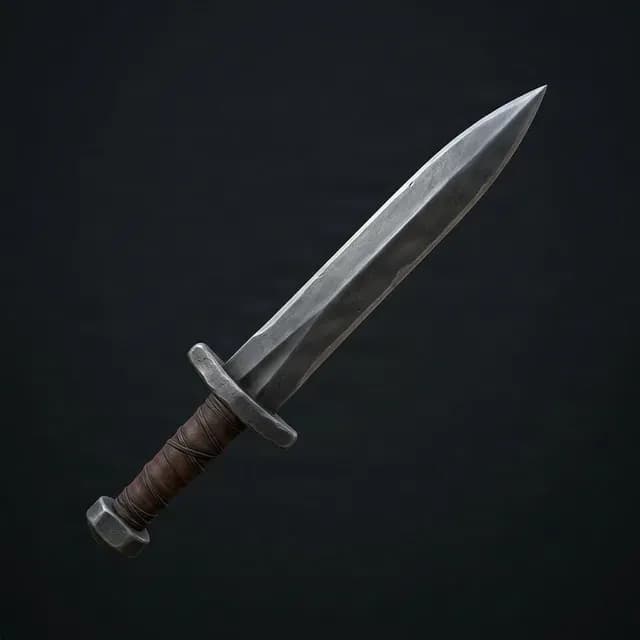
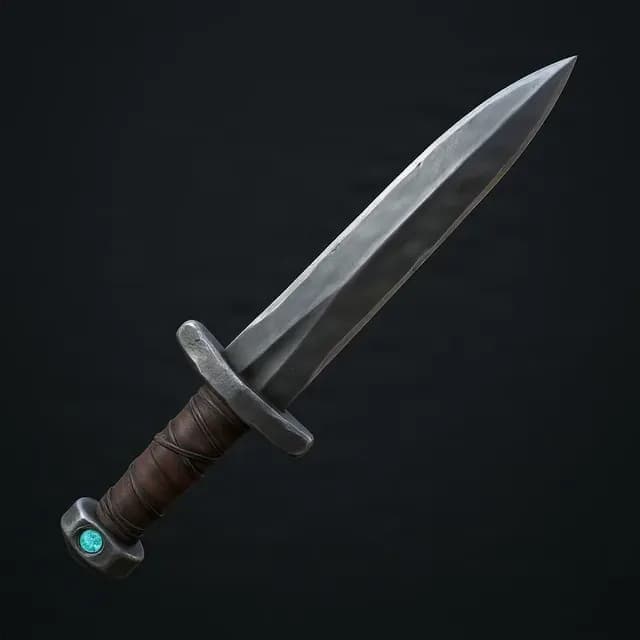
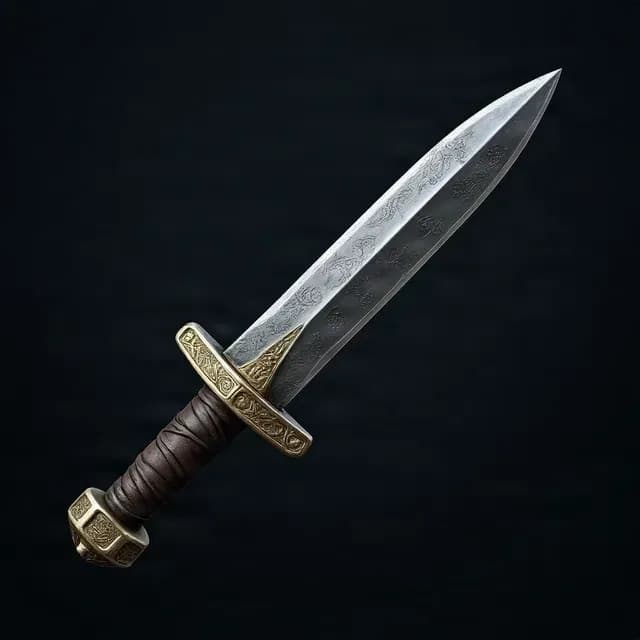
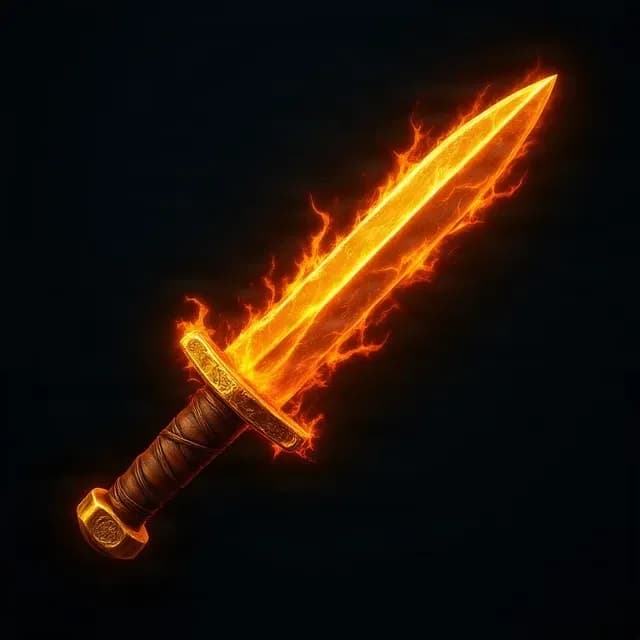
Example results are illustrative. Individual generations may vary in proportions, decorations, and consistency.
Start with your own weapon design · Explore 3–5 progression stages · Review credit requirements before generating
BUILD ON THE DESIGN YOU ALREADY HAVE
You already have a weapon you like. Now you need stronger versions for a game, character concept, or creative project. Explore an upgrade path from the design you have instead of starting over for every tier.
Use its silhouette, colors, and design language as a reference while exploring upgrades, rather than intentionally replacing it with an unrelated weapon.
Give higher-level weapons a stronger visual identity through refined shapes, richer materials, decorative elements, and optional fantasy effects.
Try different progression strengths and art directions. Compare restrained improvements with more dramatic transformations.
Create a connected collection of weapon concepts for inventory ideas, rarity tiers, item reveals, or RPG progression planning.
EXPLORE YOUR NEXT WEAPON DESIGN
Whether you are designing a fantasy RPG, creating an original character, or exploring game art, start with a clear image of one weapon and imagine how it could improve.
Explore stronger blades, decorated hilts, runic engravings, and legendary sword concepts while keeping the original sword's recognizable form in view.
Develop a battle axe concept with upgraded metalwork, intricate engravings, and fantasy embellishments.
Explore more refined bows, decorative limbs, upgraded grips, and distinctive designs for archers and fantasy characters.
Imagine magical staffs and wands with elaborate ornaments, crystals, and enchanted-looking details.
Explore refined blade shapes, unique handles, decorative patterns, and different materials for a dagger concept.
Try spears and other original weapon concepts. Clear images showing one complete weapon are a useful starting point.
FROM WEAPON IMAGE TO UPGRADE PATH
1
Choose a clear image of the weapon you want to upgrade. One complete weapon against a simple background is a useful starting point.
2
Select the closest available item category for your image so the progression starts from the right kind of design.
3
Choose 3, 4, or 5 stages, select a progression style, and optionally describe how you want the design to evolve.
4
Review the generated stages, download individual images or the complete set, and retry a failed stage separately when that option is available.
CHOOSE THE FEEL OF EACH UPGRADE
For grounded weapon concepts where craftsmanship matters more than magic. Explore refined materials, polished surfaces, elegant fittings, and improved detailing.
Make each stage feel more valuable while retaining the weapon's original design identity through richer details and stronger materials.
For fantasy weapons and high-level rewards. Explore ornate designs, mythical materials, runes, and energetic fantasy effects.
You set the overall direction, while AI interprets the visual details. Exact results may vary.
WEAPON IDEAS FOR YOUR OWN PROJECTS
Plan visual concepts for basic, upgraded, rare, and legendary equipment.
Explore possible weapon upgrades before committing to final sprites, models, or inventory assets.
Imagine an advanced weapon for an original character, hero, villain, or adventurer.
Create visual references for magical weapons, custom items, and equipment rewards in your campaign.
Explore a family of weapon concepts that can later be adapted into inventory assets.
Show how a weapon might develop through different eras, crafting levels, or story stages.
PICK THE RIGHT CREATIVE WORKFLOW
Useful for exploring unrelated alternate designs, colors, or shapes. Each result can stand alone without following a progression.
Useful when you already like a weapon and want to explore how it could become more refined, valuable, or powerful across successive stages.
Best when you need exact control over every line, material, and production specification, but it requires more hands-on illustration work.
Weapon Evolution helps you explore a progression from an existing design. It is a creative starting point, not a guarantee of pixel-identical game assets.
START WITH A CLEAR WEAPON REFERENCE
WEAPON UPGRADE QUESTIONS
It turns an existing weapon image into multiple upgraded design concepts. You can explore improved materials, craftsmanship, decorative details, or fantasy effects.
Yes. Upload a weapon image to use as the starting point for an upgrade sequence. A clear image showing the complete weapon gives AI a more useful reference.
You can choose a 3-, 4-, or 5-stage progression. The first stage is your original image and the remaining stages are generated upgrades. A 4-stage sequence, for example, contains your original weapon plus three generated designs.
The original image guides the visual progression, but exact consistency is not guaranteed. Proportions, details, or decorations can change, so review the results if close visual matching matters.
A dramatic progression can explore richer materials, intricate ornaments, magical-looking effects, and more elaborate final-stage concepts.
Yes. Choose a subtle direction to focus on craftsmanship, materials, and restrained visual improvements rather than fantasy effects.
You can start from a sword, axe, bow, dagger, staff, wand, or another recognizable weapon concept. Clear images of one complete weapon are helpful.
You can use the generated stages as visual concepts for equipment tiers such as Common, Rare, Epic, or Legendary. Assign the labels used in your game separately.
Generated images can serve as visual concepts and may be suitable for other uses depending on your rights to the source image and applicable product terms. Final production assets may need refinement.
No. It generates 2D weapon images. A 3D model requires a separate image-to-3D or modeling workflow.
PNG downloads are available, but transparency is not guaranteed by the weapon generation process. Background removal or additional editing may be needed.
You can download individual stages or export the complete progression as a ZIP archive for review and organization.
A failed stage can be retried separately. Failed generation attempts are handled by the existing billing flow; any new retry cost is shown in the workspace before you confirm.
Weapon Upgrade Generator focuses its guidance on swords, axes, bows, staffs, and other weapons. Item Evolution Chain is a broader workflow for many game items, such as coins, gems, chests, relics, and equipment.
The cost depends on the number of stages you choose. Your original image is the first stage, so credits apply to newly generated upgrades. The current amount is displayed before generation.
EXPLORE THE BROADER ITEM WORKFLOW
Use the Item Evolution Chain Generator for coins, gems, relics, chests, and other game items.
Explore Item Evolution ChainAlready have a sword, axe, bow, or staff you love? Upload it, explore new upgrade levels, and see how your original weapon could evolve.
Results are visual concepts. Review proportions, details, background, and consistency before using them in finished game assets.
Creative Toolkit Index
Quick access to precision layer extraction, AI photo editing & asset tools.
Clean front-facing item, simple background. PNG, JPG, or WEBP.