
AI ALBUM COVER TEXT EDITOR
Edit Album Cover Text Without Recreating Your Artwork
Love your album cover, but need to change the title, artist name, or release text? Upload your finished cover, edit the text AI can detect, and work with separate artwork layers—all without rebuilding the entire design from scratch.
Album cover conversion uses 150 Credits. The cost is shown before you process your image. Works from a finished image, even when the original design file is missing. AI reconstructs available elements, so review the result before publishing.
Your Album Cover, Ready for Changes
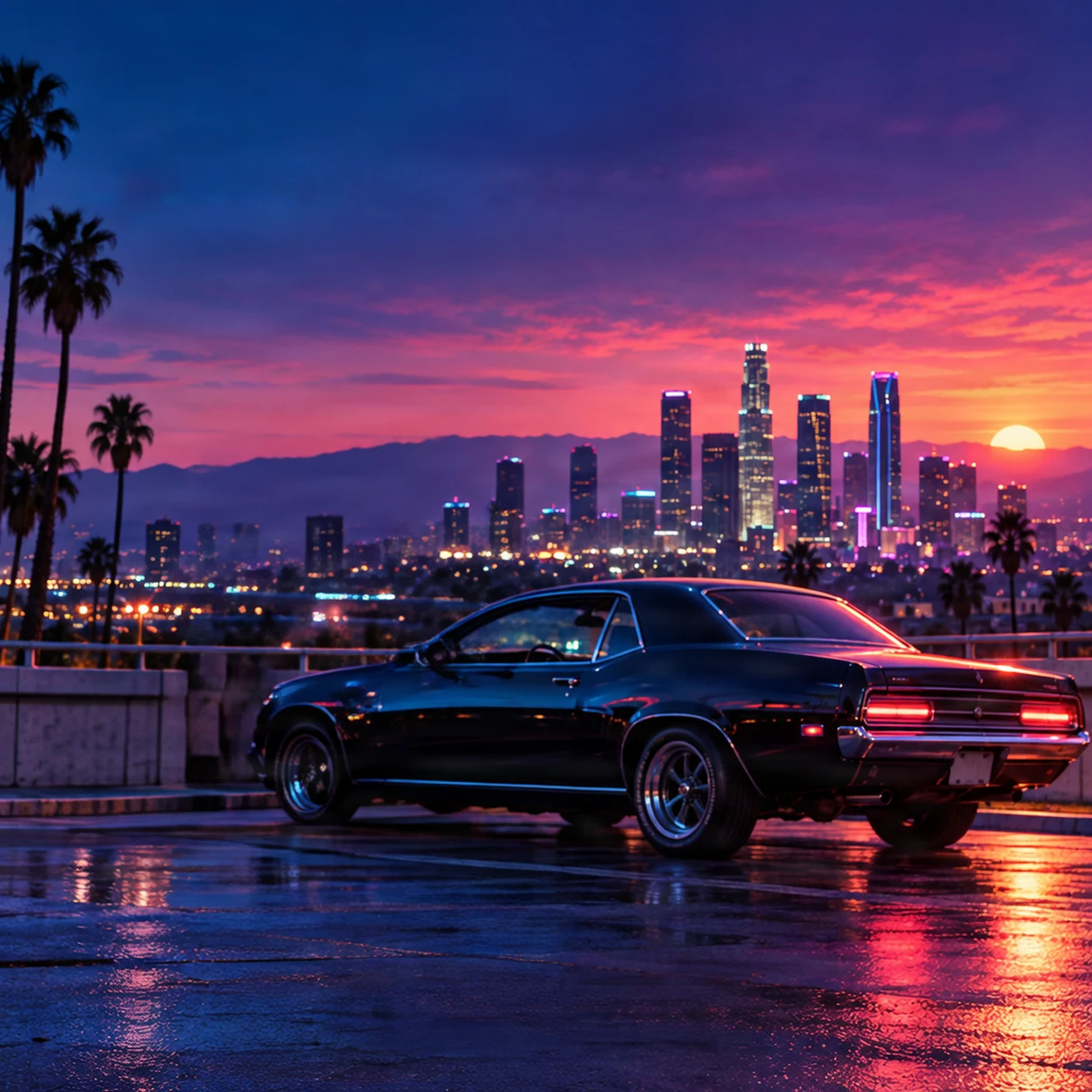
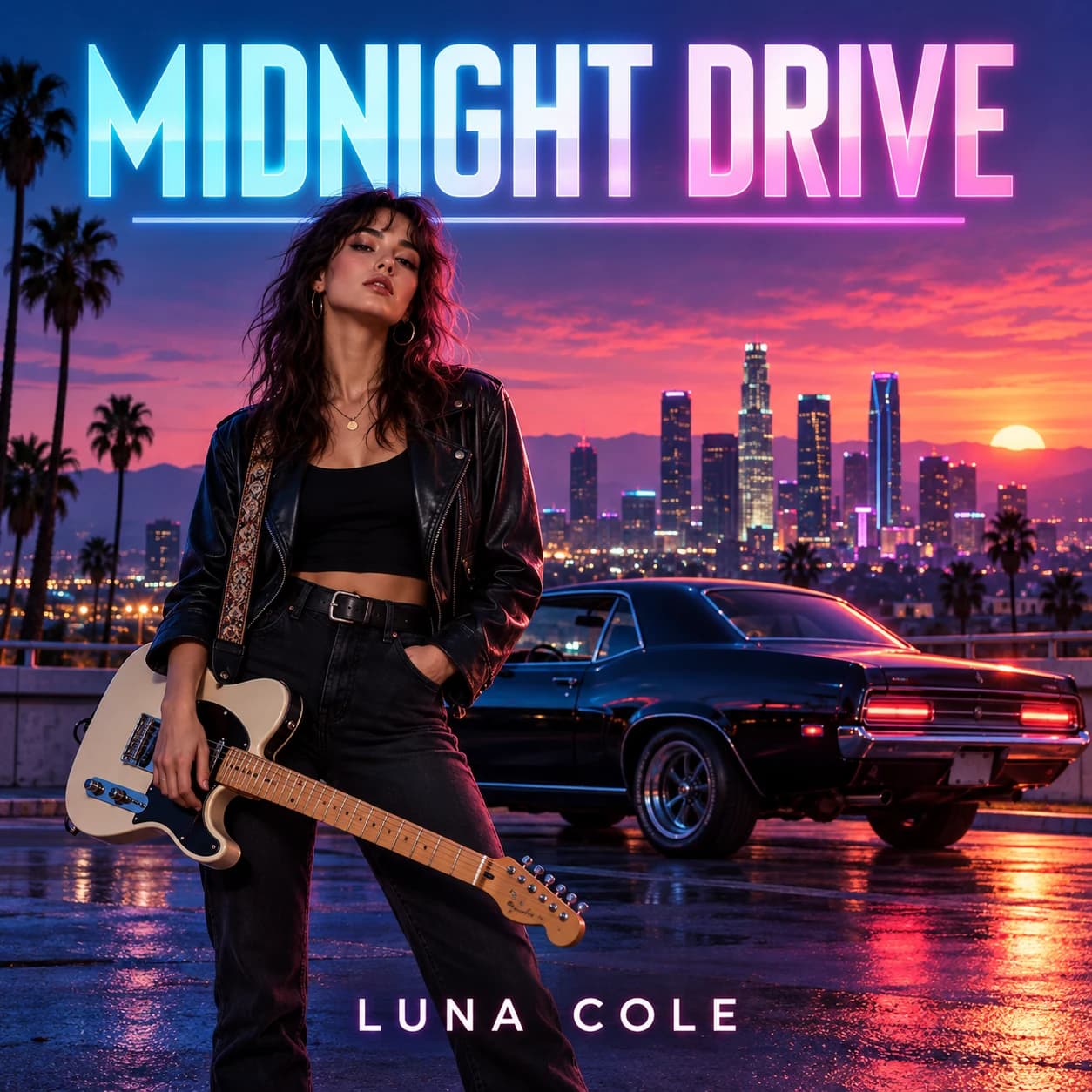
Start with the MIDNIGHT DRIVE example or upload your own cover. Explore detected titles, artist credits, graphics, and separated artwork in the same editing workspace.
%22%3E%3Cg%20font-family%3D%22%26apos%3BBebas%20Neue%26apos%3B%2Csans-serif%22%20font-size%3D%22248.000%22%20font-weight%3D%22400%22%20letter-spacing%3D%22-11.000%22%20fill%3D%22url(%23g)%22%20stroke%3D%22%23ffffff%22%20stroke-opacity%3D%220.600%22%20stroke-width%3D%221.000%22%20stroke-linejoin%3D%22round%22%20text-anchor%3D%22start%22%20transform%3D%22translate(274.00%200)%20scale(0.5760%201)%20translate(-274.00%200)%22%3E%3Ctext%20x%3D%22274.00%22%20y%3D%22321.93%22%20xml%3Aspace%3D%22preserve%22%3EMIDNIGHT%20DRIVE%3C%2Ftext%3E%3C%2Fg%3E%3C%2Fg%3E%3C%2Fsvg%3E)
%22%3E%3Cg%20font-family%3D%22%26apos%3BMontserrat%26apos%3B%2Csans-serif%22%20font-size%3D%2251.000%22%20font-weight%3D%22600%22%20letter-spacing%3D%2215.000%22%20fill%3D%22%23fff3ff%22%20text-anchor%3D%22middle%22%3E%3Ctext%20x%3D%22344.00%22%20y%3D%2280.27%22%20xml%3Aspace%3D%22preserve%22%3ELUNA%20COLE%3C%2Ftext%3E%3C%2Fg%3E%3C%2Fg%3E%3C%2Fsvg%3E)
performer
625 × 1047 px
FROM FINISHED COVER TO EDITABLE ELEMENTS
What If You Could Change the Words Without Losing the Artwork?
Meet MIDNIGHT DRIVE, a fictional album cover featuring a musician with an electric guitar, a classic car, and a neon-colored city at sunset. The artwork already tells a story. But what happens if the artist changes the album title or needs to update the name printed on the cover? Explore how a flattened cover can become a more flexible design through text detection and artwork separation.
Edit the Album Title and Artist Credit
The album title and artist name are central to the design. When those details change, you need a way to work with the lettering without manually rebuilding the surrounding artwork. Explore the text elements detected from the original cover, then make supported edits in the workspace.
2 detected text elements · 1 graphic elements
Go Beyond Text with Separate Artwork Layers
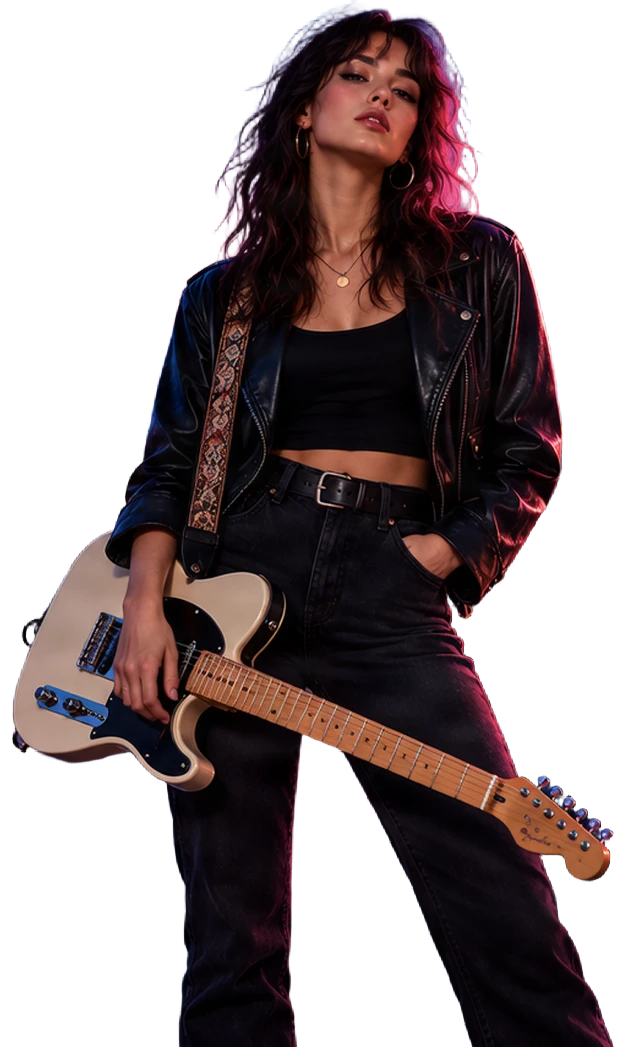
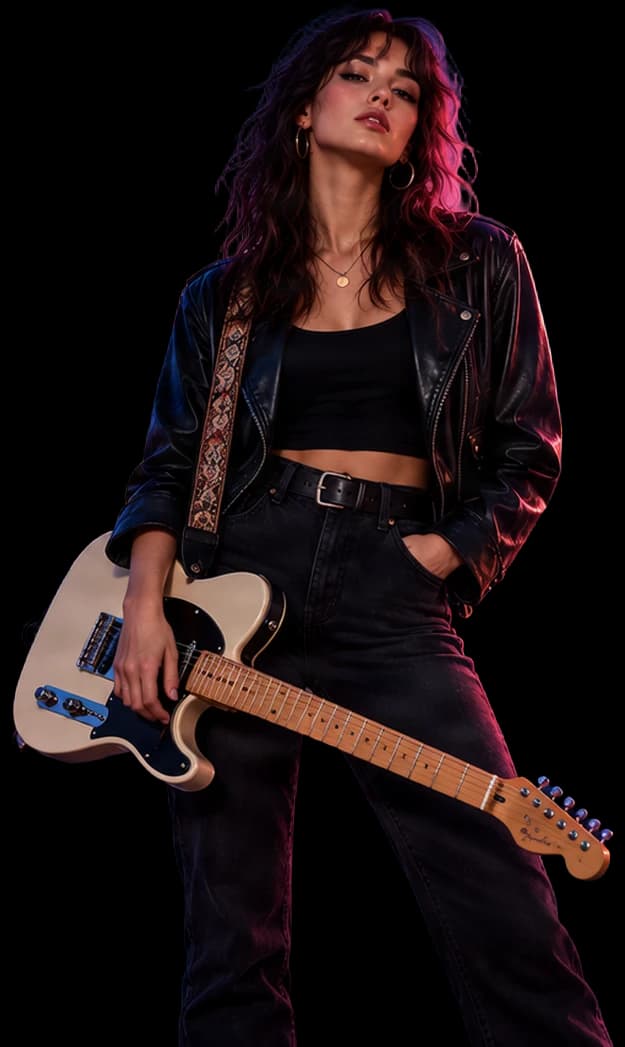
A strong album cover is more than its title. The musician, guitar, vehicle, and neon skyline create the mood of MIDNIGHT DRIVE. The artwork-separation stage reconstructs available visual elements so you can explore them as independent image layers when the model can identify them.
1 reconstructed artwork layers
Update the Title or the Artist Name
Imagine MIDNIGHT DRIVE is renamed after the final tracklist is approved. Instead of commissioning new artwork, start with the detected title and explore a replacement within the existing design. Whether you're correcting a typo, changing a stage name, or preparing updated release artwork, the detected artist credit provides a place to begin.
MIDNIGHT DRIVE
Detected lettering · Approx. 248px in this example
LUNA COLE
Detected lettering · Approx. 51px in this example
Text appearance is estimated from the image. Decorative lettering and special effects may require manual refinement.
Inspect Graphic Details Separately
Underlines, shapes, and decorative elements can help define a cover's visual identity. Review the graphic elements the workflow successfully detects instead of treating every design detail as permanently flattened.
Not every glow, border, or small graphic can be recovered independently.
Explore the Artwork Behind the Words
The actual layer count and subjects depend on the processed image. Some objects may remain grouped, and fine details may require cleanup.
performer
Artwork layers reconstructed from the processed album cover example. Layer reconstruction may alter small details or estimate parts of the scene that were hidden behind other elements.
Bring the Text and Artwork Back Together
The workspace brings the available text and visual layers into a reconstructed composition. Explore their visibility, inspect the layout, and continue editing with more flexibility than a single flat image provides.
Editable Layers, Not the Lost Original Design File
ImageToLayers creates an AI-assisted reconstruction of the cover. It cannot recover the original font files, Photoshop editing history, native layer effects, or hidden artwork. The goal is to give you a useful starting point for revising the design you already have.
THE ARTWORK IS FINISHED. THE TEXT HAS CHANGED.
Why Should One Name Change Mean Redesigning the Whole Cover?
You finally have cover art that fits your music. The colors are right. The composition feels right. Then the title changes. Maybe a featured artist is added. Maybe you notice a spelling mistake. Maybe your stage name no longer matches the name on the cover. But the original Photoshop file is gone—or you never had one. All you have is the exported image. Now a small change becomes a surprisingly difficult design task.
You shouldn't have to start with a blank canvas every time the release details change. Start with the artwork you already love.
CHANGE THE WORDS. KEEP THE VISUAL DIRECTION.
More Control Over Your Existing Album Artwork
Update the Album Title
Change a detected album title when the name of your project evolves after the artwork is finished.
Edit Song and EP Names
Prepare updated single or EP artwork without rebuilding every visual element.
Revise Artist Credits
Correct a displayed artist name, stage name, or featured credit using the available text editing controls.
Explore Separate Cover Artwork
Inspect the visual layers that the AI can reconstruct, including recognizable subjects, artwork, and background elements.
Adjust the Composition
Use available layer controls to show, hide, inspect, and refine the reconstructed cover design.
Export for Further Editing
Download a layered PSD or available layer assets and continue working in Photoshop or another compatible design application.
Layer separation and text reconstruction are AI-assisted. Results vary with the source image, especially when the lettering or artwork is highly detailed.
FOR THE CHANGES ARTISTS MAKE BEFORE RELEASE
What Do You Need to Update on Your Cover?
Your Album Has a New Name
You've settled on a stronger title, but the cover art still looks perfect. Update the wording without automatically throwing away the artwork.
Your Stage Name Has Changed
Your new artist identity needs to appear on your upcoming cover. Start with the existing design and revise the displayed name.
A Featured Artist Needs Credit
A collaborator's name is being added or corrected. Work with the detected lettering to prepare the revised cover.
You Found a Spelling Mistake
A typo in the album title or credit shouldn't force a complete redesign when everything else is approved.
Your Designer Only Sent a Flat Image
You have the finished JPG or PNG but not the original PSD. Reconstruct the available elements as a starting point for your next edit.
You're Preparing a Reissue
Explore updates to an older cover while preserving the visual style listeners already recognize.
Not every release update needs new cover art. Sometimes you just need more control over the design you already have.
FROM FLAT COVER TO FLEXIBLE EDITING
How to Edit Your Album Cover Text
- 1
Upload Your Cover
Choose a clear JPG, PNG, or WebP image of your finished album, single, or EP artwork.
- 2
Let AI Analyze the Design
The workflow detects supported text and reconstructs available artwork elements as layers.
- 3
Edit and Explore
Select detected text, enter your replacement wording, and inspect the reconstructed image layers.
- 4
Download Your Result
Save your updated composition or export the available PSD and layer assets for further editing.
Review text accuracy, alignment, background details, and image dimensions before releasing or printing the final artwork.
PREPARE YOUR COVER FOR BETTER RESULTS
What Makes an Album Cover Easier to Edit?
Use the Original Flat Artwork
Upload the cover image itself—not a photograph of a vinyl record, CD case, or phone screen.
Start with Clear Typography
Readable titles and artist names are generally easier to detect than tiny, distorted, or heavily blended lettering.
Choose a Clean Source Image
Use the best-quality version you have. Avoid blurry screenshots or files with heavy compression artifacts.
Keep Complex Effects in Mind
Glowing neon titles, unusual fonts, overlapping subjects, and small graphic details may require additional manual editing.
A high-resolution upload does not guarantee that reconstructed layers retain every original pixel or are ready for print production.
MADE FOR PEOPLE WHO ALREADY HAVE COVER ART
Spend Less Time Rebuilding. More Time Making Music.
Independent Artists
Correct your album title or stage name without restarting the entire design process.
Singers and Songwriters
Make last-minute cover updates when your song or release details change.
Music Producers
Revise credits or prepare new cover variations from artwork you are authorized to use.
Freelance Cover Designers
Work on existing flattened artwork when the original layered project is missing.
Record Labels
Prepare artwork corrections, reissue variations, or design handoffs without beginning from scratch.
Music Marketing Teams
Explore extracted visual assets for related promotional designs, subject to the original artwork's rights.
MORE FLEXIBILITY AFTER EXPORT
Keep Working with Your Updated Album Cover
Edited Cover Image
Save a revised composite image of your cover after making supported changes.
Layered PSD
Open reconstructed layers in Photoshop to continue refining typography, layout, and artwork. Text the AI can read is stored as native Photoshop text layers.
Individual Layer Assets
Export available artwork elements and supporting data as a ZIP for additional design work.
The exported PSD is reconstructed from the image. Stylised or ornate lettering stays an image layer, fonts are mapped to common ones, and original fonts, Smart Objects, and original design effects are not recovered.
FAQ
Frequently Asked Questions About Editing Album Cover Text
Can I edit text on an existing album cover?
Yes. Upload a JPG, PNG, or WebP image of your cover. The workflow can detect supported text, separate available visual elements, and let you work with the reconstructed design.
Can I change an album title without creating a new cover?
That's the main use case. If the album title is detected, you can enter replacement wording while keeping your original artwork as the starting point. The reconstructed lettering may need refinement.
Can I change my artist name on a finished cover?
Yes, when the artist name is successfully detected. You can update the visible text and review how the replacement looks within the cover.
Does it work with single and EP covers?
Yes. You can use supported image files for albums, singles, and EPs. The workflow is not limited to a specific music release type.
Can I edit album artwork if I don't have the PSD file?
Yes. You can start from the finished cover image. The tool reconstructs available layers rather than requiring the original design project.
Will the new text use the exact same font?
Not necessarily. Flattened images do not preserve original font files or all typography settings. The appearance is estimated and may need manual adjustments.
Can I preserve neon or glowing album title effects?
Gradients, glows, and outlines that the analysis detects are reproduced approximately, but custom lettering and complex effects can be difficult to match exactly. Inspect the replacement before publishing.
Can I change several text elements on one cover?
You can work with multiple detected text elements when they are available in the reconstructed result. For example, you may revise both the album title and artist name before exporting.
Can I remove an album title completely?
The workflow can separate detected lettering from the surrounding artwork. However, the background left behind may be AI-reconstructed and can require additional cleanup.
Can I keep the singer or main character while editing the text?
The workflow starts from your existing cover and aims to preserve the surrounding visual composition. AI reconstruction may introduce differences, so always compare the result with the original.
Does the tool also separate the album cover into layers?
Yes. The combined workflow includes text analysis and artwork layer separation. The number and quality of layers depend on the image and the model's output.
Can I separate the singer, guitar, or car from the background?
The artwork model can attempt to separate recognizable subjects. It does not guarantee that every person, instrument, vehicle, or background element will become an independent, perfect layer.
Can I move the main subject after separation?
If the subject is successfully reconstructed as a separate layer, you can use the available editing controls to work with it. Areas previously hidden behind the subject may need further refinement.
Can I use an AI-generated album cover?
Yes, if you have the necessary rights to modify and use the image. AI-generated covers are often flattened, making layer reconstruction useful for subsequent design changes.
Can I upload a cover designed in Canva?
Yes, if you have a supported exported image and permission to edit it. The tool works with the visible image; it does not recover the original Canva project.
What file formats can I upload?
The current workspace supports PNG, JPG, and WebP images up to 25 MB. TIFF and PDF are not directly supported in this upload workflow.
Does the edited image retain its original resolution?
Not necessarily. The AI stages may resize or reconstruct content at different dimensions. Check the final export before using it for high-resolution printing or release delivery.
Can I download a layered PSD?
Yes. The existing workflow supports exporting reconstructed layers as a PSD. It is a Photoshop-compatible layered file, not the original source document.
Will my PSD contain fully editable Photoshop text layers?
Partly. Text the AI can read as live text is stored in the PSD as native Photoshop text layers, with the font mapped to a common one, so you can retype it with the Type tool. Stylised or ornate lettering is kept as an image layer. If you need exact font control, check each text layer and apply your own font.
Can I download separate album artwork layers?
Yes, the workspace supports ZIP export for available layer assets. The contents depend on the processing result.
Will my edited cover meet Spotify or Apple Music requirements?
Not automatically. You must verify your distributor's current artwork requirements, including dimensions, file format, color, metadata consistency, and content rules. Editing the image does not update a release on any music platform.
Can I change an already published album's artist name?
You can prepare an updated cover image, but changes to published release metadata must be handled through your music distributor. Editing the artwork does not change the artist name associated with a streaming release.
How much does album cover text editing cost?
The combined processing workflow uses 150 Credits per image, shown in the workspace before processing. If the artwork stage cannot be completed, the Credits for that stage are returned and you still receive the text result.
Is the result guaranteed to be perfect?
No. Some text may be misdetected, artwork may remain grouped, and reconstructed backgrounds can contain imperfections. Review all details before using the result for a paid client or commercial release.
Can I use the edited cover commercially?
Commercial use depends on your rights to the original cover, including photographs, illustrations, logos, fonts, and any other protected material. The editing process does not create new rights to third-party content.
Is this an album cover generator?
No. This tool is intended for modifying artwork you already have. It helps you reconstruct text and image layers from a finished cover rather than designing an entirely new album cover from a prompt.
Need to Edit Other Types of Artwork?
Image to Layers
Separate recognizable elements from photographs, illustrations, and other flattened images.
Ad Text Editor
Update detected text in finished marketing graphics.
Poster to Editable PSD
Recover available text and artwork layers from existing poster designs.
Book Cover Image to Layers
Reconstruct image layers from a finished book cover when the original design file is missing.
YOUR ARTWORK IS ALREADY THERE
Keep the Cover You Love. Change What Needs Changing.
You worked hard to find the right look for your music. A title update, artist-name correction, or last-minute release change shouldn't automatically mean redesigning everything. Upload your existing cover and turn its recoverable text and artwork into editable layers.
Edit My Album CoverJPG · PNG · WebP · Credit cost shown before processing. Start with your finished cover. Make the next change on your terms.