
ONLINE PACKAGING TEXT EDITOR
Edit Text on Product Packaging Without the Original Design File
Need to change a product name, update a size, or fix the wording on your packaging—but only have a JPG or PNG? Upload your existing design, let AI identify its text, and make changes directly in your browser. Keep the packaging artwork as your starting point instead of rebuilding the whole design.
150 credits per packaging conversion. Review the included sample before uploading your own design.
Change the Copy Without Recreating the Design
Start with our skincare carton example or upload your own packaging artwork. Once the design has been separated into layers, select a detected text element, enter your replacement wording, and preview the change in the original layout.
NATURAL
12px · Arial,sans-serif · 3 lines
LUMERA Skincare
15px · Arial,sans-serif · 5 lines
SKINCARE
11px · Arial,sans-serif · 3 lines
Hydrating
43px · 'Times New Roman',serif · 2 lines
VITAMIN B5 +
15px · Arial,sans-serif · 2 lines
Deep Hydration
15px · Arial,sans-serif · 3 lines
30 mL ℮ 1.0 FL. OZ.
17px · Arial,sans-serif
A MORE
13px · Arial,sans-serif · 2 lines
Our Hydrating Serum is
15px · Arial,sans-serif · 6 lines
Intense Hydration
13px · Arial,sans-serif
Improves Skin Texture
13px · Arial,sans-serif
Supports Healthy Glow
13px · Arial,sans-serif
DIRECTIONS
12px · Arial,sans-serif
Apply 2–3 drops to clean skin
13px · Arial,sans-serif · 3 lines
CAUTION
12px · Arial,sans-serif
For external use only.
13px · Arial,sans-serif · 4 lines
KEY INGREDIENTS
12px · Arial,sans-serif
Vitamin B5
15px · Arial,sans-serif
Helps to soothe
13px · Arial,sans-serif · 3 lines
Hyaluronic Acid
15px · Arial,sans-serif
Provides deep,
13px · Arial,sans-serif · 3 lines
Centella Asiatica
15px · Arial,sans-serif
Supports skin
13px · Arial,sans-serif · 3 lines
YOUR PACKAGING, YOUR WORDS
Change the Copy Without Recreating the Design
Start with our skincare carton example or upload your own packaging artwork. Once the design has been separated into layers, select a detected text element, enter your replacement wording, and preview the change in the original layout.
Upload a clear JPG, PNG, or WebP image of your existing packaging artwork. Supported input: JPG, PNG, or WebP, up to 25 MB.
- Change detected product names and headlines
- Update package sizes and descriptive copy
- Preview text changes on your existing design
- Export your updated image or layered PSD
Edit selected text
Choose a detected text layer, replace its wording, and see the result on the packaging canvas. The editor uses reconstructed text styling, so some font details and spacing may differ from the source. Check line breaks, font appearance, and text placement after making changes.
The PSD contains separate image layers. Reconstructed text is not guaranteed to be a native editable Photoshop Type Layer.
Editing the included example is available for preview. Uploading your own image and starting a conversion costs 150 credits.
REAL PACKAGING EXAMPLE
One Packaging Design. Several Text Changes.
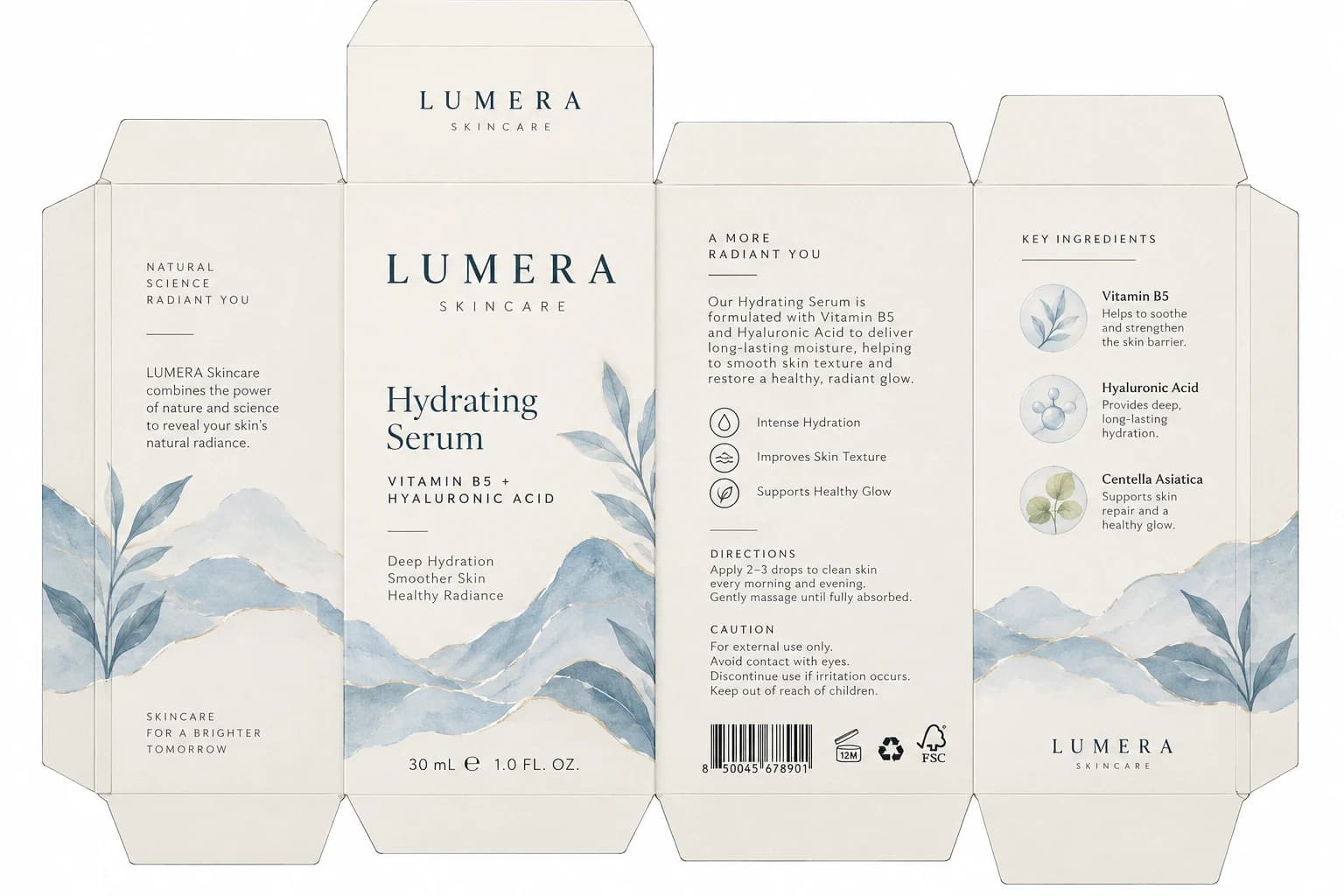
A packaging design can look exactly how you want while still containing information you need to update. Our LUMERA skincare carton example contains separate text elements for the product name, formula, package size, directions, and more. Explore the recovered text and see how the existing design can become a starting point for revisions.
Find and Revise Recovered Packaging Text
Product names, ingredient lists, directions, and short descriptions are difficult to change when they're baked into a flat image. The example shows text recovered as separate elements that can be reviewed and edited in the studio.
23 detected text elements and 9 detected brand marks in this example.
Reconstructed Packaging Artwork
The artwork layers provide a reconstructed visual base behind the detected text and brand elements.
9 separate artwork layers are shown in this example.
Inspect the Detected Typography
Select a typography layer in the studio to inspect or change its wording. The carton includes product information, ingredients, directions, and caution copy across multiple panels.
NATURAL SCIENCE RADIANT YOU
Recovered text element · approximate source size 12px
LUMERA Skincare combines the power of nature and science to reveal your skin’s natural radiance.
Recovered text element · approximate source size 15px
SKINCARE FOR A BRIGHTER TOMORROW
Recovered text element · approximate source size 11px
Hydrating Serum
Recovered text element · approximate source size 43px
VITAMIN B5 + HYALURONIC ACID
Recovered text element · approximate source size 15px
Deep Hydration Smoother Skin Healthy Radiance
Recovered text element · approximate source size 15px
30 mL ℮ 1.0 FL. OZ.
Recovered text element · approximate source size 17px
A MORE RADIANT YOU
Recovered text element · approximate source size 13px
Our Hydrating Serum is formulated with Vitamin B5 and Hyaluronic Acid to deliver long-lasting moisture, helping to smooth skin texture and restore a healthy, radiant glow.
Recovered text element · approximate source size 15px
Intense Hydration
Recovered text element · approximate source size 13px
Improves Skin Texture
Recovered text element · approximate source size 13px
Supports Healthy Glow
Recovered text element · approximate source size 13px
DIRECTIONS
Recovered text element · approximate source size 12px
Apply 2–3 drops to clean skin every morning and evening. Gently massage until fully absorbed.
Recovered text element · approximate source size 13px
CAUTION
Recovered text element · approximate source size 12px
For external use only. Avoid contact with eyes. Discontinue use if irritation occurs. Keep out of reach of children.
Recovered text element · approximate source size 13px
KEY INGREDIENTS
Recovered text element · approximate source size 12px
Vitamin B5
Recovered text element · approximate source size 15px
Helps to soothe and strengthen the skin barrier.
Recovered text element · approximate source size 13px
Hyaluronic Acid
Recovered text element · approximate source size 15px
Provides deep, long-lasting hydration.
Recovered text element · approximate source size 13px
Centella Asiatica
Recovered text element · approximate source size 15px
Supports skin repair and a healthy glow.
Recovered text element · approximate source size 13px
Recognition and text styling can vary. Review every word, especially small print and numerical values.
Keep Logos and Marks in View
Review detected brand marks and symbols separately while making text changes. Use approved original artwork for logos or marks that must remain exact.

main-wordmark

top-wordmark

bottom-wordmark

benefit-symbols
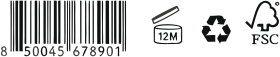
certifications
Recovered marks are separate image assets and may need manual review.
See the Artwork Around Your Copy
The carton also includes illustrations and decorative artwork. Inspect them separately or view the full composition while updating text.
Left watercolour mountain range
Middle watercolour mountain range
Right watercolour mountain range

Left leaf branch
Middle leaf branch
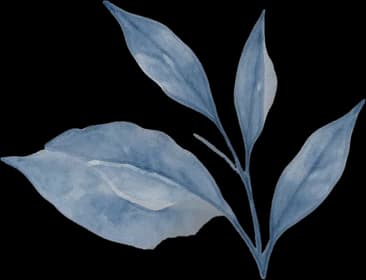
Right leaf branch
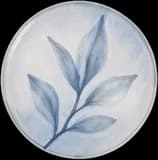
Top circular leaf illustration

Middle circular molecule illustration
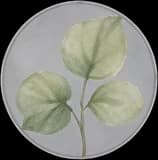
Bottom circular green leaf illustration
Separate packaging artwork assets. AI may redraw or alter details during reconstruction.
Preview Text in Its Packaging Layout
The workspace aligns detected text and graphics with the reconstructed artwork. In this example, text and mark coordinates are mapped from a 1152 × 768 layout to a 1536 × 1024 design canvas.
A Layered Reconstruction, Not the Original Source File
The result is an AI-assisted reconstruction, not recovery of the original Illustrator or Photoshop project. The PSD contains individual image layers; text is not guaranteed to be a native Type Layer, and fonts may be approximated. Review small lettering, barcodes, regulatory copy, and fine details before production.
EXAMPLE TEXT CHANGES
Try a Wording Change on a Real Text Layer
These are sample replacement ideas for text you can inspect in the LUMERA demo. They are not before-and-after generation results. Choose a matching typography layer in the studio and enter your own approved copy.
Change a product name
Original demo text
Hydrating Serum
Example replacement
Barrier Repair Serum
Example wording only. Check whether a longer name fits the original text area.
Update the package size
Original demo text
30 mL ℮ 1.0 FL. OZ.
Example replacement
50 mL ℮ 1.7 FL. OZ.
Verify all units and quantity declarations against your approved product information.
Revise a product headline
Original demo text
VITAMIN B5 + HYALURONIC ACID
Example replacement
CERAMIDES + PEPTIDE COMPLEX
Use verified formula names and claims for the product you're preparing.
Rewrite a marketing message
Original demo text
A short product description from the demo
Example replacement
Your approved product message
This is a prompt example, not a generated output. Review spacing and line breaks in the studio.
WHEN A SMALL CHANGE BECOMES A BIG JOB
The Packaging Looks Right. The Text Needs Changing.
You already have a packaging design you like. Maybe the product name has changed, you're creating a new size, or the ingredients and marketing copy need updating. The trouble is that the words are flattened into one image.
You don't have the original design file
The designer sent a JPG or PNG, but you don't have the Photoshop or Illustrator project used to create it.
The product information has changed
A new formula, size, or product variation needs new wording, while the existing visual style still works.
Rebuilding the artwork takes too long
Manually covering old text, recreating the background, and matching the typography can turn a small edit into a much bigger project.
You want to review the change before sending it on
You need a revised visual version that your team or designer can inspect before finishing production artwork.
You shouldn't have to recreate an entire packaging concept just because the words need another revision.
COMMON PACKAGING TEXT CHANGES
Change the Details Your Customers Actually Read
Product names
Rename products, variants, collections, or short product titles in detected text areas.
Sizes and quantities
Update packaging size labels for another product variation. Verify every unit and numerical value manually.
Ingredient descriptions
Revise recovered ingredient-related copy or product descriptions using your approved wording.
Directions for use
Make changes to detected usage instructions, application steps, or short guidance text.
Marketing headlines
Replace slogans, promotional messages, product benefits, and short marketing statements.
Caution and supporting copy
Edit detected warning headings or explanatory text. Regulatory wording requires an independent compliance review.
The editor can only revise text successfully recovered as separate elements. Highly curved, blurry, or very small text can be more difficult to work with.
FOUR STEPS TO YOUR UPDATED DESIGN
How to Edit Text on Existing Product Packaging
- 1
Upload your packaging image
Choose a clear image of the packaging design you want to update. Flat artwork usually produces more predictable results than angled product photography or heavily distorted mockups.
- 2
Let AI separate text and artwork
Start the packaging conversion. The workflow attempts to identify typography, brand marks, illustrations, and other visual elements so you can inspect them separately.
- 3
Select text and enter your changes
Open the Typography view or choose a detected text layer. Replace the original words and review the new wording on the packaging canvas.
- 4
Preview and download
Check spelling, placement, and the overall design. Then save the revised image or download available layered files for further editing.
The number of recognized text elements depends on the source image. Conversion costs 150 credits.
KEEP MORE OF THE DESIGN YOU ALREADY HAVE
Make Packaging Revisions More Manageable
Work from an existing image
Start with the image you have instead of recreating every layer from scratch.
Edit wording in your browser
Make available text changes directly in the online studio, without first rebuilding the design in Photoshop.
See the artwork around your text
Review updated wording in context with packaging colors, illustrations, and graphic elements.
Keep visual elements separate
Inspect recovered logos, graphics, and artwork layers independently from the packaging text.
Prepare files for further design work
Export the revised composition and available layers for review, adjustment, or professional finishing.
Explore product variations
Try alternative names, short descriptions, and packaging copy while working from a familiar visual design.
FOR BRANDS AND DESIGNERS
Who Needs to Change Packaging Text?
Skincare and beauty brands
Revise product names, collection titles, formula descriptions, and volume labels across packaging concepts.
Food and beverage sellers
Update short product names, flavor names, and promotional copy on packaging artwork. Verify ingredient and nutrition information separately.
E-commerce store owners
Refresh existing product packaging graphics when launching a variation or updating product information.
Packaging designers
Recover text from a flattened client-supplied image and prepare it for further design adjustments.
Marketing agencies
Explore updated packaging messages for product launches, campaigns, and client presentations.
Small businesses without source files
Work from a JPG or PNG when the original design project is missing or unavailable.
Whether you're updating one product or exploring several packaging variations, the goal is to make text changes easier without losing the visual direction you already chose.
TIPS BEFORE YOU EXPORT
Get Cleaner Packaging Text Edits
Use clear packaging artwork
High-quality, front-facing artwork helps the model locate text and identify the elements surrounding it.
Check the recognized wording first
OCR may misread letters, punctuation, line breaks, or small text. Correct the recovered wording as needed.
Keep text length in mind
A much longer product name may no longer fit the same space. Review line wrapping and approximate font size.
Review the whole package
Make sure changes haven't introduced awkward spacing, overlap, or inconsistent typography.
Use approved copy
For ingredients, warnings, health claims, quantities, and regulated wording, supply verified text from your approved documents.
Verify your export
Open the exported image or PSD to confirm the updated wording, layer positions, and artwork before handing the file to another designer.
KNOW WHAT YOU'RE GETTING
What You Can Change—and What Still Needs a Designer
Supported workflow
- Upload existing JPG, PNG, or WebP packaging artwork.
- Recover available text and graphic elements.
- Edit wording on recognized text layers online.
- Hide, show, and inspect separated visual layers.
- Save a composite image.
- Export available layer assets and a layered PSD.
What isn't guaranteed
- Recognition of every word in the original image.
- Exact recovery of the original typeface or font metrics.
- Pixel-identical preservation of reconstructed backgrounds.
- Native Photoshop Type Layers for every text element.
- Editable Illustrator vectors, print-ready dielines, or manufacturing specifications.
- Verified barcodes, nutrition labels, legal disclosures, or regulatory compliance.
This is a packaging image editing and layer-reconstruction workflow, not an automated prepress approval system.
FREQUENTLY ASKED QUESTIONS
Frequently Asked Questions About Editing Packaging Text
How can I edit text on product packaging without the original design file?
Upload your existing packaging image, start a conversion, and open the resulting layered workspace. If the text is successfully recognized, select that element, enter new wording, and preview the revision in the packaging design.
Can I edit packaging text online?
Yes. The studio lets you edit text recovered as separate elements from the uploaded image. You don't need to recreate the entire package design before making these changes.
Can I change words on a JPG packaging image?
You can upload a JPG and use AI to attempt to recover its text areas. Once recognized, those areas can be revised through the editor. The result is reconstructed artwork rather than direct editing of the original JPG pixels.
Does this work with PNG packaging images?
Yes. PNG is supported, along with JPG and WebP. Text recovery depends on clarity, size, layout, and how the words appear in the picture.
Can I change a product name on existing packaging?
Yes, when the product name is recognized as a separate text element. Select it and enter the new wording. Review the replacement carefully because longer names can affect placement and line breaks.
Can I change 30 mL to 50 mL on a label?
You can update a recovered size label. Review any corresponding fluid-ounce value, net-quantity declaration, or other size-dependent information too. The editor does not verify compliance or measurement accuracy.
Can I edit an ingredient list on a product label?
You can attempt to edit recognized ingredient text. Small and densely packed ingredient lists may be harder to recover accurately. For real packaging, use your approved ingredient declaration and verify the finished copy manually.
Can I edit text on a skincare or cosmetic packaging box?
Yes. Clear, flat cosmetic carton artwork is a suitable use case. The included LUMERA skincare carton example contains product copy and other text elements to inspect in the studio.
Will the original packaging design remain unchanged?
The workflow aims to preserve the visual composition, but AI reconstruction can change some details. Text appearance, spacing, background areas, or artwork may differ from the source. Always review the result.
Can I keep the same font when replacing the text?
The editor attempts to reproduce the text styling found in the image. Exact font identification, kerning, line height, and glyph appearance are not guaranteed.
Can I change only one word?
Yes, provided that the relevant wording is available as a text element. Select it and make a focused edit without intentionally rewriting other text areas.
Can I edit several text areas on the same package?
Yes. Once the conversion has produced separate text elements, you can inspect and revise multiple recognized areas in the studio.
Can I download the packaging design after changing the text?
Yes. The workflow provides image and layer-export options. Check the exported file to confirm your changes appear correctly before using it for further design work.
Will my edited wording appear in the exported PSD?
The export workflow is intended to include accepted text changes in the layered PSD. Reconstructed text is rendered as image-layer content rather than native Photoshop Type Layers. Verify the downloaded file before production use.
Can I edit the text with Photoshop's Type Tool afterward?
Not as native Type Layers in the current export. The PSD contains separate rasterized image layers. You can still work with the layered document in Photoshop, but native font-object editing is not guaranteed.
Can I edit the label on a curved bottle or jar?
You can try uploading a product image, but lettering on curved surfaces, reflections, and perspective distortions may be harder to recognize and reconstruct. The tool does not guarantee accurate unwrapping of a curved label into a flat printable design.
Can I change a barcode or certification mark?
The workflow may detect some symbols or marks as separate visual elements, but it does not verify barcode scannability or regulatory certification. Use approved original artwork for these elements.
Is the result ready for commercial printing?
Not automatically. Before printing, your designer or prepress provider should verify typography, artwork resolution, color requirements, bleed, dielines, quantities, and legal copy.
Is editing packaging text free?
The packaging conversion uses credits. Processing your own image currently costs 150 credits per conversion, shown before submission. You can inspect and edit the included sample before processing your own image.
What if the AI doesn't recognize the text I want to change?
Not every text element is guaranteed to separate correctly. Tiny letters, complex backgrounds, unusual fonts, and heavily distorted images may be difficult to process. A clearer or flatter source image can improve the starting conditions.
Can I use the editor to create several packaging variations?
You can revise recognized wording to explore variants and product concepts. Each new image conversion is a separate processing task; review the applicable credit total before submitting another design.
What's the difference between this page and Packaging to Editable PSD?
This page focuses on changing text on an existing packaging image, such as product names, sizes, and marketing copy. Packaging to Editable PSD covers the broader workflow of separating packaging text, logos, illustrations, and backgrounds into layers for further editing.
More Ways to Work With Your Existing Artwork
Packaging to Editable PSD
Convert a flattened packaging design into separate text, artwork, and image layers.
Packaging to Editable PSDPoster to Editable PSD
Turn a flattened poster into a layered image workflow for further design revisions.
Poster to Editable PSDAI Ad Delayer
Explore a separate layer-editing workflow for advertisements and marketing graphics.
AI Ad DelayerImage to Layers
Separate a general image into visual layers for editing, animation preparation, or reuse.
Image to Layers
Need to Change Your Packaging Text? Start With the Image You Have.
You don't have to start your next packaging revision from a blank canvas. Upload your existing artwork, recover the text AI can identify, make your changes in the online studio, and export the updated design for further work.
Edit my packaging textTry the included packaging example first. Your own conversion uses 150 credits. Review the edited wording and exported files before publishing or printing.