
Turn Your Event Poster into an Editable Layered PSD
Click or drag image to upload
Upload your event poster
JPG, PNG, WebP up to 10MB · Drag & drop anywhere
Settings
Leave this blank to let Detailed Layers identify the main editable elements automatically. Or name the parts you want separated.
Focus on the Parts You Want to Move
The tool can attempt to separate major poster elements automatically. You can also describe the titles, people, graphics and backgrounds you want it to prioritize.
Upload an Image to Continue
Private File Handling
Uploaded files are associated with your account and delivered through signed URLs. You can delete completed jobs manually.
Transparent PNG Output
Detailed Layers returns each detected element as its own layer on a transparent background.
Continue Editing in Agent Workspace
Multi-Agent SuiteOpen the layered result in Agent Workspace to clean up elements, create visual variations, or continue working from the same project.
Leave the description blank for automatic separation, or describe the visual elements that matter most.
60 credits per generation · Failed generations are eligible for credit refunds · No manual tracing needed to get started
START WITH THE FILE YOU ALREADY HAVE
Upload Your Event Poster
Maybe your designer sent you a flattened JPG.
Maybe the original Photoshop project was lost.
Upload your poster and let AI attempt to separate its main visual elements into image layers you can inspect and use in further design work.
Move, hide or rearrange separated elements, then export a layered PSD to continue editing without rebuilding the entire composition.
60 credits per Detailed Layers generation. Results vary depending on image quality, overlapping elements and design complexity.
SEE WHAT'S POSSIBLE WITH A FLAT EVENT POSTER
One Festival Poster. Eight AI-Separated Layers.
Take a look at CITY NIGHTS.
It started as a single flattened music festival poster featuring a headline, a vocalist, event information, a promotional badge and a detailed stage background.
We processed the finished image with AI and received eight image layers.
Select any separated element to inspect it.
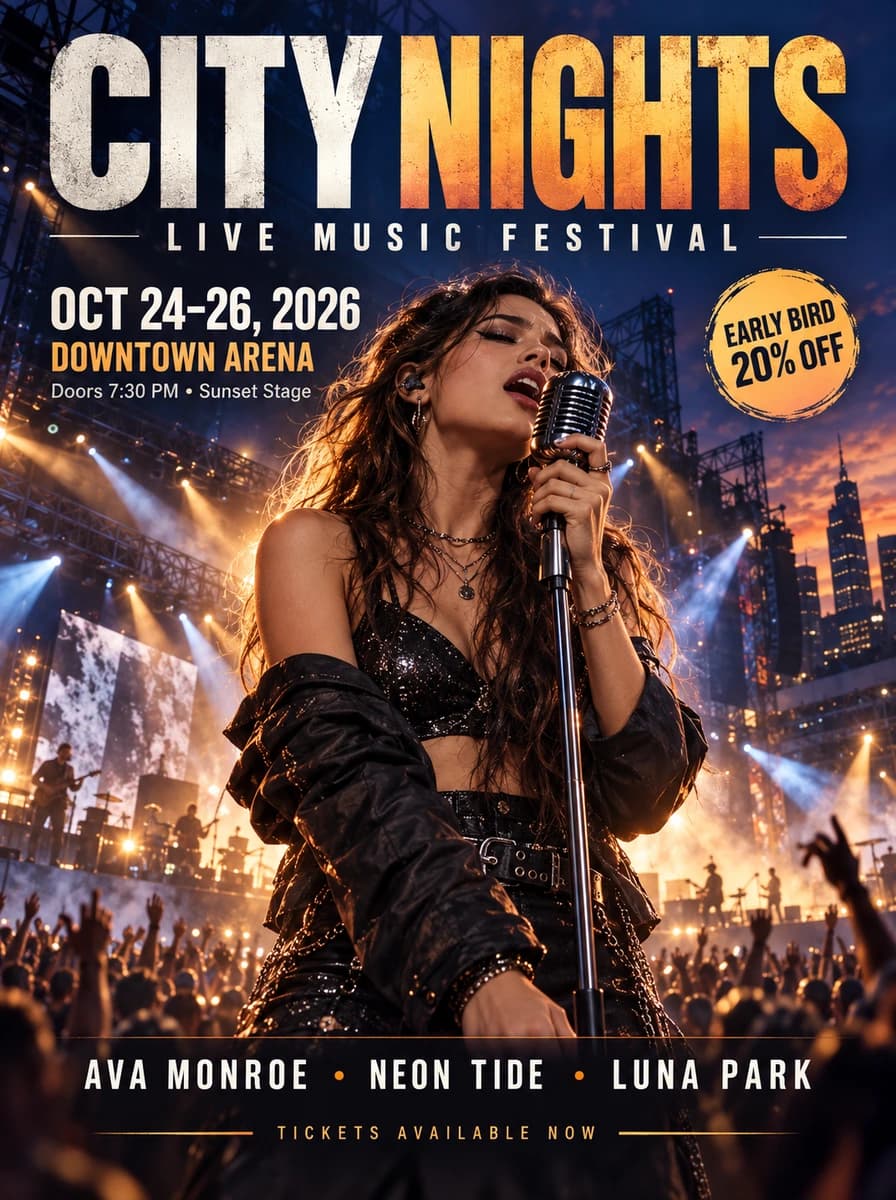
What’s in the Eight-Layer Result?
Select a title, subject or graphic in the interactive example to see its separated image layer.
Layer 01 — Background Plate
The base image used for the poster composition.
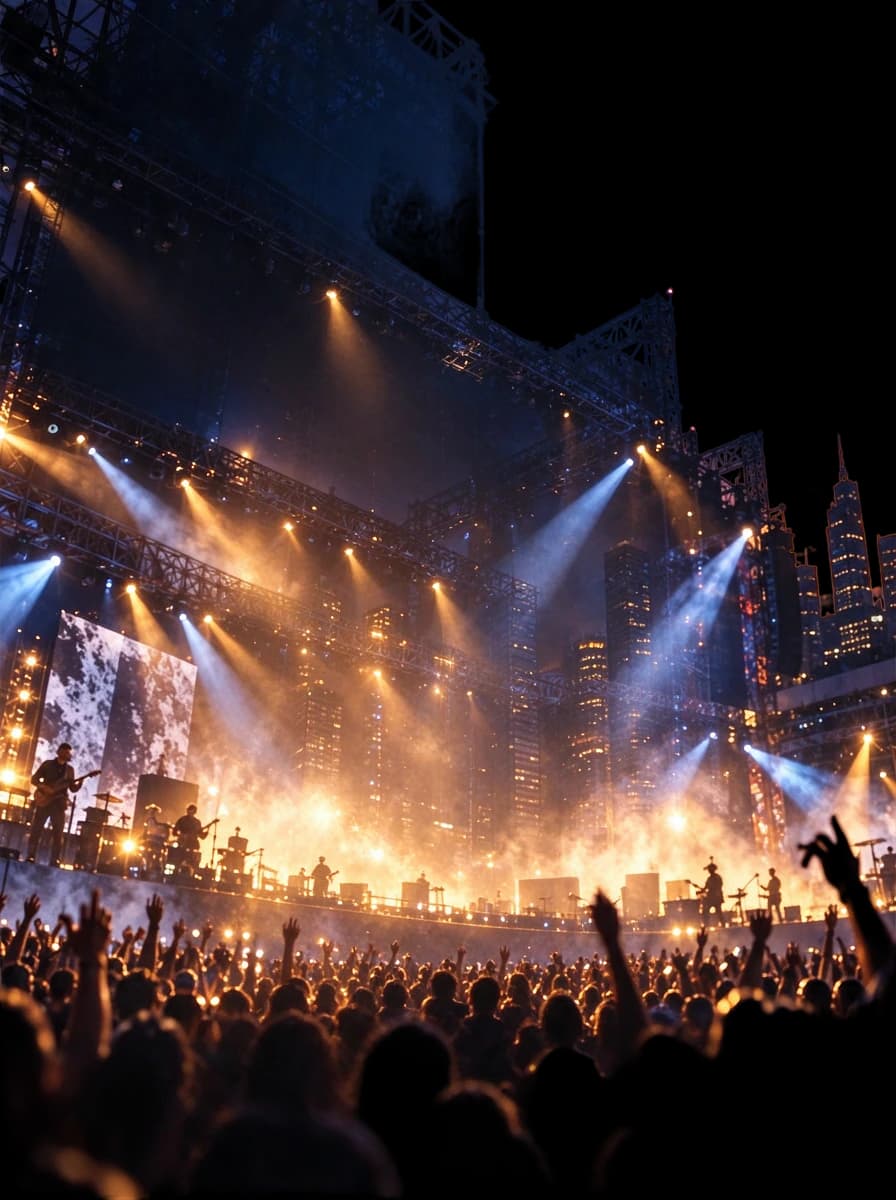
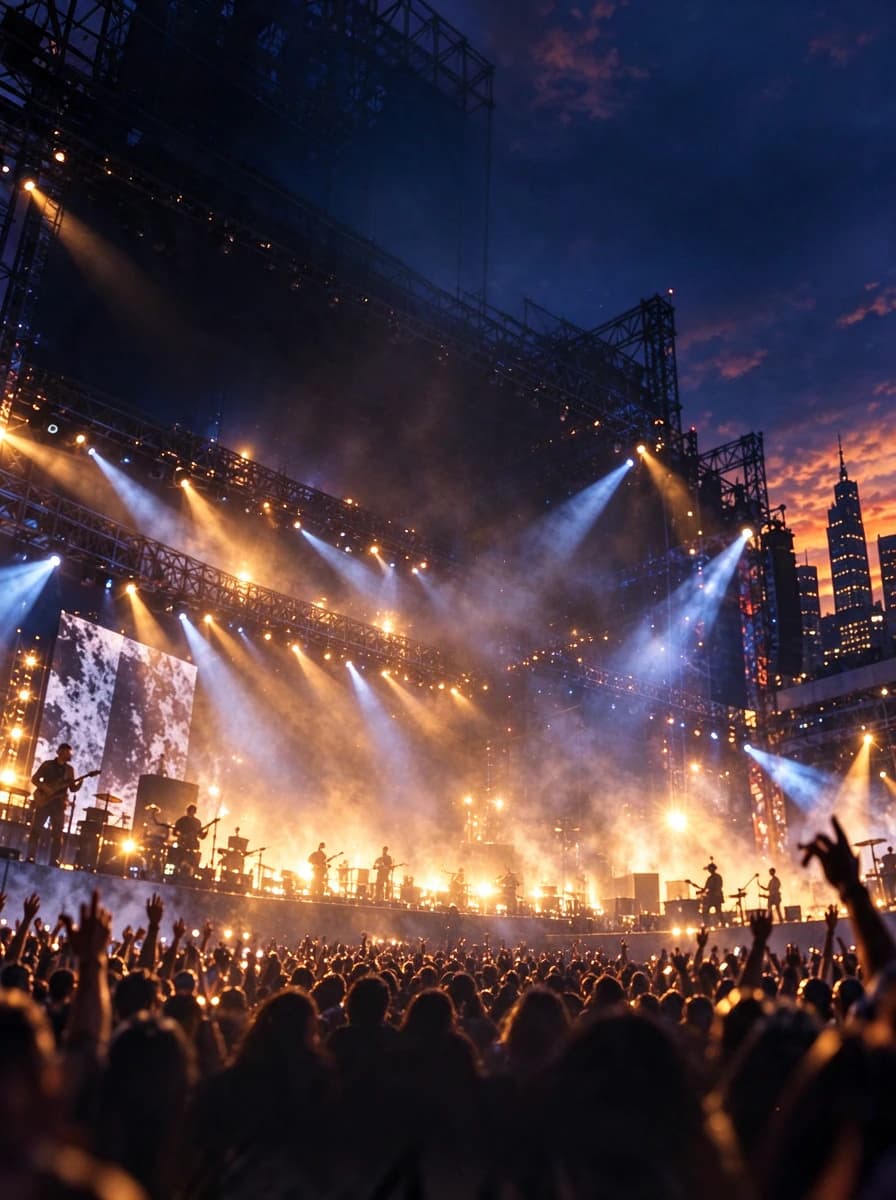
Layer 02 — Concert Background
The stage, lighting, city scenery and surrounding atmosphere as a separate image element.
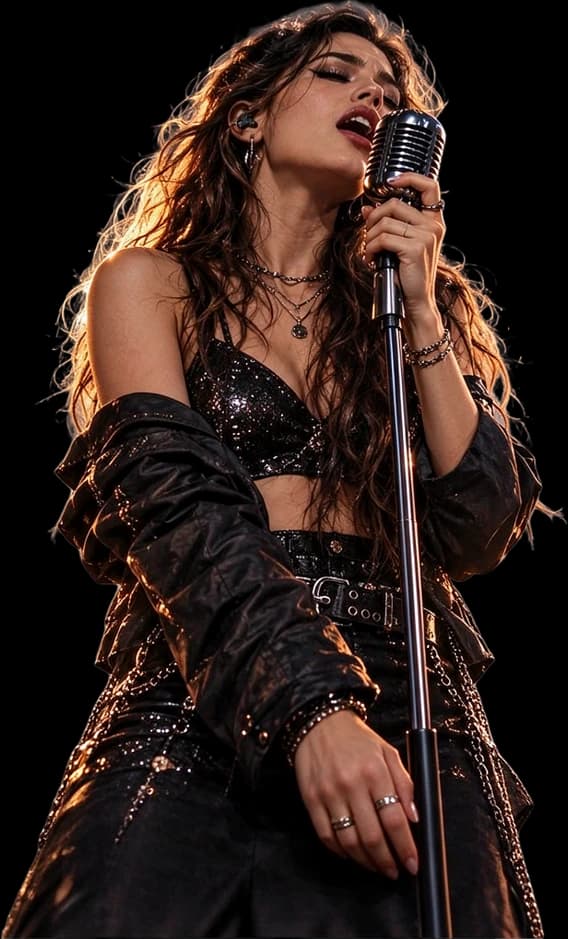
Layer 03 — Singer & Microphone
The foreground performer, including the visible microphone and stand.

Layer 04 — Festival Subtitle
The “LIVE MUSIC FESTIVAL” lettering as isolated text artwork.
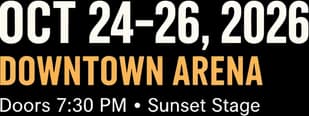
Layer 05 — Event Information
The visible event date and venue details grouped into a separate image layer.

Layer 06 — Lineup & Ticket Information
The artist lineup and ticket footer as separate text artwork.
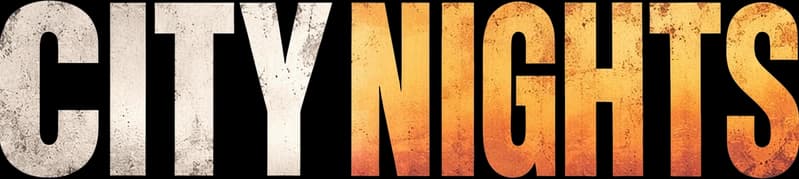
Layer 07 — Main Headline
The large “CITY NIGHTS” title, separated from the rest of the design.

Layer 08 — Early Bird Badge
The circular promotional badge, available as its own visual layer.
The CITY NIGHTS source poster was AI-generated. The eight layers are actual outputs from our AI separation workflow, not layers recovered from an original designer-created PSD. Individual results may differ.
YOUR EVENT IS CHANGING. YOUR DESIGN FILE ISN’T.
One Last-Minute Change Can Turn into Hours of Rework
The lineup changes after you have approved the poster.
A sponsor requests another placement. You need to remove an old promotional badge, or rearrange the artwork for a new campaign.
But the finished JPG is all you have. You cannot simply select the singer, move the main title or access the background underneath.
You could manually trace and repaint the design, or start by letting AI separate the existing poster into image layers.
Keep the parts that still work. Spend your editing time on the parts that need attention.
Start with the poster you have, inspect the separated artwork, and continue refining the areas that need another round of work.
REARRANGE THE ARTWORK YOU ALREADY HAVE
Work with Your Event Poster Elements Separately
Move the Headline
Reposition a successfully separated title as image artwork without moving every other element.
Isolate a Performer
Use the separated subject layer as a starting point for further editing or a revised composition.
Hide an Old Badge
Hide a separated promotion badge and inspect the reconstructed area beneath it.
Rearrange Supporting Graphics
Work with decorative elements, event artwork and supporting information independently where separation succeeds.
Prepare the Background
View the AI-generated background plate and inspect whether it supports your new composition.
Continue in Photoshop
Export a layered PSD for further manual editing, layout work and refinement.
The tool creates raster image layers. Changing the wording of a date, lineup or venue requires additional editing or a separate text-editing workflow.
THE AREA BEHIND YOUR POSTER ELEMENTS MATTERS
Move the Headline Without Leaving an Empty Hole
Event posters often place headlines, performers and promotional badges over detailed backgrounds. The flattened source does not contain the pixels hidden underneath those elements.
AI layer separation can attempt to reconstruct those missing areas, giving you a background plate to inspect and refine.
Behind the Headline
Explore the background underneath separated title artwork.
Behind the Performer
Inspect the AI-estimated stage scene where the foreground subject was removed.
Behind the Badge
Check the reconstructed area beneath the promotional graphic.
Explore the CITY NIGHTS Layers
Hide or show separated poster elements to inspect the reconstructed composition.
Layers
Hidden areas are estimated by AI, not recovered original pixels. Complex lighting, crowds, stage equipment and fine details may require manual cleanup.
THE DIFFERENCE IS IN THE LAYERS
Don’t Just Change the File Extension. Get a Different Editing Starting Point.
A Flat JPG or PNG
Your event poster is a single merged image. The title, performer, promotional artwork and scenery are flattened together.
Crop or edit the image as a whole.
An AI-Separated PSD
The generated document contains separate raster image layers for elements the model was able to identify.
Inspect, hide, reposition and combine layers in compatible editing software.
What You Gain
- Independent visual image layers
- Transparent cutouts for supported elements
- Separated title artwork where possible
- Foreground and background elements
- A layered PSD for continued design work
Original fonts, native Photoshop text layers, vector source files, smart objects, original layer effects and design history are not recovered.
KNOW WHAT'S INCLUDED BEFORE YOU GENERATE
Your Poster Elements Become Image Layers — Not the Original Source File
What You Can Work With
- Separated Headline ArtworkVisible title lettering may be extracted into its own raster image layer so you can hide or reposition it.
- People and Featured SubjectsThe model may isolate prominent people, products or other visual elements from the surrounding composition.
- Badges and Decorative GraphicsPromotional stickers, graphic elements and decorations may be separated where their boundaries can be identified.
- Background ElementsAI can attempt to create a background plate that can be viewed or edited independently.
- Layered PSD ExportContinue working with the generated image layers in compatible software.
What This Does Not Recover
- Original FontsThe model does not identify and install the exact fonts used in the original poster.
- Native Editable Text ObjectsSeparated lettering is typically raster artwork. It is not automatically restored as Photoshop text that you can retype character by character.
- Original Vectors and Smart ObjectsFlattened paths, editable shapes and smart object source content are not recovered from the image.
- Original Masks and Adjustment HistoryThe original author's editing operations, layer effects and complete design history are not reconstructed.
- Perfectly Hidden Image DetailsAI estimates obscured content. It cannot guarantee recovery of what was originally behind a person, title or graphic.
Need to change the actual words? Explore Edit Text in Poster.
FROM ONE FLAT IMAGE TO MULTIPLE IMAGE LAYERS
Split Your Event Poster in Four Steps
- Step 1
Upload Your Poster
Choose the JPG, PNG or WebP event graphic you want to edit. Use the clearest original copy you have.
- Step 2
Generate Image Layers
Let AI identify the main visual elements, or enter an optional description to guide the separation.
- Step 3
Inspect the Result
Check headline artwork, people, promotional badges, supporting information and reconstructed backgrounds. Pay attention to small text and overlapping objects.
- Step 4
Export and Keep Editing
Use available image-layer exports and the layered PSD to continue the composition in compatible editing software.
AI separation produces a new editing starting point. It does not guarantee an exact reconstruction of the original design project.
REAL EVENT PRODUCTION SCENARIOS
Built for Event Designs That Need Another Round of Work
Concert & Music Festival Posters
Work with stage imagery, featured performers, headline artwork, lineups and supporting promotional graphics.
Nightclub & DJ Event Promotions
Separate a featured DJ or performer, event title and background lighting for revised compositions.
Conference & Business Event Graphics
Prepare speaker imagery, conference titles and decorative visuals for new layouts.
Exhibition & Gallery Posters
Explore moving the main artwork, exhibition title or graphic decorations independently.
Community & Local Event Posters
Start with the finished image when the original layered design file is unavailable.
Recurring Events
Reuse suitable visual elements from a previous event poster when creating the next design.
This workflow does not automatically change dates, replace a performer or create a completed redesign. Those steps still require editing.
FOR PEOPLE WHO NEED TO DELIVER UPDATED EVENT ARTWORK
Stop Rebuilding from the Same Flat JPG
Event Organizers
Work with existing event graphics when the source design project is unavailable.
Freelance Designers
Start with separated artwork when a client provides only a finished JPEG.
Marketing Teams
Reuse suitable visual assets when adapting promotions for another campaign.
Music Promoters
Prepare headline art, artist images and backgrounds for further publicity work.
Small Business Owners
Work with an existing promotional graphic without tracing every element by hand.
Agencies & Creative Studios
Use AI separation as an early reconstruction step before finishing client artwork.
MAKE THE MOST OF THE FILE YOU HAVE
A Clearer Source Can Make the Layers Easier to Use
Start with the Original Export
An original JPG or PNG is generally a better starting point than a screenshot of a social media post.
Keep Text as Clear as Possible
Large readable headlines are usually easier to inspect than tiny, heavily stylized supporting text.
Watch for Overlapping People
Crowds, multiple performers, instruments and stage equipment may create complicated subject boundaries.
Describe Your Priorities
For a crowded poster, describe the title, featured performer, promotional badge and background.
Inspect the New Background
Look for inconsistencies in lighting, architecture, stage structures and reconstructed hidden areas.
Check the Final Design
Before publishing or printing, confirm that titles, dates, venue details and other critical information are correct.
SEPARATE VISUAL EDITING FROM TEXT EDITING
Two Different Jobs. Two Different Tools.
Want to Move a Title, Performer or Graphic?
Choose Event Poster to PSD. Separate visible artwork into image layers so you can rearrange the design.
Split My Event PosterWant to Change a Date, Venue or Artist Name?
Choose Edit Text in Poster, a separate workflow designed for changing visible wording in a flattened poster image.
Edit Poster TextA raster image of “CITY NIGHTS” can be moved as a layer, but it is not a native Photoshop text object for typing a different title.
ONE POSTER. ONE GENERATION.
Pay for the Layer Separation You Need
Each Detailed Layers generation costs 60 credits. Generate image layers and inspect the result before deciding what further editing is necessary.
Available Workflow Outputs
- Separated raster image layers
- Supported transparent PNG layer exports
- Layered PSD export
- AI-generated background elements where available
Applicable credits are refunded when generation fails under the service’s failed-job handling.
Completed jobs may still require manual editing. Successful generation does not guarantee every small detail is separated perfectly.
Split My Event PosterCOMMON QUESTIONS
Event Poster to PSD FAQs
Can I convert an event poster JPG into a layered PSD?
Yes. Upload your flattened event poster and use AI to attempt to separate visible elements into raster image layers, then export a layered PSD for further editing.
What if I only have the JPG and no original Photoshop file?
You can start directly from the JPG. The tool does not need the original Photoshop project to attempt image layer separation.
Can it separate the event headline from the background?
It can attempt to extract a prominent headline as a separate image layer. Results depend on typography, effects, contrast and overlap.
Can I separate the singer or DJ from a concert poster?
The model can attempt to isolate a featured person and visible associated elements. Hair, instruments, lighting and overlapping people may need cleanup.
Can I remove the early-bird badge from my poster?
If the badge is successfully separated, hide that layer and inspect the reconstructed background beneath it. The area may need refinement.
Can I change the event date after converting to PSD?
The separated date may be raster artwork rather than editable text. Replace it during further editing, or use Edit Text in Poster when changing wording is the main goal.
Will the PSD let me retype the text in the original font?
Not automatically. The model does not recover original fonts or native Photoshop text objects. Separated lettering is generally an image layer.
Does it reconstruct the stage or scenery behind a performer?
AI can attempt to fill hidden areas, but the result is an estimate, not original content. Artifacts or invented details are possible.
How many layers will my event poster have?
It depends on the poster and what the model identifies. The CITY NIGHTS sample has eight layers; other outputs may have more or fewer.
Is your CITY NIGHTS example a real model result?
Yes. The source poster was AI-generated, and the eight demonstrated layers are actual outputs from the AI separation process.
Can I use this with nightclub flyers or DJ promotions?
Yes. Upload supported flattened event artwork, including nightclub and DJ promotions. Results depend on visual complexity.
Can I leave the separation prompt blank?
Yes. Detailed Layers can attempt to identify main elements automatically. You can add an optional description to focus on specific content.
Can I download individual transparent PNG layers?
The workflow provides PNG exports for supported separated elements. A background plate may be opaque rather than transparent.
Can I open the exported PSD in Adobe Photoshop?
The layered PSD is intended for compatible image editing software, including Photoshop. Review the layers and composition before important work.
Can I reuse the separated artwork in a new event layout?
You can reuse suitable elements if you have rights to the source artwork. Resizing, cleanup or redesign may still be necessary.
Does the output preserve the exact original poster?
Not guaranteed. Separation and reconstruction can alter details, edges, lighting and text artwork. Compare the result with the original.
How many credits does it cost?
A Detailed Layers generation costs 60 credits. The workspace displays the current charge before you start.
What happens if the generation fails?
Failed generations are handled through the service’s credit refund workflow. A completed result needing refinement is not automatically a failed generation.
Can I use an event poster made by another designer?
Only if you have permission to edit and reuse the artwork, including client-provided, commissioned or licensed designs.
Is this a finished poster editing tool or a layer separation tool?
Its primary purpose is to generate separated image layers from a flattened poster. Continue editing, rearranging or refining them in compatible software.
DON’T START FROM A BLANK CANVAS
Your Event Poster Still Has Work Left in It
The original Photoshop file may be gone, but the finished image can still be a starting point.
Upload the poster you already have. Let AI separate its main visual elements, then continue your next layout, campaign or client revision with a layered PSD.
Split My Event PosterJPG, PNG or WebP · 60 credits per generation · Layered PSD export
Results are a new editing starting point and may require manual cleanup.
Related Tools
Poster to Editable PSD
Explore the main poster layer separation workflow and an interactive example.
Edit Text in Poster
Change visible dates, locations, ticket prices or other wording in a finished poster image.
Image to PSD
Convert other flattened images into separate image layers for further editing.
Ad Delayer
Work with existing advertising graphics, headlines, logos, objects and backgrounds as image elements.