
Virtually Try On Hairstyles Using Your Photo
Try a Hairstyle on Your Own Photo
Upload your portrait and one hairstyle reference to create a hair makeover preview.
Your Photo
Choose a clear portrait showing your face and current hair.
Keep your face, forehead, and hairline easy to see. Avoid strong filters, heavy blur, and cropped hairstyles.
Hairstyle Reference
Add a picture of the haircut, hair color, bangs, or texture you want to explore.
Choose a reference with the hairstyle clearly visible. A full view of the hair shape is more useful than a tightly cropped detail.
Your New Hairstyle Preview
Example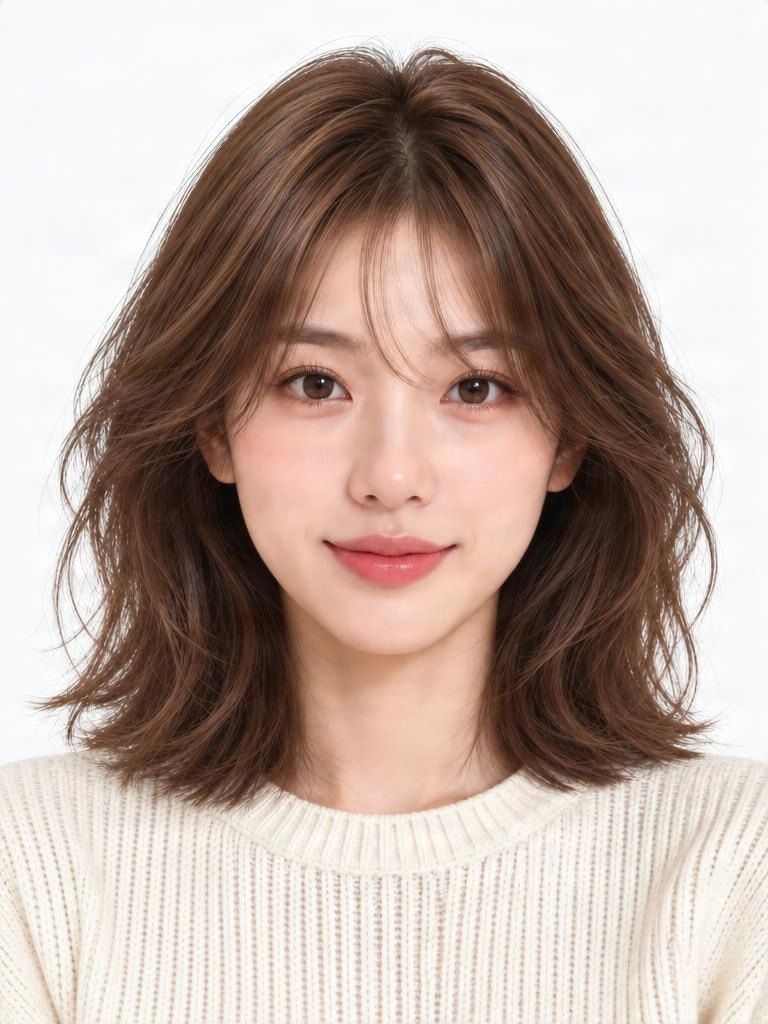
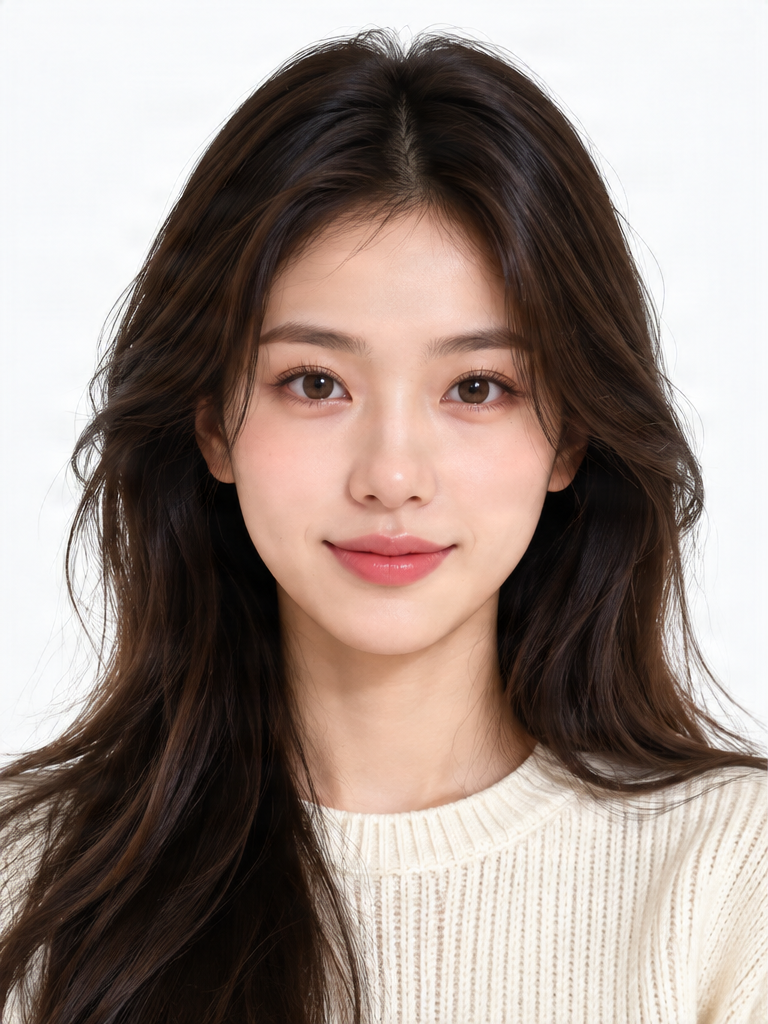
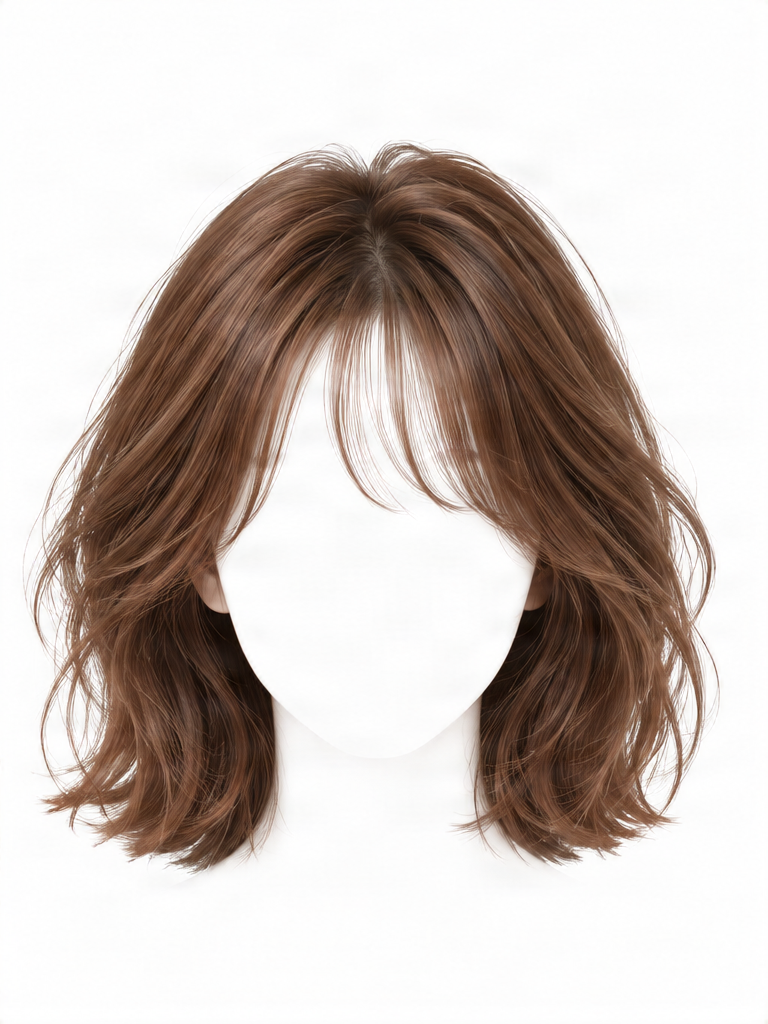 Hairstyle Reference
Example: long dark hair restyled as soft, shoulder-length brown waves with face-framing bangs.
Your preview is AI-generated. Compare it with your original photo and hairstyle reference before using it to make a haircut or color decision.
Love a New Hairstyle? See How It Could Look on You Before Making the Cut.
You've found a hairstyle you love: a shoulder-length bob, soft curtain bangs, or warm brown waves. Upload your photo and the hairstyle you want to explore. AI creates a preview using your face and your chosen hairstyle, so you can consider a new look before visiting the salon.
ONE PHOTO. A DIFFERENT HAIRSTYLE.
See How a New Hairstyle Could Change Your Look
This real example uses a portrait and a hairstyle reference to explore a shorter cut, warmer color, soft waves, and face-framing bangs.
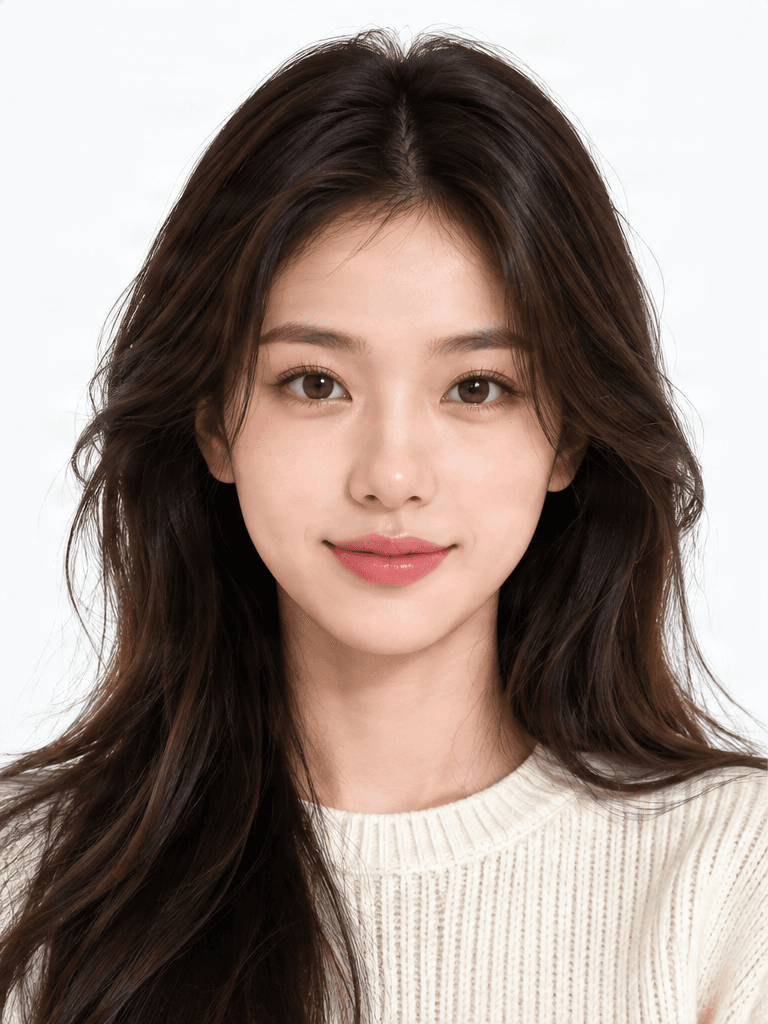
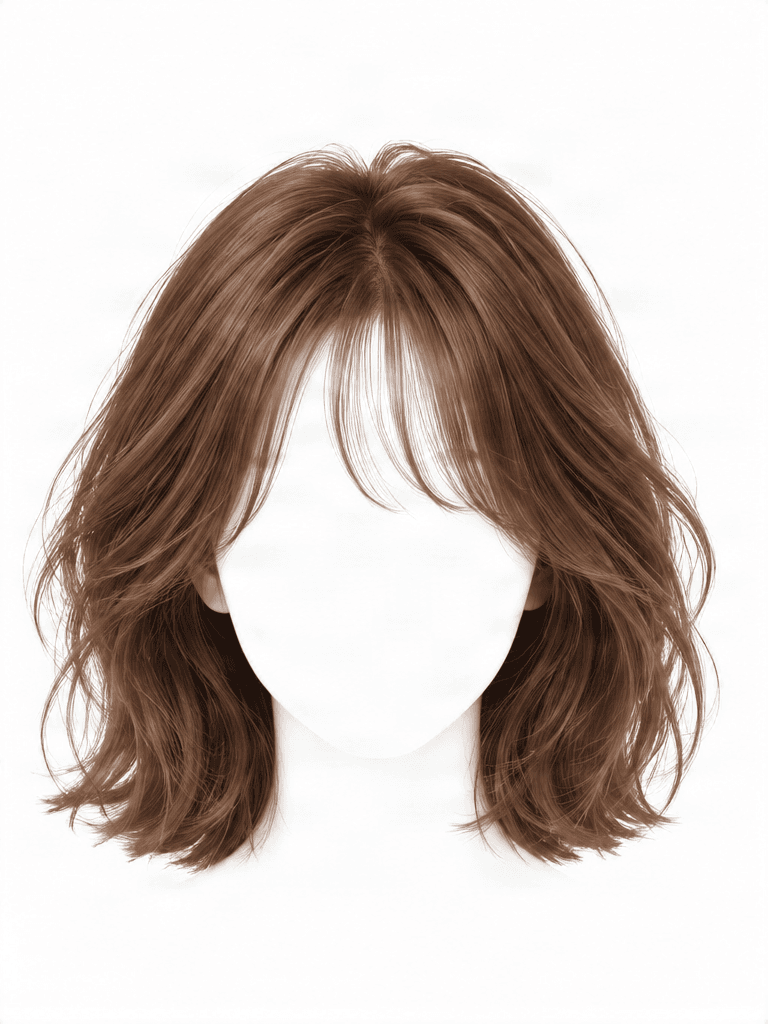
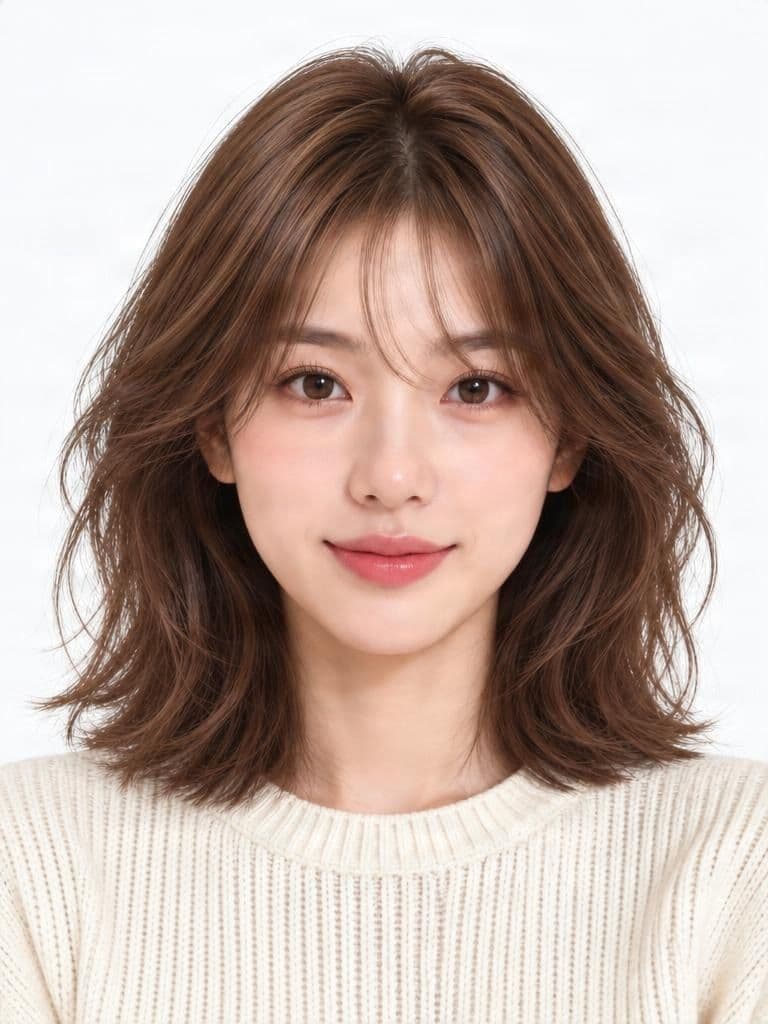
From Long Dark Hair to Soft Brown Waves
The generated portrait interprets the reference's shoulder-length layered cut, warm brown color, soft waves, and fringe. The face remains recognizable, while the bangs and overall volume vary slightly.
You Love the Hairstyle. But You're Not Sure About the Change.
You see a haircut online and save it. The layers, bangs, or color look just right, but your own hair is longer, darker, straighter, or simply different from the reference.
Upload your portrait and the hairstyle you are considering to explore a possible version of the look on your face. You may love it—or discover that you prefer a different length or fringe.
EXPLORE BEFORE YOU COMMIT
Feel More Prepared for Your Next Hair Change
See a hairstyle reference alongside your own features, explore shorter hair before cutting, and compare ideas for bangs, layers, texture, and color.
Save a look you like as a starting point for a conversation with your stylist. A preview can help you explain your preferences, but it cannot predict how your real hair will behave.
- See the style on your own face
- Explore shorter hair before cutting
- Compare bangs and face-framing layers
- Try color inspiration
- Save a look for your salon visit
FIND YOUR NEXT HAIR INSPIRATION
Try Different Haircuts and Styles Using Your Photo
Use reference images to explore bob haircuts, shoulder-length styles, curtain bangs, layered cuts, soft waves, curls, straight styles, and both shorter and longer silhouettes.
These are ideas you can explore through references, not guaranteed presets or exact hairstyle transfers.
Explore a Different Hair Color
Choose a hairstyle reference with the color you are curious about, from warm brown and chestnut to blonde, copper, cool-toned, or more expressive shades. The preview is not an exact hair dye simulation.
Real color results depend on your starting shade, hair condition, previous treatments, coloring process, and lighting.
ONE SMALL CHANGE CAN LOOK VERY DIFFERENT
See How Bangs Might Frame Your Face
Try a reference with curtain bangs, full bangs, side bangs, or subtle face-framing pieces. Compare where the fringe falls and how it changes the overall silhouette.
AI may vary the precise length, density, or parting. Real styling and maintenance needs depend on your hair.
Wondering Whether to Cut Your Hair Short?
Explore a shorter direction before making a permanent change. Compare long hair with shorter face-framing layers, a shoulder-length cut, a soft wavy bob, or a more structured style.
A generated preview is a visual exploration tool. It cannot predict how your hair will behave after cutting, washing, or styling.
Explore a New Look for Your Next Moment
- Before a salon appointment, to clarify what you want to discuss
- Before a special event or personal makeover
- While considering a new hair color
- When growing out your hair and imagining a different shape
- To save or share hairstyle inspiration with a stylist or friend
THE REFERENCE IMAGE MATTERS
Choose a Clear Hairstyle Reference
- Show the top, sides, bangs, and ends of the hair
- Make the cut and length easy to recognize
- Avoid heavy filters and artistic effects
- Use clear lighting if the color matters
- Avoid hats, hands, or accessories covering the hair
- Use one hairstyle rather than a collage
Prepare Your Photo for a Hair Makeover
- Use a sharp portrait with your face and hair visible
- Include the crown and hairline
- Keep your face unobstructed
- Start with natural, even lighting
- Avoid strong face filters
- Use a similar camera angle in both images
- Compare the result with your original face, clothing, and background
KNOW WHAT TO EXPECT
A Useful Preview Does Not Have to Be an Exact Copy
The generator interprets the reference's length, cut, texture, bangs, color, and overall shape. The final image may change small details: bangs can look straighter, volume softer, or waves may fall differently around your face.
Treat the result as a way to explore a look, not as a promise of an exact haircut. Use a stylist's guidance to decide how to achieve it.
What Kind of Hair Preview Do You Need?
Virtual hairstyle try-on starts with your portrait and a hairstyle reference, then creates a photo-based preview. A hair color preview focuses on a shade; an inspiration gallery helps you browse ideas; a live AR filter overlays a look on camera.
This page uses uploaded images to create a generated portrait, not a live camera filter.
A PREVIEW, NOT A SALON GUARANTEE
What AI Hairstyle Try-On Cannot Predict
A generated image cannot tell you exactly how your hair will behave in real life. Texture, density, growth patterns, styling products, professional technique, starting color, and previous treatments all affect real results.
The image may also change facial details, clothing, lighting, or background elements. Review it carefully, and discuss major haircut or color changes with a qualified stylist.
Common Mistakes to Avoid
- Uploading a blurry portrait
- Cropping off your hairline or the top of your head
- Using a reference collage with several different cuts
- Expecting identical bangs, curls, and volume
- Not checking whether your face remains recognizable
- Assuming a cut will be easy to maintain without styling
Explore a New Look Before Your Next Hair Change
Before a Salon Appointment
Bring a visual starting point to a conversation with your stylist.
Before Trying Bangs
Explore a fringe or face-framing layers on your own portrait.
Before Going Shorter
Imagine a bob or shoulder-length cut before making a change.
Before Changing Hair Color
Explore a shade through a reference image, with realistic expectations.
For a Special Event
Consider a different hairstyle for a celebration or important occasion.
For Personal Inspiration
Save and compare looks simply because you are curious.
How to Virtually Try On a Hairstyle
Upload Your Portrait
Choose a clear photo with your face, hairline, and full head visible.
Add Your Hairstyle Inspiration
Upload one reference where the cut, length, bangs, or texture is easy to see.
Create Your Hair Preview
AI uses both images to create an edited portrait with an interpretation of the new hair.
Compare the Result
Review the shape, color, fringe, and whether your facial features remain recognizable.
Download a Look You Like
Save the preview as a starting point for comparing ideas or talking with a stylist.
A Visual Preview, Not a Salon Guarantee
Hair texture, density, growth patterns, styling, coloring, and professional technique affect real results. AI may also alter facial details or other parts of the photo. Use the preview to explore preferences and ask a stylist how to achieve the look.
Keep Exploring Your Next Look
Virtual Glasses Try-On
Preview eyeglass frames on your face with a photo and a glasses reference.
Try glassesVirtual Try-On
Explore clothing looks using the main virtual try-on workspace.
Explore virtual try-onAI Clothes Try-On
Try a clothing item using your photo and a garment reference.
Try clothesVirtual Outfit Try-On
Combine clothing references to explore a new outfit on your photo.
Try an outfitVirtual Hairstyle Try-On FAQs
How can I virtually try on a hairstyle using my photo?
Upload a clear portrait and a separate hairstyle reference. AI creates an edited photo showing an interpretation of that hairstyle on you. Review the result before saving it.
Can I try a new haircut without actually cutting my hair?
Yes. A virtual preview lets you explore the appearance of a different haircut before making a physical change. It is a styling reference, not a guarantee of the real result.
Can I upload a hairstyle photo I found online?
Upload a reference image you have the right to use. A clear photo showing the full cut, bangs, and texture is usually more useful than a heavily edited or cropped picture.
Can I try a bob haircut with my own photo?
Yes. Upload your portrait and a reference showing the bob style you want to explore. AI will attempt to adapt the cut to your photo.
Can I see what I would look like with bangs?
Yes. Use a reference featuring curtain bangs, full bangs, or another fringe. The result may vary the exact length, thickness, or parting.
Can I virtually try short hair if I currently have long hair?
Yes. Use a suitable short-hair reference to explore a bob or another shorter style. The preview can help you imagine the visual change.
Can I try different hair colors?
You can explore color ideas through hairstyle references. The result may differ from the reference and is not a precise hair dye prediction.
Does the tool keep my face the same?
The goal is to keep you recognizable while changing the hairstyle. AI can still introduce differences in facial features, skin, expression, or lighting, so compare the output with your original portrait.
Will the hairstyle look exactly like my reference photo?
Not necessarily. Length, bangs, curl pattern, volume, and color may be interpreted differently. The preview offers a possible look based on your reference.
Can I try curly or wavy hairstyles?
Yes. Upload a reference with waves, curls, or another texture. The result depends on both images and may not reproduce every curl or strand exactly.
Does this work with a selfie?
A clear selfie can work well. Keep your face and hair visible, use natural lighting, and avoid strong filters when possible.
Do I need to upload a full-body photo?
No. A head-and-shoulders portrait is generally enough. The face, hairline, and hair should be visible.
Can I use a wig photo as a hairstyle reference?
Yes. A clear wig or hairstyle product photo can serve as a visual reference. AI may interpret its silhouette, color, and texture without recreating it exactly.
Can I try more than one hairstyle?
Yes. Create separate previews with different hairstyle references. Each generation is a separate task and may require credits.
Is this a live hairstyle filter?
No. This is a photo-based AI editing tool. Upload images to receive a generated preview instead of using a live camera overlay.
Can a virtual hairstyle preview tell me whether a haircut will suit me?
It can help you decide whether you like the visual style on your photo. Your real experience also depends on hair texture, styling routine, personal preferences, and professional advice.
How much does virtual hairstyle try-on cost?
The required credits are shown on the generation button before you submit. You can review the cost before creating a preview.
Can I download my new hairstyle photo?
Yes. When your result is ready, use the download option to save the generated preview. It is an AI-edited image and may differ from an actual salon result.
Curious About a New Haircut? See It on Yourself First.
Upload your photo and a hairstyle reference to explore how a shorter cut, softer fringe, warmer color, or wavy style could look on you.
Try a New Hairstyle Now