
Virtually Try On Glasses Using Your Photo
See Your Favorite Glasses on Your Face
Start with a clear photo of yourself and an image of the glasses you want to try. Generate a preview to explore how the frames might look when worn.
Your Photo
Add a clear portrait so the preview uses your own face and style.
A well-lit selfie or head-and-shoulders photo is a good starting point. You do not need a full-body photo.
Glasses Reference
Choose one clear image of the frames you want to explore.
A front-facing product image against a simple background makes the frame shape and color easier to interpret. Try prescription-style frames, round glasses, cat-eye designs, clear frames, or other eyewear.
Your Virtual Glasses Look
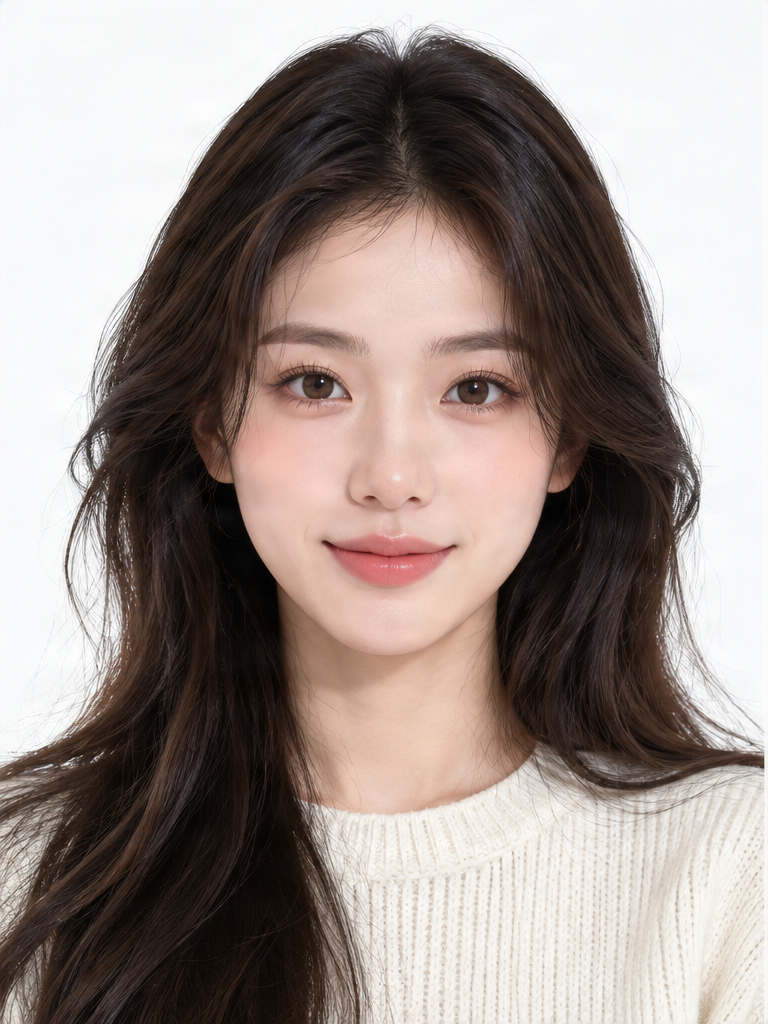
Example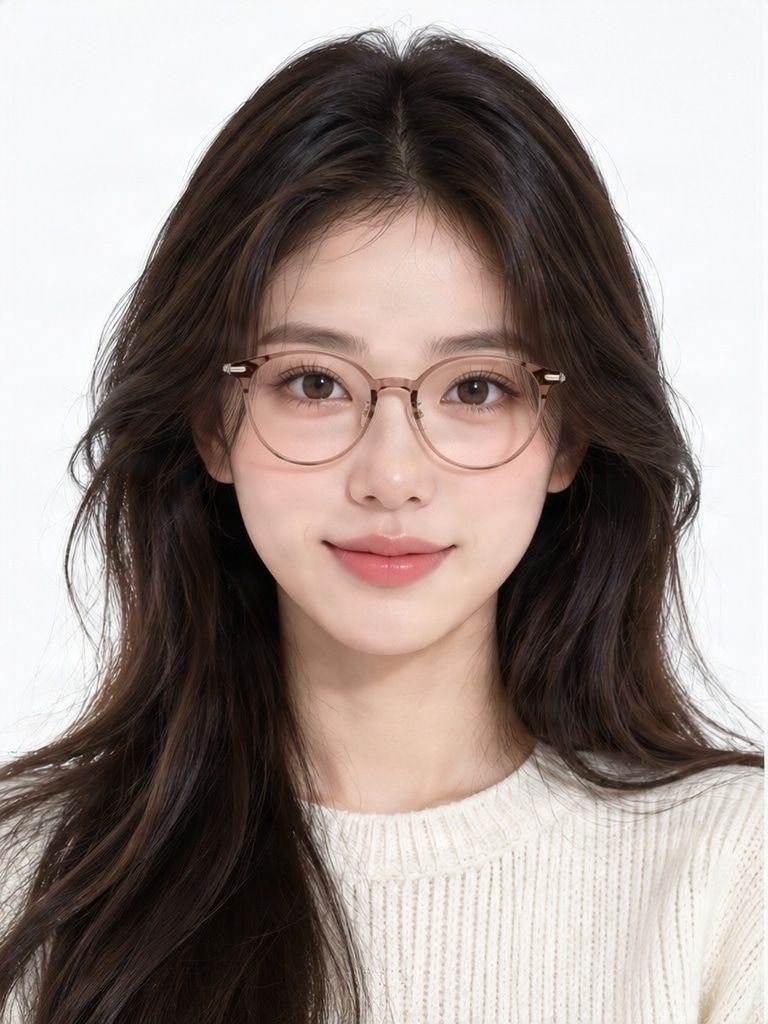
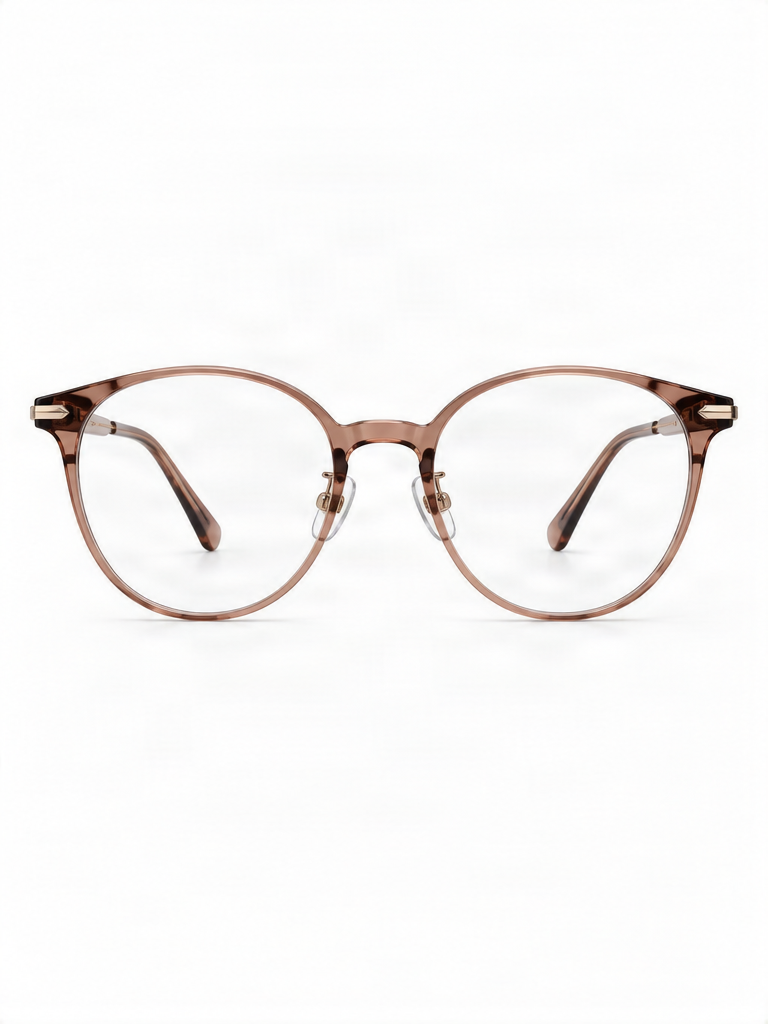 Glasses reference
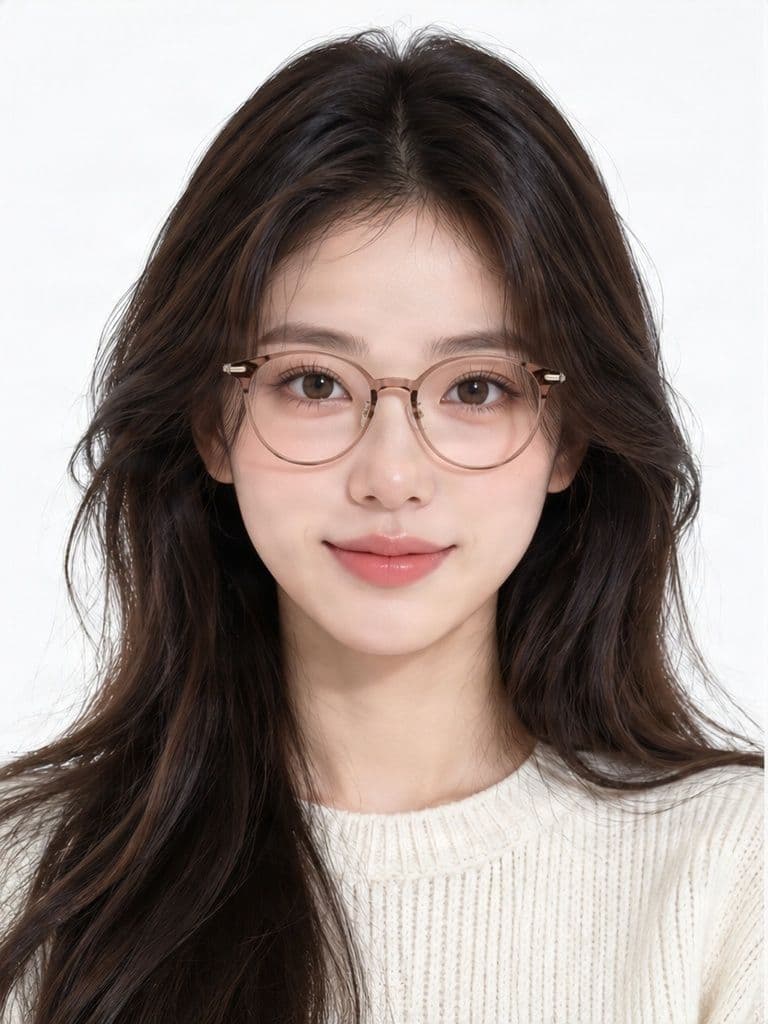
Compare the portrait, frame reference, and generated glasses look.
AI estimates the appearance and placement of the glasses. Frame shape, size, lens reflections, and facial details may differ from the original images.
Love those frames? See how they could look on you. You found a pair you like, but a product photo cannot show how it may look with your features, hairstyle, and personal style. Upload a clear portrait and the glasses you want to try. AI creates a photo preview to help you explore the look before deciding what to buy. This is a visual style preview, not a measurement of frame size or optical fit.
See the look before you buy
From Glasses You Like to Glasses on Your Face
This example pairs a portrait with a separate glasses reference image. Compare both inputs with the generated result to explore how the frame style could look on the person.

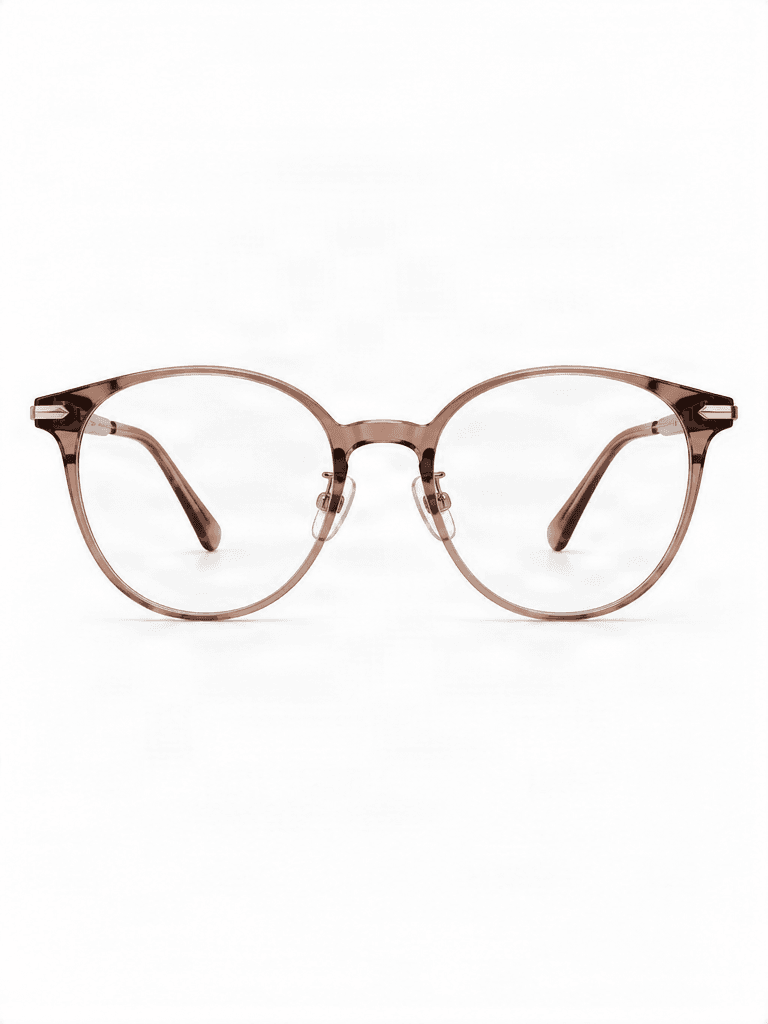
Transparent brown eyeglasses
A portrait and a warm brown transparent-style frame reference are used to create this AI visual preview. It illustrates a possible style, not exact product details, physical size, prescription suitability, or fit.
You Found the Perfect Glasses—But Will They Look Right on You?
A product page can show a beautiful pair of frames on a model or against a plain background, but that model does not have your face. You may be wondering whether round frames suit your style, whether a cat-eye shape would change your look, or whether a transparent brown frame feels right for you.
A photo-based virtual glasses try-on gives you another way to explore the choice. Upload your own picture and use the frame image as a visual reference. See one generated interpretation on your face, then decide whether that style is worth exploring further.
Shop with more confidence
Why Try On Glasses Online?
A product photo helps you appreciate a frame design. A preview using your own portrait can make it easier to imagine the frames as part of your appearance.
Explore styles you have not worn before, compare black, brown, clear, gold, or other colors, and save a look to revisit later or share with someone whose opinion you value. A reference photo lets you try frames that caught your eye without relying only on a retailer's model photo.
The result is an AI-edited image. Details can change, so treat it as one visual reference rather than a promise about the physical product.
- See glasses in the context of your own portrait
- Explore a different frame shape or color
- Use a glasses image as the style reference
- Download a preview to compare later
Your next look in a few steps
How to Virtually Try On Glasses
- Upload a clear, front-facing portrait with visible eyes and natural lighting.
- Upload one image of the glasses you want to try, with the complete frame visible.
- Generate a photo-based preview from your portrait and the glasses reference.
- Review the frame shape, bridge area, lenses, and overall appearance against both source images.
- Download the result if you want to revisit or share the style.
Explore your frame style
Try Different Eyeglasses Styles Using a Photo
You can explore round or oval frames, cat-eye shapes, rectangular designs, transparent and clear frames, tortoiseshell patterns, thin metal frames, and other eyewear shown in your reference image.
The model may approximate intricate acetate patterns, small rims, hinges, nose pads, and other fine details. Results vary with frame design, image clarity, reflections, and how much of the glasses is visible.
- Round or oval frames for a softer silhouette
- Cat-eye frames with raised outer corners
- Rectangular frames with more angular lines
- Clear, translucent, tortoiseshell, or metal styles
Explore Prescription-Style Frames and Fashion Glasses
Use an everyday eyeglass frame, a fashion style, a clear-lens frame, or sunglasses as a visual reference. Dark lenses, tint, glare, and reflections may be less accurate than the general frame shape.
This tool does not verify prescriptions, optical specifications, lens coatings, UV protection, or whether a physical pair will fit comfortably.
Which Glasses Shape Should You Try?
Compare round or oval frames with angular or rectangular designs. Explore subtly raised cat-eye corners, minimal thin metal frames, transparent styles, or a more expressive acetate color.
Face-shape rules are suggestions, not requirements. The best-looking glasses are the ones you feel comfortable wearing. Use the preview to explore your own preferences.
Why Use Your Photo Instead of a Product Model?
Retail photos can help you see a product, but they do not show your hairstyle, features, or personal style. An AI-generated preview places an interpretation of the eyewear into your own photo, so you can consider it in a more personally relevant context.
This is not an exact digital fitting. The generated image may change the apparent size or position of the frames, and it does not know the measurements of your face or the physical product. Use the preview to explore a look and confirm real measurements before buying.
Before you upload
Tips for a More Useful Glasses Preview
- Use a front-facing photo with your eyes and nose unobstructed.
- Choose good, even lighting and avoid blur or heavy filters.
- Start without existing glasses when possible.
- Use a sharp reference where the full frame shape and color are visible.
- Avoid busy product photos with packaging, props, or other accessories.
- Review the bridge and lens area, then compare your eyes, nose, hair, skin, and expression with the original.
How to Compare Glasses Styles
Build a short list by comparing frame shape first, then color and how noticeable each design appears in your portrait. Consider your everyday style and save the previews you prefer.
Before purchasing, confirm frame measurements such as bridge width and temple length, return terms, and prescription compatibility with the seller or an eye-care professional.
Understand your try-on options
AI Photo Glasses Try-On or Live Camera Try-On?
This page offers an AI photo-based try-on: upload a portrait and a glasses reference to generate a new static image. It can help explore a style from an image you provide and save a result without a live camera session.
Some eyewear retailers offer real-time augmented reality overlays that respond as you move your head and may use a supported product catalog. This tool does not provide a live camera overlay, head tracking, or calibrated fitting measurements.
An important distinction
A Style Preview Is Not an Exact Fit Check
AI can create a visual interpretation of how eyeglasses might look on your face, but it does not physically measure your face, pupillary distance, or the frame dimensions. It cannot confirm bridge comfort, temple length, lens placement, or whether the frames will slip when you move.
The model may change a frame's apparent width, material, reflection, or small details. For prescription eyewear, ask an appropriate retailer or qualified eye-care professional about lenses and fitting.
When Might the Result Look Less Accurate?
Very thin wire frames, tiny decorative details, complex patterns, strong lens reflections, and dark sunglasses can be difficult to reconstruct. A side-angle portrait provides less information about frame placement. Hair crossing the temples, cheeks, or eyes can make overlap harder to interpret.
For a clearer evaluation, begin with a straightforward portrait and a clearly photographed pair of glasses.
Common Mistakes to Avoid
- Do not use a blurry selfie or a tiny product thumbnail that hides the frame shape.
- Do not assume the apparent glasses size is physically accurate.
- Check whether the generated image changed your face, eyes, nose, hair, or expression.
- A similar-looking frame is not proof that every product detail was reproduced.
- Do not use a photo preview as prescription, medical, or professional fitting guidance.
Explore Glasses for Everyday Life and Personal Style
Compare a new frame shape
See whether round, rectangular, or cat-eye styles appeal to you in your own portrait.
Explore frame colors
Compare the visual impression of brown, black, clear, metallic, or other reference styles.
Review a product you found online
Use a clear glasses image to create a personal style preview before researching the actual product details.
Save a look to discuss
Download a generated preview to revisit or share as a style reference.
How to Try On Glasses with Your Photo
Upload your photo
Choose a well-lit, front-facing portrait with your eyes and nose visible.
Add one glasses reference
Use a clear product image with the full frame visible against a simple background.
Create a preview
Generate an AI-edited photo showing an interpretation of the glasses on your face.
Review the result
Compare the generated frame, facial details, and source images. Treat it as a style preview.
Save your favorite
Download a look you want to revisit, then confirm the product's fit and specifications before buying.
Use the Preview for Style, Not Fit or Prescription Decisions
This AI-generated image is a visual styling reference. It does not measure your face, verify a prescription, confirm product dimensions or optical performance, or determine whether glasses will fit comfortably. Generated frame details and facial features may differ from the uploaded images. Check the real product specifications and consult a qualified eye-care professional when needed.
Explore More Virtual Try-On Tools
Virtual try-on
Explore the main virtual try-on workspace and preview clothing styles using images.
Explore the workspaceAI clothes try-on
See how clothing references could look on a person in a photo.
Try clothing stylesVirtual outfit try-on
Experiment with clothing combinations using outfit reference images.
Explore outfit previewsVirtual dress try-on
Explore dress styles through AI-generated photo previews.
Preview dress stylesVirtual Glasses Try-On FAQs
How can I virtually try on glasses using my photo?
Upload a clear photo of yourself and an image of the glasses you want to try. The AI creates an edited photo showing an interpretation of the selected frames on your face. Review the result and download it if you like the look.
Can I try on glasses online without visiting a store?
You can use an online photo try-on to explore how different frames might look on you. However, it cannot replace checking the actual frame measurements, comfort, and prescription requirements before purchasing.
Do I need a full-body photo to try on glasses?
No. A clear head-and-shoulders portrait is a good starting point. Your eyes, nose, and facial outline should be visible.
Can I upload my own glasses product image?
Yes. This workflow uses a glasses reference image alongside your portrait. A clear front-facing product image usually makes the frame shape and color easier to identify.
Can I virtually try on prescription glasses?
You can preview the appearance of prescription-style frames. The tool does not verify prescription strength, lens suitability, pupillary distance, or the exact physical fit of the eyewear.
Can I try on round glasses or cat-eye glasses?
Yes. You can use a reference image of round, cat-eye, rectangular, or other eyeglass styles. The quality of the preview depends on the source images and how accurately AI interprets the frame.
Does the AI keep my face the same?
The aim is to preserve the appearance of the person in the uploaded photo while adding eyewear. However, facial features, skin texture, hair, and lighting may change. Compare the result with your original image.
Will the glasses look exactly like the product photo?
Not necessarily. AI may approximate the frame shape, color, size, materials, bridge, hinges, or lens reflections. Treat the preview as a visual styling reference rather than an exact product representation.
Can virtual try-on tell me whether the glasses will fit?
No. The tool does not measure your face or verify physical frame dimensions. Check the seller's measurements and fitting guidance before buying.
Does this use my webcam or a live camera?
No. This is a photo-based AI try-on. You upload images and receive an edited picture. It is not a live augmented reality camera experience.
Can I try on transparent or clear-frame glasses?
Yes. You can upload a reference image of translucent or transparent frames. The model may approximate the material and transparency rather than reproducing them exactly.
Can I virtually try on sunglasses?
You can explore sunglasses with a suitable reference image, but dark lenses, tint, glare, and reflections may be less accurate. The preview does not verify UV protection or lens performance.
What photo works best for an AI glasses try-on?
Use a well-lit, front-facing portrait with the eyes and nose unobstructed. Avoid heavy blur, strong facial filters, or other glasses that hide the area where the new frames should appear.
Can I try multiple pairs of glasses?
You can create separate try-on results with different glasses reference images. Each generation is processed separately and may require credits. The page does not automatically compare an entire eyewear catalog in one generation.
Can I use a screenshot of glasses from an online store?
A clear product screenshot may work as a reference, provided you have the right to use it. Crop away unnecessary text or clutter when possible. The generated result may not reproduce the product exactly.
Is AI glasses try-on the same as an eyeglass fitting service?
No. This tool provides a generated visual preview. Professional eyewear fitting considers real frame measurements, comfort, lens placement, and other factors that a photo-only AI preview cannot determine.
How much does virtual glasses try-on cost?
The tool uses a credit-based payment system. The required number of credits is displayed before you generate a result, so you can review the cost before submitting.
Can I download and share my virtual glasses try-on photo?
You can download your generated result using the available result tools. If you share it, remember that it is an AI-edited image and may not show the glasses' exact physical appearance or fit.
Those Glasses Look Great in the Product Photo. What About on You?
Upload your portrait, add the frames you like, and generate an AI preview to explore the style on your own face. It is another way to compare looks before making a shopping decision. The result is not a verified fit or prescription recommendation, so confirm frame measurements before buying.
Try On Glasses with My Photo