
Agent Workspace Now Supports Happy Horse for Image-to-Video Generation
Many image workflows stop too early. They end after the team gets one usable visual, even though the real creative process often continues through revision, export, variation, and motion. This update changes that. Agent Workspace now supports Happy Horse for image-to-video generation, which means prepared image assets can continue into video inside the same broader workflow.
On this page
Old limit
Too many workflows stop once a team gets a polished image, even when the next real requirement is motion, variation, or campaign-ready output.
What changed
Agent now supports Happy Horse image-to-video generation so prepared image assets can move forward into video without leaving the project workflow.
Why it matters
This makes Agent feel more like a creative workspace and less like a collection of disconnected one-step tools.
Workflow extension
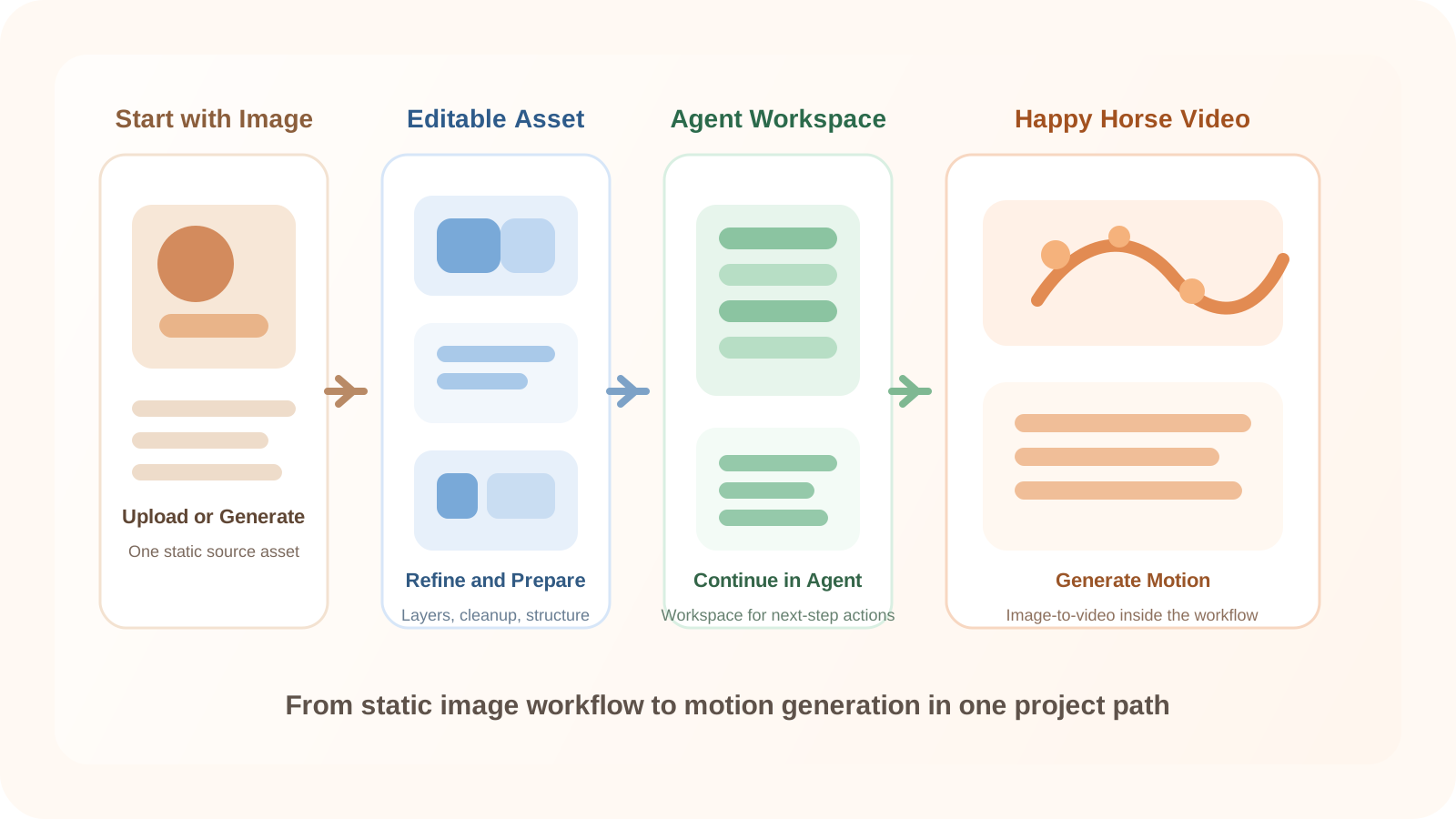
What is new in Agent
Agent Workspace now supports Happy Horse for image-to-video generation. That matters because the new value is not just access to another model endpoint. The real upgrade is that a project can now move from image-based asset preparation into video generation without breaking the broader workflow into disconnected steps.
A team can start with an uploaded or generated image, refine the asset in Image to Layers or inside Agent, prepare it for motion, and continue into video generation as part of one creative sequence. That is a stronger product story than “we added a model,” because the user benefit is workflow continuity.
How the workflow now extends into motion
The most useful framing for this update is simple: static image workflows rarely end at the image. Teams often need to edit, refine, export, animate, and generate new variations from the same asset. Agent is now better positioned to support that reality.
Beyond static output
Users no longer need to treat the final image as the end of the process. A prepared asset can become the starting point for motion.
Closer asset and motion workflows
Image preparation and video generation now live closer together, which reduces the handoff friction between the two steps.
Stronger workspace logic
Agent becomes a better place for next-step actions because motion generation fits naturally after refinement and composition.
More reusable visual assets
When the image is prepared well before generation, the resulting workflow becomes more intentional than starting video from an unstructured source.
What teams can create next
| Use case | What changes with this update |
|---|---|
| Product visuals | A prepared product image can continue into a short motion asset instead of stopping at a single hero visual. |
| Creative concepts | A refined concept image can become a video experiment faster when the motion step stays connected to the rest of the project. |
| Layer-based design workflows | An image already cleaned up and separated for editing can now move downstream into motion exploration without leaving Agent. |
Why Agent is the right place for Happy Horse
Agent is where projects continue after the first result. It is the part of the product built for refinement, composition, and next-step creative actions. That is why Happy Horse belongs here. Video generation makes more sense when it is part of the workspace logic, not a disconnected destination that ignores the work already done on the image asset.
This is also why the update should be understood as a workflow expansion rather than a one-line integration note. Image to Layers can help create a more editable source. Agent can carry that source forward. Happy Horse can turn that prepared image into motion. The result is a more complete path from static asset to richer output.
This is an early step toward a more complete creative workflow inside Agent. Instead of ending with a finished image, projects can now move toward motion as part of the same working environment.
Step 1
Start with an uploaded or generated image
Begin with a visual asset that already exists in your project workflow, whether it came from upload, generation, or a prior editing step.
Step 2
Refine the image inside Image to Layers or Agent
Clean the asset, separate the parts that matter, and get it into a state that is more reusable than a single flat image.
Step 3
Prepare the visual for motion
Decide what should stay stable, what should move, and which image qualities matter before video generation starts.
Step 4
Use Happy Horse inside Agent to generate video
Continue the project in Agent so the prepared image asset becomes the starting point for image-to-video generation.
Step 5
Export or keep iterating
Move the result forward as a motion asset, or continue refining the image and video outputs inside the same workspace.
Agent Workspace and Happy Horse FAQ
What is new in Agent Workspace with Happy Horse support?
Agent Workspace now supports moving from an image asset into Happy Horse image-to-video generation, so projects can continue past a static result.
Is this update only about adding a video model?
No. The more important change is that Agent now extends the workflow from image preparation and refinement into motion generation inside the same workspace.
How does Image to Layers fit into this workflow?
Image to Layers helps turn a flat source image into a more editable asset, which makes it easier to prepare stronger inputs before continuing into Agent.
Why use Agent for image-to-video generation instead of a separate tool?
Agent is where projects continue after the first result. Keeping refinement and motion generation together reduces context switching and keeps the creative workflow more connected.
Can I start with an existing image instead of generating a new one?
Yes. A prepared uploaded image is often the best starting point when the goal is to carry an existing visual asset into motion.
What kinds of projects benefit most from this workflow?
Product visuals, concept development, and design workflows that already depend on reusable image assets benefit most because they often need motion as the next step.
Does this replace image editing workflows?
No. It extends them. The image still needs preparation, refinement, and visual control before video generation becomes more useful.
Why does workflow continuity matter for creative teams?
When image prep and video generation stay close together, teams spend less time rebuilding assets, re-explaining intent, and moving files between disconnected steps.
Can I still export after generating video in Agent?
Yes. The workflow is meant to support export as well as continued iteration, depending on whether the project is ready or still evolving.
What does this mean for Agent as a product?
It makes Agent a stronger creative workspace by treating motion as a next-step project action instead of a disconnected feature.
Next step
Continue your image workflow into video inside Agent
Start with an image asset, refine it for motion, and use Happy Horse in Agent when the project needs to move beyond a static output.
Ask AI about this page
Continue exploring this page with your preferred AI assistant.