
Only Have a Movie Poster JPG? Turn It into PSD Layers.
Click or drag image to upload
Upload your movie poster
JPG, PNG or WebP up to 10MB
Settings
Leave this blank to let Detailed Layers identify the main editable elements automatically. Or name the parts you want separated.
Focus on the Movie Poster Elements You Need
Leave the description empty for automatic separation, or name the major subjects, title artwork, visual effects and background you want AI to prioritize.
Upload an Image to Continue
Private File Handling
Uploaded files are associated with your account and delivered through signed URLs. You can delete completed jobs manually.
Transparent PNG Output
Detailed Layers returns each detected element as its own layer on a transparent background.
Continue Editing in Agent Workspace
Multi-Agent SuiteOpen the layered result in Agent Workspace to clean up elements, create visual variations, or continue working from the same project.
Use an image you own or have permission to edit. Large overlapping elements and fine details may require cleanup.
60 credits per generation · Failed jobs handled by the credit refund process · No manual tracing needed to get started
YOUR EXISTING POSTER IS THE STARTING POINT
Upload the Movie Poster You Need to Edit
You don't need a project file with neatly named Photoshop layers.
Start with the finished poster JPG or PNG you already have.
Leave the optional description blank and let AI look for the main visual elements, or name what you need to work with — the lead actor, movie title, skyline or a foreground effect.
Move what needs moving. Hide what no longer belongs. Keep the visuals that still work, then export a layered PSD and continue editing.
60 credits per Detailed Layers generation. Results depend on the quality and composition of your poster.
SEE AN ACTUAL LAYER SEPARATION
This Flat Image Became Eight Image Layers.
Before spending credits on your own movie poster, explore a real output from the same Detailed Layers workflow.
Our CITY NIGHTS sample began as a single flattened image containing a prominent title, foreground performer, smaller text artwork, promotional badge and detailed concert background.
The separation process produced eight image layers. Select an element to inspect it, hide the title to explore the reconstructed background, or see how the foreground subject is separated.

Explore the Separated Artwork
Select a layer to inspect the actual output.
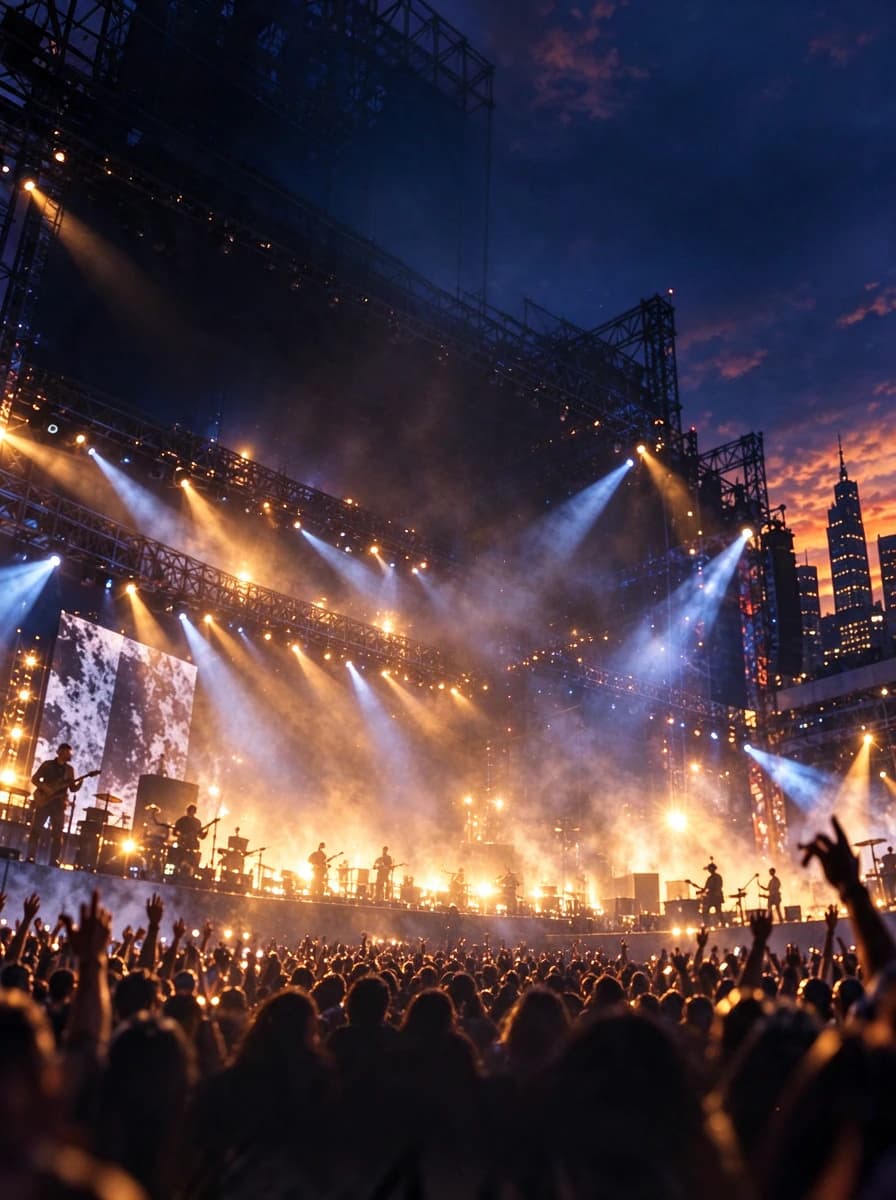
Layer 01 — Background Plate
The base image used for the poster composition.
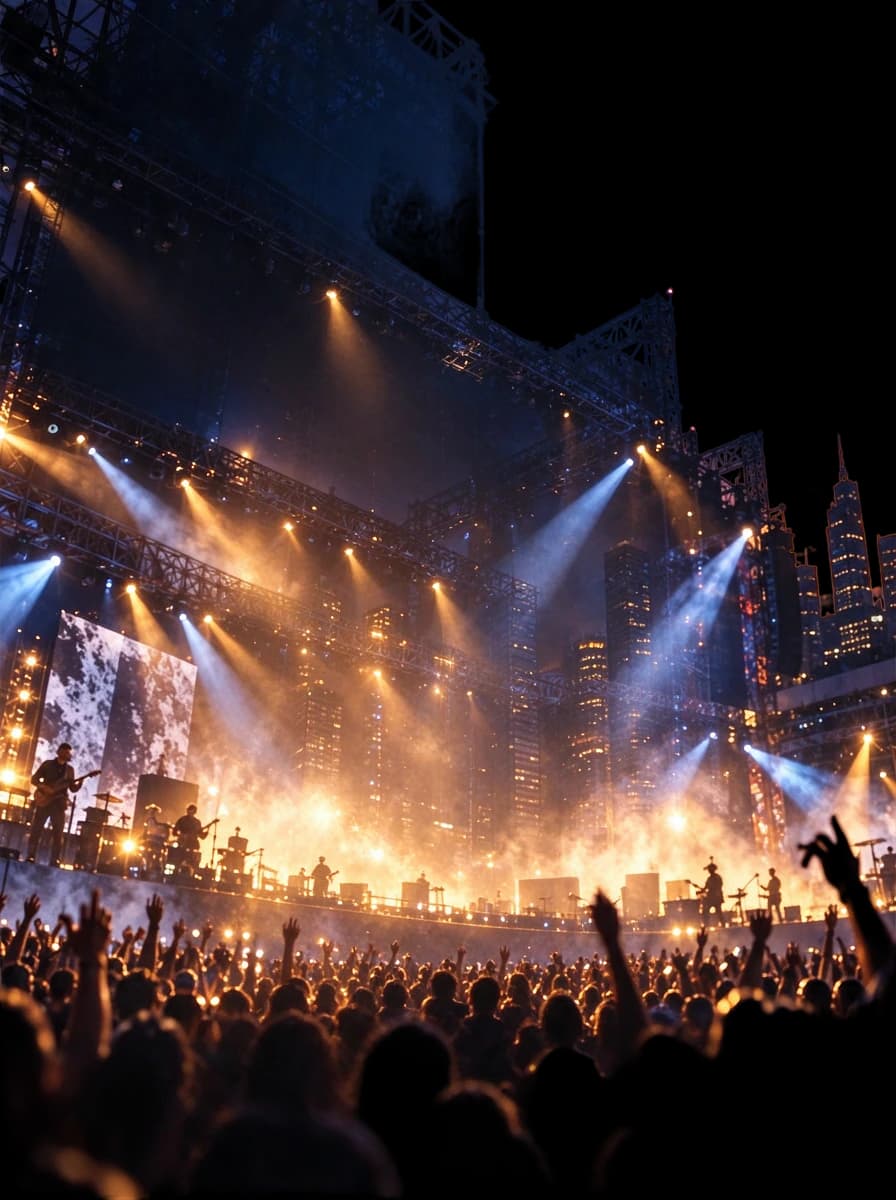
Layer 02 — Concert Background
The stage, lighting, city scenery and surrounding atmosphere as a separate image element.
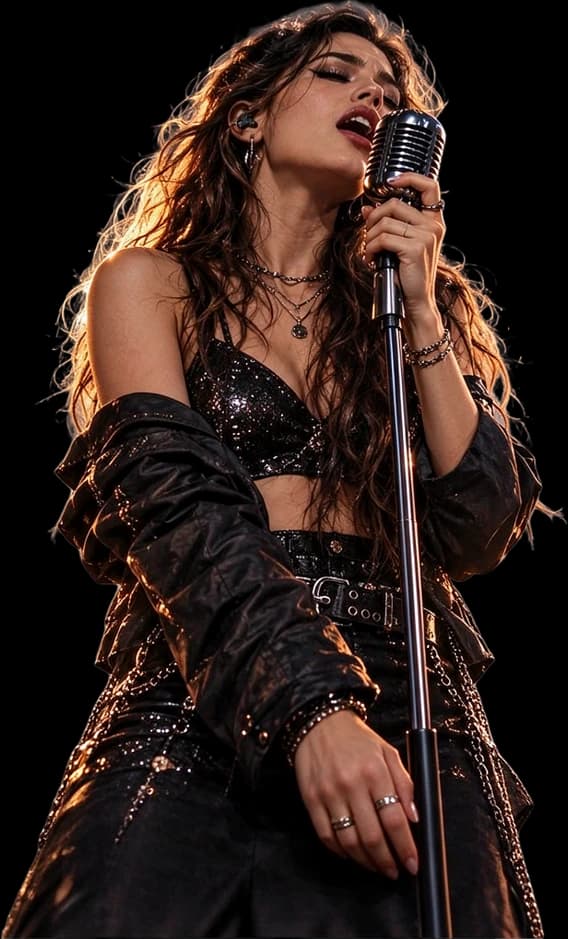
Layer 03 — Singer & Microphone
The foreground performer, including the visible microphone and stand.

Layer 04 — Festival Subtitle
The “LIVE MUSIC FESTIVAL” lettering as isolated text artwork.
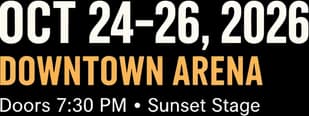
Layer 05 — Event Information
The visible event date and venue details grouped into a separate image layer.

Layer 06 — Lineup & Ticket Information
The artist lineup and ticket footer as separate text artwork.
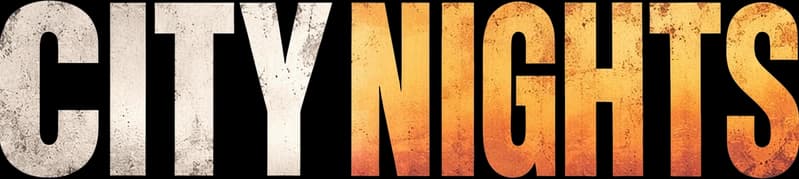
Layer 07 — Main Headline
The large “CITY NIGHTS” title, separated from the rest of the design.

Layer 08 — Early Bird Badge
The circular promotional badge, available as its own visual layer.
CITY NIGHTS is an AI-generated music festival poster, not a movie poster. The eight displayed layers are actual AI separation outputs, not reconstructed source-design layers. A movie poster may produce a different number of layers and different separation quality.
ONE MORE REVISION. NO ORIGINAL PSD.
The Poster Is Done. The Revision Isn't.
You already approved the main visual. The lead actor looks right, the title works and the background sets the mood.
Then a new request comes in: the main character needs to move, there is no room for festival laurels, the release announcement needs a different crop, or the distributor wants a version with less text.
Those requests do not always call for new artwork, but they become difficult when the only available file is a flattened JPG. Every element is merged together.
You could spend hours isolating actors, painting over the old title and rebuilding the scenery. Or use AI to create a new layer-based starting point.
Keep the visual work that is still useful. Focus your time on the revision.
Movie Poster to PSD turns a flattened poster into image layers you can inspect and continue refining in your preferred editor.
MORE CONTROL OVER YOUR FILM KEY ART
Change the Composition Without Recreating Every Element
Reposition the Lead Character
If AI successfully isolates the subject, move that image layer in your PSD editor without moving the entire poster.
Work with Supporting Characters
When the model distinguishes actors, work with those image elements independently. Closely overlapping people may remain grouped.
Move or Hide the Movie Title
Separate visible lettering as a raster image layer to reposition, hide or replace during further editing.
Rework Atmospheric Effects
Some visually distinct smoke, fog, particles and lighting effects may become individual or grouped layers.
Inspect the Background Plate
Remove a foreground layer from the composition and explore the AI-estimated scenery underneath.
Prepare Another Layout
Use separated artwork to begin an alternate film-promotion layout, then finish the design manually in your preferred editor.
Moving, replacing and transforming layers happens during further editing in a compatible PSD editor. The online example primarily demonstrates layer inspection and visibility.
THE MOST DIFFICULT PART OF MOVING A CHARACTER
What Happens to the Scenery Behind the Actor?
Imagine a thriller poster with a character standing in front of a rainy city street. You want to move the character to the right, but the buildings, lights and rain behind them do not exist as separate pixels in the flattened image.
Simply cutting out the character leaves a gap. AI layer separation can attempt to reconstruct obscured background regions, giving you a new background plate to inspect and refine.
Behind the Lead Actor
Inspect AI-estimated scenery where the original character was positioned.
Behind the Movie Title
Explore the background after hiding the separated title artwork.
Behind Visual Effects
See what remains when a foreground graphic or atmospheric effect is separated.
Hide a Layer. See What's Left Behind.
Use the real CITY NIGHTS example to switch off a foreground layer and inspect the resulting background.
Toggle layers to inspect the reconstructed composition
AI does not recover original hidden pixels. The reconstructed image may include invented architecture, textures or lighting and may need manual retouching.
THE VALUE IS IN THE NEW LAYER STRUCTURE
A New Extension Alone Won’t Make a Movie Poster Editable
Your Flat Movie Poster
Your character, title, atmospheric effects, credits and background exist in one merged composition. Selecting an individual visual element may require manual masking and repainting.
JPG, PNG or WebP; edit the complete picture as one image.
Your AI-Separated PSD
The model attempts to separate major visible elements into raster image layers for further editing in compatible software.
A layered PSD containing separated image elements.
What Changes for Your Workflow?
- Inspect separate image elements
- Hide individual generated layers
- Move successfully isolated characters
- Reposition title artwork
- Replace or refine foreground graphics
- Work with reconstructed background layers
- Continue your design using a layered PSD
This does not recreate the original Photoshop project or guarantee that every element is separated perfectly.
KNOW EXACTLY WHAT YOU’RE GETTING
Useful Image Layers, Not the Original Designer’s Project
What You Can Work With
- Character ArtworkSeparated people and visual subjects can be edited as independent raster layers when successfully isolated.
- Title ArtworkVisible movie title lettering may be available as a separate image layer for repositioning or replacement.
- Foreground GraphicsSome props, effects and decorative visuals may be extracted as independent or grouped elements.
- Background ImageryAI-generated background plates can serve as a starting point for further retouching.
- Layered PSD DocumentContinue refining the generated image-layer composition in compatible PSD editing software.
What It Does Not Recover
- Original Font FilesThe exact fonts used in the movie title or credits are not restored.
- Native Photoshop TextSeparated title lettering is generally image artwork, not text you can retype character by character.
- Original Vector FilesA flattened title logo does not become its original Illustrator artwork or editable vector paths.
- Smart Objects and Adjustment HistoryThe original project’s masks, smart objects, layer effects and adjustment history are not restored.
- Hidden Original SceneryAI estimates the area behind foreground elements rather than recovering the exact unseen image.
- Accurate Film Billing InformationNames, logos, legal notices and other small credits need to be verified against the approved source artwork.
FROM FLATTENED KEY ART TO NEW IMAGE LAYERS
Four Steps to a More Flexible Editing Starting Point
- Step 1
Upload Your Movie Poster
Choose the JPG, PNG or WebP poster you want to revise. Use the clearest source image available.
- Step 2
Let AI Identify the Main Elements
Leave the optional description blank or specify the characters, title artwork, graphics and background you want prioritized.
- Step 3
Inspect the Separated Layers
Review image elements, including subject edges, text artwork, effects and reconstructed areas. Check small film credits carefully.
- Step 4
Export Your Layered PSD
Download available image-layer exports or the PSD, then continue composing and refining the artwork in compatible editing software.
Layer separation creates a new editing starting point. Finishing a production-quality film poster may still require additional design work.
THE NEXT VERSION OF YOUR FILM ARTWORK
Reuse the Key Art You Already Have
Independent Film Posters
Start separating key visual elements when you own the film artwork but no longer have the designer’s original layered file.
Film Festival One-Sheets
Prepare a starting point for alternate artwork with room for screening details or award laurels.
Short Film Promotion
Reuse appropriate visual elements for another publicity layout instead of rebuilding every part.
Alternate Character Compositions
Work with isolated image layers when a promotional version needs different subject placement or hierarchy.
Horror and Thriller Posters
Explore foreground subjects, atmospheric lighting, fog and dramatic background details as separate image elements.
Sci-Fi and Fantasy Posters
Attempt to separate characters, props and visible effects from detailed cinematic artwork.
Digital Film Promotion
Prepare separated assets for additional manual composition across authorized promotional materials.
This workflow does not automatically produce finished platform-specific artwork, recover hidden original files or validate distribution requirements.
FOR PEOPLE WHO HAVE A POSTER TO DELIVER
You Have the Artwork. You Just Need More Control.
Independent Filmmakers
Your film needs another promotional image, but the only available design is a flattened poster export.
Film Poster Designers
A client requests revisions to an image you did not originally create and supplies only the finished JPG.
Film Marketing Teams
Adapt approved key art while the original PSD is unavailable.
Creative Agencies
Work with an inherited campaign that has finished image files but incomplete design source materials.
Video Production Studios
Prepare updated promotional layouts based on existing authorized artwork.
GET MORE OUT OF THE SOURCE YOU ALREADY HAVE
Small Details Can Make a Big Difference
Use the Best Available Export
A full-resolution poster is generally a better starting point than a social media screenshot.
Keep the Lead Character Fully Visible
Avoid unnecessary cropping if you want to separate the full visible subject.
Identify the Main Priority
For a complex poster, specify what matters most: lead actor, title artwork and background.
Check Overlapping Characters
Two characters standing close together may be separated as one image layer rather than individually.
Inspect Hair, Hands and Clothing
Fine edges and intricate costume details may require cleanup after separation.
Review Smoke, Rain and Lighting
Atmospheric effects can overlap subjects and may remain grouped with them.
Check Every Name and Credit
Do not assume title artwork, cast names or small billing information is textually accurate.
PICK THE TOOL FOR THE CHANGE YOU NEED
Do You Need to Move the Title or Rewrite It?
I Need to Rearrange the Characters, Title or Background
Movie Poster to PSD separates visible elements into image layers so you can continue editing the composition in a PSD-compatible editor.
Split My Movie PosterI Mainly Need to Change the Words
Use Edit Text in Poster when changing visible dates, titles or other wording inside the image is the main task.
Edit Poster TextText-artwork separation and text-content editing are different tasks. Neither automatically restores the original editable Photoshop text objects.
START WITH ONE POSTER
Pay for the Layer Separation You Need
A Detailed Layers generation costs 60 credits. That covers the AI attempt to separate the visible design elements in your movie poster.
Available Workflow Outputs
- AI-separated raster image layers
- Individual image exports
- Transparent PNG cutouts for supported foreground elements
- Background plates where generated
- Layered PSD for further editing
Applicable credits are refunded through the existing failed-job refund process when generation fails.
A completed job may still have grouped layers, imperfect edges or reconstructed areas that need refinement.
Split My Movie PosterCOMMON QUESTIONS
Movie Poster to PSD FAQs
Can I turn a movie poster JPG into an editable PSD?
Yes. Upload the flattened image and let AI attempt to separate its visible elements into raster layers. Export a layered PSD and continue editing the individual image elements in compatible software.
Do I need the original movie poster PSD?
No. Start with a JPG, PNG or WebP copy of the finished poster. The tool creates a new layer structure rather than recovering the exact original project file.
Can I separate the main character from a movie poster?
The model can attempt to isolate a prominent character from the background. Hair, clothing, overlapping objects and complex lighting can affect the result.
Can it separate multiple actors into different layers?
Sometimes. Distinct characters may be separated, but the model does not guarantee one layer per actor. Overlapping people may remain grouped.
Can I move the main character after exporting to PSD?
If successfully isolated, reposition that image layer in a PSD editor. You may still need to refine shadows, edges and the background where the character originally stood.
Will the movie title become its own layer?
The model can attempt to isolate prominent title lettering as raster artwork. The result depends on text effects, overlaps and image quality.
Will I be able to type a new movie title in Photoshop?
Not automatically. Separated title artwork is generally a raster image layer, not native editable Photoshop text. You can hide or replace it during further editing.
Can AI separate the background behind the characters?
The model can attempt to reconstruct a background plate behind foreground subjects. Hidden details are AI estimates, so the resulting scenery may need manual cleanup.
Can I separate smoke, fire or other cinematic effects?
Some visually distinct effects may be separated, but detailed effects can remain grouped with nearby elements. There is no guarantee each effect becomes a clean individual layer.
Will it preserve the actor's face exactly?
Not guaranteed. AI processing may alter fine facial details, lighting and edges. Review the result carefully against the approved original.
Can I use it for horror, sci-fi or fantasy movie posters?
Yes, supported flattened artwork in these styles can be processed. Complex effects, costume details and tightly overlapping objects may make separation more difficult.
Can I use it for independent film posters?
Yes, provided you own or are authorized to edit the artwork. The workflow is suitable for attempting layer separation on an existing independently produced film poster.
Can I use it to prepare alternate film festival poster layouts?
Separated image elements can be a starting point for another layout. Manually position elements and verify screening details, laurels and other festival information.
Can I convert a vertical movie poster into a horizontal graphic?
Use separated elements when creating a new horizontal design, but the tool does not automatically generate a finished horizontal composition or extend the entire background.
Can it extract the small film credits at the bottom?
It may separate small text artwork as an image layer, but exact character preservation and individual credit-line separation are not guaranteed. Check names, logos and billing details against your source.
How many layers will my movie poster have?
The number varies by poster. AI identifies visible elements and decides how to group them. It may produce more or fewer layers than the eight-layer example shown here.
Can I tell the AI which elements to separate?
Yes. Enter an optional description such as “lead actor, movie title, smoke and background.” It guides separation but cannot guarantee the exact requested layer breakdown.
Do I need to write a prompt?
No. Leave the optional description blank and let the model attempt to identify the main elements automatically.
Can I download transparent PNG layers?
The Detailed Layers workflow supports individual image-layer exports, including PNGs for supported separated elements. Background layers may be opaque.
Will the PSD work in Adobe Photoshop?
The PSD is intended for compatible image editing software, including Photoshop. Review its layer structure and visual result after opening it before relying on it for final production.
Does it recover original vector files, fonts and smart objects?
No. Original fonts, vector paths, smart objects, adjustment layers and the complete Photoshop editing history are not reconstructed from the flattened image.
Is the example on the page an actual movie poster?
No. The example is an AI-generated CITY NIGHTS music festival poster. Its eight layers are real outputs from the same separation workflow, but they are not a movie-poster-specific result.
Can I use a copyrighted Hollywood movie poster?
Only if you have the necessary rights or permission for your intended use. A film poster can contain protected artwork, actor likenesses, logos and trademarks. Processing an image does not grant rights to redistribute or commercially reuse it.
Can I use the result for a commercial film campaign?
You can use authorized artwork subject to the relevant rights and service terms. Review the final design for licensing, approved likenesses, billing information and distribution requirements.
How many credits does a movie poster generation cost?
A Detailed Layers generation costs 60 credits. The workspace shows the current credit charge before you start.
What happens if the generation fails?
The service's failed-job refund process handles applicable credit refunds. A completed result that still needs cleanup is not necessarily classified as a failed job.
Is this the same as recreating the original Photoshop file?
No. The tool builds a new, AI-separated raster layer structure from the finished image. It doesn't reverse every design operation used to create the original file.
YOU HAVE THE POSTER. START THERE.
The Original PSD May Be Gone. Your Next Edit Does Not Have to Start from Zero.
The characters are already there. The title is already designed. The atmosphere is what makes the poster work.
If you only need another composition, start with the visual material you already have. Upload your movie poster, generate separated image layers and continue the design in a layered PSD.
Split My Movie PosterJPG, PNG or WebP · 60 credits per generation · Individual image layers and PSD export
AI layer separation provides a new editing starting point. It does not recover the complete original design source.
Related Tools
Poster to Editable PSD
Convert other kinds of flattened poster artwork into image layers and a layered PSD.
Event Poster to PSD
Work with event poster graphics, performer images, large titles and backgrounds.
Flyer to Editable PSD
Separate visual elements from commercial or promotional flyers.
Edit Text in Poster
Change visible wording in a flattened poster using the dedicated text-editing workflow.
Image to PSD
Explore general image-to-layered-PSD conversion for other types of artwork.