
Amazon Main Image Editor
Convert raw smartphone or table-top product photos into clean #FFFFFF white-background main listing images that keep product labels and geometry intact.
Drop your product photo here
Works with phone snapshots, studio drafts, or cluttered table-top shots
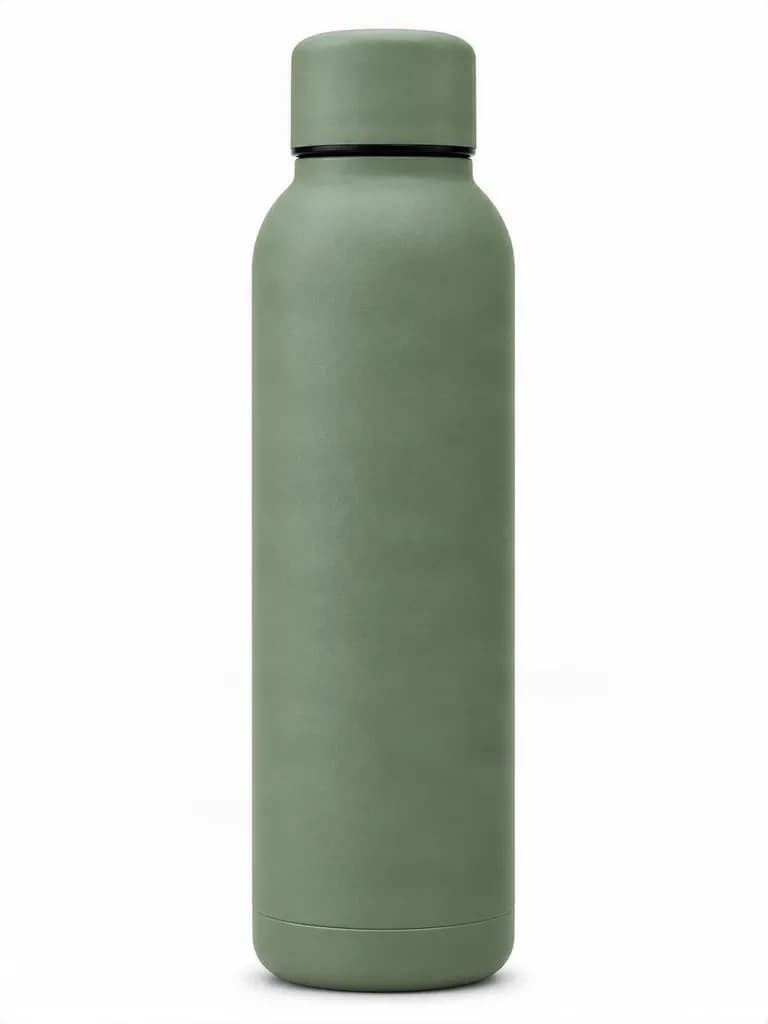
Pure white + soft shadow
Upload a product photo or load the sample to preview the Amazon main image workflow.
Before & after
From kitchen-table snapshot to clean Amazon main image
Removes background clutter and off-white color casts while keeping product texture, proportions, and finish intact.
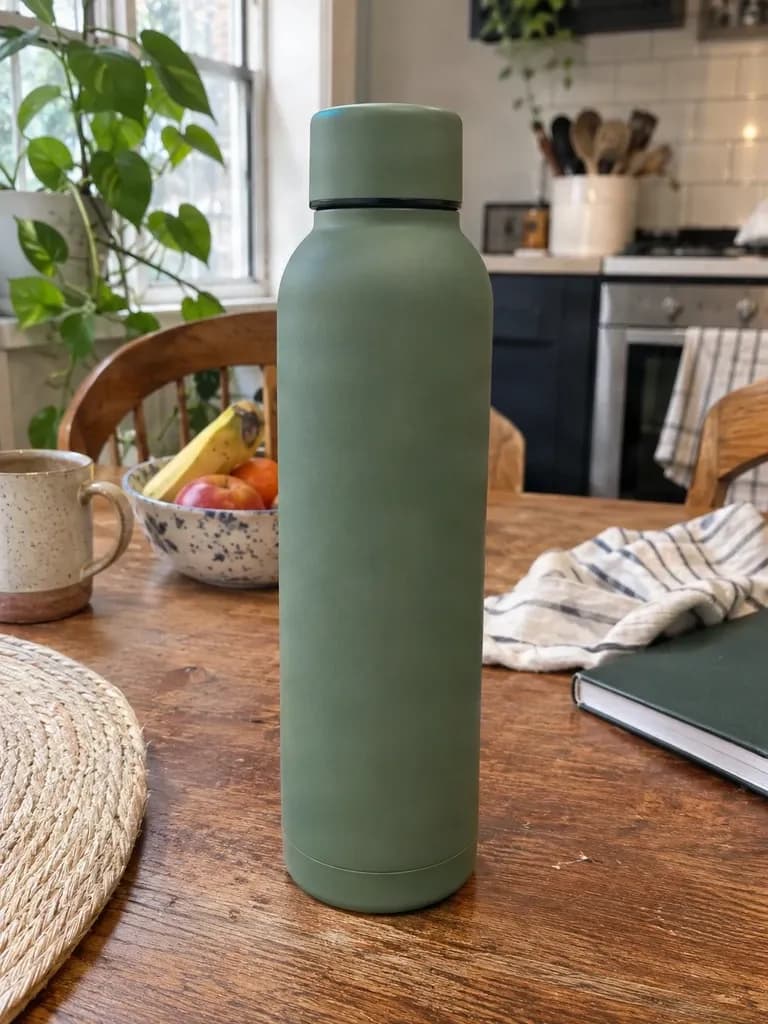
Original photo
Amazon #FFFFFF main image
Marketplace-ready editing
Built for Amazon FBA and multi-channel listings
Focused on clean white backgrounds, natural grounding, and faithful product details.
Pure #FFFFFF white background
Replaces gray, yellow, or cluttered tabletop backdrops with a clean pure white studio canvas.
Natural contact shadows
Adds subtle ground shadows so bottles, boxes, and gadgets never look like flat pasted stickers.
Product geometry & label fidelity
Preserves printed packaging text, proportions, and material finishes without hallucinated logos.
Case studies
How marketplace sellers prepare main listing images
Practical workflows for launching new SKUs, fixing gray studio shots, and standardizing catalog grids.
New SKU launch
Kitchen-table prototype photo to compliant main image
Goal: Publish an initial Amazon listing for an insulated bottle using only a natural-light phone photo before booking a full studio shoot.
Workflow: Uploaded the tabletop photo, selected Pure White + Soft Shadow, and added a note to remove minor surface dust.
Result: Clean #FFFFFF main image with grounded shadow and intact matte finish ready for catalog review.
Catalog cleanup
Fixing off-white studio backgrounds across legacy listings
Goal: Replace slightly gray or uneven white backdrops on older product shots that looked dull on search result pages.
Workflow: Uploaded existing product photos and applied the 85% Frame Fill + Polish preset for uniform brightness and centering.
Result: Crisp white separation and consistent product scale across storefront thumbnails.
Multi-channel sync
One raw product shot adapted for Amazon and Shopify
Goal: Prepare a strict zero-shadow cutout for marketplace compliance alongside a softly shadowed version for a brand storefront.
Workflow: Generated a Pure #FFFFFF Flat version for strict catalog rules and a Pure White + Soft Shadow version from the same source photo.
Result: Both listing formats delivered from a single raw photograph.
How to use
Three steps to an Amazon-ready main image
No manual pen-tool masking or complex studio lighting setup required.
Step 1
Upload your product photo
Drop a clear photo of your item taken on a table, desk, or lightbox.
Step 2
Choose a white-background preset
Pick Pure White + Soft Shadow, Pure #FFFFFF Flat, or 85% Frame Fill + Polish, and add optional cleanup notes.
Step 3
Generate and download
Review the finished main image on the job result page and download it for your listing.
FAQ
Frequently asked questions
Does this create a pure #FFFFFF white background?
Yes. All three presets are instructed to isolate your product onto a pure solid #FFFFFF white background suitable for marketplace main image slots.
Will the AI alter my product label or brand logo?
The prompt explicitly instructs the model to preserve exact product geometry, printed labels, and markings. Always inspect small text before publishing.
Should I choose soft shadow or pure flat white?
Pure White + Soft Shadow gives products natural depth for brand stores and general listings, while Pure #FFFFFF Flat is ideal when you want zero shadow.
Can I use photos taken with a smartphone?
Yes. Clear smartphone photos with sharp focus on the product work well, even if taken on a wooden table or desk.
What file formats and sizes are supported?
You can upload JPG, PNG, or WebP images up to 20 MB.
How many credits does one main image generation cost?
Each generation costs 50 credits, displayed clearly on the primary action button before you submit.
What happens if a generation fails?
If a job fails due to a system or provider error, the frozen credits for that generation are automatically refunded.
Can I ask the editor to remove dust or scratches too?
Yes. Use the optional retouching note field to specify small cleanup requests such as removing dust specks or fingerprints.
Does this add promotional badges or text?
No. Amazon main images prohibit promotional text and badges, so the tool keeps the white background completely clean.
Can I use the generated images commercially?
Output usage rights depend on your subscription plan, applicable model terms, and your rights to the source product photo.
Ready to clean up your Amazon main images?
Upload a product photo and generate a studio-clean white background in seconds.