
Anime Character Animation Generator
Turn Your Anime Character Into a Moving Video
Upload the anime character art you already have, describe one movement, and create a short video for social posts, character reveals, or story previews.
No rigging or frame-by-frame animation is needed for a quick motion preview.
Upload Your Anime Character
Choose the character image you already have and describe one movement to try.
Or test with demo heroes:
Action & Skill Moveset
Select an animation preset for your heroMotion Arena Inspector
Real-time motion transfer preview
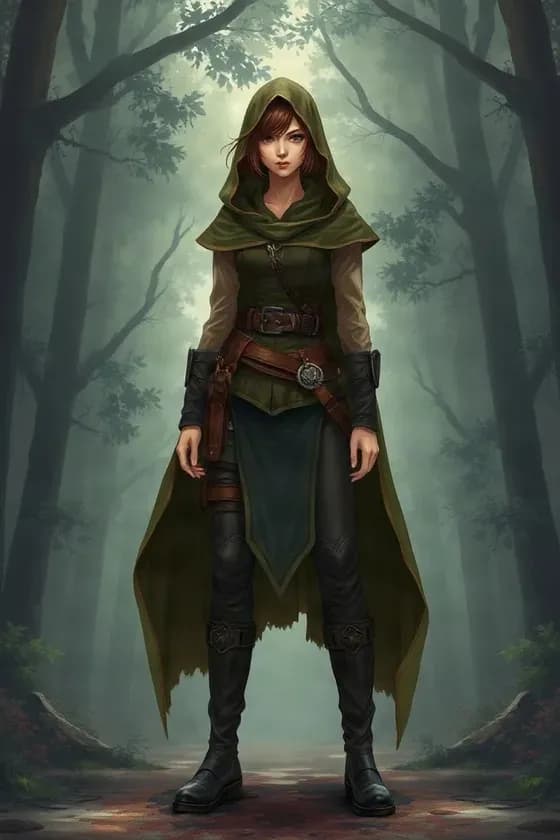
Kaze (Ronin)
RONIN · SWORDSMAN
WAN 2.2 Mocap Inference
230 Credits
Auto-refund if generation failsTell the character what to do
- “Blink and breathe naturally.”
- “Slowly look toward the camera.”
- “Add gentle hair movement and a subtle camera push-in.”
- “Keep the pose mostly stable and make the scarf move in the wind.”
- “The character turns slightly toward the camera and smiles.”
You Already Have the Character. You Just Need It to Move.
You already have the character artwork. Maybe it is an original character, an AI-generated anime character, a manga illustration, or a character concept you want to share.
You spent time designing the character, generating the image, or finishing the illustration. Now you want something more than another static post.
Upload the image, describe how you want it to move, and create a short animated clip for social posts, character reveals, story previews, or creative projects. Turn that same character into a short motion clip without rebuilding the artwork from scratch.
Turn Your AI-Generated Character Into a Video
You finally got an anime character image you like.
Instead of generating another still image, use the one you already have as the starting point for motion. This is useful for a reveal, social post, concept trailer, or character showcase.
Characters made with Niji, Midjourney, Stable Diffusion, FLUX, ChatGPT Image, and other character generators can all be starting images. Use an image you have the right to animate.
Test the Character in Motion Before You Spend More Time Animating It
Sometimes you do not need a finished animation. You just want to see what the character might feel like in motion before committing to a larger project.
Try a short preview to explore:
- Whether gentle hair movement suits the character
- How a slow camera push-in changes the mood
- Whether calm or energetic motion feels right
- How the outfit reads when it moves
Use the result as a visual test, then decide what you want to refine next.
Make Your Character More Useful for Social Media
A still character image may work for a post. A moving character gives you more ways to introduce the design and catch attention in a video feed.
You can create short clips for:
- TikTok
- YouTube Shorts
- Reels
- X posts
- Discord announcements
- Character reveal videos
- Short story teasers
Start with a simple motion idea and adapt the finished clip to the format you plan to share.
Tell the Character What to Do
You do not need animation terminology to get started. Describe one visible action, then keep the rest of the scene simple. Try a prompt like one of these:
- “Blink and breathe naturally.”
- “Slowly look toward the camera.”
- “Add gentle hair movement and a subtle camera push-in.”
- “Keep the pose mostly stable and make the scarf move in the wind.”
Make a Character Reveal, Story Preview, or Motion Comic Clip
A short anime character animation can give an original character, manga illustration, visual novel cast member, or webtoon hero a more dynamic introduction.
Use one image as the starting point for a character reveal, a story teaser, a motion-comic shot, or a visual novel promo. You can add dialogue, sound, titles, and other edits in your usual video workflow afterward.
Animate the Anime or Manga Artwork You Already Like
Use an existing anime character drawing, manga-style illustration, VTuber concept image, or 2D character design as the visual starting point. The image helps guide the character’s appearance, clothing, hair, and composition while the model generates new frames.
Because the video is generated, line work, shading, facial details, or accessories may shift. Review the clip before using it in a finished project.
Keep the Motion Small When Character Consistency Matters
A short, restrained action usually asks the model to invent less than a dramatic pose change. If you want the design to stay closer to your image, try a blink, a small head turn, gentle hair movement, or a slow camera move.
A spin, jump, or full-body action may look more different from the source because the model has to fill in poses and details that are not visible in one still image.
Create a Quick Preview Without Learning a Full Animation Workflow
Traditional character animation can involve rigging, keyframes, frame-by-frame drawing, compositing, and editing. This page helps you test a short generated motion clip from an image and a text prompt.
It is useful for early ideas and short creative content. It does not replace a production-ready animation pipeline when you need exact timing or frame-level control.
What This Anime Character Animation Generator Creates
The tool generates a short video from a still character image and a motion description. You can try portrait movement, a small gesture, clothing or hair movement, or camera motion. The result is a video clip rather than a reusable character asset.
It does not create Live2D ArtMesh, deformers, parameters, physics, face tracking, a rigged PSD, or sprite sheets. It also does not provide guaranteed frame-by-frame consistency or precise lip sync.
Choose a Source Image That Gives the Character Room to Move
A clear, high-resolution image with a readable pose is a helpful starting point. Keep the character easy to identify and avoid covering important features when possible.
Portraits and bust images can work well for blinking, breathing, and small head movement. Full-body images can be used too, although larger actions may introduce more variation. If you want the background to stay quiet, say so in your prompt.
From Character Artwork to a Larger Creative Workflow
Use this page when you already have a character frame and want to test a motion idea. If you need to prepare the artwork first, a broader workflow could look like:
Character image → Character to Layers → Prepare or edit the artwork → Generate a motion preview
If you need other views of the same design, create or choose a turnaround reference before selecting a frame to animate.
Animate Artwork You Have Permission to Use
You can use original illustrations, commissioned artwork, client assets, or other character images when your rights or agreement allow it. Check permissions for commercial characters, fan art, licensed intellectual property, and commissioned work before publishing or selling the generated video.
See What Your Anime Character Looks Like in Motion
Upload the character image you already have, describe one movement, and review the short clip. Try a different prompt if you want to explore another mood or camera move.
Start with a quick motion test, then decide whether the result is right for a post, reveal, story preview, or the next step in your creative workflow.
Frequently Asked Questions
1. What is an Anime Character Animation Generator?
It is an AI tool that turns a still anime or illustrated character image into a short animated video.
2. Can I animate an anime character from one image?
Yes. You can upload a single character image and generate motion from it.
3. Can I animate manga characters?
Yes. Manga-style and comic-style character artwork can also be tested.
4. Can I animate VTuber artwork?
Yes, for short video generation and motion previews. It does not create a rigged VTuber model.
5. Does it create a Live2D model?
No. It creates a generated video clip, not a Live2D rig.
6. Can it animate hair?
Yes. Hair movement can be requested in the motion prompt.
7. Can it animate clothing?
Yes. Clothing, scarves, capes, skirts, and similar elements can be included in the motion description.
8. Can I make the character blink?
Yes. Blinking is a useful subtle-motion request.
9. Can I create an idle animation?
Yes. You can ask for breathing, blinking, small head movements, and other restrained idle motion.
10. Can I animate a full-body anime character?
Yes, although large full-body movement may produce more visual variation than subtle motion.
11. Can I animate a character portrait?
Yes. Portraits and bust images are useful for subtle character animation.
12. Can I add camera movement?
Yes. You can describe push-ins, pans, pull-backs, or other camera movement in the prompt.
13. Will the character look exactly the same in every frame?
Not necessarily. AI video generation can introduce visual drift.
14. Does it preserve the original anime style?
The source image is used as the visual reference, but line work, shading, and details can change during generation.
15. Can I animate Midjourney anime characters?
Yes, if you have the rights to use the image.
16. Can I animate Niji-generated characters?
Yes.
17. Can I animate Stable Diffusion anime characters?
Yes.
18. Can I animate ChatGPT-generated character art?
Yes.
19. Can I use my own artwork?
Yes. Original artwork is a good use case.
20. Can I use commissioned artwork?
Yes, if your agreement gives you permission to animate and use it in that way.
21. Can I use it for webtoons?
Yes. It can help create short animated character moments for webtoon promotion or motion-comic workflows.
22. Can I use it for visual novels?
Yes. You can create promotional character clips or animated presentation assets.
23. Can I use the result in a motion comic?
Yes. Generated clips can be incorporated into a broader motion-comic edit.
24. Does it generate sprite sheets?
No. It produces video rather than traditional sprite-sheet animation.
25. Does it generate frame-by-frame PNGs?
The page is intended for video generation rather than manual frame-by-frame animation output.
26. Can I control the motion with text?
Yes. Describe the movement you want in the motion prompt.
27. What kind of prompt works best?
Simple, visual motion descriptions usually work better than long prompts containing many unrelated actions.
28. Can I ask the character to walk?
You can request body movement, but larger pose changes are more challenging and may alter character details.
29. Can I make the character turn around?
You can request turning motion, but substantial viewpoint changes require the model to infer unseen character details.
30. Can I keep the background still?
You can request that the background remain mostly static, although exact behavior is not guaranteed.
31. Can I animate only the hair?
You can prompt for minimal character movement and focus on hair motion.
32. Can I create cinematic anime clips?
Yes. Camera motion, lighting, wind, and subtle character motion can be combined for cinematic results.
33. Can I create anime profile videos?
Yes. Portrait animations can work well for short profile or character-introduction clips.
34. Can I use it for social media?
Yes. Short character animation is suitable for TikTok, Reels, Shorts, and other social platforms.
35. Is this a real-time animation tool?
No. It generates a video clip rather than real-time tracked animation.
36. Does it support lip sync?
Do not assume precise lip synchronization unless the selected generation workflow explicitly provides it. For general character animation, use motion prompts rather than relying on exact dialogue synchronization.
37. Can it preserve small accessories?
The model may preserve them, but small or complex accessories can shift during animation.
38. What images work best?
Clear, high-resolution character images with readable silhouettes and limited occlusion generally provide a better starting point.
39. Is subtle animation better for consistency?
Often, yes. Smaller movements require less visual invention and can reduce character drift.
40. Can I use the generated video commercially?
Commercial use depends on your rights to the source artwork and the applicable terms of the generation workflow. Use content you are authorized to use.
Animate Your Anime Character
Upload the character image you already have, describe how you want it to move, and create a short video preview.
Start with your artwork and see what it feels like in motion.