
VTuber Character Animation Generator
Your VTuber Art Is Finished. Now Let People See It Move.
You already have the character. Upload your VTuber artwork, describe the movement you want, and create a short animated clip for a debut teaser, outfit reveal, or social post.
No full Live2D rig is required just to test the idea.
Make Your VTuber Move
Upload your VTuber character artwork and tell the AI how you want your character to move.
Or test with demo heroes:
Action & Skill Moveset
Select an animation preset for your heroMotion Arena Inspector
Real-time motion transfer preview
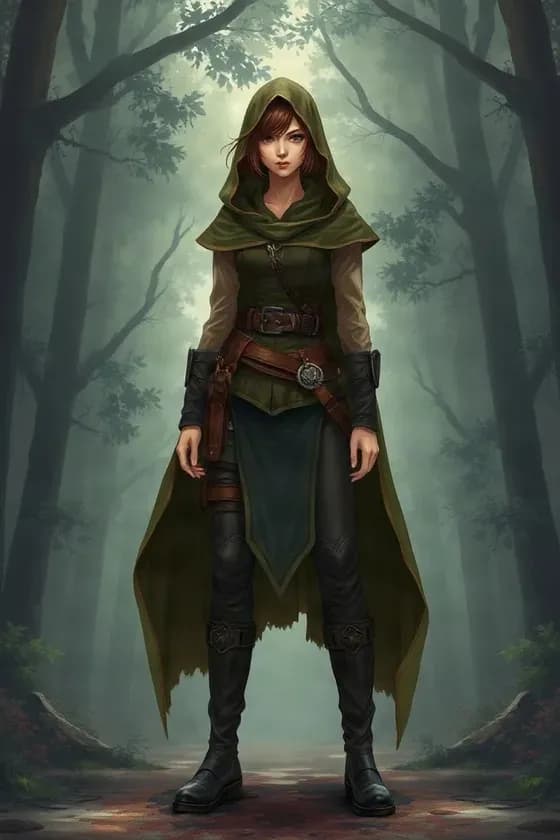
Kaze (Ronin)
RONIN · SWORDSMAN
WAN 2.2 Mocap Inference
230 Credits
Auto-refund if generation failsFor more consistent results, start with simple motion before trying large pose changes.
Motion ideas to try
- “Subtle breathing, blinking, and gentle hair movement.”
- “Slowly turn toward the camera and smile.”
- “Create a soft outfit reveal with natural sleeve and hair movement.”
- “Keep the pose mostly stable while the camera slowly pushes in.”
You Do Not Need a Full Rig Just to Make a Short Promo
A full VTuber production workflow can take time.
Before your character is ready for streaming, you may still want something you can post today.
For example:
- “My new model is coming soon.”
- “Here is my new outfit.”
- “Meet my new character.”
- “Debut this Friday.”
- “New hairstyle reveal.”
- “Anniversary model update.”
A still PNG works.
But a moving character gets much more attention.
Use your existing artwork to create a short motion clip before the full rig is ready.
Turn Your Commission Into Something You Can Actually Post
You waited weeks for your character art.
Then the artist sends the final illustration.
It looks great.
But your next step should not have to be:
Wait several more weeks for rigging before I can show anything interesting.
Create a motion preview from the finished artwork and use it while the rest of your production is still in progress.
This is especially useful for:
- Work-in-progress announcements
- Reveal campaigns
- Waiting-room content
- Debut countdowns
- Community updates
Make a Better VTuber Reveal Than a Static PNG
A character reveal does not need complicated animation.
A few seconds of motion can be enough.
Imagine:
- The camera slowly moves toward your character
- The eyes blink
- Hair moves slightly
- Sleeves shift
- A ribbon reacts to the motion
That already feels much more like a character reveal than simply uploading a still image.
New Outfit? Show It in Motion.
You commissioned a new outfit.
You want your audience to notice:
- The silhouette
- The sleeves
- The skirt
- The jacket
- The accessories
- The overall mood
A static image can show the design.
Motion can make the reveal feel like an event.
Upload the finished outfit artwork and create a short clip for:
- Outfit debut posts
- Seasonal costumes
- Birthday outfits
- Anniversary models
- Event costumes
- Alternate character looks
See How Your Character Feels Before You Pay for the Full Rig
Sometimes a character looks great as an illustration but feels different once motion is introduced.
Before investing more time and money, you may want to test:
- Does subtle movement suit this character?
- Should the hair move more?
- Does a calm idle fit the personality?
- Does the outfit look good during motion?
- Would a closer camera angle work better?
A short AI motion preview gives you a quick way to explore those questions.
It is not a replacement for a professional Live2D rig.
It is a faster way to preview the direction.
Create Debut Teasers Before Your Model Is Ready
Your full avatar may still be in production.
That does not mean your content schedule has to stop.
Create short teaser clips from your character artwork and combine them with:
- Your VTuber logo
- Debut date
- Music
- Voiceover
- Countdown text
- Social captions
This can help you build anticipation while the rig is still being finished.
Turn One Character Image Into More Social Content
You already paid for the artwork.
Get more use from it.
One character image can become:
- A TikTok teaser
- A YouTube Short
- An X announcement
- An Instagram Reel
- A Discord reveal
- A channel intro clip
- A model showcase
Instead of posting the same static image everywhere, create motion variations for different posts.
Keep the Motion Small When You Want the Character to Stay Familiar
If your priority is preserving the character design, start simple.
Try:
Blink and breathe naturally.
Slight head movement with gentle hair motion.
Keep the character mostly still and slowly move the camera closer.
These prompts require less new visual information.
That generally gives the model less opportunity to reinterpret your character.
Want Something More Dramatic?
You can also experiment with larger movement.
For example:
- Turn toward the camera
- Look over the shoulder
- Raise one hand
- Shift pose
- Move with stronger wind
- Add cinematic camera movement
Just keep in mind:
The more the character moves away from the original pose, the more the model has to invent.
That can increase changes in small details.
Animate Hair Without Drawing New Frames
Hair is one of the easiest ways to make a static VTuber design feel alive.
Try prompts like:
Long hair gently moves in the wind.
Twin tails sway slightly while the character breathes.
Bangs move subtly while the camera pushes in.
This is useful for:
- Character teasers
- Atmospheric clips
- Outfit reveals
- Portrait animation
Show Off Sleeves, Skirts, Ribbons, and Accessories
Many VTuber designs have details that are meant to move.
Examples include:
- Ribbons
- Sleeves
- Capes
- Jackets
- Skirts
- Hair ornaments
- Earrings
- Scarves
A short animation can help viewers notice those parts of the design.
Small details may still vary during AI generation, so review the final clip carefully.
Create a VTuber Idle Animation for Promotional Content
You do not always need an action scene.
For many posts, an idle animation is enough.
A useful prompt might be:
Keep the character in the same pose. Add natural breathing, blinking, slight head movement, and gentle hair motion.
This works well for:
- Character profile videos
- Waiting screens
- Announcement posts
- Background visuals
- Short loops edited elsewhere
Animate Half-Body VTuber Art
You do not need a full-body illustration.
Bust and half-body images are often ideal for:
- Character introductions
- Debut teasers
- Expression-focused clips
- Social content
- Camera push-ins
Because the model needs to invent less unseen body movement, restrained half-body animation can also be easier to keep visually consistent.
Full-Body Art Works Too
If you have a full-body VTuber design, you can create:
- Subtle idle movement
- Small pose shifts
- Clothing motion
- Camera movement
- Character showcase clips
Large movements such as walking, spinning, or turning completely around are more difficult because the original image does not contain every hidden angle of the character.
Use Your New Outfit Before a New Rig Is Finished
A common problem:
You have the final outfit art.
But the rig update is not done yet.
You still want to announce the design.
A practical workflow is:
New Outfit Artwork
→ Generate Short Motion Preview
→ Create Outfit Reveal Video
→ Publish the Announcement
→ Finish the Rig Later
This gives you something useful to post immediately.
Use It for VTuber Concept Approval
If you work with:
- An artist
- A rigger
- A VTuber studio
- A creative team
you can generate motion concepts before final production.
Instead of saying:
“I think the character should move softly.”
you can show a short visual reference.
That makes creative discussions easier.
Your Character Image Stays the Starting Point
This is not text-to-character generation.
You upload the character you already want to use.
The animation starts from that image.
That makes the workflow useful when you already care about:
- The exact outfit
- The general face design
- The hairstyle
- The color palette
- The overall character identity
However, generated video can still introduce visual changes between frames.
AI Animation Is Not the Same as Live2D Rigging
If your goal is:
“I need this avatar to track my face during a livestream.”
this is not that tool.
A Live2D rig gives you:
- Reusable parameters
- Face tracking
- Mouth tracking
- Physics
- Real-time control
- Streaming integration
This generator creates a finished video clip.
Use it when you want content, not a real-time avatar system.
It Does Not Replace Your Rigger
A professional rig is still the right choice for:
- Live streaming
- Reusable motion
- Tracking
- Exact parameter control
- Long-term character operation
This tool solves a different problem:
“I have VTuber art right now. I want a short animated clip right now.”
Use It Before or After Character Layering
If you only want a quick motion clip, upload the finished character image directly.
If you first need to:
- Edit the hairstyle
- Adjust the outfit
- Clean up parts
- Prepare individual character elements
you can use your character layer workflow first.
A production flow could be:
Character Artwork
→ Character to Layers
→ Make Visual Changes
→ Create Final Still
→ Animate the Character
A Simple Workflow for a New VTuber Model
Step 1 — Upload the Character
Use the final artwork or the latest approved design.
Step 2 — Describe the Motion
Keep it visual and specific.
Step 3 — Generate the Clip
Let the AI create the motion.
Step 4 — Review Character Details
Check the face, hair, outfit, hands, and accessories.
Step 5 — Add Your Branding
Use your preferred video editor to add:
- Logo
- Text
- Music
- Voice
- Debut date
Step 6 — Publish
Use the final clip in your launch or promotion.
Motion Prompt Ideas for VTubers
Calm Character
Subtle breathing, blinking, slight head movement, and gentle hair motion. Keep the pose stable.
Cute Character
Blink and smile softly while the hair and ribbons bounce slightly.
Elegant Character
Slow camera push-in with subtle breathing and gentle fabric movement.
Outfit Reveal
Slowly turn slightly toward the camera while the sleeves and hair move naturally.
Debut Teaser
Dramatic slow camera movement toward the character with subtle hair and clothing motion.
Mysterious Character
Minimal body motion, slow head turn, subtle wind, and cinematic camera movement.
What Makes a Better Source Image?
You will usually get a better starting point when:
- The character is large and clear
- The image is high resolution
- The pose is easy to read
- Important accessories are visible
- The character is not heavily covered by foreground objects
If you care strongly about design consistency, avoid starting with very complex motion.
What Can Change During AI Animation?
AI video creates new frames.
That means it may occasionally change:
- Small hair details
- Eye shape
- Fingers
- Accessories
- Clothing patterns
- Ribbons
- Fine line work
- Background details
This is especially likely during larger movements.
For promotional clips, review the result before publishing.
Built for the Moments VTuber Creators Actually Need
Use it when you are:
- Preparing a debut
- Waiting for rigging
- Revealing a new outfit
- Launching a new character
- Posting an anniversary update
- Creating Shorts or TikToks
- Showing a model commission
- Testing how a new design feels in motion
- Creating teaser content between streams
Frequently Asked Questions
1. I only have one PNG of my VTuber. Can I animate it?
Yes. A single still character image can be used as the visual starting point for a short generated video.
2. Do I need a Live2D PSD?
No. You can start from a regular character image.
3. Do I need my character to be rigged first?
No. A rig is not required to generate a short motion clip.
4. Is this useful if my Live2D rig is still being made?
Yes. That is a strong use case. You can create teaser or announcement content while the full rig is still in production.
5. Can I make a VTuber debut teaser?
Yes. Upload the character and use a subtle or cinematic motion prompt.
6. Can I make a new outfit reveal?
Yes. Upload the final artwork showing the new outfit and create a short motion preview.
7. Can I animate only the upper body?
Yes. Bust and half-body character art works well for many VTuber promotional clips.
8. Can I animate a full-body character?
Yes, although large full-body actions require more visual invention and can cause more detail changes.
9. Can I make the character blink?
Yes. Blinking is a good example of subtle motion.
10. Can I make the character breathe?
Yes. Subtle breathing is useful for idle-style animation.
11. Can I animate the hair?
Yes. You can describe hair movement in your prompt.
12. Can I animate ribbons or accessories?
You can request it, although small accessories may not stay perfectly identical throughout every frame.
13. Can I animate a new hairstyle reveal?
Yes. If your final image already contains the new hairstyle, you can create a short reveal clip from it.
14. Will my character look exactly the same in every frame?
Not necessarily. AI-generated video can introduce visual drift.
15. How can I reduce character changes?
Use restrained movement, shorter actions, and prompts that keep the original pose mostly stable.
16. Should I ask for a full turn-around animation?
If consistency is important, a complete turn is much more challenging because the model must invent character details that are not visible in the source image.
17. Can I use this instead of commissioning a Live2D rig?
Not if you need a real-time streaming avatar. This produces video clips rather than a controllable rig.
18. Can I use the generated animation in OBS as a video asset?
You can use an exported video as part of your content workflow, but it is not a tracking-enabled VTuber model.
19. Does this work with VTube Studio?
It does not generate Live2D model data or VTube Studio tracking files.
20. Can I use it to preview how my model might feel in motion?
Yes. That is one of the most useful reasons to generate a short animation before final rigging.
21. Can my artist use this for a commission showcase?
Yes, provided they have permission to use and animate the artwork.
22. Can a VTuber studio use it for client previews?
Yes. Short motion concepts can help communicate a proposed animation direction.
23. Can I animate Midjourney or Niji VTuber concepts?
Yes, provided you have the appropriate rights to the image.
24. Can I animate artwork made in Photoshop or Clip Studio Paint?
Yes. The final exported image can be used as the source.
25. Can I make TikTok or YouTube Shorts from the result?
Yes. Short character clips are well suited to social video.
26. Can I add my debut date or logo?
Add text, logos, music, and other branding afterward in your preferred editing workflow.
27. Can I create an idle animation?
Yes. Try a prompt focused on breathing, blinking, small head motion, and gentle secondary movement.
28. Can the AI change my outfit?
The animation is intended to start from the outfit shown in your input image. Because generation is not perfectly deterministic, small visual changes may still occur.
29. Can I animate an outfit created with a separate outfit changer?
Yes. Finalize the still character first, then use that image as the animation source.
30. Can I animate a character after separating it into layers?
Yes. You can prepare or edit the character first, then animate the final composited image.
31. Does it create transparent animation layers?
This page focuses on generating a finished character video, not a reusable layered animation project.
32. Does it make mouth shapes for streaming?
No. It does not create reusable mouth parameters or tracking states.
33. Does it do accurate lip sync?
General character animation should not be treated as precise audio-driven lip sync unless the selected workflow explicitly supports it.
34. What motion should I try first?
Start with blinking, breathing, slight head movement, gentle hair motion, or a slow camera push.
35. Why should I use smaller motion?
The model has to invent less unseen information, which can help reduce unwanted character changes.
36. Is this useful before a model debut?
Yes. It can help you create countdown content, teasers, character introductions, and reveal posts.
37. Is this useful after the debut?
Yes. Use it for outfit announcements, anniversary posts, social clips, character promos, or alternate promotional content.
38. Can I animate fan art?
Only when you have the necessary rights or permission for your intended use.
39. Can I use commissioned art commercially?
That depends on the rights included in your agreement with the artist.
40. Can I use the final video commercially?
That depends on your rights to the source character artwork and the applicable terms of the generation workflow.
---
这版的核心变化就是:不再从“我们支持 Hair / Clothes / Camera Motion”开始卖功能,而是从用户当前手里的问题开始。
用户进入页面时应该马上感觉:
“对,我就是已经有 VTuber 立绘了,但是还没 rig / 想做新衣装 reveal / 想发一个会动的预告。”
这种页面才比较容易把搜索用户转成真正使用生成器的人。
You Already Have the Character. Give It a Few Seconds of Life.
Upload your VTuber artwork and turn it into a short motion clip for your next reveal, announcement, or social post.
No full rig required for a short motion preview.