
AI Lip Sync Generator
Make any photo talk with your audio.
Upload a portrait or character image, add the audio you want it to speak, and create a talking video with lip movements synchronized to the sound.
One image. One audio file. One talking video.
No filming. No face rigging. Start with the image you already have.
Source Image
Upload a Photo
Choose the face or character you want to animate.
Use a clear portrait, illustration, character artwork, or other image with a visible face.
Audio
Add the Voice
Upload the speech, dialogue, singing, or audio you want the image to perform.
The generated video follows the duration of your audio.
Advanced Settings
Video Quality
Higher quality may take longer to process.
Your talking video will appear here.
Upload an image and audio, then generate. Your result opens on its own page when it is ready.
Image plus audio
Make a Photo Speak With Your Own Audio
You already have the image. You already have the voice. AI Lip Sync Generator brings them together.
Upload a photo, illustration, or character image, add the audio you want it to perform, and turn the still image into a talking video without recording a new video from scratch.
From Still Image to Talking Video
A static portrait does not have to stay static. Use your own voice recording, dialogue, narration, or other audio to animate the face and create synchronized mouth movement.
It is useful when you want a talking character, presenter, creator clip, short-form video, or animated portrait but do not want to film the performance yourself.
Example
See One Image Start Talking
One still image and one audio clip became this talking video.
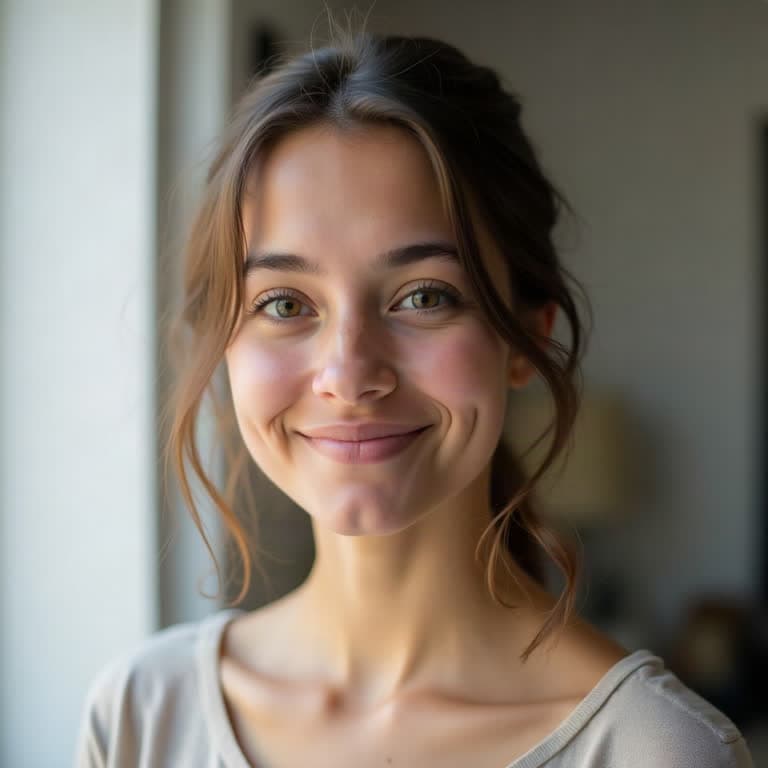 Source Image
The example image and audio were created with AI for this demonstration.
How it works
Create a Lip Sync Video in Three Steps
- 1
Upload Your Image
Start with the person, character, illustration, or portrait you want to animate.
- 2
Add Your Audio
Upload the speech or sound you want the image to perform.
- 3
Generate the Video
AI animates the source image and synchronizes the mouth movement with your audio.
Why use it
Why Use AI Lip Sync?
Start With Any Image You Already Have
Turn existing portraits, character artwork, illustrations, and other face images into video without creating a new character first.
Use Your Own Audio
Control exactly what the character says by providing the audio yourself.
Skip the Camera
Create a talking clip without recording a person performing the line on video.
Make More Versions Faster
Keep the same image and try different audio clips for new messages, languages, ads, lessons, or creative variations.
Use cases
Make Content From Images You Already Own
Talking Characters
Bring Character Art to Life
Give an illustrated or AI-generated character a voice by pairing the artwork with dialogue, narration, or character audio.
Creator Content
Turn a Portrait Into a Talking Clip
Use one portrait to create short talking videos for intros, announcements, social content, or creative posts.
Marketing
Create Talking Product or Brand Characters
Turn mascots, spokesperson images, or campaign characters into short talking clips without filming every variation.
Education
Make Static Characters Explain Something
Add narration to a character, historical portrait, illustration, or educational visual and turn it into a more engaging talking video.
Localization
Reuse One Image With Different Audio
Keep the same source image and generate separate videos using different voice recordings for different languages or audiences.
Storytelling
Give Illustrations a Voice
Turn story characters, paintings, portraits, or visual concepts into short speaking scenes.
Works With More Than Photographs
Your source does not have to be a camera photo.
You can start with portraits, illustrations, character artwork, 3D renders, paintings, and other images with a recognizable face.
Your Audio Drives the Performance
The audio you upload controls what the character performs. Use spoken dialogue, narration, character voices, or other audio depending on the result you want.
For speech, transcription guidance can help the model use the spoken words when synchronizing the mouth movement.
Before and after
When You Have the Image but Not the Performance
Recording a new video means arranging the person, camera, lighting, timing, and delivery again. AI lip sync is useful when what you already have is an image and the missing piece is simply the speaking performance.
Upload the image. Add the audio. Generate the clip.
Before
- A still portrait or character image
- No speaking motion
- No recorded performance
After
- A talking video
- Mouth movement synchronized to your audio
- The supplied soundtrack included in the output
Quality
Choose the Quality That Fits the Job
Standard
A practical choice for social content, previews, and everyday talking clips.
HD
More detail for polished creator content, marketing, and presentation videos.
2K
Higher-resolution output when visual detail matters most.
Tips
How to Get Better Lip Sync Results
- Start with an image where the face is clearly visible.
- Frontal and three-quarter portraits are usually easier to animate than heavily obscured faces.
- Use clean audio where the voice can be heard clearly.
- Avoid images where the mouth is completely hidden, extremely small, or heavily covered.
- For spoken dialogue, leave transcription guidance enabled.
Create With Images and Voices You Have Permission to Use
Only upload photos, character artwork, voices, and audio that you own or have permission to use. Do not use the tool to impersonate, deceive, harass, or misrepresent another person.
AI Lip Sync Generator FAQ
What is an AI lip sync generator?
An AI lip sync generator creates mouth movement that follows an audio track. With this tool, you upload a still image and an audio file, and AI generates a talking video based on both inputs.
How do I make a photo talk with AI?
Upload the photo you want to animate, add the audio you want it to speak, choose your output quality, and generate the video. The AI animates the image and synchronizes the mouth movement to the supplied audio.
Do I need a video to use the lip sync generator?
No. This tool starts from a still image. You only need an image with a visible face and an audio file.
Can I use an illustration or anime character instead of a real photo?
Yes. The tool can work with photographs, illustrations, paintings, character artwork, and other images with a recognizable face. Results can vary depending on the style and visibility of facial features.
Can I upload my own audio?
Yes. Your uploaded audio drives the lip-sync performance and is included in the generated video.
Does the AI generate the voice for me?
No. This page is designed around your existing audio. Upload the voice, dialogue, narration, or other sound you want the image to perform.
What does transcription guidance do?
Transcription guidance analyzes spoken words in the audio and uses them as an additional signal when creating the lip movements. It is generally useful for speech and dialogue.
Should I turn transcription off for singing?
You can try disabling transcription when the audio is primarily singing, music, or other sounds that may not transcribe cleanly. In that mode, synchronization relies on the audio rather than a transcript.
What audio formats can I upload?
You can upload common formats such as MP3, WAV, M4A, AAC, and OGG. The upload area shows the supported length and file size.
What image formats are supported?
You can upload JPG, PNG, WebP, GIF, and AVIF images. Extremely tall or extremely wide images are not accepted.
How long will the generated video be?
The generated video follows the duration of the supplied audio, subject to the limits shown in the upload interface.
What video resolutions are available?
You can generate at multiple quality levels: Standard, HD, and 2K for the highest detail.
Will the original image stay exactly the same?
The source image remains the visual foundation of the generated video, but the model must animate the face and surrounding details to create motion. Small visual differences can occur, especially with complex artwork, unusual angles, or heavily obscured faces.
What kind of image works best?
Images with a clearly visible face generally work best. Try to avoid extremely small faces, heavy occlusion over the mouth, extreme head angles, or images where facial features are difficult to distinguish.
Can I use AI lip sync for commercial content?
You can use the tool for content you are authorized to create. Make sure you have the necessary rights or permission for the image, voice, audio, characters, trademarks, and other material you upload.
Give Your Image a Voice
Turn a photo or character image into a talking video using the audio you choose.