
How to Turn a Logo Into Editable Layers for Faster Brand Revision Workflows
Brand teams rarely get slowed down by the idea of a revision. They get slowed down by the file they have to revise. When the only available source is a flattened logo export, every change request starts with reconstruction work instead of decision-making work.
On this page
The real bottleneck
Flat logo files force brand teams to recover structure before they can actually compare revisions.
What editable means
Editable logo files separate the icon, wordmark, support shapes, and effects so each change is easier to test.
Why this is commercial
Faster revision loops help teams ship campaign assets, social variants, and motion deliverables without rebuilding the mark each time.
Brand workflow
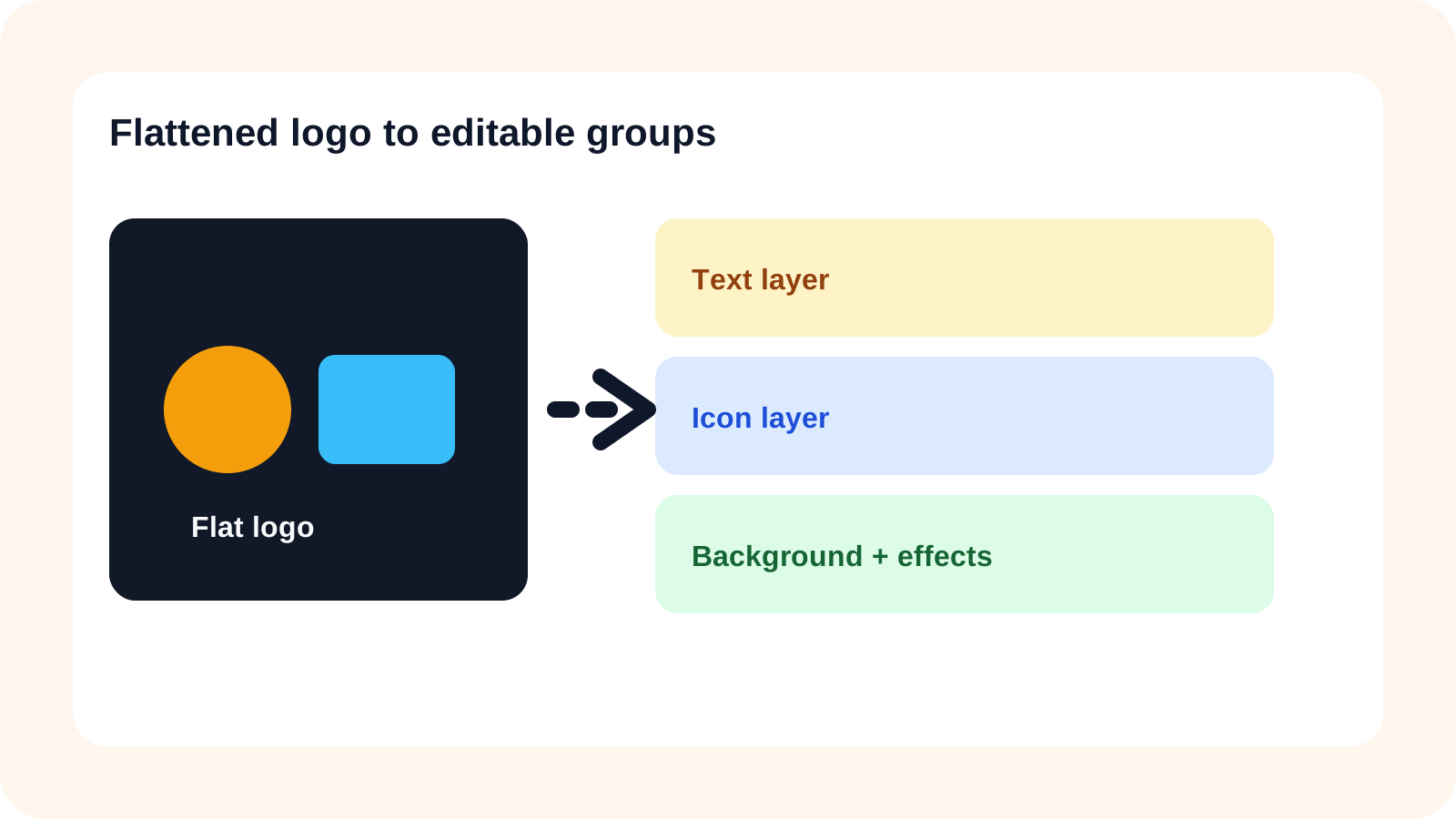
Why brand revisions slow down
Revision work looks simple when the request is small: move the icon, swap the text, simplify the glow, test a campaign lockup, or create an animated reveal. The difficulty is that brand teams are often asked to do this with only a flattened PNG, JPG, or screenshot. The brand idea is still there, but the file no longer carries the structure needed for efficient iteration.
That means the first stage of the revision is not design. It is reconstruction. A designer has to separate the icon from the text, isolate shadows, preserve gradients, and decide which parts should remain linked or independent before stakeholders can even compare variants properly.
A faster layered logo workflow
The stronger workflow is to recover editability before the revision cycle begins. That means separating the main brand groups, checking whether gradients and soft effects still hold together, and handing off a PSD-ready file that supports campaign and brand changes.
This is where Logo into Layers is more commercially useful than a simple file conversion. The goal is not to rename the file extension. The goal is to create a stack that supports faster revision, better handoff, and more reuse across brand surfaces.
Where flat logo workflows usually break
Campaign adaptations
Flat exports slow down seasonal lockups and promotional variants because each element has to be separated again.
Motion prep
Brand animation depends on isolated elements, but flattened assets force teams to rebuild those groups first.
Multi-team handoff
A static export creates ambiguity between brand, design, and motion teams about what can be changed safely.
Stakeholder review
When revisions are slow to produce, teams compare fewer options and get less confident feedback.
Why this matters commercially
Brand systems touch revenue work constantly. A revised lockup moves into landing pages, ad campaigns, product launches, social graphics, and motion assets. The faster a team can isolate the brand elements, the faster those downstream assets can ship. That is why layered brand workflows create business value even when the visual change itself looks small.
What to review before export
- Check whether the wordmark and icon can move independently.
- Verify that gradients, glows, and shadows still feel intentional.
- Decide whether PSD or SVG is the correct next handoff for the team.
- Make sure the layer stack is readable enough for the next designer or motion artist to work immediately.
Step 1
Upload the flattened logo source
Start with the clearest brand file you have, whether that is a PNG export, screenshot, or flattened lockup used in marketing.
Step 2
Separate icon, text, and support elements
Break the mark into brand-relevant groups so revisions focus on the real design decisions instead of reconstruction work.
Step 3
Review gradients, shadows, and transparency
Check whether soft effects remain believable while still allowing independent edits to the main brand elements.
Step 4
Choose the downstream format
Keep the result in PSD for layered production work or move into vector recreation when perfect scaling is the next requirement.
Step 5
Export for revision or motion work
Hand the file to the design or motion team with a structure that supports faster edits across campaigns and brand updates.
Brand revision FAQ
How do I turn a flattened logo into editable layers for brand revisions?
Separate the icon, wordmark, supporting shapes, and background first so redesign, campaign adaptation, and PSD-based edits can happen without rebuilding the file from zero.
Why are flat logo files slow for brand teams to revise?
Because text, iconography, gradients, shadows, and background context are merged together, which forces teams to rebuild structure before they can explore changes quickly.
Can layered logo outputs help with campaign adaptation work?
Yes. They make it easier to isolate brand elements for seasonal promotions, motion design, social variants, and landing-page graphics.
What types of logo files work best for layer separation?
Clear PNGs, JPG exports, screenshots, and flattened brand lockups with readable contrast usually work best.
Is layered logo extraction a replacement for vector recreation?
Not always. Vector recreation is still useful for perfect scalability, but layered extraction is often much faster for edits, mockups, and campaign work.
Can I use layered logos for motion and brand animation?
Yes. Separate brand elements are useful for intros, overlays, animated lockups, and social motion assets.
Why do gradients and shadows make logo extraction harder?
They create softer transitions and mixed edges, which means the workflow has to preserve appearance while still restoring editability.
When should a brand team choose PSD over SVG after separation?
Use PSD when the immediate need is layered editing, campaign production, or motion prep. Use SVG when perfect vector scaling is the next priority.
Can layered logo workflows reduce revision rounds with clients or stakeholders?
Yes. Faster access to isolated brand elements makes revision cycles more responsive, especially when multiple variants are requested.
What should I review before exporting a separated logo file?
Check text clarity, icon isolation, soft effects, transparency quality, and whether each brand element can be edited independently.
Next step
Move logo revisions into a faster layered workflow
Use a layered logo workflow when the next step is brand revision, campaign adaptation, or motion prep instead of a one-off mockup.
Ask AI about this page
Continue exploring this page with your preferred AI assistant.