
Edit Text in Menu
Edit Text in a Menu Without Redesigning It
Need to change a price, fix a dish name, or update a menu description? Upload your existing menu image and edit the text you need while keeping the rest of your design. Update a restaurant menu, café price list, takeaway flyer, or drinks menu without rebuilding everything from scratch.
Use your existing menu image · Edit individual text areas · No design experience needed
Make changes to an existing image, even when you don't have the original design file.
Text is detected in your browser, and nothing is uploaded until you choose an AI edit. Free edits cover the original words with a flat colour patch, so they work best on plain or evenly coloured backgrounds. This is AI image editing, not recovery of a hidden Photoshop text layer. The model redraws the requested area and may change nearby pixels.
See what you can change
Small Text Changes. A Whole New Purpose.
You don't always need a completely new image. Sometimes changing a few words is enough to make the design useful again.
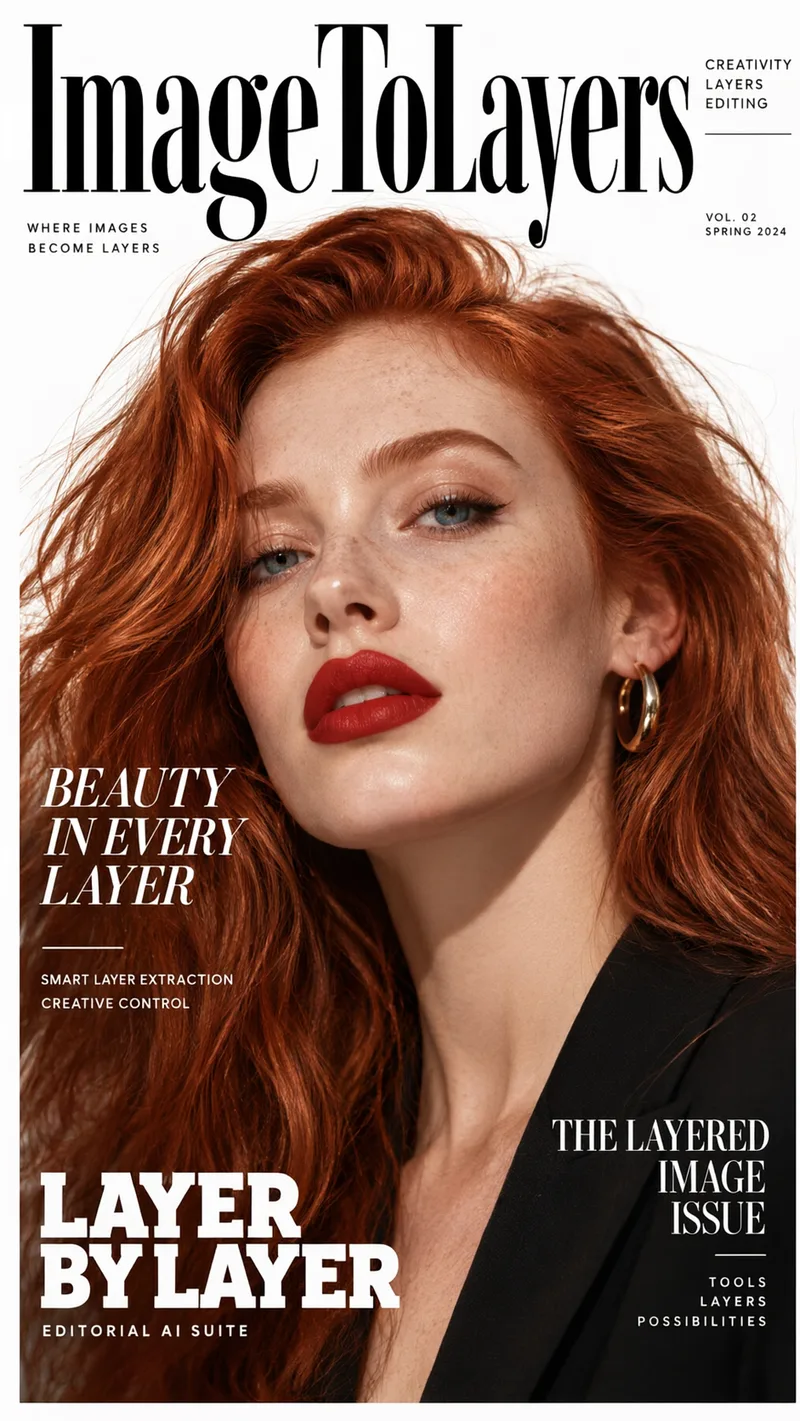
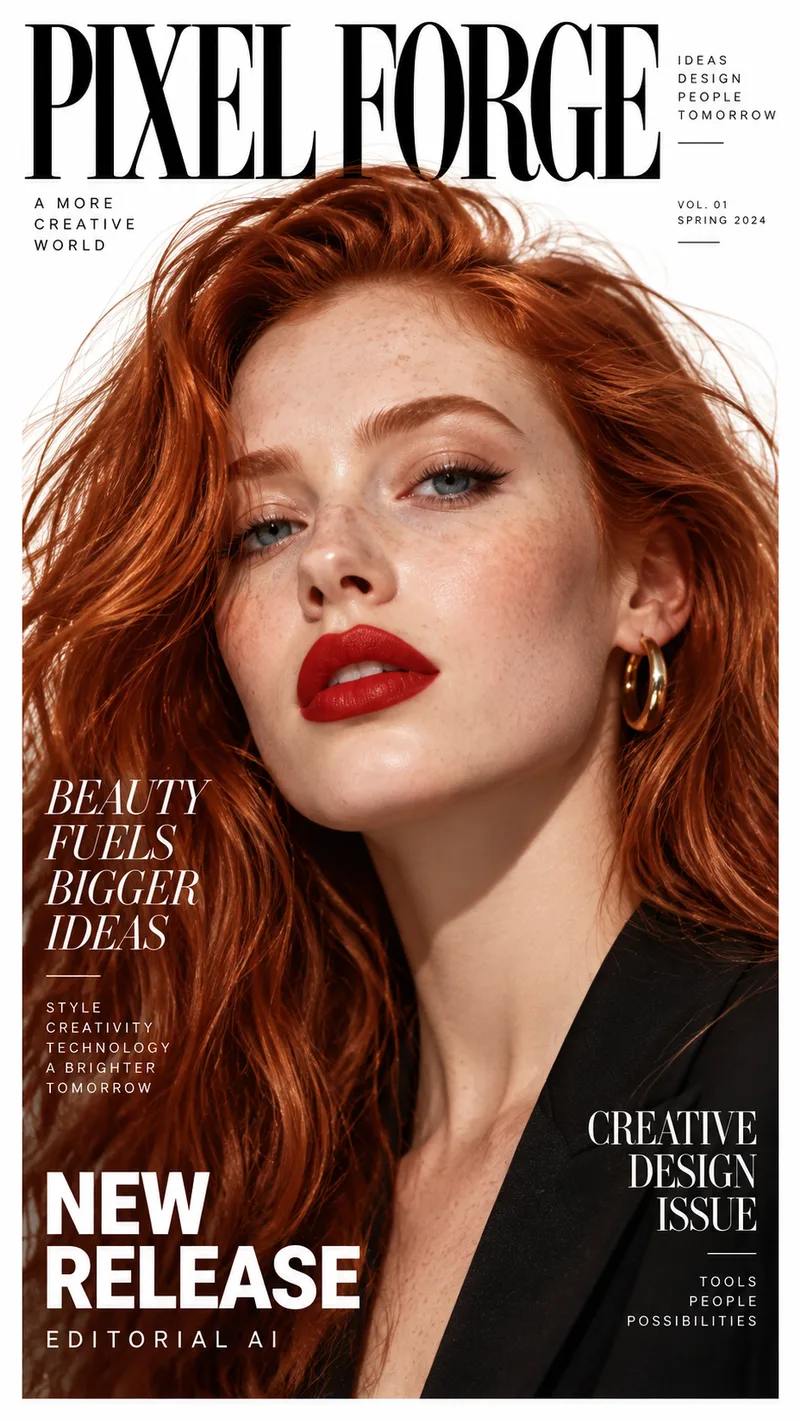
Rename a Magazine Cover
The photo and layout stay. The masthead, headlines, and small print are rewritten for a different title. Drag the slider to compare the original cover with the edited one.
Example change
PIXEL FORGE · BEAUTY FUELS BIGGER IDEAS · NEW RELEASE
ImageToLayers · BEAUTY IN EVERY LAYER · LAYER BY LAYER
Update several lines of text on the same image while aiming to keep the composition.
Results vary depending on text placement, image quality, font styling, and background complexity.
See it on a real ad
Every line of text on the ad is its own layer
This finished ad was split into a background, a photo, and separate text layers. Click any text block, change the wording, and see the update on the creative.
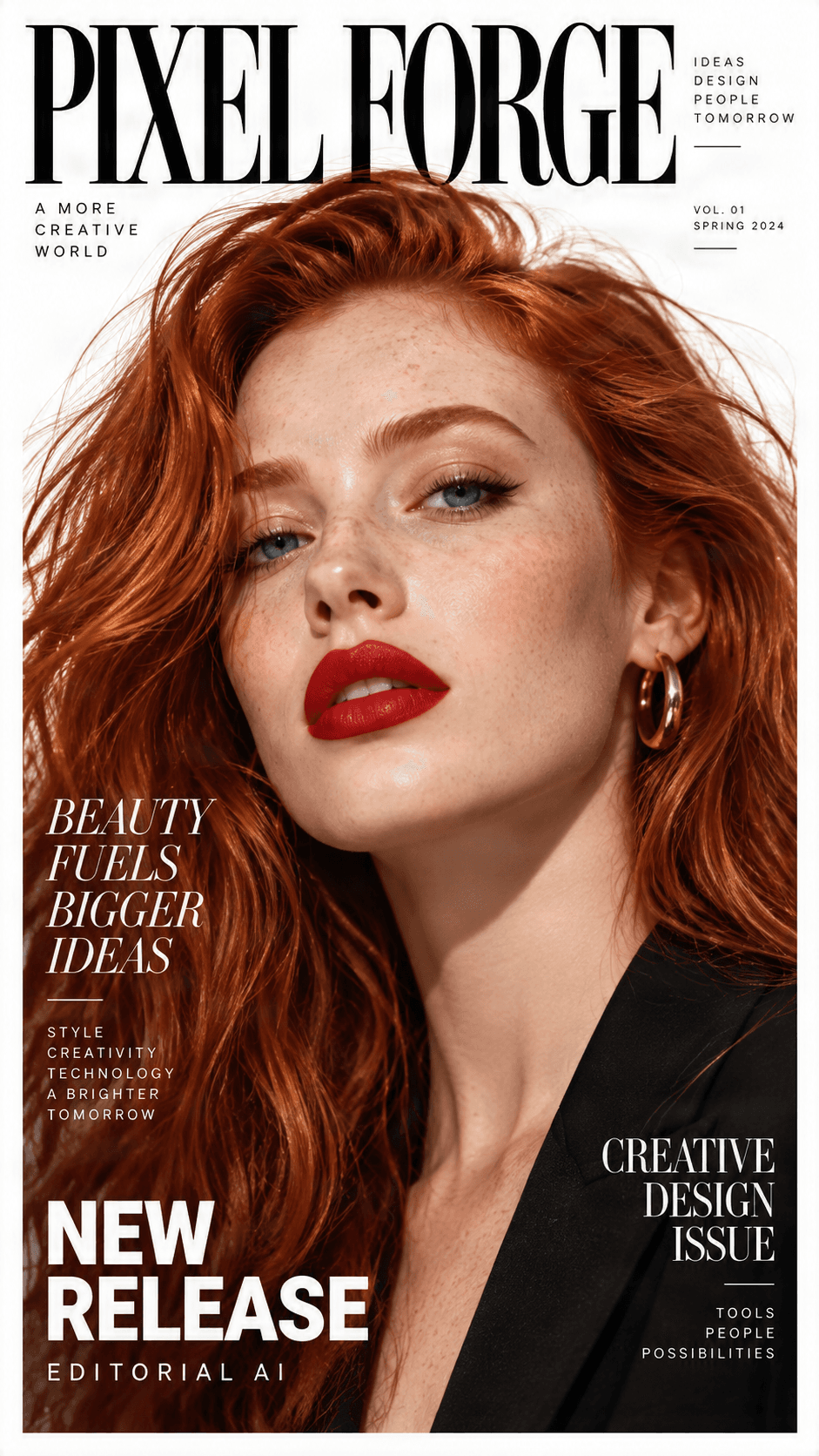
Original ad preview
Detected text, ready to edit
Click a text block, change the wording, and preview the update directly on the ad.

NEW RELEASE
Headline / Promo label

BEAUTY FUELS BIGGER IDEAS123
Campaign headline

CREATIVE DESIGN ISSUE
Secondary subhead

PIXEL FORGE
Brand logo

Background
Clean reconstructed image
Need to change more than the text?
Split any ad into separate text, image, logo, graphic, and background layers.
Why Edit Instead of Redesign?
Your Menu Looks Great. Only the Text Needs Changing.
You should not have to recreate your entire menu because a few details changed. Keep your familiar menu layout and update what needs updating.
Ingredient costs change, dish descriptions evolve, and typos appear after a menu is finished. Start with the image you already have instead of searching for the original design file.
Update Prices Without Starting Over
Fix Menu Typos
Keep Your Restaurant Style
Make Changes Yourself
Get Started in a Few Steps
How to Edit Text in Your Menu Image
Update a menu in a few straightforward steps.
1. Upload Your Menu Image
2. Find the Text to Change
3. Enter Your New Text
4. Review and Download
Common Menu Changes
What Can You Change in an Existing Menu?
Change Menu Prices
Edit Dish Names
Update Food Descriptions
Correct Drinks Menus
Change Daily Specials
Fix Business Details
Carefully verify prices, allergen information, and other customer-facing details before publishing or printing.
Edit the Menus You Already Use
Menu Text Editing for Different Businesses
Restaurant Menus
Café and Coffee Shop Menus
Takeaway and Delivery Menus
Bar and Drinks Menus
Bakery and Dessert Menus
Catering and Event Menus
Keep the Menu Customers Recognize
Small Menu Updates That Make a Big Difference
Save Time on Small Updates
Keep Your Branding Consistent
Work Without the Original File
Correct Before Sharing
Results depend on the source image. Decorative fonts, complex backgrounds, curved text, and low-resolution images may need additional manual adjustments.
Real-Life Scenarios
When a Targeted Menu Edit Is Enough
Ingredient Costs Increased
A Dish Description Changed
A Seasonal Special Arrived
A Typo Was Published
Before You Download
Tips for Better Menu Text Editing Results
Start With a Clear Image
Keep Replacement Text Similar in Length
Check Price Alignment
Review Font Appearance
Review the Entire Menu
Frequently Asked Questions About Editing Menu Text
Common questions about changing prices, dish names, and descriptions in an existing menu image.
Can I edit text in an existing menu image?
Yes. Upload a menu image and use the editor to change supported text areas, including prices, dish names, and descriptions. Results depend on the image and its layout.
How do I change prices on a restaurant menu?
Upload your menu image, select the price text, enter the new amount, and review its size and alignment before downloading the result.
Can I edit a menu without the original design file?
Yes. If you have an exported menu image, you can work directly with that image. You do not necessarily need the original Photoshop, Illustrator, or other project file.
Will editing text change my menu's design?
The editor is intended for targeted text changes, but complex backgrounds, fonts, and layouts may be affected and require adjustments.
Can I change a dish name without changing the food photo?
You can target the dish name rather than the entire menu. Review the output to confirm the surrounding photo and design remain acceptable.
Can I edit a café or coffee shop menu?
Yes. You can update café menus, drinks lists, bakery menus, and similar menu images.
Can I replace several prices in the same menu?
You can edit multiple supported text areas in the workflow. Check each new price carefully, especially in columns or tightly spaced layouts.
Does the editor automatically match the original menu font?
Exact automatic font matching is not guaranteed. You may need to adjust available font settings, size, spacing, or positioning.
Can I change text on a menu with a decorative background?
You can try, but text over intricate textures, photography, or decorative elements can be harder to modify cleanly. Inspect the edited area for artifacts.
Can I edit text in a menu screenshot?
Yes, a clear screenshot can be used as a menu image. Higher-resolution screenshots generally provide better readability and room for adjustments.
Can I update a takeaway or delivery menu?
Yes. You can edit prices, item names, combo descriptions, and other written details in an existing takeaway menu image.
Can I add a completely new dish to my menu?
You may be able to change an existing text area to show a new dish, but adding rows, moving photos, or substantially changing the layout may require a complete design editor.
Can I use the edited menu for printing?
You can download the edited image for printing. Verify resolution, physical dimensions, readability, and print specifications with your printer.
What if the text in my menu is not recognized correctly?
Small fonts, blurry images, unusual typography, and complex backgrounds can make recognition difficult. Try a clearer image or use available manual controls.
Can I edit menu text on a food photo?
You can attempt to edit text over food photography. Because the background contains detailed visual information, the edited area may need extra attention.
Is this a restaurant menu generator?
No. This tool edits text in an existing menu image. It is for people who already have a menu and want to update specific details rather than generate a new design.
Your Menu Is Already Designed. Just Update the Text.
Changing a few words should not mean starting your menu all over again. Upload your existing menu image, update the prices or descriptions you need, and keep the design your customers already know.
Edit Your Menu NowUpdate your existing menu image without rebuilding the whole design.