
LayerDivider
Turn a Flat Illustration into an Editable Layered Structure
LayerDivider is an open-source image-processing project that separates a single flattened illustration into base and effect layers. It analyzes pixel colors, groups similar regions, smooths the image, and reconstructs the result as an editable PSD.
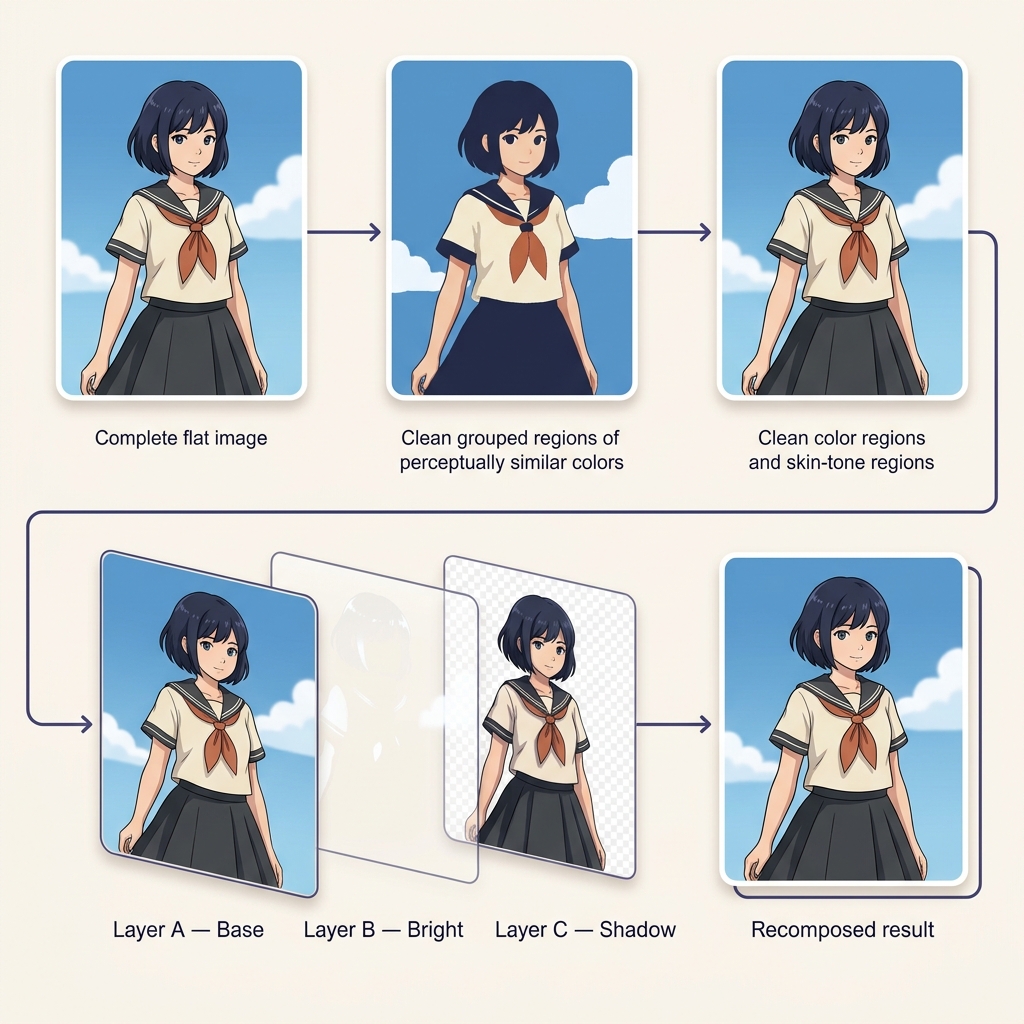
From flattened artwork to editable structure
What Is LayerDivider?
A finished illustration is often exported as a single PNG or JPG. Once the original project file is lost, colors, shadows, highlights, and effects are flattened into one raster image and become difficult to edit independently.
LayerDivider approaches this problem through color-based image decomposition. It groups pixels with similar colors, simplifies local variations, creates a reconstructed base layer, and calculates effect layers from the differences between the reconstructed base and the original image.
The resulting PSD provides a more editable starting point for recoloring, adjusting lighting, modifying effects, and studying how an illustration may be structured.
LayerDivider reconstructs an approximate layer structure. It does not recover the artist’s original layers or layer names.
What Types of Images Work Best?
LayerDivider is most effective when an image contains clear color regions and a relatively structured illustration style.
Anime Illustrations
Anime-style artwork commonly uses distinct flat colors, shadows, highlights, and line boundaries that are suitable for color-based separation.
Flat-Color Artwork
Illustrations with limited palettes and clearly separated color regions generally produce cleaner clusters.
Character Art
Character illustrations can be divided into editable color and effect regions for recoloring and visual adjustments.
Digital Paintings with Defined Regions
Stylized paintings may work when their major colors and lighting areas remain visually distinct.
Less Suitable Images
- Photographs with continuous color gradients
- Highly textured or noisy images
- Images with heavy compression artifacts
- Artwork containing many subtle color transitions
- Images that require semantic object separation
Inside the pipeline
How LayerDivider Processes an Illustration
The workflow converts a flattened image into an approximate layered representation through a sequence of color analysis and reconstruction steps.
Analyze Pixel Colors
The input image is analyzed at the pixel level using its RGB color information.
Create Initial Color Clusters
Pixels are grouped into an initial set of clusters according to their color values.
Merge Similar Colors
Clusters with similar perceived colors are merged using a CIEDE2000-based color-difference threshold.
Smooth Local Variations
Blur processing reduces small color fluctuations, texture noise, and unnecessary fragmentation.
Repaint Each Cluster
The average post-blur color is calculated for each cluster and used to repaint its pixels.
Refine the Result
Color merging, smoothing, and repainting can be repeated to create a cleaner and more stable base structure.
Build the Base Layer
The final cluster map is used to construct a simplified base representation of the illustration.
Calculate Effect Layers
Differences between the reconstructed base and the original image are used to derive lighting and effect information.
The central idea
Why Color Clustering Matters
A flattened illustration may contain thousands of individual RGB values, even when the artist visually intended only a small number of base colors. Anti-aliasing, gradients, brush texture, shadows, and compression introduce many small variations.
LayerDivider reduces this complexity by grouping colors that appear perceptually similar. Instead of treating every RGB value as a separate region, it uses color similarity to form larger, more editable clusters.
This makes the reconstructed layer structure easier to understand and manipulate, although aggressive clustering can also merge details that should remain separate.
LayerDivider Parameters Explained
The balance between clean layers and preserved detail depends heavily on four main parameters.
Refinement Loops
Controls how many times color merging, smoothing, and repainting are repeated.
Faster processing with more of the original color variation retained.
Cleaner and simpler regions, but small details may be merged or removed.
Initial Clusters
Sets the number of color clusters created during the first stage.
Produces fewer, broader color groups and a simpler layer structure.
Preserves more color variation but may create a larger and more fragmented PSD.
Color Difference Threshold
Determines how similar two clusters must be before they are merged.
Keeps similar colors separate and preserves more subtle variation.
Combines more colors into larger regions and simplifies the output.
Blur Size
Controls the strength of smoothing applied before average colors are calculated.
Retains sharper local detail but may preserve noise and small fragments.
Creates smoother regions but can soften small edges and fine features.
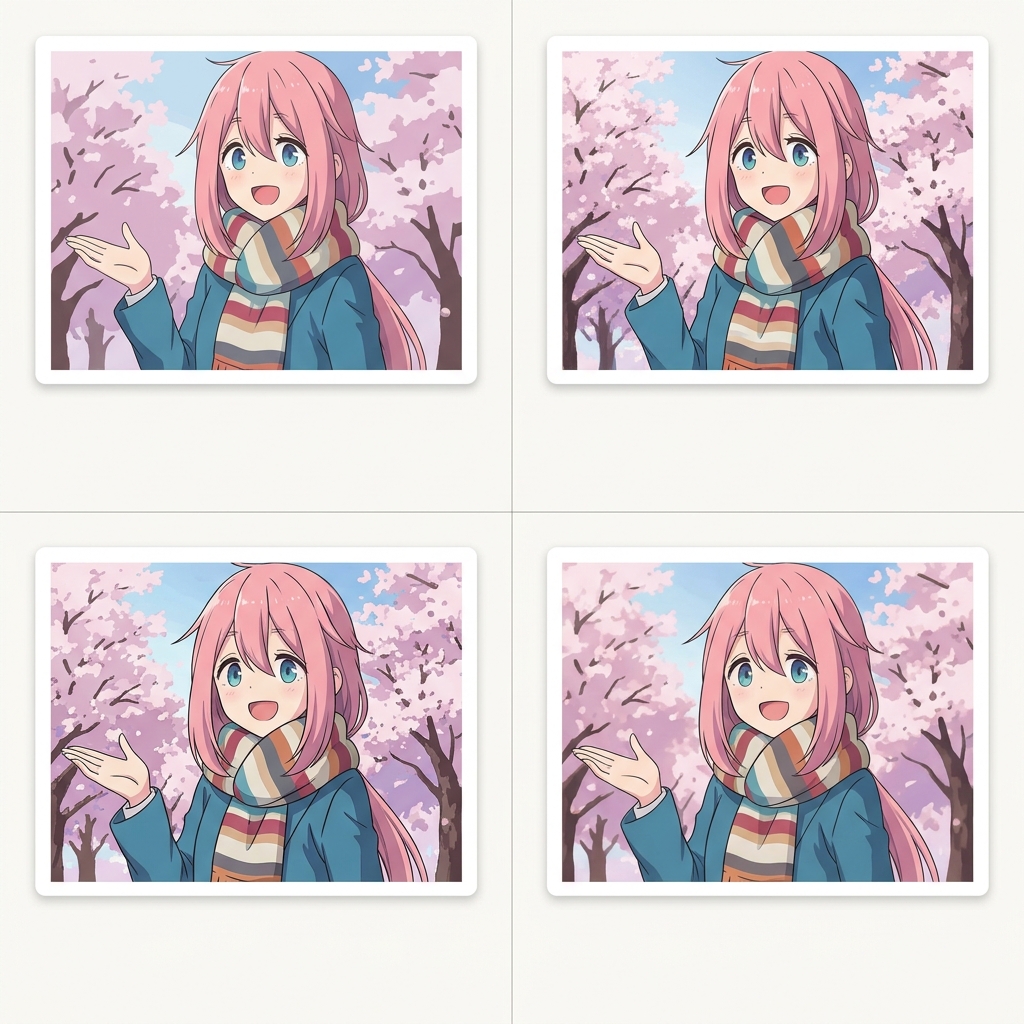
PSD construction
Normal and Composite Output Modes
LayerDivider can construct layered PSD files using different combinations of base and effect layers.
Normal Mode
Creates a simpler PSD structure focused on the reconstructed image regions.
Best For
Users who want a straightforward structure for recoloring and basic lighting adjustments.
Composite Mode
Uses multiple blend-style layers to reconstruct more of the original visual appearance.
Best For
Users who want a more detailed reconstruction and are comfortable working with blend modes.
What Can You Do with the Layered PSD?
The generated layers provide a practical starting point for editing flattened illustrations.
Recolor an Illustration
Adjust selected color regions without repainting the complete image from the beginning.
Edit Shadows and Highlights
Modify brighter and darker information separately to test different lighting treatments.
Study Illustration Structure
Inspect how base colors and visual effects combine to reproduce the flattened result.
Prepare Artwork for Animation
Use the reconstructed PSD as an early preparation step before manually organizing animation-ready elements.
Recover an Editable Starting Point
Create a more manageable file when only a flattened export remains and the original PSD is unavailable.
Create Visual Variations
Experiment with alternate palettes, lighting styles, and effect strengths while preserving the main composition.
Set the right expectations
What LayerDivider Does Not Recover
LayerDivider produces a reconstructed approximation rather than reversing the original creative process.
Not the Original PSD
The generated file does not contain the exact layers, masks, groups, names, or brush strokes created by the original artist.
Not Semantic Object Recognition
Color-based processing does not inherently understand that a region represents hair, clothing, skin, background, or another object.
No Hidden Content Reconstruction
It cannot reveal parts of an object that were never visible in the flattened input.
Similar Colors May Merge
Separate objects that share similar colors may be placed into the same reconstructed region.
Gradients Can Create Fragmentation
Soft shading, texture, and complex gradients can generate many clusters or require stronger simplification.
Manual Cleanup May Be Required
The PSD may still need renaming, regrouping, masking, repainting, and layer-order adjustments.
LayerDivider vs. Semantic Layer Separation
Both methods turn a flat image into editable components, but they organize the image in different ways.
LayerDivider
- Primarily groups pixels by color similarity
- Works especially well with flat-color illustrations
- Can reconstruct base and effect layers
- Offers controllable clustering parameters
- May combine separate objects with similar colors
Semantic Layer Separation
- Attempts to identify subjects and meaningful objects
- Better suited to object-level editing
- Can create layers such as person, product, and background
- Depends on segmentation and visual understanding models
- May miss fine illustration-specific color structure
Color-based and semantic methods are complementary. Color decomposition is useful for illustration appearance, while semantic separation is more useful when editable objects are the priority.
A Practical Illustration Workflow
Start with a Clean Source
Use the highest-quality PNG available. Avoid heavily compressed screenshots when possible.
Choose the Desired Detail Level
Use more initial clusters for detailed artwork and fewer clusters for simpler, flatter illustrations.
Review Small Features
Inspect eyes, hair strands, line art, accessories, highlights, and other areas that may be merged.
Open the PSD in an Editor
Review the output in Photoshop, Clip Studio Paint, Photopea, or another PSD-compatible editor.
Organize and Clean the Layers
Rename important layers, combine unnecessary fragments, correct masks, and refine the layer order.
Original project
An Open-Source Illustration Decomposition Experiment
LayerDivider was created by mattyamonaca as an open-source tool for dividing a single illustration into a layered structure. The original project provides a Gradio interface, local Windows installation instructions, and a Google Colab workflow.
The source code is available under the MIT License, making it a useful reference for developers, researchers, and creators exploring color-based illustration decomposition.
LayerDivider is an independent open-source project. ImageToLayers is not the original creator of LayerDivider.
LayerDivider FAQ
What is LayerDivider?
LayerDivider is an open-source tool that converts a flattened illustration into an approximate layered structure using pixel-level color clustering, smoothing, reconstruction, and effect-layer calculation.
Can LayerDivider recover the original PSD?
No. It creates a new layered approximation based on the visible flattened image. It cannot recover the original layer names, groups, masks, hidden pixels, or editing history.
Does LayerDivider use AI?
The original color-based workflow primarily uses image-processing and clustering techniques. Later integrations can combine LayerDivider-style PSD generation with segmentation models such as Segment Anything.
What images work best with LayerDivider?
Anime illustrations, flat-color character artwork, and images with clearly separated color regions generally work better than photographs or highly textured paintings.
Can LayerDivider separate a character from the background?
It may separate them when their colors are sufficiently different, but color-based clustering does not inherently understand semantic objects. A segmentation-based tool is more reliable for object-level separation.
What is CIEDE2000?
CIEDE2000 is a color-difference formula designed to better reflect how humans perceive differences between colors. LayerDivider uses a threshold based on this measurement when deciding whether similar color clusters should be merged.
What does the initial cluster setting control?
It controls how many color groups are created at the beginning of processing. More clusters preserve additional variation but can produce a more complex and fragmented output.
What is the difference between normal and composite mode?
Normal mode creates a simpler structure, while composite mode combines base, screen, multiply, subtract, and addition layers to reconstruct more of the original visual appearance.
Can I edit the generated file in Photoshop?
Yes. LayerDivider generates PSD output that can be opened in applications supporting layered PSD files, although some manual organization and cleanup may still be required.
Is LayerDivider suitable for photographs?
It is primarily designed for illustrations. Photographs contain continuous tones, texture, noise, and complex lighting that are less suited to color-cluster-based separation.
Original LayerDivider Interface
The original open-source LayerDivider interface exposes controls for color clustering, perceptual color merging, smoothing, and PSD output.

Need Object-Based Image Layers?
Use ImageToLayers to separate subjects, objects, and backgrounds into practical editable assets, with background reconstruction and PSD or ZIP export.