
AI Character Idle Animation Generator
Your Character Does Not Need to Move Much to Feel Alive
Add subtle breathing, blinking, or gentle hair and clothing movement to the character you already like.
Keep the original pose as your visual starting point.
Create a Character Idle Animation
Upload the character you want to animate and describe the subtle movement you want.
Or test with demo heroes:
Action & Skill Moveset
Select an animation preset for your heroMotion Arena Inspector
Real-time motion transfer preview
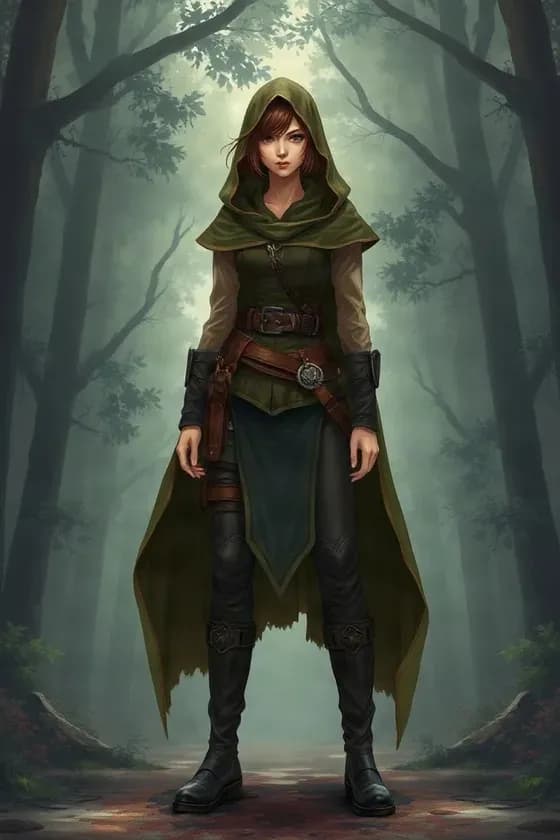
Kaze (Ronin)
RONIN · SWORDSMAN
WAN 2.2 Mocap Inference
230 Credits
Auto-refund if generation failsTip: Small, controlled motion usually requires less visual invention than large character movement.
Subtle motion prompts to try
- “Subtle breathing and natural blinking. Keep the original pose.”
- “Gentle idle motion with slight head movement and soft hair sway.”
- “Keep the character mostly still while the clothes move slightly in the breeze.”
- “Natural breathing, one blink, and a very slow camera push-in.”
- “Minimal idle animation. Preserve the pose and keep the background mostly still.”
You Already Like the Pose. Keep It.
Sometimes you do not want AI to redesign the scene.
You do not want your character to:
- Walk away
- Turn around
- Change pose completely
- Start performing an unrelated action
You simply want the image to feel less static.
Idle animation is designed around that kind of request.
Start with the pose you already chose and describe only the small movements you want to introduce.
Make a Static Character Feel Like It Is Breathing
A character can feel surprisingly alive with very little movement.
For example:
- Slight chest or shoulder movement
- Natural blinking
- Tiny head movement
- Hair reacting gently
- Sleeves shifting slightly
You do not always need a complicated animation.
For character portraits, game art, VTuber designs, and illustrated avatars, a few subtle movements can be enough.
Stop Turning Every Character Image Into an Action Scene
You may have tried image-to-video tools before and received too much motion.
The camera moves aggressively.
The character changes pose.
The face starts drifting.
Clothing details change.
That is not always what you want.
If your goal is simply:
“Make this character look alive.”
ask for less.
A restrained idle prompt can keep the animation focused on small movement rather than a new action.
Give Your Character Something to Do While Standing Still
Idle animation is useful when the character should remain in place.
Try motion such as:
- Breathing
- Blinking
- Slight head tilt
- Looking subtly to one side
- Hair sway
- Cloth movement
- Small posture adjustment
- Gentle accessory movement
The goal is not to create a new scene.
It is to add life to the one you already have.
Use Idle Motion When Character Consistency Matters
Large movement requires the model to invent more information.
If a front-facing character turns completely around, the AI has to guess:
- The back of the hairstyle
- Hidden clothing
- Unseen accessories
- Body proportions
- New facial angles
Idle animation usually asks for much less invention.
That can make it a better starting point when your priority is preserving the feel of the source character.
AI generation can still introduce changes, but restrained motion reduces how much new visual information is required.
Add Breathing Without Changing the Character's Personality
Breathing is one of the simplest ways to make a character feel present.
Try:
Natural breathing with very slight shoulder movement. Keep the face and pose stable.
Or:
Calm breathing, occasional blinking, and minimal hair movement.
This works especially well for:
- Character portraits
- Calm personalities
- Visual novel art
- VTuber teasers
- Game character showcases
- Profile videos
Add Blinking to a Static Portrait
A single blink can make a portrait feel less like a screenshot.
Try:
Keep the character still. Add natural blinking and subtle breathing.
You can combine blinking with:
- Small eye movement
- Gentle head motion
- Hair movement
- Slow camera motion
Avoid asking for too many facial changes at once if you want the face to remain familiar.
Make Hair Move Without Changing the Whole Pose
Hair movement is especially useful for illustrated characters.
You can ask for:
- Gentle wind
- Slight ponytail sway
- Soft movement in long hair
- Subtle movement in bangs
- Minor secondary motion
For example:
Keep the character in the same pose while the hair moves gently in a light breeze.
This can add motion without requiring the character to perform a major action.
Add Small Clothing Movement
Your character can remain nearly still while clothing adds motion.
Try:
- Slight sleeve movement
- Coat movement
- Scarf sway
- Skirt movement
- Cape movement
- Ribbon movement
For example:
Minimal idle motion with soft breathing and subtle movement in the sleeves and scarf.
This works particularly well for detailed character designs where you want the pose to remain readable.
Create a More Natural Character Profile Video
A static avatar works.
But a subtle moving portrait can feel more polished.
Use an idle animation for:
- Character profile pages
- Social profile clips
- Portfolio presentations
- Character introductions
- Community posts
- Online personas
You do not need dramatic movement to make the character more noticeable.
Turn Character Art Into a Short Social Clip
You already have the artwork.
Idle animation gives you another way to use it.
Create content for:
- TikTok
- YouTube Shorts
- Instagram Reels
- X
- Discord
- Character communities
- Portfolio posts
A simple animated portrait may fit these formats better than another static upload.
Create a Calm VTuber Teaser
If your VTuber model is not fully rigged yet, you may still want a moving preview.
Use the final character artwork and ask for:
Subtle breathing, blinking, slight head movement, and gentle hair motion.
This can work for:
- Debut teasers
- Model announcements
- Character reveals
- New outfit previews
- Social posts
It is a video animation, not a real-time VTuber rig.
Preview a Game Character Before Building the Final Animation
Maybe you have:
- Character concept art
- A game portrait
- A visual novel sprite
- A promotional illustration
and you want to see how the character feels with motion.
An idle clip can help you explore:
- Calm vs energetic movement
- Hair behavior
- Clothing motion
- Camera framing
- Overall character presence
before building a more complex animation workflow.
Make Visual Novel Characters Feel Less Static
Visual novels often use character art that remains on screen for long periods.
A subtle motion concept can help you explore what a more animated presentation might feel like.
For example:
- Blinking
- Breathing
- Slight posture movement
- Gentle hair sway
- Minimal camera motion
This tool generates video rather than engine-ready visual novel animation states.
Add Motion to Anime and Manga Characters
Anime-style artwork works naturally with subtle animation prompts.
Use idle motion for:
- Original characters
- Manga-inspired art
- Anime portraits
- AI-generated anime characters
- Character commissions
You can keep the emphasis on the existing artwork instead of asking the AI to create a completely new action.
Animate AI-Generated Characters You Already Like
You may have spent multiple generations getting one character image right.
Once you finally have:
- The right face
- The right outfit
- The right hairstyle
- The right pose
you may not want to generate the character again.
Instead, use that image as the starting point for a short idle animation.
This can work with character images created using tools such as:
- Midjourney
- Niji
- Stable Diffusion
- FLUX
- ChatGPT Image
- Other image generators
Keep the Camera Still — or Add Just a Little Movement
Character idle animation does not require camera movement.
You can explicitly ask:
Keep the camera static.
Or add just enough motion to make the clip feel more cinematic:
Very slow camera push-in while the character breathes and blinks.
Small camera movement can create a sense of motion without requiring a large change in the character pose.
Want the Background to Stay Still?
Say so.
Try:
Keep the background static. Only animate subtle breathing, blinking, and hair movement.
This communicates that the character should be the main source of movement.
AI-generated video is still generative, so exact background locking is not guaranteed.
Want an Idle Animation for a Game?
Idle animation is a familiar concept in games:
The character is not performing an action, but it is not completely frozen.
You can use AI-generated idle clips to explore ideas for:
- RPG characters
- NPC concepts
- Character select screens
- Game promotional videos
- Character showcases
This page does not generate engine-ready skeletal animations or sprite states automatically.
Want a Loop?
A subtle idle animation is naturally suited to looping workflows because the movement is restrained.
You might use a generated clip as the source for:
- A repeated background video
- Character profile motion
- Stream visuals
- Waiting screens
- Ambient character scenes
However, a generated clip is not automatically guaranteed to have a seamless first-to-last-frame loop.
If you need a perfect seamless loop, use a dedicated looping step afterward.
Why Small Motion Often Works Better
Consider the difference.
Prompt A
Blink, breathe, and slightly move the hair.
The AI can stay close to the existing image.
Prompt B
Turn around, walk across the room, wave, sit down, and look back at the camera.
Now the model must invent many new views and poses.
If your goal is character stability, Prompt A is usually the safer direction.
Start Simple, Then Add More Motion
You do not need to get everything into the first generation.
Start with:
Breathing and blinking.
Then try:
Breathing, blinking, and gentle hair movement.
Then:
Add slight head movement.
This makes it easier to find how much motion works for your specific character.
Good Idle Animation Prompts
Basic Idle
Natural breathing and blinking. Keep the character and camera mostly still.
Anime Idle
Subtle breathing, one natural blink, slight hair sway, and minimal head movement.
Calm Character
Slow breathing and gentle hair movement. Keep the pose unchanged.
VTuber Portrait
Idle VTuber-style motion with blinking, breathing, and subtle movement in the hair and accessories.
Game Character
Subtle idle stance with small posture movement and natural cloth motion.
Cinematic Portrait
Keep the character nearly still while the camera slowly pushes in. Add subtle breathing and hair movement.
What Source Images Work Best?
For a cleaner starting point, use an image where:
- The character is clearly visible
- The pose is readable
- The face is large enough to see
- Important accessories are visible
- The image has sufficient resolution
If the character is tiny in the scene, subtle facial movement may be harder to notice.
Portraits Are a Great Fit
Idle animation is especially useful for:
- Headshots
- Bust portraits
- Half-body characters
The character does not need to perform a major action, so the model can focus on small visible movement.
This makes portrait animation a natural use case.
Full-Body Characters Can Stay Subtle Too
A full-body character does not need to walk or run.
You can create:
- Slight breathing
- Weight shifts
- Small body movement
- Clothing motion
- Hair movement
- Minimal camera motion
Try explicitly asking the model to keep the existing stance.
What Can Still Change?
Idle animation reduces the amount of movement requested, but it does not completely lock the source image.
During video generation, the AI may still change:
- Fine facial details
- Hair strands
- Fingers
- Small accessories
- Clothing patterns
- Shading
- Background details
Always review the result if small design details matter.
This Is Not a Rigged Idle Animation
There is an important difference between:
AI-generated idle video
and
Rigged reusable idle animation.
A rigged character can offer:
- Repeatable motion
- Exact parameter control
- Real-time input
- Reusable animation states
- Game engine integration
This page generates a video clip.
It is useful when you want the visual result without first building the entire rigging system.
No Frame-by-Frame Drawing Required
Traditional idle animation may involve:
- Keyframes
- In-between frames
- Rigging
- Bone animation
- Cleanup
- Compositing
For a quick concept or short video, you may not need that entire workflow.
Start from the artwork you already have and generate a motion preview.
A Simple Character Idle Workflow
1. Upload Your Character
Use the finished image you want to animate.
2. Keep the Prompt Small
Describe only the subtle motion you need.
3. Generate
Create a short animated clip.
4. Review the Character
Check:
- Face
- Hair
- Hands
- Accessories
- Clothing
5. Use the Clip
Add it to your social post, concept video, promotion, or broader editing workflow.
Who Is This For?
Useful for:
- Character artists
- Anime creators
- VTubers
- Game developers
- Visual novel creators
- Manga creators
- AI character creators
- Virtual avatar creators
- Social media creators
- Character designers
Basically, anyone who already has a character image and wants:
“Just enough movement to make it feel alive.”
Use Artwork You Are Allowed to Animate
Use original artwork, licensed assets, or artwork you otherwise have permission to animate.
If you use:
- Commissioned art
- Fan art
- Client art
- Licensed characters
check the applicable rights before using the result commercially.
AI animation does not give you ownership of the original character artwork.
Frequently Asked Questions
1. What is an AI character idle animation generator?
It turns a still character image into a short video with subtle motion instead of requiring a large character action.
2. What does “idle animation” mean?
Idle animation is movement that happens while a character is otherwise standing, sitting, or remaining in place.
3. Can I make my character breathe?
Yes. Breathing is one of the most useful idle-motion prompts.
4. Can I make the character blink?
Yes.
5. Can I add slight head movement?
Yes. You can request restrained head movement while asking the model to keep the original pose.
6. Can I animate hair?
Yes. Gentle hair movement works well for idle-style prompts.
7. Can I animate clothes?
Yes. You can request subtle sleeve, skirt, jacket, scarf, cape, or fabric movement.
8. Can I keep the character in the same pose?
You can explicitly ask the model to keep the pose mostly stable. Exact pose locking is not guaranteed because the output is generative.
9. Why should I use idle animation instead of normal character animation?
Use it when you want subtle life rather than a new action or dramatic pose change.
10. Does smaller motion help preserve the character?
It can help because the model needs to invent less unseen visual information, although exact consistency is not guaranteed.
11. Can I keep the camera static?
Yes. Include “keep the camera static” in your motion prompt.
12. Can I add a slow camera push-in?
Yes.
13. Can I keep the background still?
You can request a mostly static background, although exact locking is not guaranteed.
14. Can I use anime character images?
Yes.
15. Can I use manga-style characters?
Yes.
16. Can I use VTuber artwork?
Yes. It can be useful for short teaser or promotional clips.
17. Can I use a game character concept?
Yes.
18. Can I animate a visual novel character?
Yes. You can create a video concept from the character artwork.
19. Does this create a game-ready idle animation?
No. The result is a video rather than a skeletal animation, animation state, or engine-ready asset.
20. Does this make a sprite sheet?
No. This page is designed for generated video.
21. Does it create Live2D parameters?
No.
22. Is this a replacement for Live2D rigging?
No. It is useful for short video creation or motion preview, not real-time character tracking.
23. Can I use a single character PNG?
Yes.
24. Does the PNG need a transparent background?
Not necessarily. A regular character image can be used as the source.
25. Can I animate AI-generated characters?
Yes, provided you are allowed to use the source image.
26. Can I animate Midjourney or Niji characters?
Yes.
27. Can I animate Stable Diffusion or FLUX characters?
Yes.
28. Can I animate ChatGPT-generated character art?
Yes.
29. Can I create a seamless loop?
The generated motion may be suitable for further looping, but a seamless first-to-last-frame loop is not guaranteed.
30. Can I make an idle GIF?
This page focuses on generated video. You can convert the resulting video to another format afterward if needed.
31. Can I use it for TikTok?
Yes.
32. Can I use it for YouTube Shorts?
Yes.
33. Can I use the result as a profile video?
Yes.
34. Can I use it as a stream waiting-screen asset?
You can use a generated clip as part of a broader stream layout, but it is not a real-time avatar.
35. What is a good first prompt?
Try: “Natural breathing and blinking. Keep the character and camera mostly still.”
36. Should I ask for lots of movements at once?
If character consistency matters, start with fewer movements and add more only when necessary.
37. Will the face remain exactly the same?
Not necessarily. AI-generated video can introduce changes in facial details between frames.
38. Will accessories remain identical?
Small accessories may shift or change during generation.
39. What source image works best?
Clear, high-resolution character images with an easy-to-read pose are a strong starting point.
40. Can I use the output commercially?
That depends on your rights to the source artwork and the applicable terms of the generation workflow.
---
这个页面和前两个页面应该形成很清楚的差异:
- `anime-character-animation-generator`
→ 我有动漫角色,想把它做成动画
- `vtuber-character-animation-generator`
→ 我有 VTuber 立绘,想做 debut / outfit reveal / promo
- `ai-character-idle-animation-generator`
→ 我不想角色乱动,只想加 breathing / blinking / subtle movement,让静态图看起来活着
第三个的消费者痛点其实很强,因为很多使用 AI 视频的人真正担心的就是:
“别把我的角色改坏,只要轻微动一下就行。”
所以这个页面比单纯写 “idle animation features” 更应该围绕 少动、保持原 pose、减少不必要变化 来卖。
Keep the Character. Lose the Frozen Look.
You already have the pose you want. Add breathing, blinking, hair movement, or subtle secondary motion and turn the still image into a short animated clip.
Start small. Keep the pose. Add just enough motion to make your character feel alive.