
Explore more than one emotion
Look beyond a single smile and consider the range of reactions your character might show in a story.
One Character. Many Emotions. A Whole New Range of Personality.
Start with an existing character illustration and choose how you want their face to change.
Choose an anime character, game sprite or illustrated portrait.
PNG, JPG or WebP, up to 10 MB. Clear facial features and a simple background make the face area easier to select.
Generation time varies with the image and the processing queue.
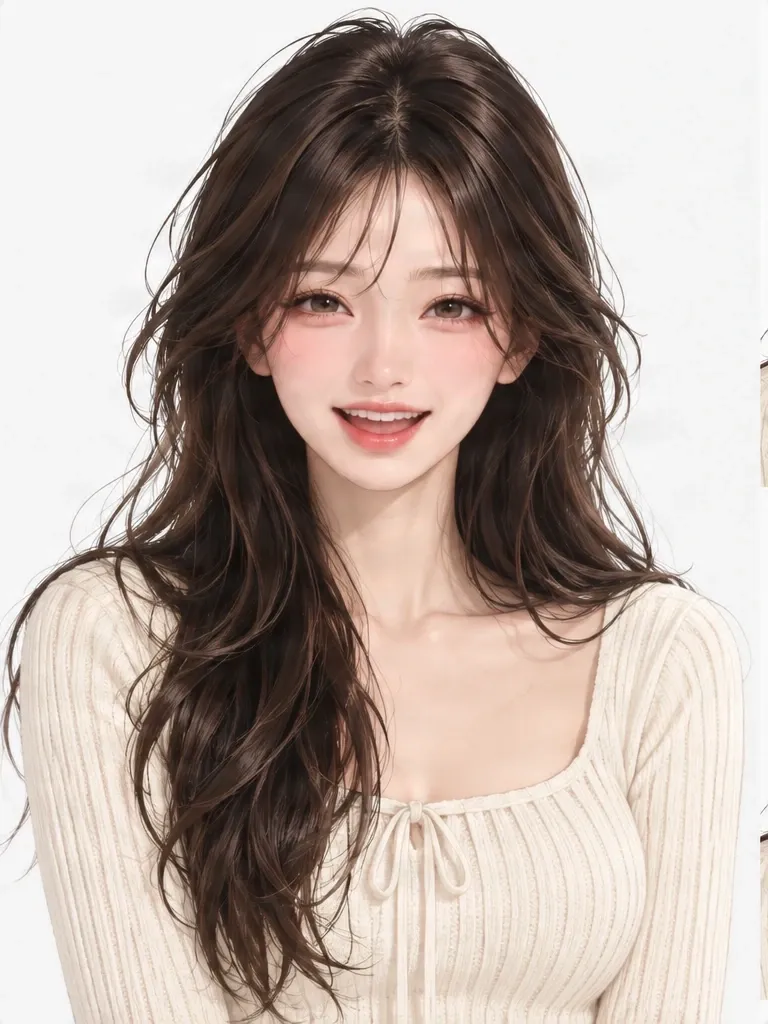
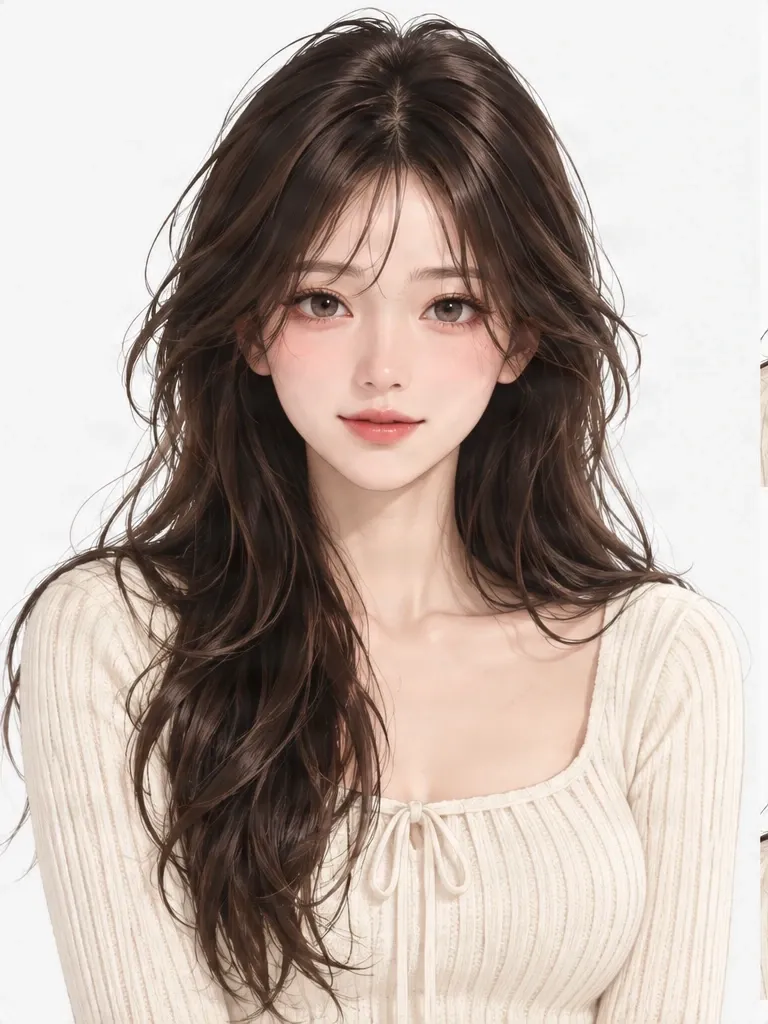
One character, a happy expression
Drag the slider to compare. Only the face area changed; hair, clothing and the canvas are the original pixels.
Created from the same character image with AI facial editing and local image compositing. The expression is AI-generated: check the result against your original.
You've designed a character you love. Use your existing artwork to explore new facial expressions without drawing the entire character from scratch. Compare each result with the original to see whether it still feels like your character.
Generated expressions may vary in facial details, hairstyle, and styling. Review results before using them as final character references.
FROM ONE CHARACTER TO MANY EXPRESSIONS
Start with one character portrait and explore different facial reactions. These real examples show the original character alongside expressions created from that same reference.
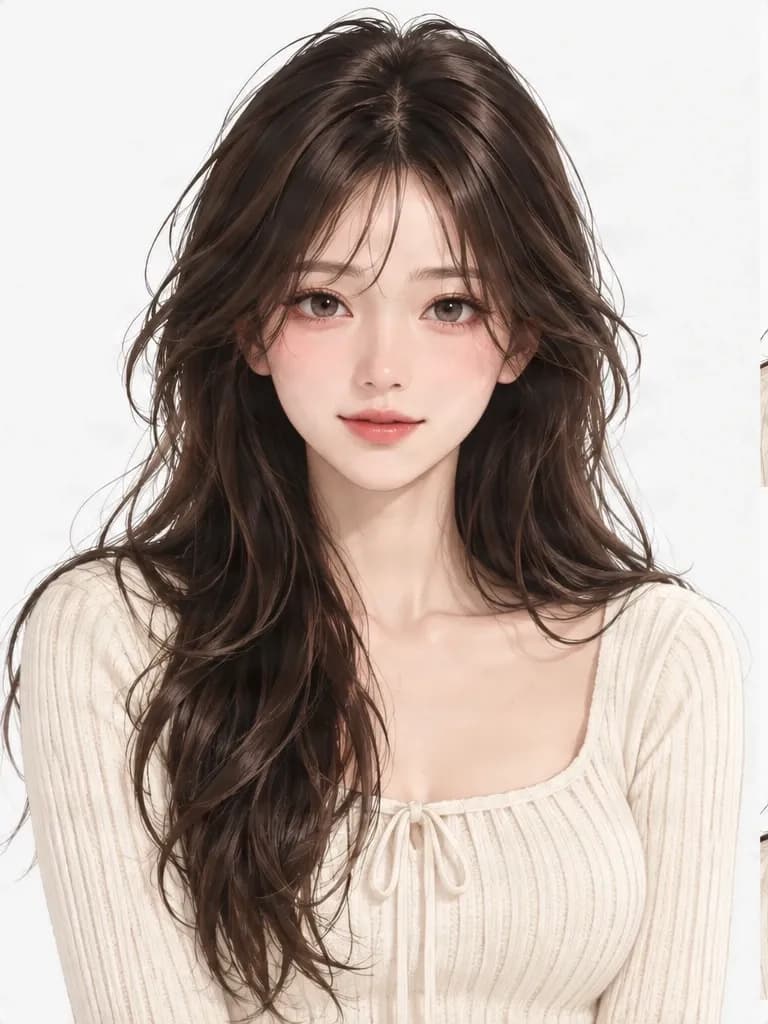
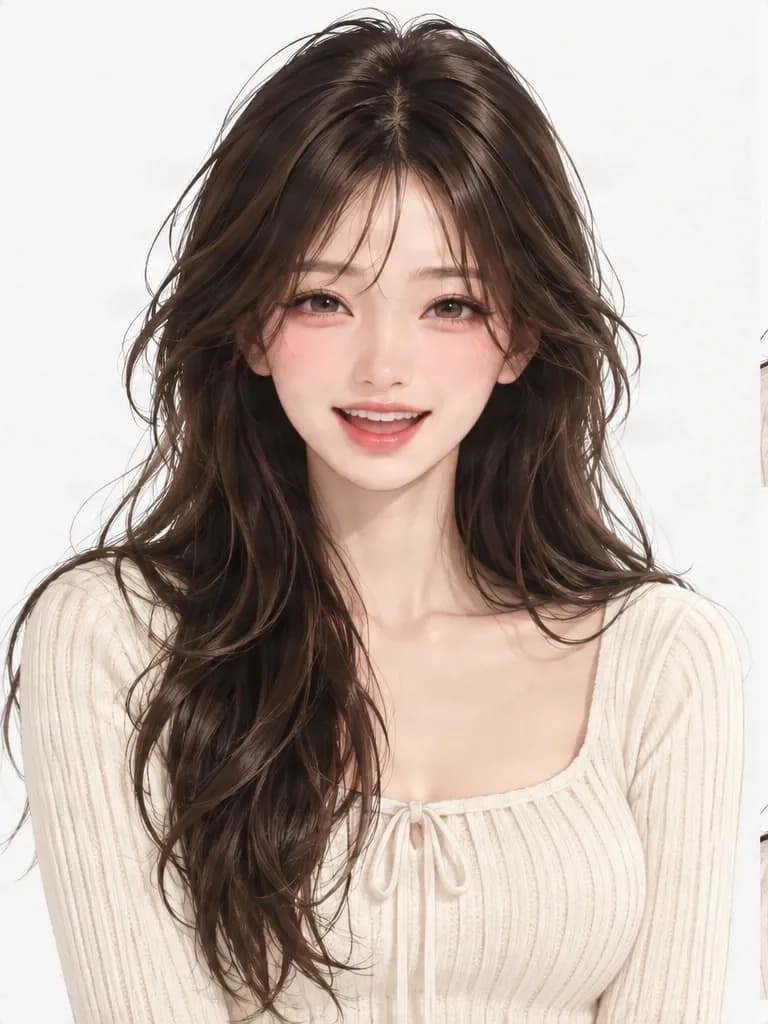
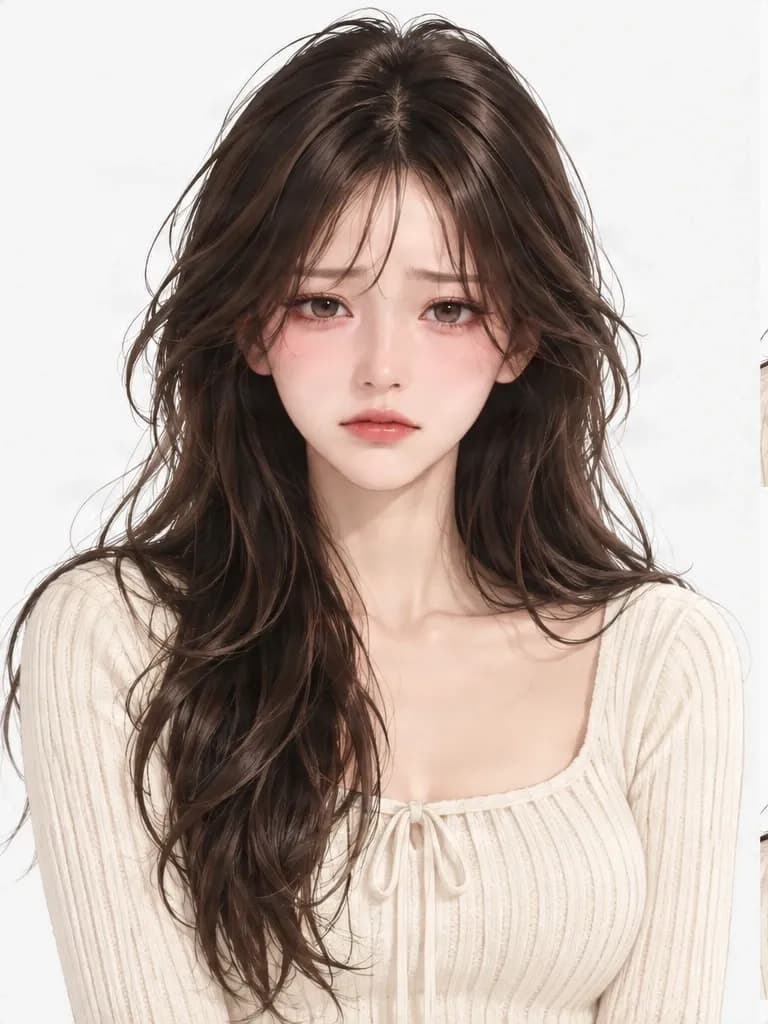
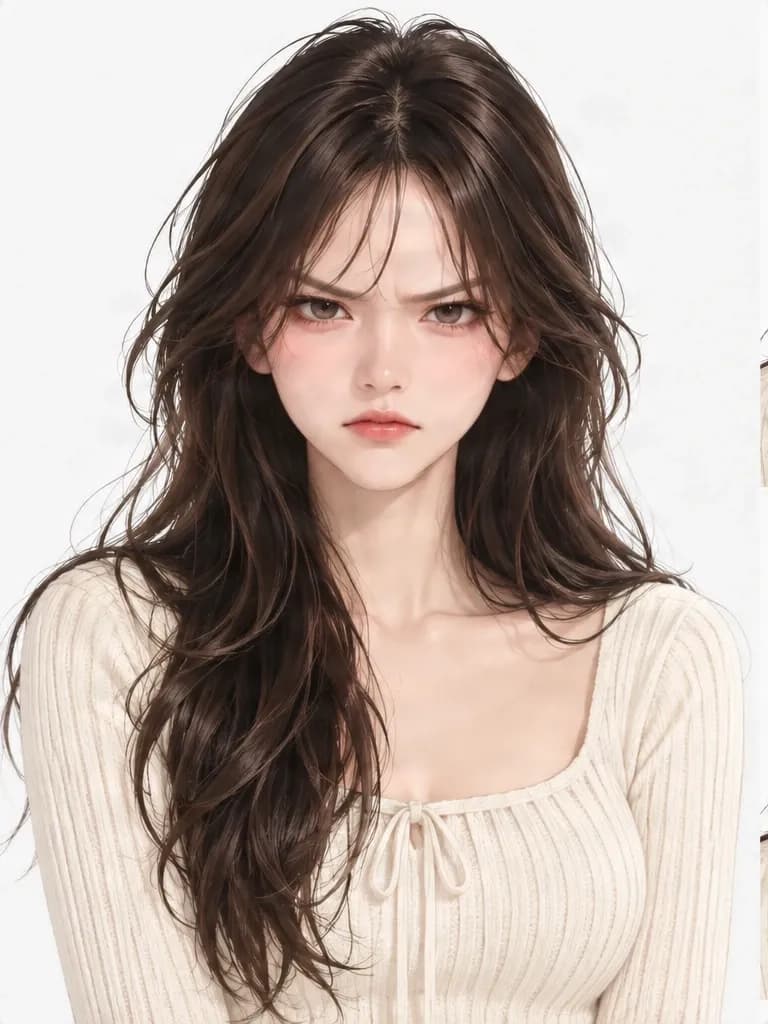
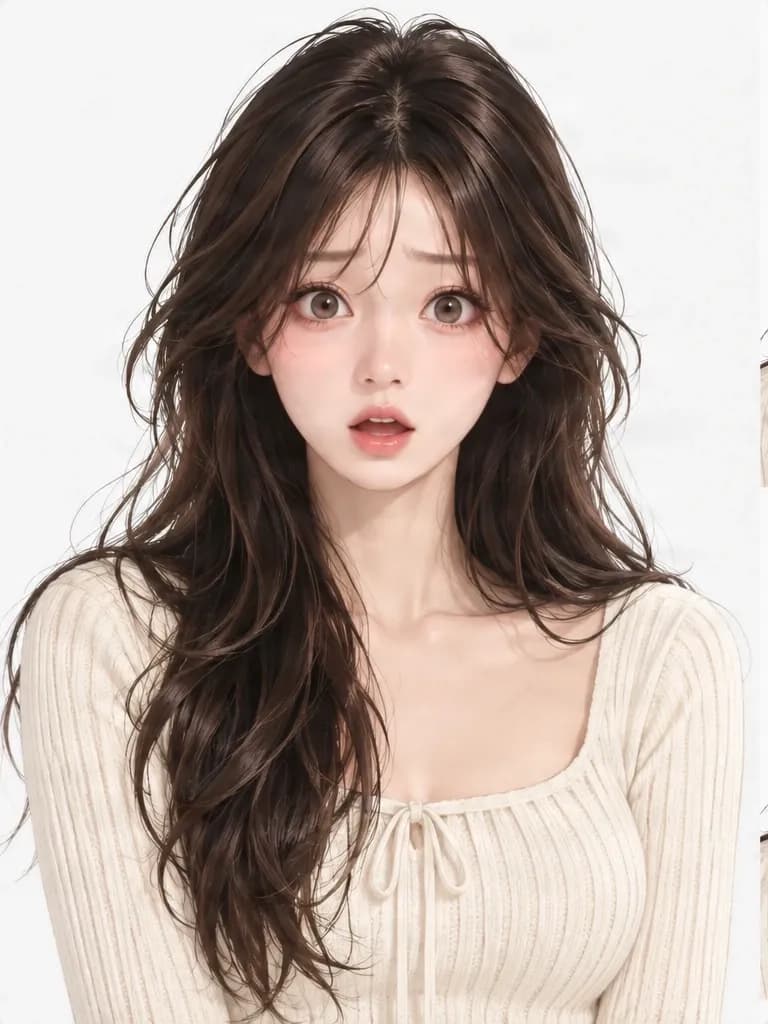
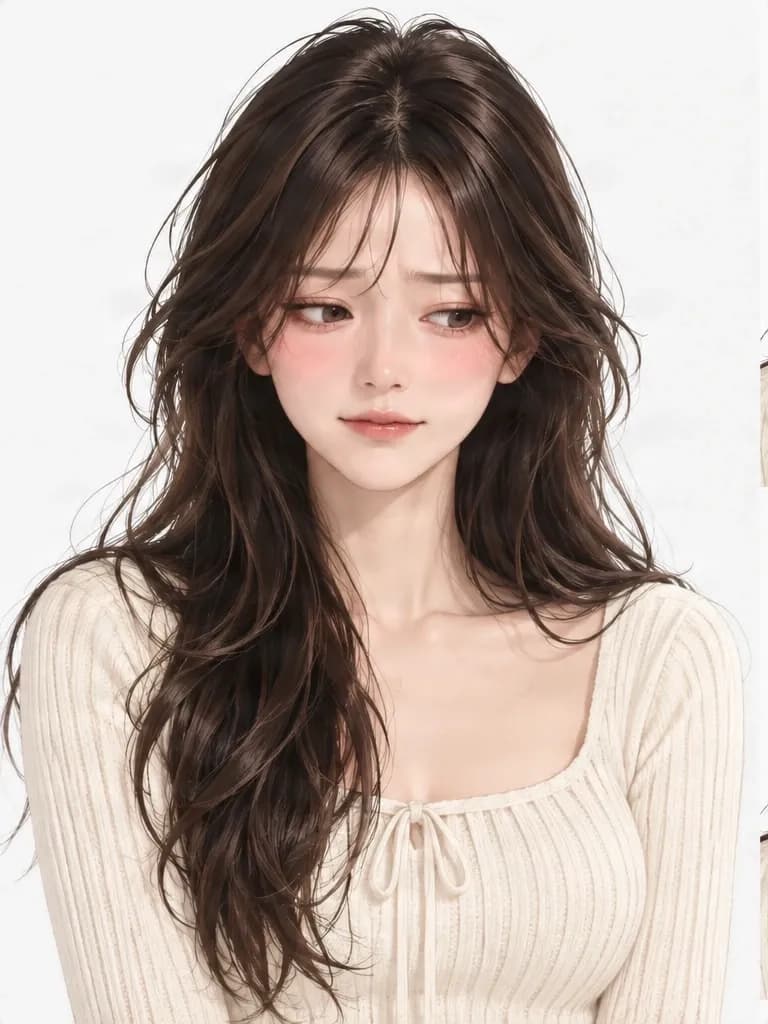
Each example starts with the same character artwork. Facial details can vary, so compare the results with your original before using them as a reference.
These are real outputs from the current workflow. They demonstrate individual expression results, not a promise that every generation will produce the same expressions or preserve every detail.
Imagine you've spent hours creating your original character. The hairstyle, outfit, accessories, and colors finally feel right. Then you start picturing scenes: What would they look like after a surprise, during an awkward compliment, or while trying not to cry? One portrait cannot show every side of a character. Use your existing design as a starting point to explore reactions that help communicate their personality.
Your character doesn't need a new design. They need more ways to express themselves.
Look beyond a single smile and consider the range of reactions your character might show in a story.
Use your original image as a reference while exploring new facial expressions. Review distinctive details in every result.
Compare subtle reactions and find expressions that feel right for your character's personality.
Use generated results as visual references for illustrations, comics, portraits, or story scenes.
A small smirk, lowered eyebrows, or an embarrassed glance can communicate a different feeling from an exaggerated reaction.
A design sheet shows how a character looks. Expression references help you explore how they feel.
Start with the character you already have, then review each generated result against the original.
1
Choose a clear portrait or illustration with one recognizable character and visible facial features.
2
Use the expression options shown in the generator. Available choices depend on the current controls.
3
The workflow uses your character image as a visual reference for a facial variation.
4
Check the face, hair, colors, accessories, and art style. Make sure the emotion is readable and the character still feels familiar.
5
Use the download options available in the completed result view to save the files supported by the tool.
Expressions can range from a quiet smile to an overwhelming reaction. The controls determine which emotions you can request, and some subtle feelings may look similar.
Soft smiles, bright eyes, laughter, and excitement.
Disappointment, sadness, crying, or grief conveyed through the eyes and mouth.
From quiet annoyance to a more intense reaction.
Raised eyebrows, widened eyes, or a startled mouth.
Blushing, nervous smiles, and awkward glances.
Puzzled eyes or uncertain expressions that suggest hesitation or curiosity.
Smirks, knowing smiles, and playful reactions.
Sleepy eyes, boredom, or subtle frustration.
The generator only supports the options shown in its controls. Similar or understated emotions may need careful comparison.
Explore how eyes, eyebrows, and mouth shapes might change across emotional reactions while keeping the original illustration as your reference.
Compare reactions that suit a cheerful, mysterious, impulsive, or easily embarrassed character. Add expression references alongside your other design notes.
Plan recurring reactions such as disbelief, awkward smiles, frustration, or excitement. Generated results may need manual refinement before final panels.
Explore possible reactions for different conversation moments. Engine-ready transparent sprites and animation assets require additional preparation.
Use expression results to discuss visual direction before animation. A static image does not include a Live2D rig, tracking, or animation parameters.
Focuses on how one character communicates different emotions. Useful for expression exploration, character personality, and visual planning.
Shows a character from different viewpoints, such as front, side, and back. Useful for studying proportions, outfit construction, and views.
Focuses on an individual expression and editable layer-based artwork. Choose it when preparing one expression asset is the priority.
A turnaround shows the character from different directions. An expression sheet explores different feelings. Layer-based expression editing is a separate workflow.
A helpful expression reference balances emotional variety with a recognizable character. Look for distinct feelings, readable faces, and an illustration style that still relates to your original.
A memorable expression sheet is more than a collection of faces. It is a collection of recognizable emotions.
Changing an expression means changing some of the facial features that identify a character. Eyes may narrow or widen, eyebrows may move, and the mouth may change shape. Other details such as facial proportions, hairstyle, accessories, or art style can also vary unintentionally. Review each output before using it as a final reference.
The goal is visual consistency, not mathematically identical facial geometry across every expression.
When facial features take up little space, expressions can be harder to read.
A single, clearly identified character makes it easier to assess the intended result.
Masks, hands, or hair covering facial features can make expressions difficult to evaluate.
Some reactions are naturally subtle; believable expressions do not always need exaggerated features.
An expressive result is less useful if it no longer resembles your original character.
Related feelings may produce similar facial cues. Review your results for repetition.
Expression references are not a rigged character or a set of tracked facial parameters.
It is a collection of facial expressions showing how the same character might react to different emotions. It can help artists explore personality and facial design.
Upload a clear character image, choose an expression supported by the generator, and start generation. Review the output against your reference.
The workflow is intended to explore emotional variations from one character reference. The available options and number of results depend on the generator controls.
The goal is to keep the character recognizable, including their hairstyle, colors, and art style. Facial proportions or small details may still vary, especially for exaggerated emotions.
Yes. Anime-style character artwork can be used as a reference. Results depend on image clarity and how well the original style is interpreted.
Yes. An original character is a natural starting point for exploring how they might smile, cry, get angry, or react to a situation.
These are common expression categories. Use the controls to see which emotional options the current generator supports.
Subtle feelings such as a small smile, uncertainty, embarrassment, or annoyance can be useful references. Options depend on the controls, and understated expressions may look similar.
Yes. A clear neutral portrait can be a useful starting point because the original facial features are easy to compare.
The intended change is the facial expression, not a character redesign. Generated images can still alter hair, clothing, or accessories, so compare the result with your original.
Yes. It can help you plan character reactions for comic or manga scenes. Final artwork may still need manual adjustments.
It can help you explore dialogue portraits and reactions for different scenes. Transparent sprites and engine-ready assets may require additional preparation.
You can use it as a visual reference when planning avatar expressions. It is not automatically a rigged Live2D model and does not include facial tracking parameters.
An expression sheet explores different emotions for the same character. A turnaround shows the character from different viewpoints, such as front, side, and back.
No. An expression sheet is for exploring emotional references. Character expression layers focus on an individual editable expression.
A clear portrait or illustration of one recognizable character works well. Keep facial features visible and avoid blurry or heavily obstructed images.
You can start with a full-body image, but the face should be large and clear enough to review. A very small face may reduce expression readability.
The goal is to make the expressions comparable while keeping the character recognizable. Head position, framing, or pose may vary slightly, so review the results.
Use the download options shown in the completed result view. Available files and formats are determined by the current tool.
The generator displays the required credits before you submit. Check the cost shown in the workspace for the current settings.
They may be useful as references for illustrations, comics, avatars, or character designs. Make sure you have the rights to your source image and review the service terms for your intended use.
Related emotions can use similar eye, eyebrow, and mouth shapes. Compare the results to decide whether they communicate sufficiently different feelings for your project.
Create a broader visual reference for your character's appearance and design.
Explore your character from different viewpoints, including front, side, and back.
Build visual references for your original character and keep the design organized.
Prepare an individual character expression with layer-based editing options.
Create character views to help plan the visual design of a VTuber avatar.
GIVE YOUR CHARACTER A VOICE WITHOUT WORDS
A quiet smile, an embarrassed glance, a burst of excitement, or a moment of sadness can reveal a different side of a character. Start with the design you already love and explore the reactions that make it feel more personal.
Use generated expressions as creative references and review each result for character consistency and emotional accuracy.
Creative Toolkit Index
Quick access to precision layer extraction, AI photo editing & asset tools.