
Turn One Character Image Into Multiple Views
Upload one character image and generate consistent front, side, back, and 3/4 views — without redrawing your character from scratch.
Drop an image or click to browse
PNG, JPG, or WebP up to 10 MB. Full-body references work best; head-and-shoulders or half-body crops work too, but the views only show what your image shows.
Sheet preview
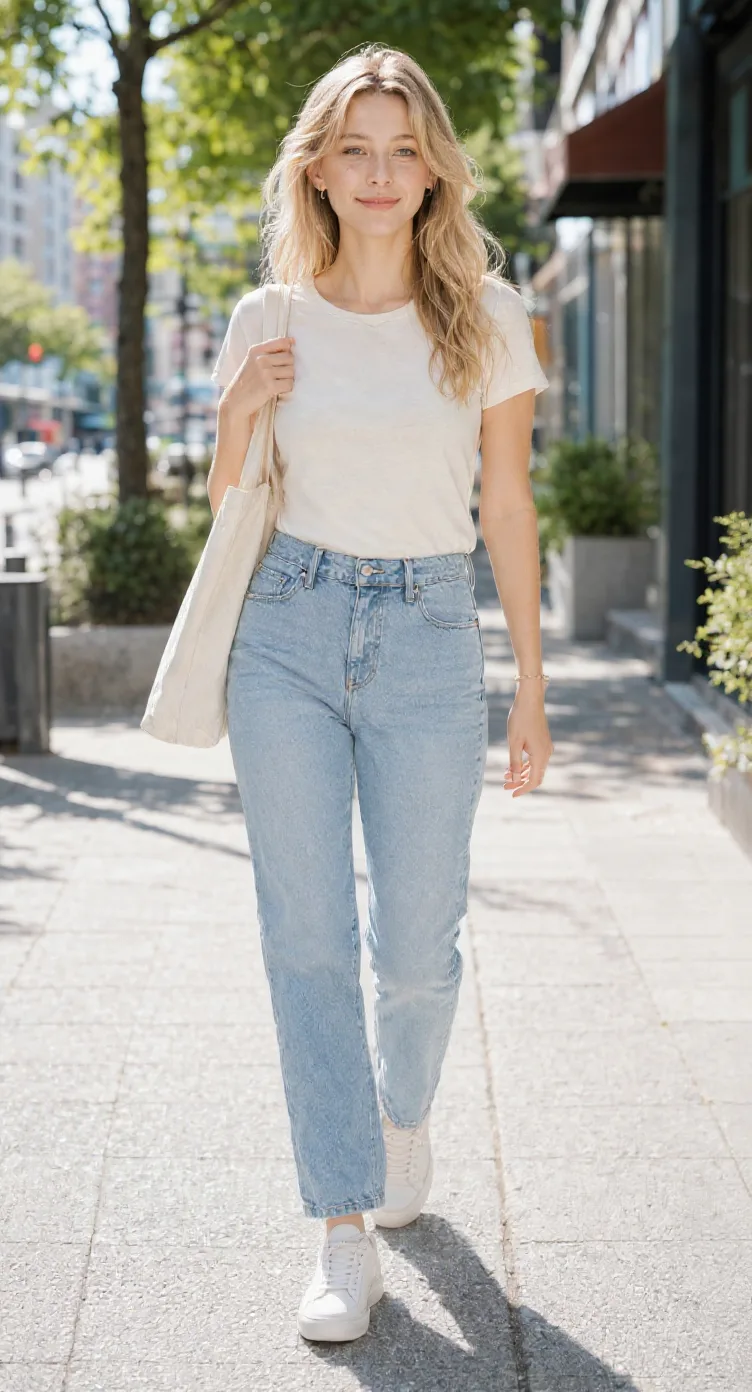
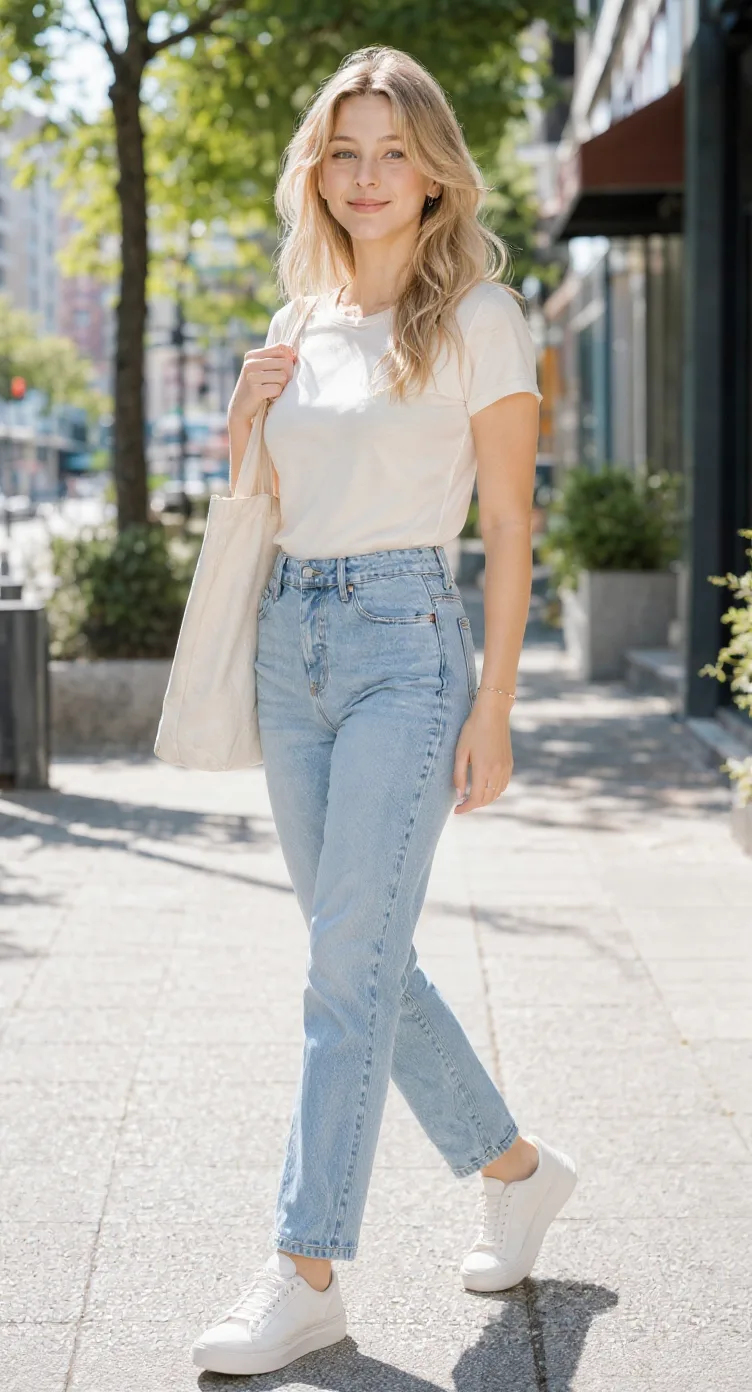
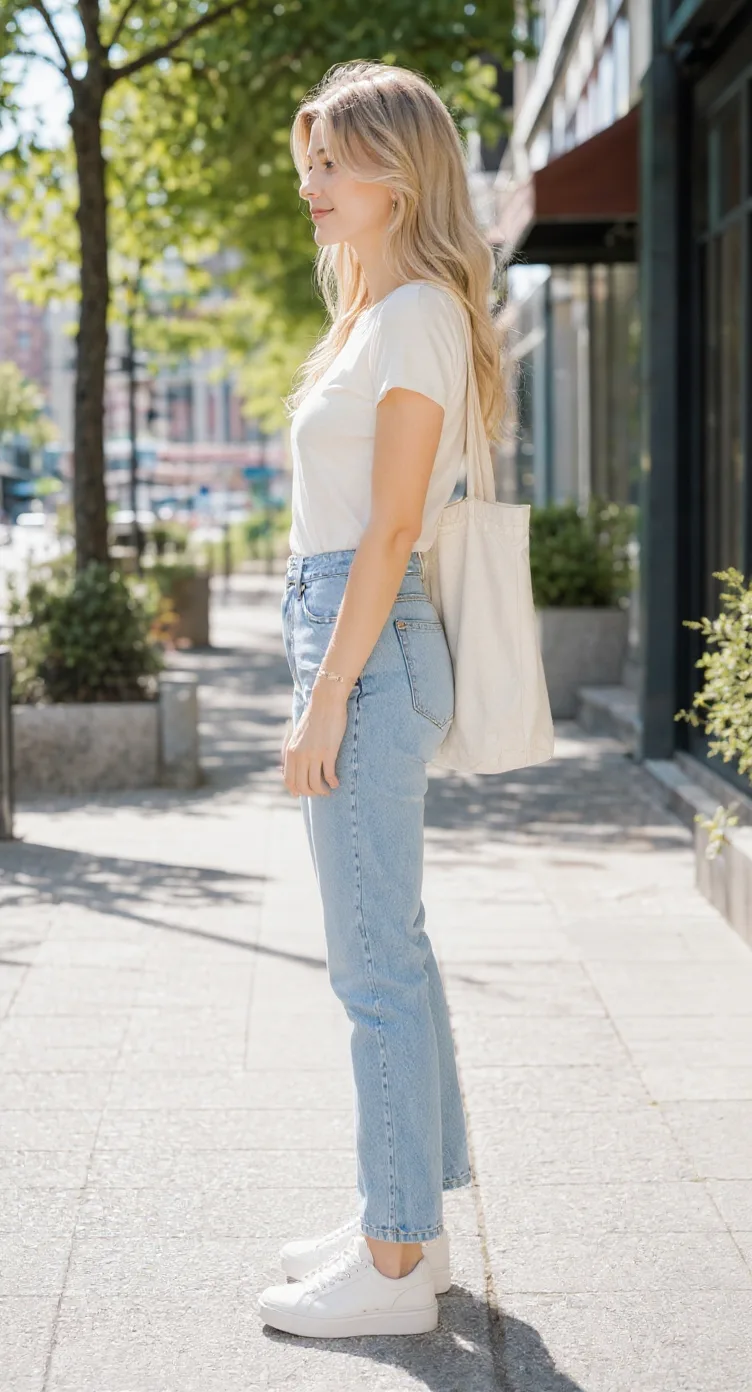
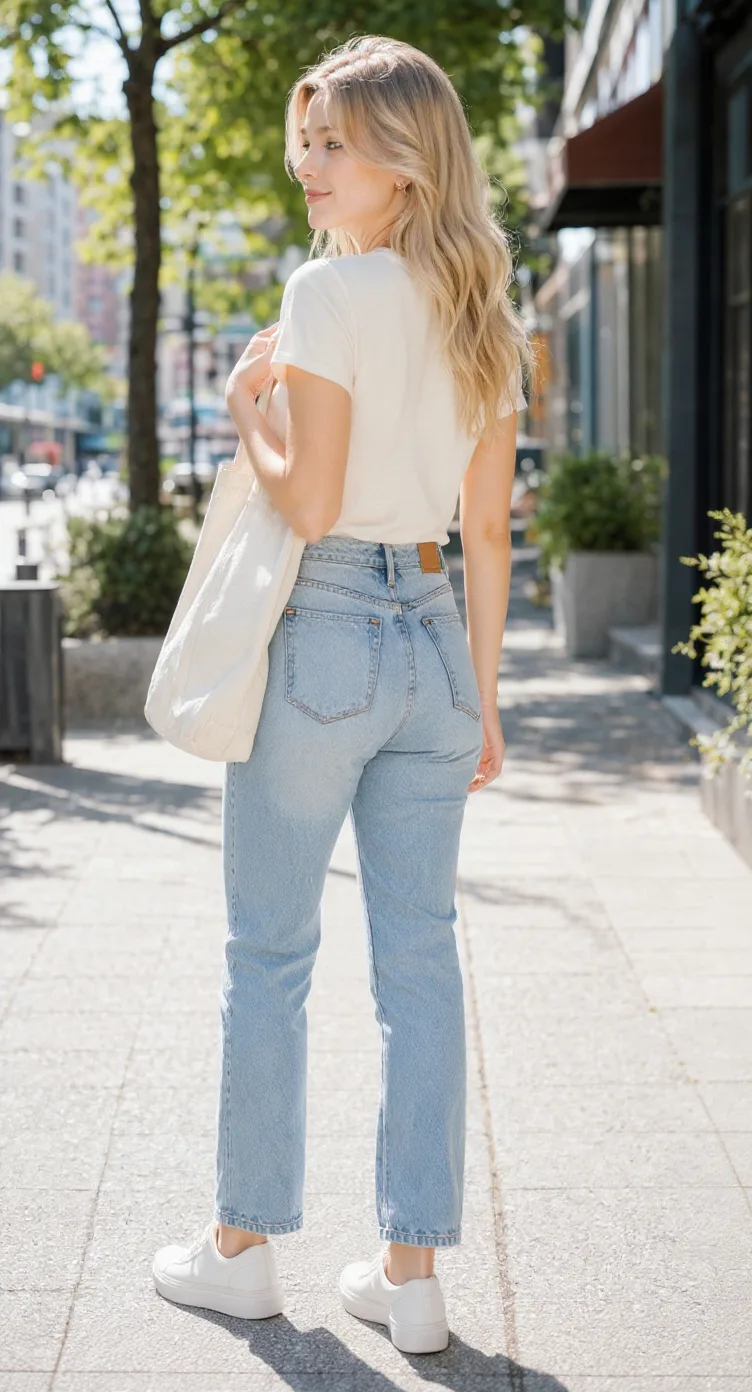
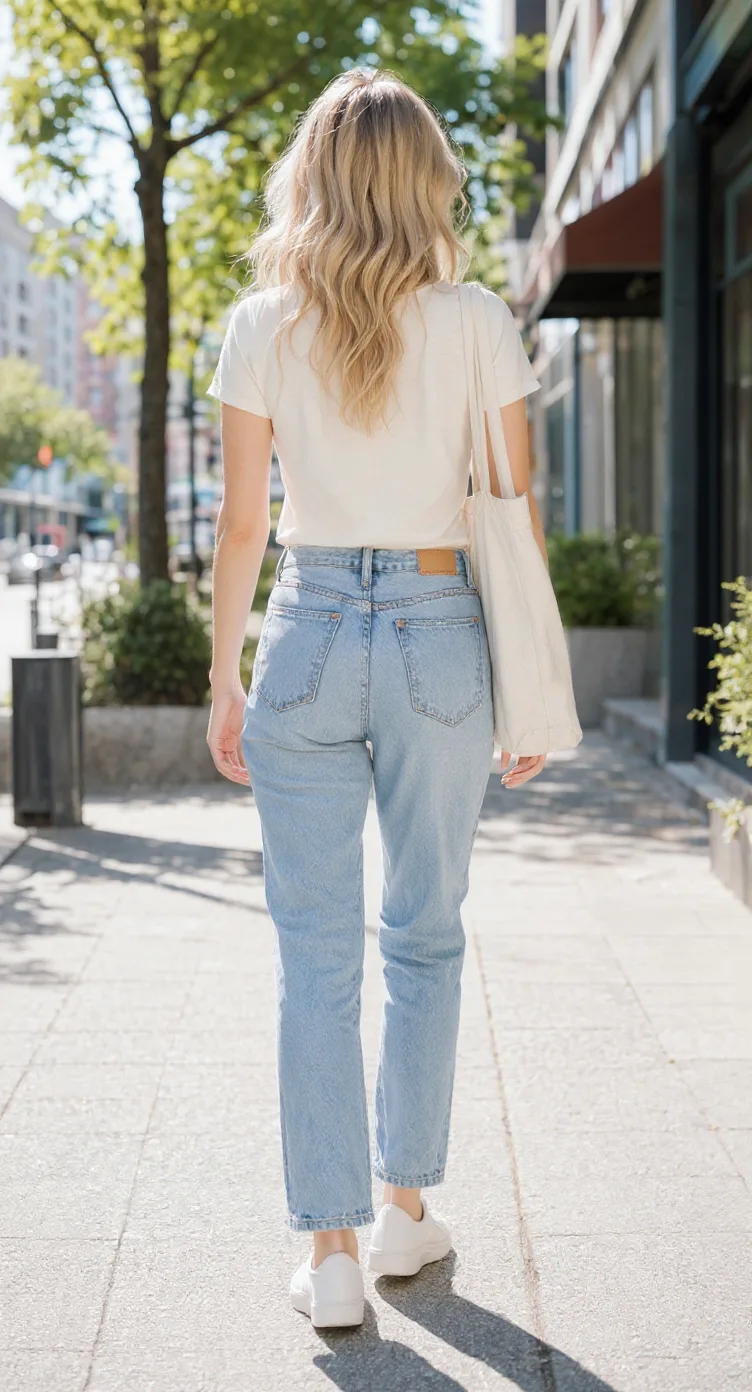
5-view turnaround previewConsistency mode generates five reference views from one normalized character reference.
Related Angle Tools
AI Multiple Angles SuiteFront, side, back & 3/4 views in one run
Lateral, heel & outsole sneaker views
Share your original character in multiple views
Prepare multi-view references for model artists
Prepare character views for Blender and 3D modeling
Generate a rear perspective from a character image
Prepare multi-view references for 2D animation planning
Front, side & back references in a T-pose
Explore front, side & back views for cute chibi characters
Front, side, back & 3/4 views for anime characters
One left or right profile, 30 credits
Clean marketplace angles for listings
Interactive 360° rotatable spin view
Precise azimuth & elevation controls
One Character. Every Angle You Need.
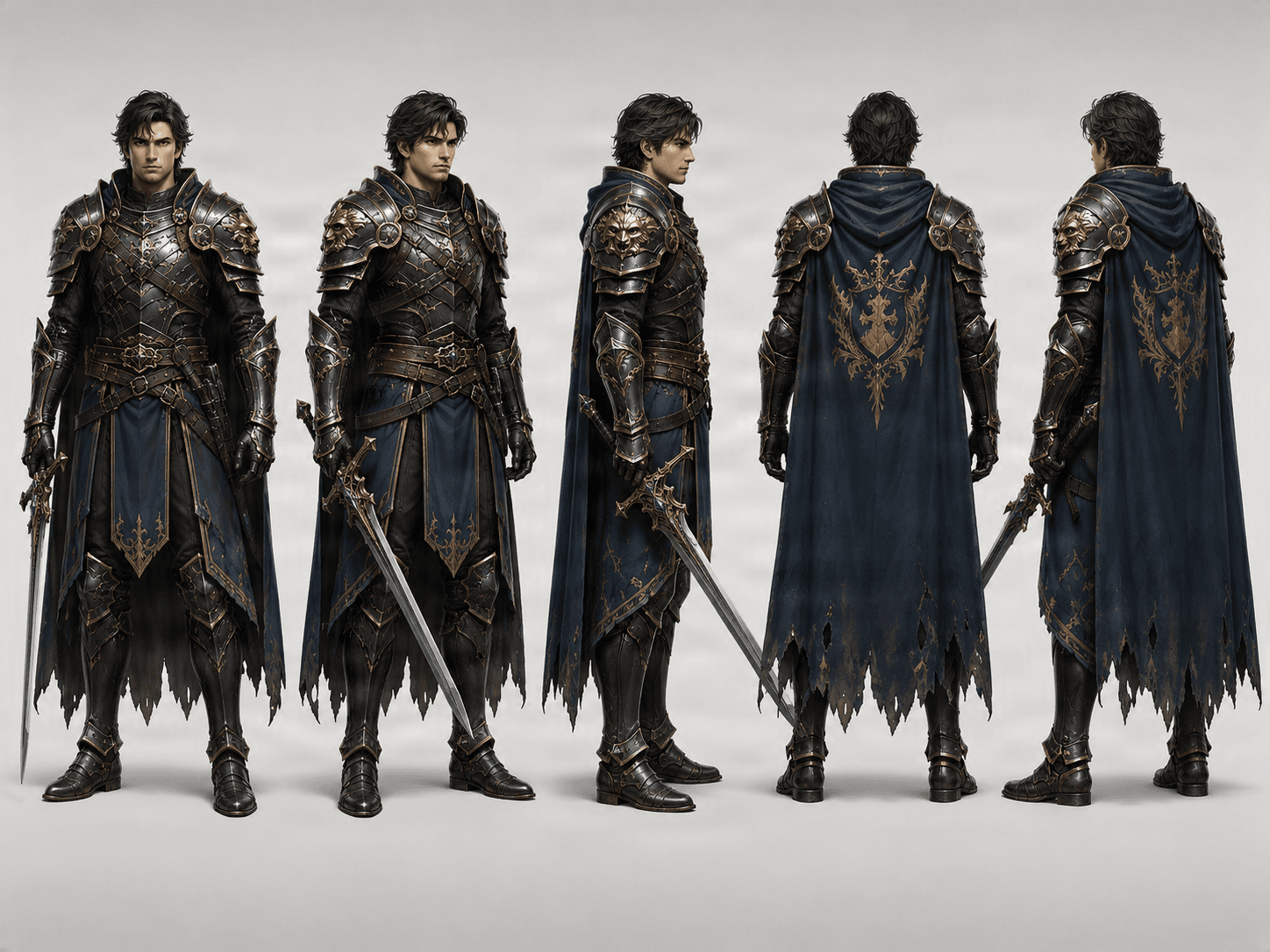
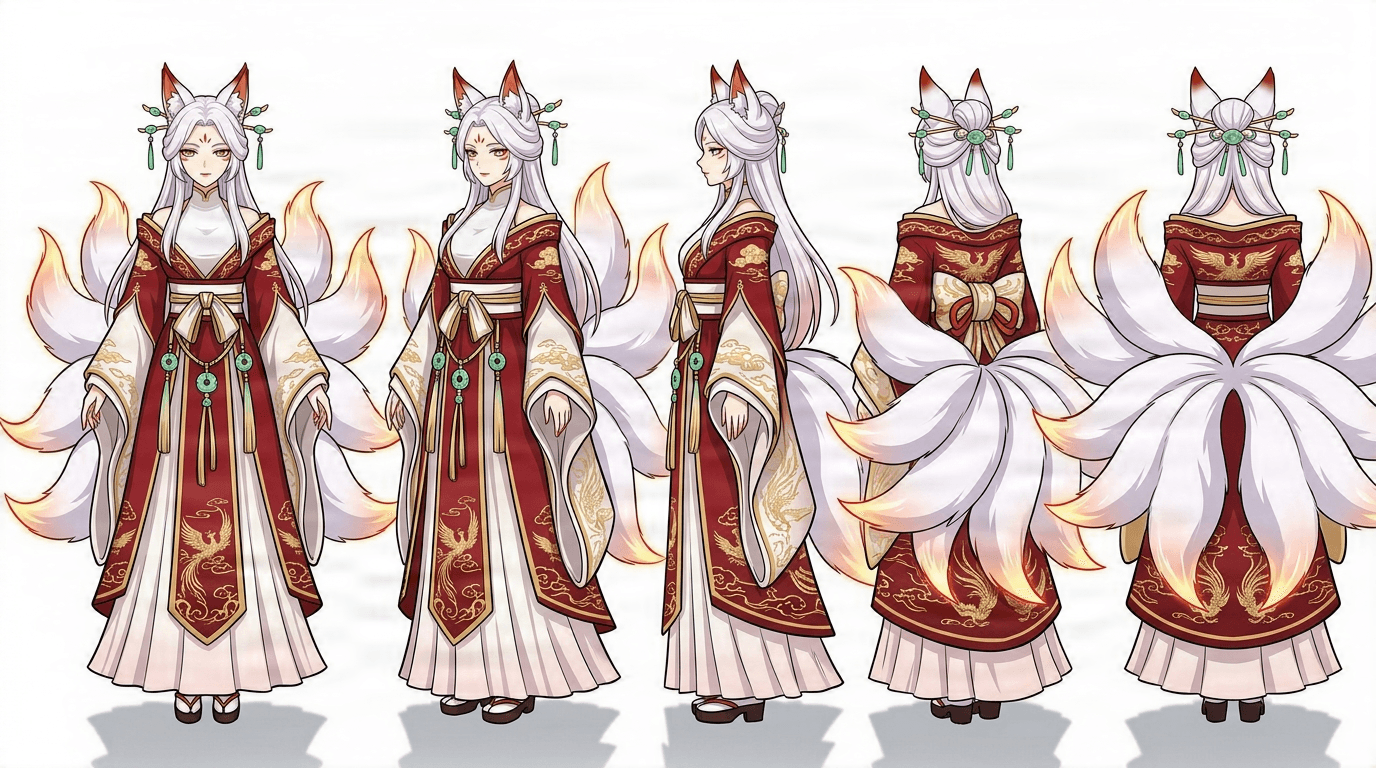
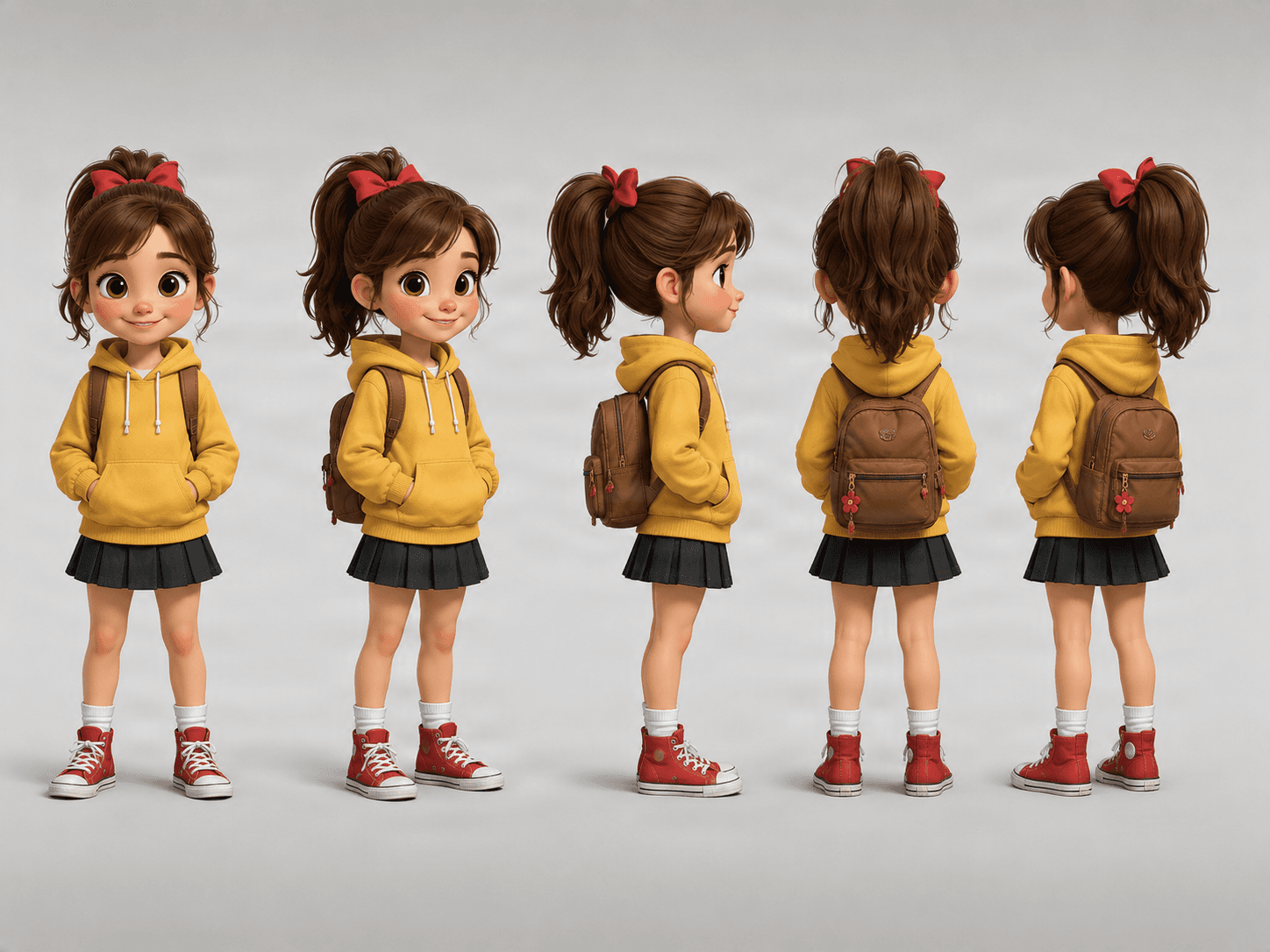
Start from a single reference image and generate the front, 3/4, side, and back views shown below — while keeping the character's design consistent throughout.
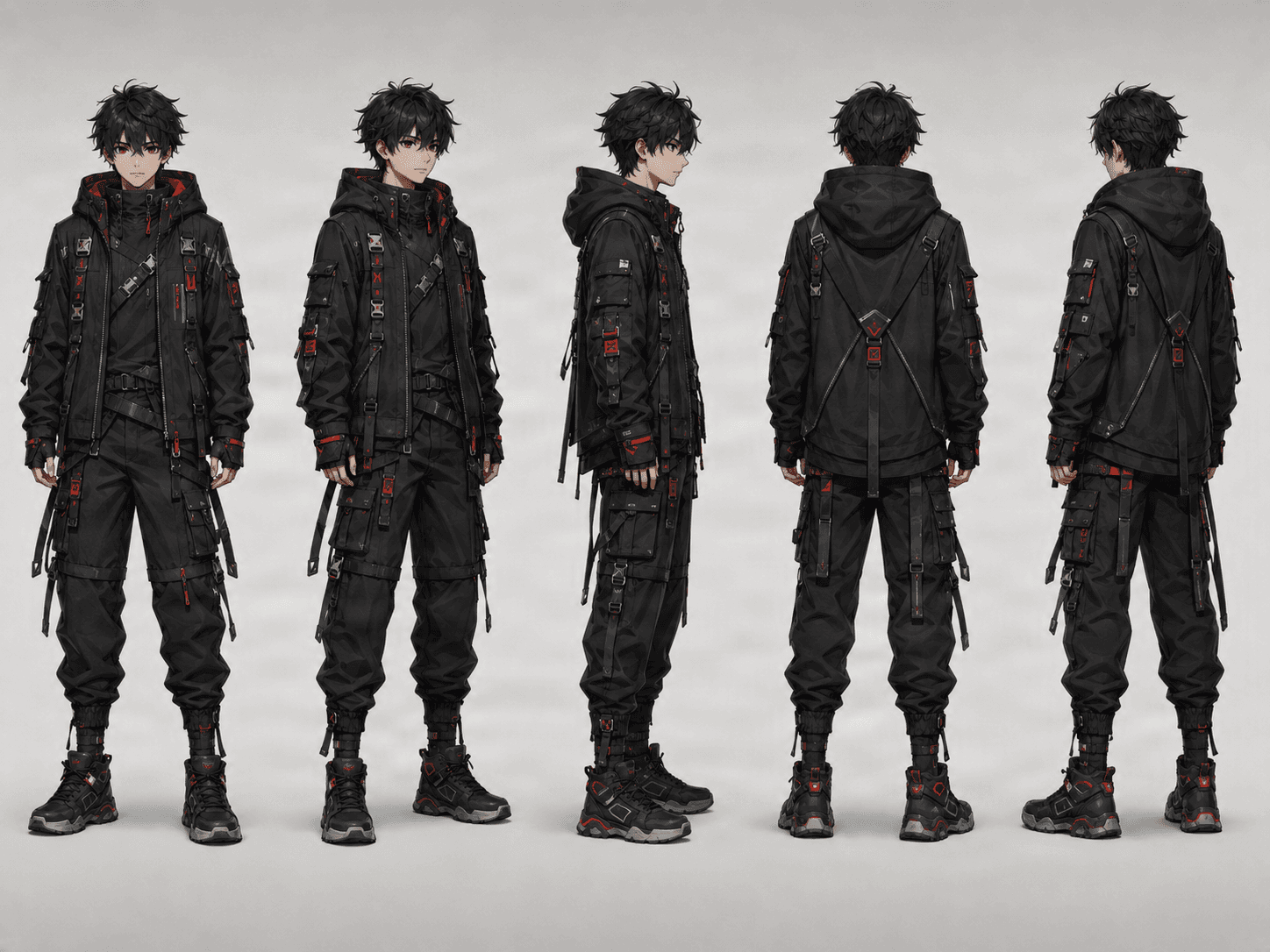
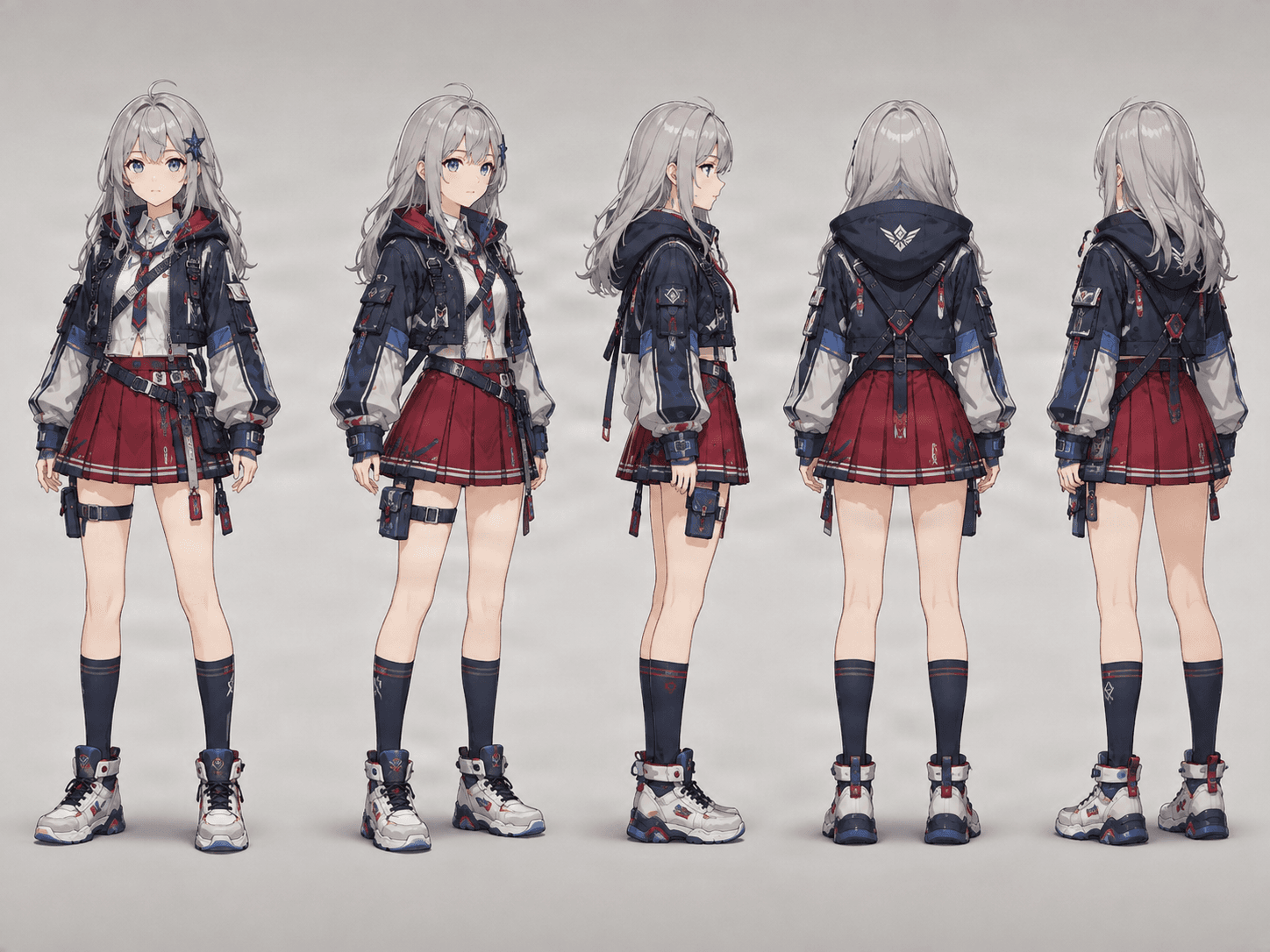
Stop Redrawing the Same Character From Every Angle
You already have the character — you just don't have every angle. Upload the image you like and generate the views you're missing instead of rebuilding the design from scratch.
Already Have the Perfect Character?
Don't regenerate the whole design just because you need another angle — start from the image you already chose.
Need a Back View?
Let AI create a plausible version of the unseen side of your character, based on what's already visible.
Building for 3D, Animation, or Games?
Get more visual information than a single front-facing image can provide — ready for modeling, rigging, or reference sheets.
From One Image to a Full Character Reference
Create front, side, back, and 3/4 character views in four steps.
Upload Your Character
Choose a clear image that shows the character design you want to preserve.
Choose Your Views
Generate the essential 3 views or use Consistency Mode for a more complete 5-view turnaround.
AI Builds the Missing Angles
The model analyzes the visible character and generates matching views from different directions.
Use the Results Anywhere
Use your new views for drawing, animation, 3D modeling, games, character sheets, comics, or future AI generations.
One Character. More Ways to See Them.
Start with a single reference image and generate additional views such as:
0° — Front
See the full character design from the front.
45° — Front ¾
Add depth while keeping most facial features visible.
90° — Side
Understand the character's profile, silhouette, hair shape, and outfit from the side.
135° — Back ¾
Reveal how the character design continues around the body.
180° — Back
Generate the parts of the character that were never visible in the original image.
Keep the Character Recognizable Across Every View
A turnaround is only useful if the character still looks like the same character. The generator is designed to preserve these details across every generated view.
Face & Identity
Maintain recognizable facial structure, skin tone, eye color, and other defining traits.
Hairstyle & Hair Color
Keep the same hairstyle and color consistent across every angle.
Clothing & Accessories
Guide the model to retain clothing layers, props, jewelry, weapons, and color placement.
Body Proportions & Silhouette
Keep the relationship between the head, torso, arms, legs, hands, and feet visually coherent.
Overall Art Style
Retain the source image's rendering approach — anime, comic, painterly, semi-realistic, or stylized 3D.
Hidden Details Are AI-Generated
Parts never shown in your original image, like the back of a jacket or hairstyle, are plausible AI interpretations, not recovered original details. Always review before production use.
Choose the Right Image for a Character Turnaround
You'll usually get stronger results when your source image meets a few simple conditions.
Character Is Clearly Visible
Avoid images where the character is heavily obscured by effects, other people, or a busy background.
Reasonably High Resolution
Small facial features, costume patterns, and accessory details are easier to preserve when they're clearly visible.
Clothing Isn't Heavily Cropped
Include the complete head, torso, arms, hands, legs, and feet whenever possible.
Not Hidden Behind Large Objects
Avoid foreground elements or props that block a large part of the character.
Easy-to-Understand Pose
Standing or relaxed poses provide clearer information than extreme action poses or strong foreshortening.
Clear, Consistent Art Style
Full-body and three-quarter references are especially useful when you want the AI to understand the complete outfit and proportions.
What Can You Do With Character Turnaround Views?
Character Design & Games
You have one finished character illustration, but a game or design workflow needs more angles.
Generate front, side, and back references, spot anything that needs a fix, and use the results as a stronger starting point for characters, avatars, and NPCs.
- Face and hairstyle identity
- Armor and clothing construction
- Weapon and accessory placement
- Character proportions
Animation
An animation team needs core front, side, and rear references before planning poses, rotations, or motion tests.
Generate the core turnaround, pick the most consistent views, and use them as a reference for movement and scene changes.
- Line and shape consistency
- Character height and volume
- Costume continuity
- Back and side details
3D Modeling
A 3D artist has a single concept image and needs more visual information before starting a base mesh.
Generate front, side, and back views to inform silhouette, proportions, and volume decisions early on.
- Front-to-back depth
- Limb proportions
- Hair and clothing volume
- Hidden surfaces inferred by AI
Comics & Manga
An artist needs to draw the same character from multiple directions across panels or scenes.
Use the reviewed turnaround views as a reference for face shape, costume structure, hairstyle, and color placement.
- Recurring design details
- Left-right asymmetry
- Costume layers
- Profile silhouette
Frequently Asked Questions
What is a character turnaround?
A character turnaround shows the same character from multiple viewing angles. Typical turnaround views include the front, side, and back. A more complete turnaround may also include front and back three-quarter views.
How many views can I generate?
You can choose between the essential 3-view turnaround and a more complete 5-view turnaround. The 3-view option includes front, side, and back. The 5-view option adds front ¾ and back ¾ views.
Do I only need one character image?
Yes. You can start from a single character reference image. The AI analyzes the visible character design and generates the additional viewing angles from that reference.
Will the character look the same in every view?
The generator is designed to keep important character details consistent across views, including the face, hairstyle, clothing, colors, accessories, proportions, and overall art style. Because the views are AI-generated, small differences can still occur.
How does the AI generate the back if my image only shows the front?
The AI predicts how the unseen parts of the character could plausibly look based on the visible reference. For example, it may infer the back of the hairstyle, jacket, dress, accessories, or other character details. These hidden details are generated interpretations, not recovered information from the original image.
Can I use anime or manga characters?
Yes. The generator works well with anime, manga, game art, illustrations, digital characters, and many other stylized character designs.
Can I use realistic characters too?
Yes. You can use illustrated, stylized, semi-realistic, or realistic character references. The quality of the results depends on the clarity and complexity of the source image.
Is this useful for 3D modeling?
Yes. Multiple views can provide much more visual information than a single image when building a 3D character. They can help with silhouette, proportions, hairstyle, clothing, and overall structure. The generated views should still be treated as visual reference rather than precise technical blueprints.
Can I use the turnaround for animation?
Yes. Front, side, back, and three-quarter views are useful references when planning animation, rotations, poses, and character movement.
Can I use it for comics or manga?
Yes. If you draw the same character repeatedly, a turnaround can help you understand how their hair, outfit, accessories, and proportions look from different directions.
What kind of input image works best?
Clear images with a visible character usually work best. For full-body turnarounds, try to upload an image where most or all of the body and outfit can be seen. Images with heavy cropping, extreme poses, or large objects covering the character may provide less information for the AI.
Can it create views that were completely hidden in the original image?
Yes. The AI can generate views of parts that were not visible in the original reference. However, those hidden parts must be inferred, so they may not match what the original artist would have designed.
Can I generate a back view from a front-facing character?
Yes. This is one of the main use cases of the tool. The AI uses the visible design to create a plausible back view, including the hairstyle, clothing, proportions, and other visible design cues.
What's the difference between Standard and Consistency Mode?
Standard generates the three essential turnaround views: front, side, and back. Consistency Mode generates five views: front, front ¾, side, back ¾, and back. The additional angles give you a more complete reference of the character.
Is this the same as generating five separate AI images?
No. The purpose of a character turnaround is to keep all views connected to the same reference character. Instead of treating each image as a completely separate generation, the workflow is designed around maintaining the same character across multiple angles.
Can the generated views be edited afterward?
Yes. You can use the generated images as starting points for further editing, painting, design work, modeling, animation, or other creative workflows.
Will every hidden detail be accurate?
Not necessarily. Anything that was never visible in the source image has to be inferred by AI. Simple, well-defined designs are generally easier to reconstruct consistently than highly complex outfits, accessories, or hairstyles.
Why should I use this instead of drawing the turnaround myself?
If you already know exactly how every hidden part of the character should look, drawing the turnaround manually gives you maximum control. This tool is most useful when you want to quickly create a strong starting point, explore missing angles, or avoid rebuilding every view from scratch.
Continue Your Character Workflow
AI Multiple Angles
Explore a custom camera viewpoint for characters, products, objects, and concept art without the dedicated turnaround workflow.
Explore the AI multiple angles generatorCharacter into Layers
Separate character art into editable parts for animation and compositing.
Open Character into LayersMulti-View Image Generator
Generate multi-angle packs with front, side, back, and 3/4 views for characters, outfits, and props.
Open Multi-View GeneratorCharacter Side View Generator
Only need one left or right profile instead of a full turnaround? Generate a single side view for 30 credits.
Open Character Side View GeneratorImage to Layers
Convert a flattened generated image into editable and exportable visual layers.
Open Image to LayersCharacter Reference Sheet Generator
Turn your existing character into a multi-view reference sheet. Upload one image, generate front, side, and back views, and download one PNG to share with artists, animators, game developers, or 3D modelers.
Generate Reference SheetCharacter turnaround guide
Learn what a character turnaround includes, compare the available views, and review practical tips before you generate.
Explore character turnaroundYou Already Have the Character. Now See the Rest of Them.
Turn one image into front, side, back, and 3/4 character views. No need to redesign the same character from scratch every time you need another angle.
Upload your character and create a multi-view reference in minutes.