Generate a Side View From One Character Image
Already have the front or 3/4 view? Turn it into a matching left or right side profile without redrawing the character from scratch.
Keep the same face, hairstyle, outfit, colors, accessories, and overall character design while generating the angle you're missing.
Choose Left Side or Right Side · 30 credits per view
Generate Your Character's Side View
Upload one character image and choose the side you need.
Choose the direction that fits your drawing, modeling, animation, or scene.
One generation creates one side-view image.
Your Character Side View
One cute character, more ways to see it
From one chibi drawing to a multi-view character reference
A real example of one chibi character explored from five directions. Compare its hairstyle, outfit, proportions, and accessories across the generated views.
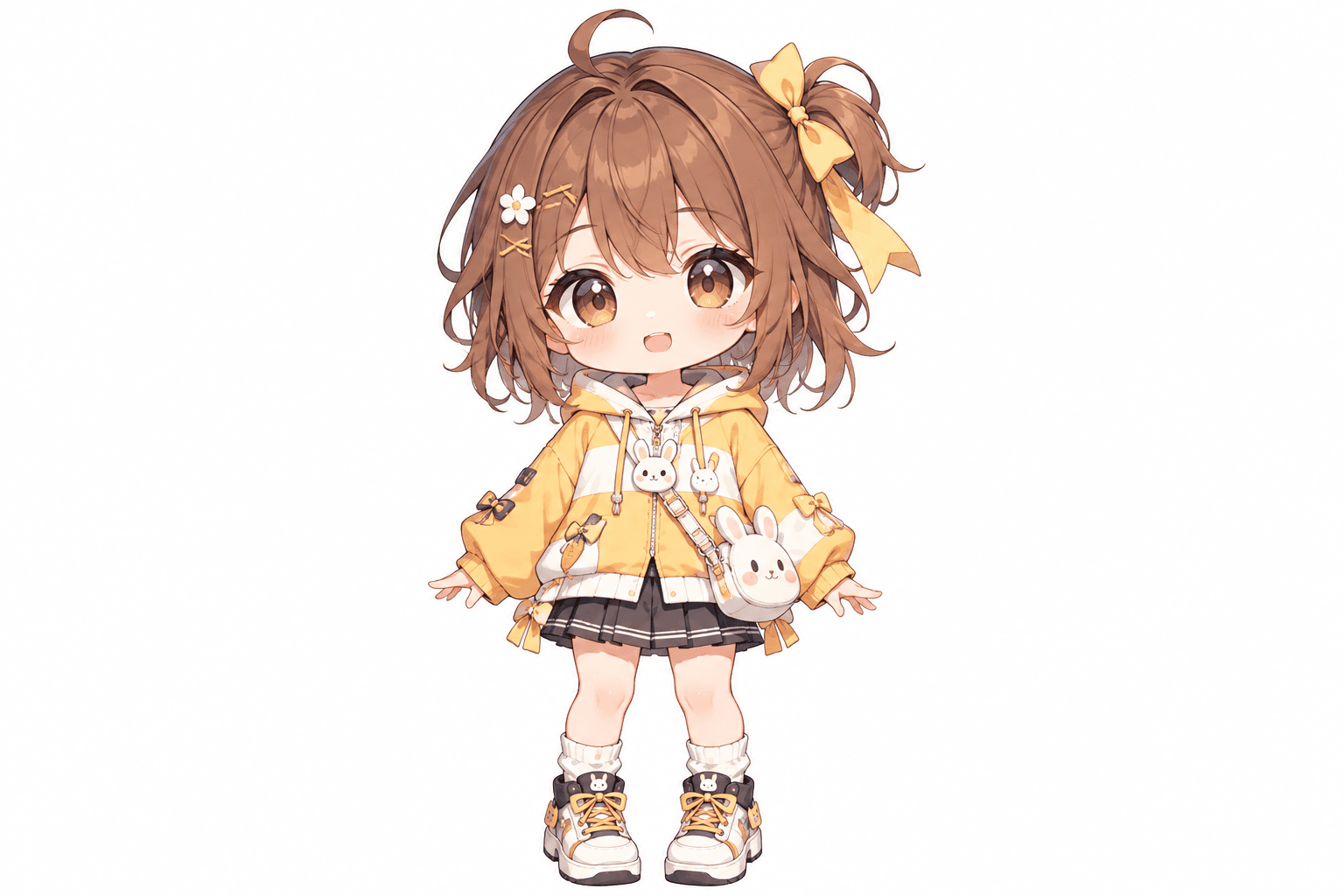
Bunny hoodie chibi character
This cheerful chibi girl has oversized eyes, fluffy brown hair, a yellow hoodie, and playful bunny accessories. Her bow, skirt, shoes, and little bag all contribute to the design. The additional views show how AI interprets the character from other directions.
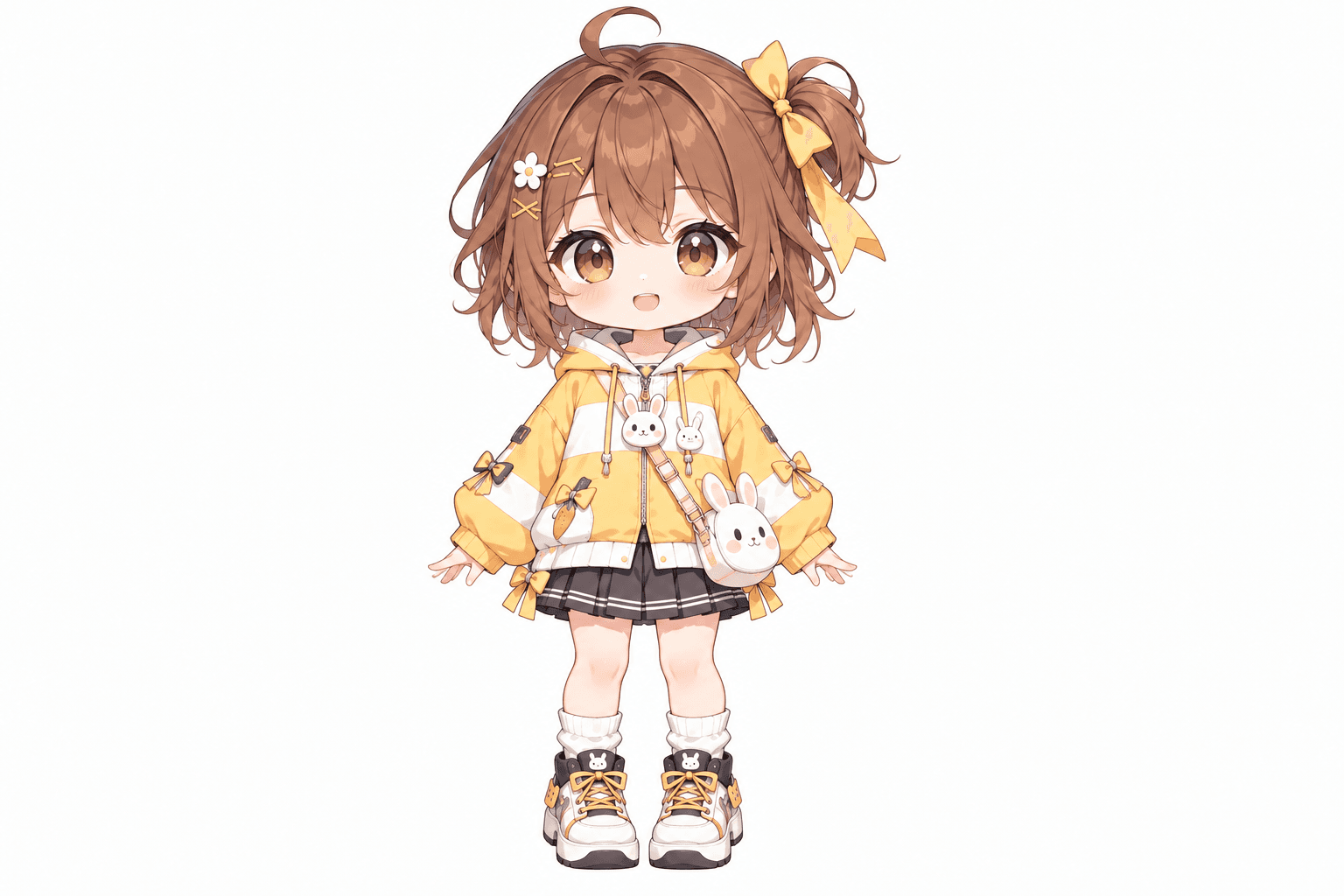
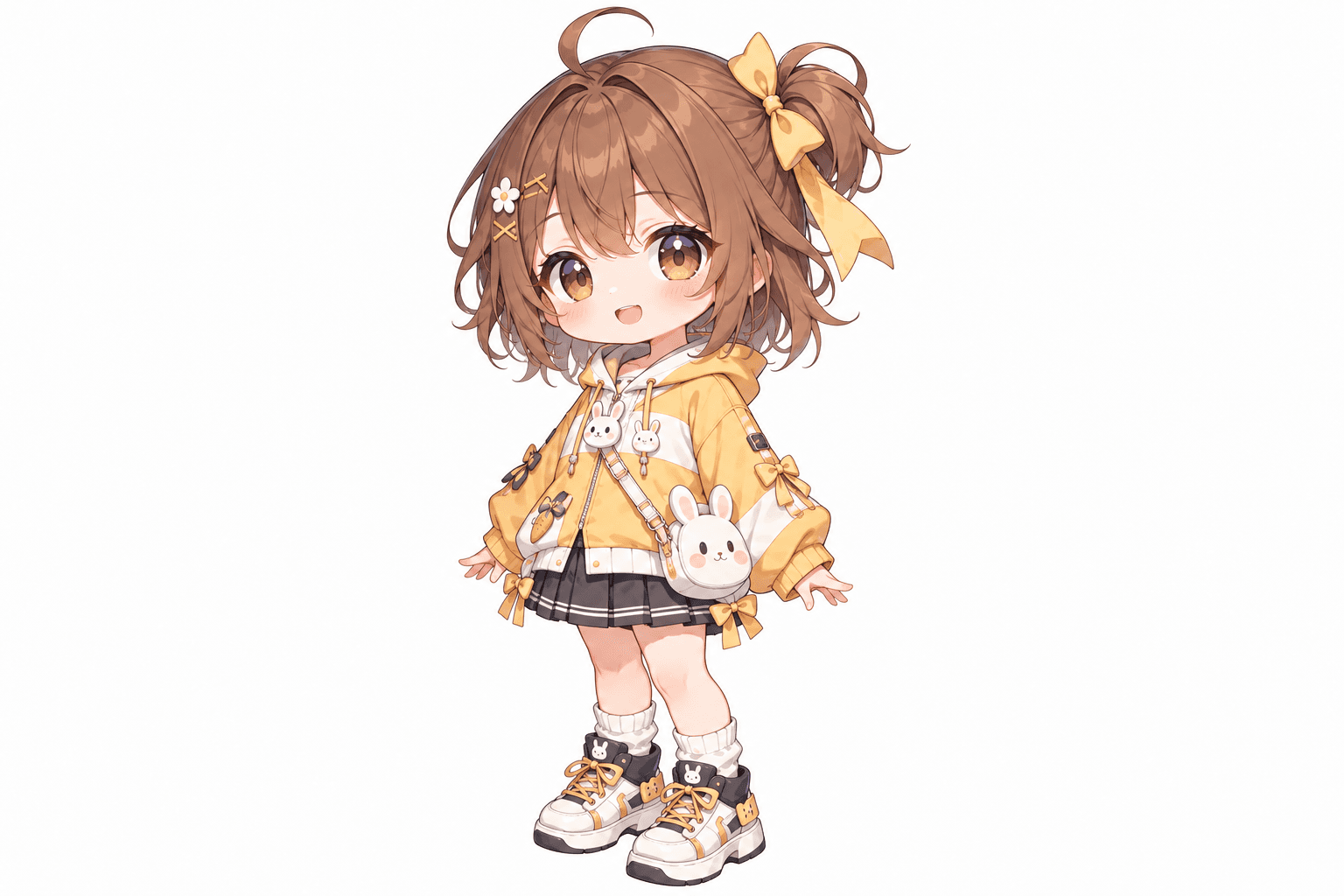
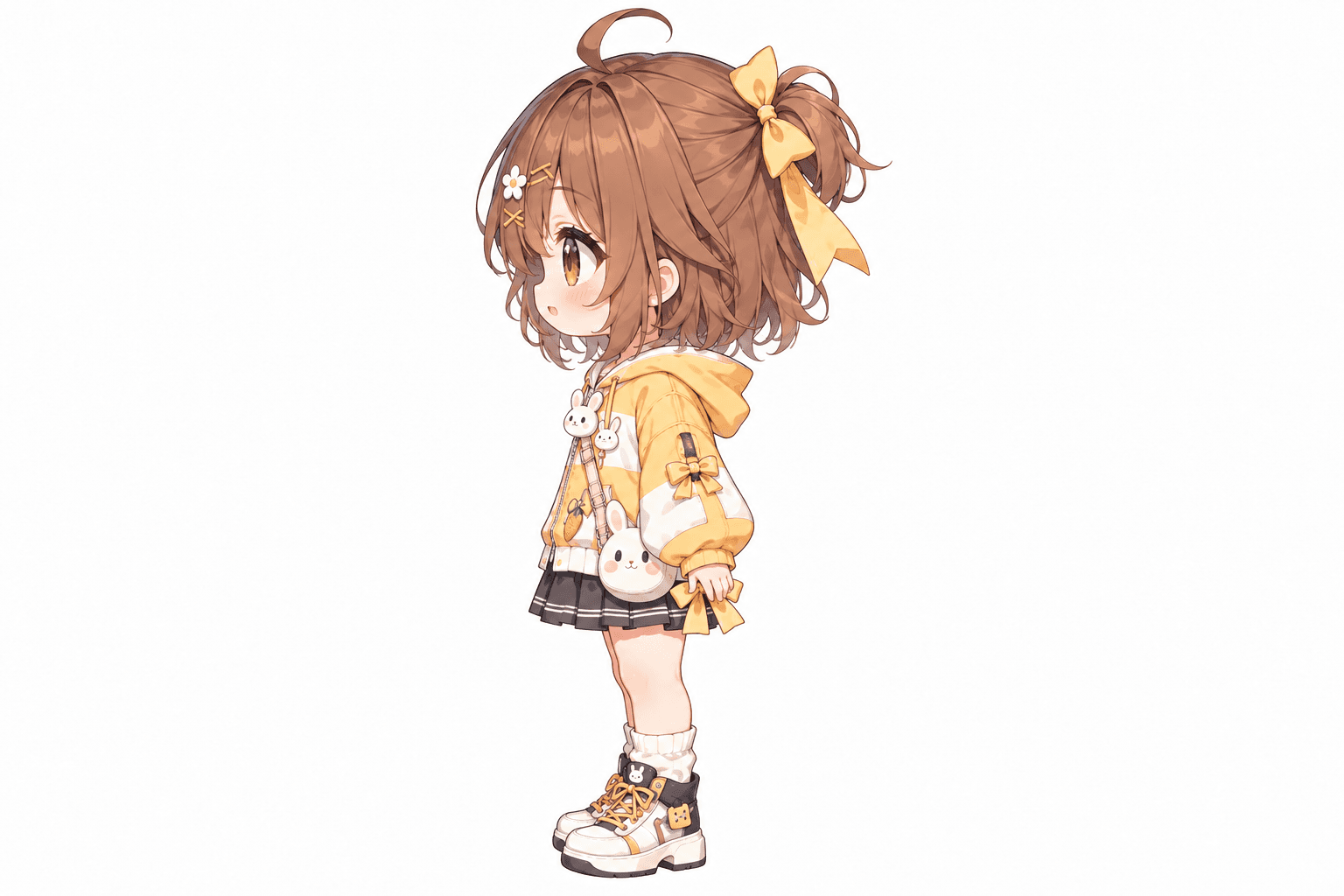
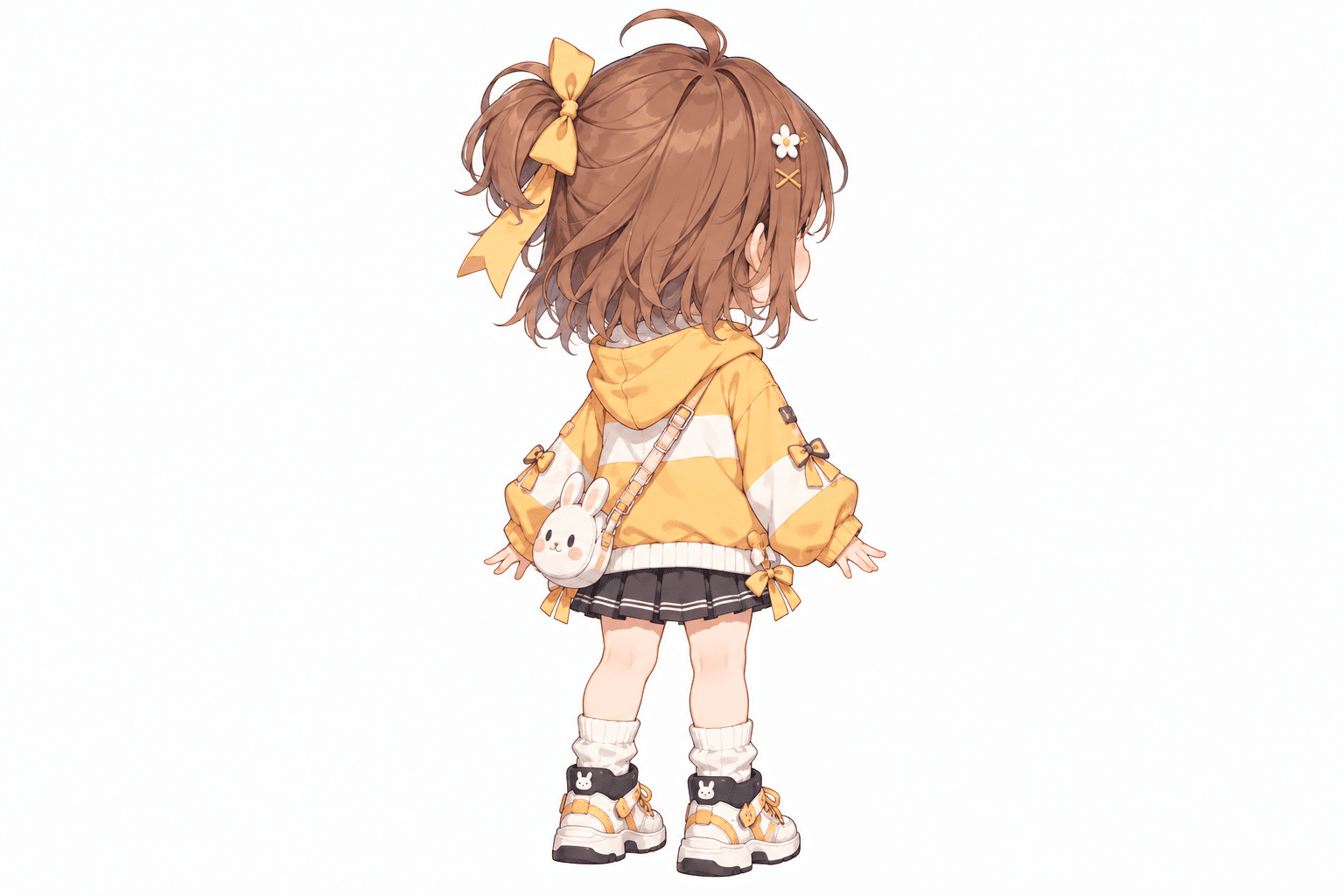
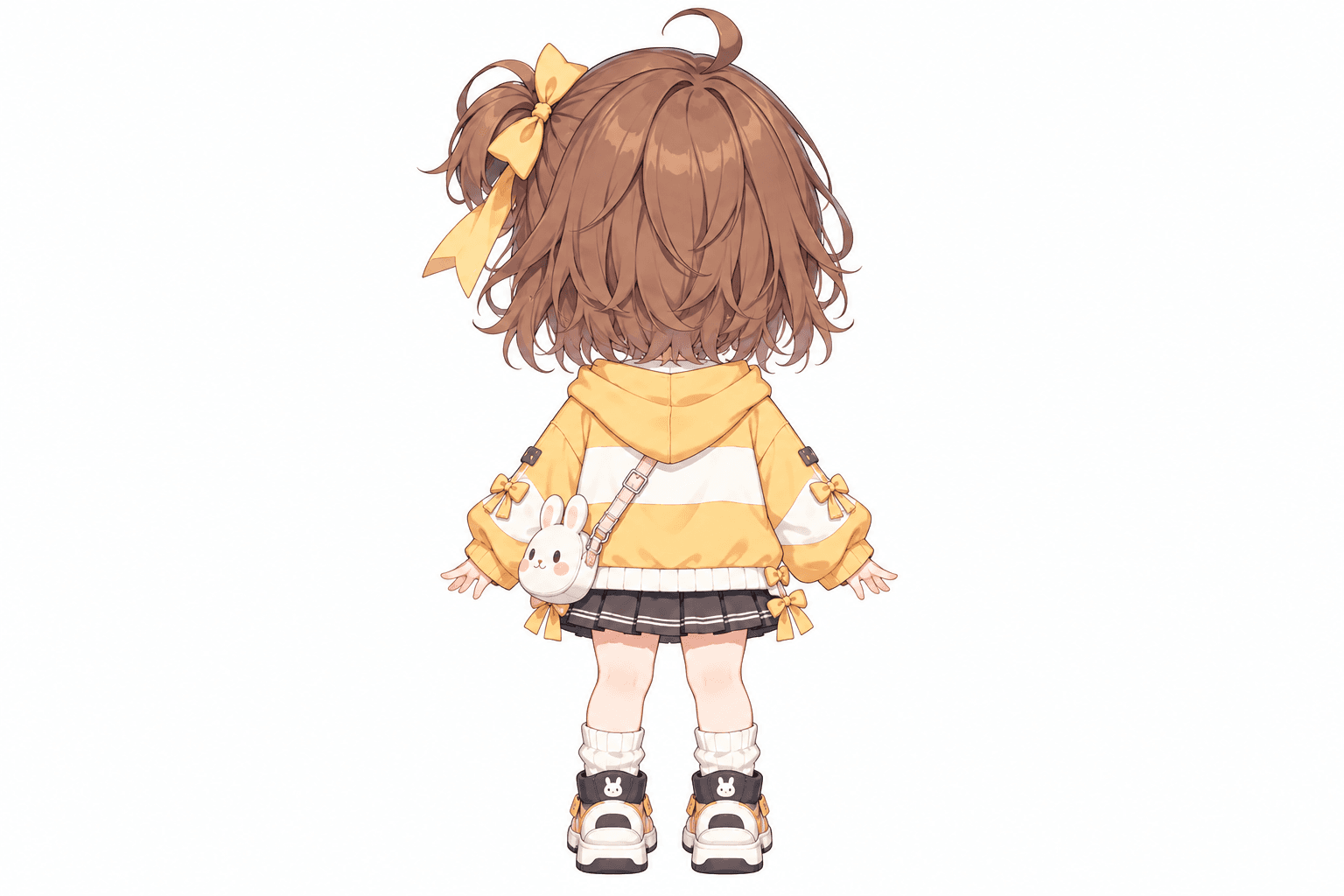
AI-generated turnaround
These five views were generated from the original image shown here. Details in hidden areas are AI interpretations and can differ from the source.
Related Angle Tools
AI Multiple Angles SuiteFront, side, back & 3/4 views in one run
Lateral, heel & outsole sneaker views
Front, side & rear model reference sheets
Share your original character in multiple views
Prepare multi-view references for model artists
Prepare character views for Blender and 3D modeling
Generate a rear perspective from a character image
Prepare multi-view references for 2D animation planning
Front, side & back references in a T-pose
Explore front, side & back views for cute chibi characters
Explore front, side, back & 3/4 views for indie game characters
One character, a grid of facial expressions
Front, side, back & 3/4 views for anime characters
Clean marketplace angles for listings
Interactive 360° rotatable spin view
Precise azimuth & elevation controls
From Front View to Side Profile
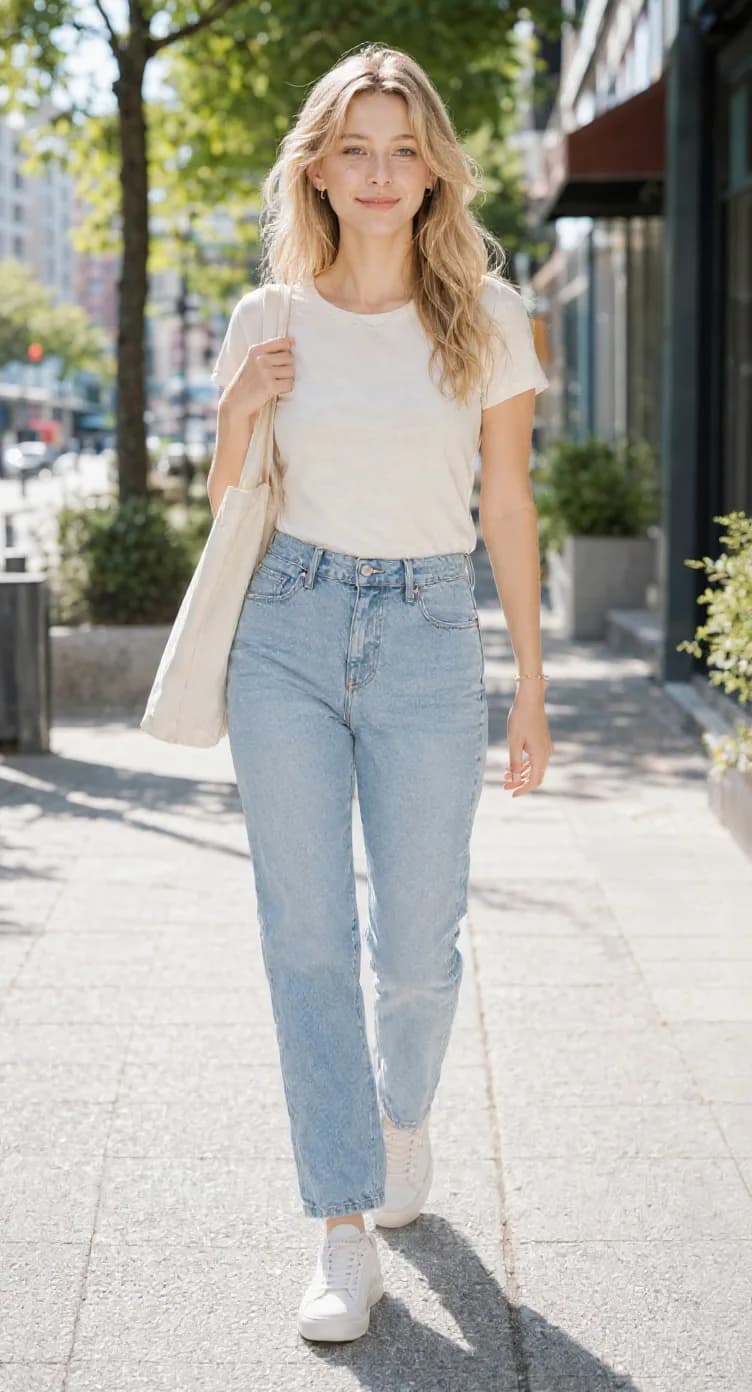
A character you only have from the front or 3/4 angle.
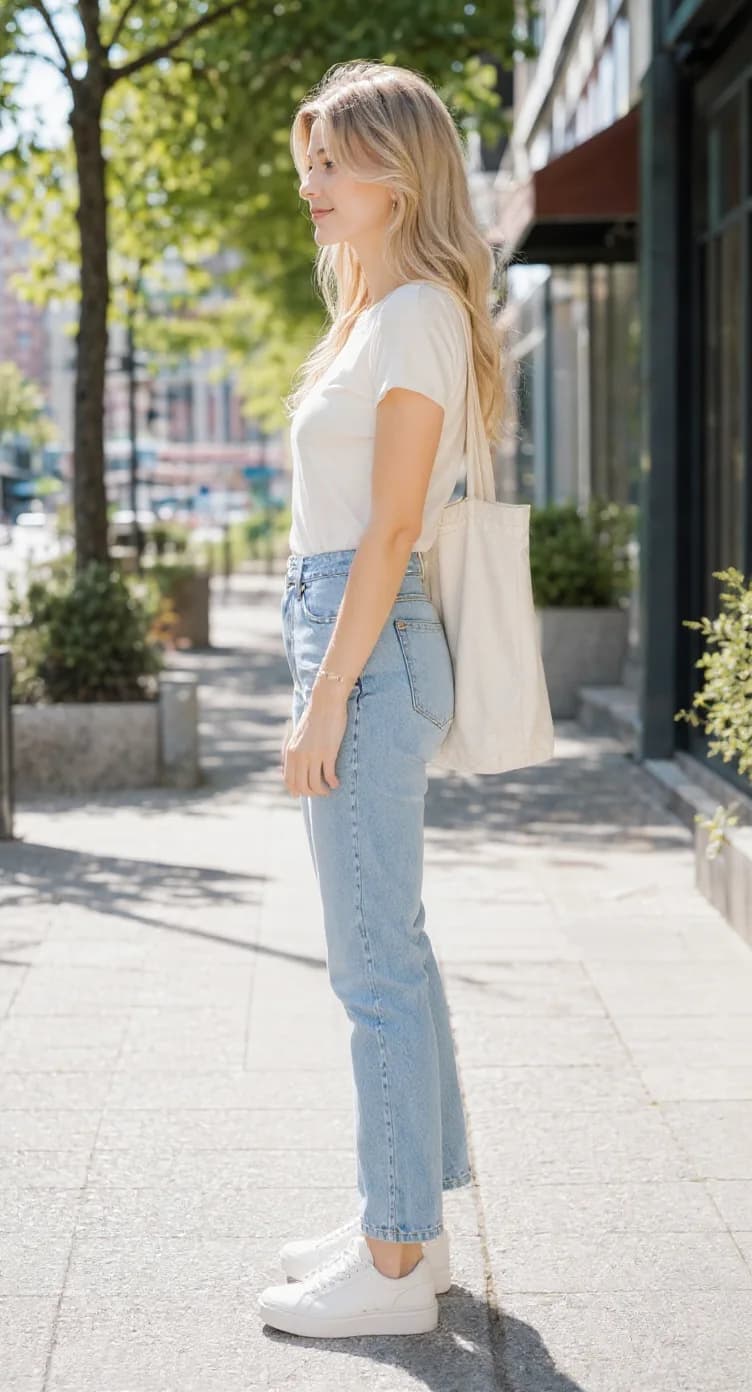
A left or right 90° profile of the same character.
Use the new side view as a reference for drawing, modeling, animation, comics, games, or additional character work.
You Don't Need a New Character. You Need Another Angle.
You already like the character you have.
- The face works.
- The hairstyle works.
- The outfit works.
- The colors work.
But the moment you need a side profile, you have to redraw the whole design from another direction. That can mean figuring out:
- What the nose looks like in profile
- How the hair falls from the side
- How the jacket or dress wraps around the body
- Where accessories sit
- How the silhouette changes at 90°
Character Side View Generator gives you a faster starting point. Keep the character you already chose and generate only the side view you're missing.
Keep the Details That Make the Character Recognizable
A side view is only useful if the character still feels like the same person. The generator is designed to preserve important visual details such as:
Face
Maintain the character's overall identity and recognizable facial structure.
Hairstyle
Carry the same hair shape, length, color, bangs, and major style details into profile.
Outfit
Keep the same clothing, colors, layers, and major design features.
Accessories
Preserve visible accessories and their relationship to the character when possible.
Proportions
Keep the character's overall body shape and proportions connected to the original reference.
Art style
Maintain the overall visual style of the uploaded character as closely as possible.
Choose the Side That Fits Your Scene
Sometimes the direction matters. A character facing left may fit one panel, shot, or composition. A character facing right may fit another. Instead of generating a random side profile, choose the direction you actually need.
Left Side
Character faces screen-left.
Right Side
Character faces screen-right.
Generate one view at a time so you only pay for the result you need.
A Flipped Front View Is Not a Real Side View
Mirroring an image only reverses what is already visible. It does not show:
- The real profile of the face
- The depth of the nose and mouth
- The hairstyle from the side
- The body's 90° silhouette
- The side structure of clothing
- Hidden elements behind the front-facing pose
A true side view requires generating a new angle of the character.
Because You Already Have the Character You Want
Starting over with a new prompt can change everything.
- The face changes.
- The hair changes.
- The clothes change.
- Accessories disappear.
- Colors drift.
- The proportions feel different.
Character Side View Generator starts from the image you already chose.
“Create a similar character.”
“Show me this character from the side.”
What Can You Use a Character Side View For?
Drawing reference
Use the profile as a reference when drawing the same character from a different angle.
Manga & comics
Keep recurring characters easier to draw across panels and scenes.
Anime character design
Explore how an anime-style character looks in profile without rebuilding the design manually.
Visual novels
Create better references before generating additional poses and expressions.
Game characters
Prepare side-view references for avatars, NPCs, skins, and character concepts.
Animation
Use a profile view when planning turns, movement, poses, and character rotations.
3D modeling
Give yourself or a 3D artist more information about the character's silhouette and proportions.
Character sheets
Add a missing side profile to an existing character reference sheet.
OC design
See your original character from a direction you may never have drawn before.
The Side View Shows Details Your Original Image Never Did
A front-facing image cannot show the full side of the hairstyle. It may not reveal how an accessory sits behind the ear. It may hide how clothing wraps around the torso. When the AI generates a side view, some details have to be inferred from the visible character design. That gives you a useful starting point for areas that were never directly shown.
Details that were not visible in the original image are AI-generated interpretations. They are not recovered original information.
Get Better Side View Results
You will usually get stronger results when:
Best input
Front-facing or 3/4 character images are usually the easiest references for generating a clean profile.
Generate Only the View You Need
A side view generation costs:
30 Credits
You choose: Left Side / Right Side
One generation creates one selected side view. No need to pay for front and back views if you only need a profile.
Generate Side View — 30 CreditsSide View Generator vs. Character Turnaround
Character Side View Generator
Best when you only need: One left or right profile
Cost: 30 credits per view
Character Turnaround Generator
Best when you need: Front + Side + Back, or a more complete multi-angle reference.
Made for Anyone Who Already Has the Character
Character artists
Generate a missing profile instead of drawing it from zero.
Manga & comic creators
Get a side-view reference for recurring characters.
Anime creators
Explore profile designs while keeping the original character identity.
Game developers
Build stronger references for character production.
Visual novel creators
Prepare characters for different scene directions and compositions.
3D artists
Add another useful angle to a character modeling reference.
Animators
Use the side profile when planning turns and movement.
OC creators
See your original character from a new angle without redesigning them.
Frequently Asked Questions
What does Character Side View Generator do?
It turns one character image into a left or right side profile. You upload a character reference, choose the direction you want, and the AI generates a new 90° side view based on that character.
Can I choose between left and right side?
Yes. You can choose Left Side (character facing screen-left) or Right Side (character facing screen-right). Each generation creates the selected direction.
How much does one side view cost?
One side-view generation costs 30 credits. You only pay for the one view you choose.
Do I need a front-facing image?
No, but front-facing and 3/4 character images usually work especially well. The important thing is that the character's face, hairstyle, outfit, and overall design are clear enough for the AI to understand.
Can I generate a side view from a 3/4 character image?
Yes. A clear 3/4 image can provide useful information about both the front and side structure of the character.
Will the side view still look like the same character?
The generator is designed to preserve important features such as the face, hairstyle, clothing, colors, accessories, proportions, and overall style. Because the side view is AI-generated, small differences can still happen.
Can it generate anime character side views?
Yes. Anime and manga characters are a common use case. It also works with game art, illustrations, semi-realistic characters, realistic characters, and other visual styles.
Can I use it for manga or comics?
Yes. A side profile can be useful when you need to draw the same character from another direction across multiple panels.
Can I use it for 3D modeling?
Yes. The generated profile can provide useful visual reference for the character's silhouette, hairstyle, face shape, clothing, and proportions. However, the image is not guaranteed to be perfectly orthographic or geometrically exact, so it should be treated as a visual reference rather than a technical blueprint.
Can I use it for animation?
Yes. A side view can help when planning turns, poses, movement, walk cycles, camera changes, and other animation work.
Does the AI know what the hidden side should look like?
The AI uses the visible design to generate a plausible interpretation of parts that were not shown in the original image. Those details are inferred, not recovered.
What happens to hairstyles in side view?
The generator tries to preserve the same hairstyle, including its overall shape, color, length, bangs, and major visual features. Complex hairstyles may still change slightly when viewed from a completely new angle.
Can it keep accessories consistent?
It attempts to preserve visible accessories such as glasses, earrings, ribbons, hats, weapons, or other character details. If part of an accessory was hidden in the source image, the missing area may need to be inferred.
Is this the same as flipping the character image?
No. Flipping an image only mirrors the existing view. A side-view generator creates a new 90° perspective with a different facial profile, silhouette, hairstyle structure, and clothing geometry.
Is this the same as Character Turnaround Generator?
No. Character Side View Generator creates one selected profile. Character Turnaround Generator is designed for users who want multiple views such as front, side, and back.
Can I generate both left and right views?
Yes. Generate one side first, then switch the direction and generate the other side. Each generated view costs 30 credits.
What kind of image gives the best result?
Clear character images with visible facial features, hairstyle, clothing, and body structure usually work best. Very small, heavily cropped, blurry, or heavily obstructed characters may give less predictable results.
Can it generate full-body side views?
Yes, especially when the original image already shows most or all of the character. If the body is cropped out in the source, the missing areas need to be generated by AI.
Can I download the generated side view?
Yes. After generation, you can download the resulting side-view image.
What if I need front, side, and back views?
Use Character Turnaround Generator instead. It is designed for creating a broader multi-angle reference of the same character.
Continue Your Character Workflow
Character Turnaround Generator
Need front, side, and back views instead of just one profile? Use the full character turnaround generator.
Open Character Turnaround GeneratorAnime Character Turnaround Generator
A broader multi-angle workflow built for anime and manga characters.
Open Anime Turnaround GeneratorMulti-View Image Generator
Generate multi-angle packs with front, side, back, and 3/4 views for characters, outfits, and props.
Open Multi-View GeneratorAI Multiple Angles
Explore a custom camera viewpoint for characters, products, objects, and concept art.
Explore AI Multiple AnglesYou Already Have the Character. Now Get the Side View.
Choose left or right. Generate the missing angle. Keep working with the character you already like.
One image in. One selected side view out.