
Generate Multiple Shoe Angles From One Photo
Upload one footwear image and create additional views of the upper, side profile, heel, toe box, top, and outsole.
Footwear Angle Presets
Upload a sneaker, boot, sandal, heel, loafer, or other footwear product. Use the existing angle editor to choose front, side, heel, top-down, outsole, low-angle, or custom camera views.
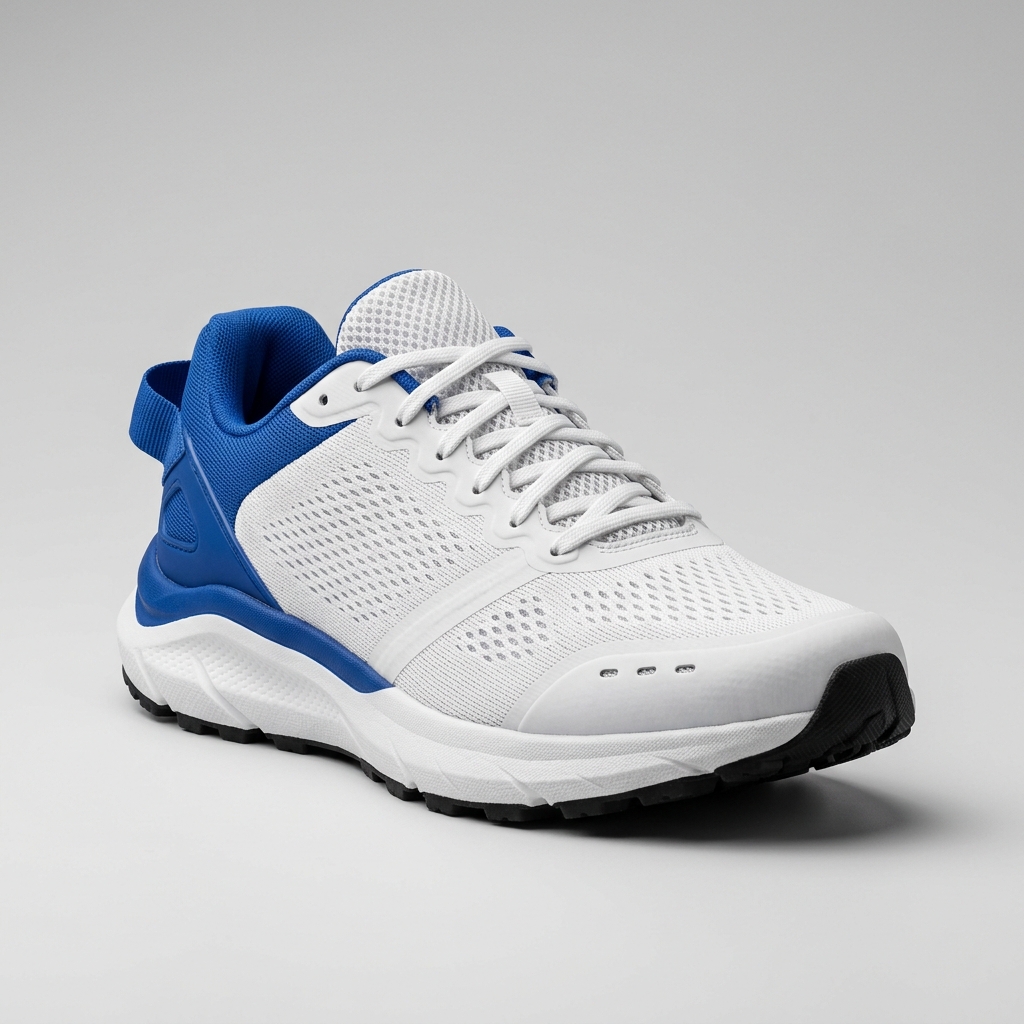
Ready to create multiple views for your product?
Click or drag & drop any photo here (PNG, JPG, WEBP)
Working with a character?
Build a more complete shoe image set for product pages, footwear catalogs, wholesale line sheets, launch campaigns, and creative production without scheduling another photo shoot.
One shoe photo · Footwear-specific views · PNG export · No reshoot required
Build a Complete Footwear View Set From One Image
Create additional perspectives of an existing footwear product without photographing every view separately.
Footwear-Specific Camera Presets
Move directly to the angles commonly used for sneakers, boots, sandals, heels, and other footwear products.
More Complete Product Coverage
Add lateral, medial, heel, top-down, outsole, front, and three-quarter images to an existing product asset set.
Consistent Visual Direction
Use the same source image, prompt, lighting instruction, and framing guidance across generated views.
Generate Multiple Shoe Angles From One Photo
Create additional footwear product views in five steps.
Upload a Clear Shoe Photo
Start with a high-resolution image showing the complete shoe. Three-quarter or lateral-side studio images usually reveal the strongest information.
Select the Missing Shoe Angle
Choose front, three-quarter, lateral side, medial side, heel, top-down, outsole, low-angle, or a custom camera position.
Describe Product Details
Specify important colors, materials, logos, lace configuration, sole thickness, stitching, background, and framing.
Generate the New View
Create the selected perspective using visible information from the source while estimating hidden areas such as the opposite side, rear, interior opening, and outsole.
Review and Export
Inspect construction accuracy and visual consistency before downloading the approved PNG or generating the next required angle.
Essential Angles for Shoe Product Photography
Different shoe views answer different buyer and production questions.
Front View
Show the toe shape, forefoot width, lacing symmetry, tongue, and front color blocking.
Front Three-Quarter View
Present the overall silhouette while showing the front, side, upper, and midsole in one balanced hero image.
Lateral Side View
Display the outer side profile, major branding, panel construction, midsole geometry, heel-to-toe drop, and overall length.
Medial Side View
Reveal the inside panel layout, arch area, inner branding, support structure, and asymmetrical construction.
Heel View
Show the heel counter, pull tab, rear seam, collar shape, branding, cushioning geometry, and outsole width.
Outsole View
Show sole geometry, tread layout, traction zones, material divisions, and branding underneath the shoe.
Keep Important Footwear Details Consistent
The generator uses the uploaded image as its primary visual reference, then requires review for inferred surfaces.
Upper Materials
Aim to retain visible mesh, leather, suede, canvas, knit, synthetic panels, overlays, perforations, and surface textures.
Midsole and Outsole
Maintain the overall midsole profile, cushioning shape, outsole thickness, color divisions, and visible tread edge.
Laces and Eyelets
Preserve the general lacing structure, tongue position, eyelet placement, straps, buckles, or alternative closure systems.
Heel Construction
Keep the heel counter, collar, pull tab, rear seams, cushioning shape, and rear branding visually consistent.
Silhouette and Proportions
Maintain the relationship between the toe box, vamp, midfoot, heel, sole, and overall shoe length.
Branding and Colorways
Use the source image to guide logo placement, color blocking, accent panels, and material transitions.
Choose the Best Shoe Photo for Angle Generation
Better source images create stronger material, silhouette, and construction references.
Show the Complete Shoe
Avoid cropping the toe, heel, outsole edge, or collar. Missing areas require more visual inference.
Start With a Three-Quarter or Side View
These angles often reveal the silhouette, upper panels, lacing, heel, midsole, and outsole edge together.
Use a Clean Background
Simple studio backgrounds make it easier to identify the shoe boundary and preserve a consistent product presentation.
Avoid On-Foot Photos for Catalog Views
Images showing the shoe on a model can obscure the collar, outsole, side panels, and heel.
Upload One Clear Product
A single shoe generally gives the model a clearer product reference than a crossed pair or lifestyle arrangement.
Make Small Details Visible
Use adequate resolution when logos, stitching, perforations, tread, labels, or material texture are important.
Common Uses for a Shoe Angle Generator
Complete a Shoe Product Page Gallery
A footwear brand has a strong three-quarter hero image but lacks side, heel, top-down, and outsole views.
Generate the missing perspectives from the existing hero image and arrange the approved views into a more complete product gallery.
- Upper construction
- Midsole and outsole proportions
- Logo placement
- Color consistency
Create Multiple Sneaker Angles Before a Launch
A new sneaker colorway must be prepared for a launch page before all studio photography is complete.
Use an available sample photo to create preliminary front, side, rear, and top-down assets for design and launch preparation.
- Color blocking
- Material panels
- Lace and tongue details
- Heel construction
Add an Outsole View
A performance shoe listing needs to show tread and traction, but the original shoot did not include the sole.
Generate an outsole perspective and compare the inferred tread, material zones, logo, and proportions against available references.
- Tread pattern
- Flex grooves
- Rubber coverage
- Midfoot structure
Prepare Footwear Catalog Assets
A wholesale catalog requires standardized lateral, three-quarter, and rear images across a collection with inconsistent photography.
Generate the missing perspectives and apply consistent framing guidelines across each approved shoe image.
- Product scale
- Orientation
- Background
- Framing and margins
Shoe Angle Generator FAQ
What is a shoe angle generator?
A shoe angle generator creates additional footwear views from an existing product photo, including front, side, heel, top-down, outsole, three-quarter, and custom perspectives.
Can I generate multiple shoe angles from one photo?
Yes. Upload one clear shoe image and generate the additional angles you need.
What does an AI sneaker angle generator preserve?
It aims to preserve the sneaker's overall shape, materials, colors, panel construction, lacing, sole profile, and visible branding.
Is this a shoe product photo angle generator?
Yes. It is designed to create additional shoe product views for galleries, catalogs, line sheets, launch pages, and creative workflows.
Can it generate front, side, and back shoe images?
Yes. Use front, lateral side, medial side, and heel presets to build a front-side-back shoe image set.
Can I generate an outsole view from a side photo?
Yes, but outsole tread and underside construction must be inferred from limited information and should be reviewed before publishing.
Does it work for boots, sandals, and heels?
Yes. The workflow can be used for sneakers, running shoes, boots, sandals, heels, loafers, flats, children's footwear, and other shoe types.
Are the generated views the same as a true 3D shoe model?
No. The images are AI-generated perspectives guided by the source photo, not renders from a dimensionally accurate reconstructed 3D model.
Continue Your Footwear Workflow
Multi-View Image Generator
Generate complete sets of front, side, heel, and three-quarter angles in one pass.
Open Multi-View GeneratorProduct 360 View
Reconstruct interactive 360-degree rotating views for footwear presentation.
Open Product 360Ecommerce Product Angles
Produce marketplace-ready product angles for online stores and catalogs.
Open Ecommerce AnglesCustom Camera Angle Hub
Fine-tune exact camera azimuth, elevation, and framing for specific shoe details.
Create Custom Camera AngleCreate More Shoe Views Without Another Photo Shoot
Upload one sneaker, boot, sandal, heel, or footwear image and generate the missing side, heel, top, front, and outsole views.
One source image. Multiple footwear perspectives. Review and export the views your project needs.