
Keep Your Existing Character
Start from the design you've already created instead of generating a new character.
ONE CHARACTER DESIGN. MULTIPLE ANIMATION REFERENCES.
One character design. The views you need to keep drawing them.
Upload your character, choose 3 or 5 views and a pose preference, then review the generated sheet.
Upload Character Artwork
Upload a clear character image to generate multiple reference views
Consistency mode generates five reference views from one normalized character reference.
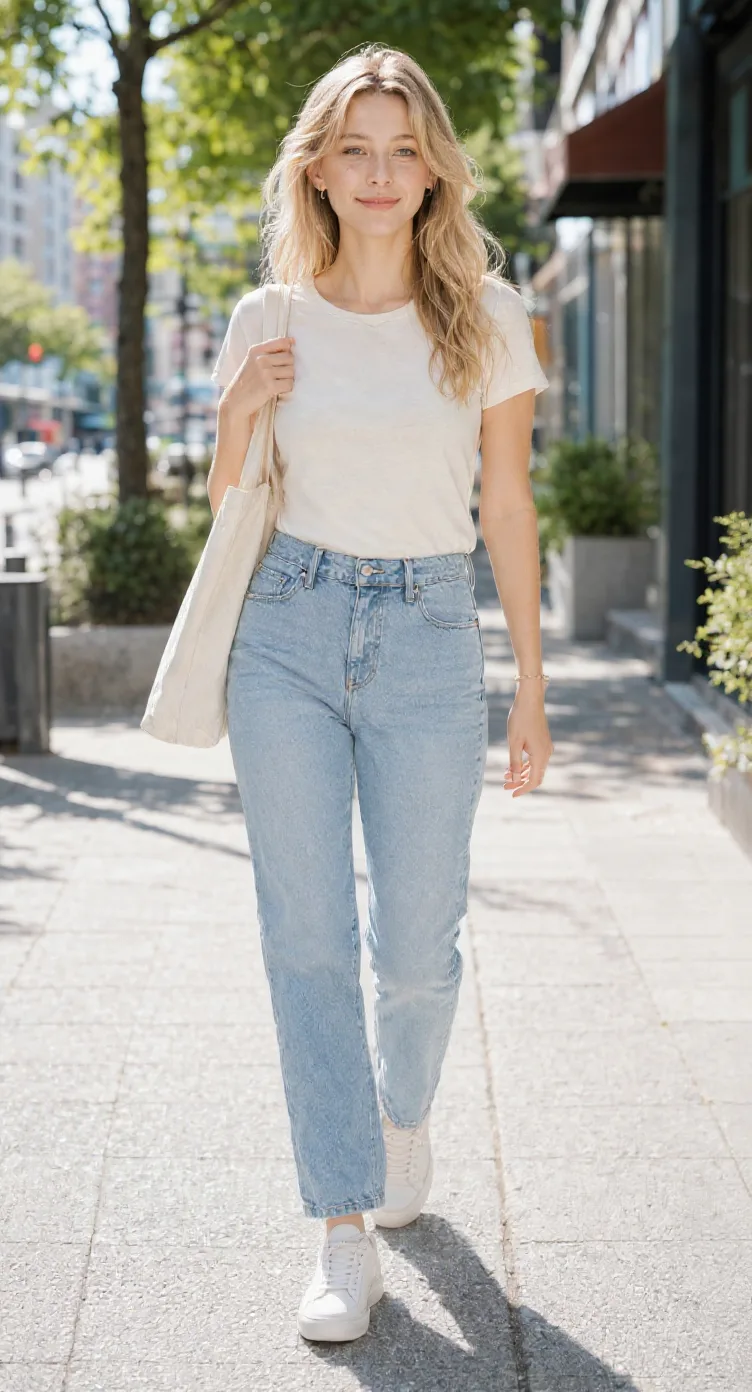
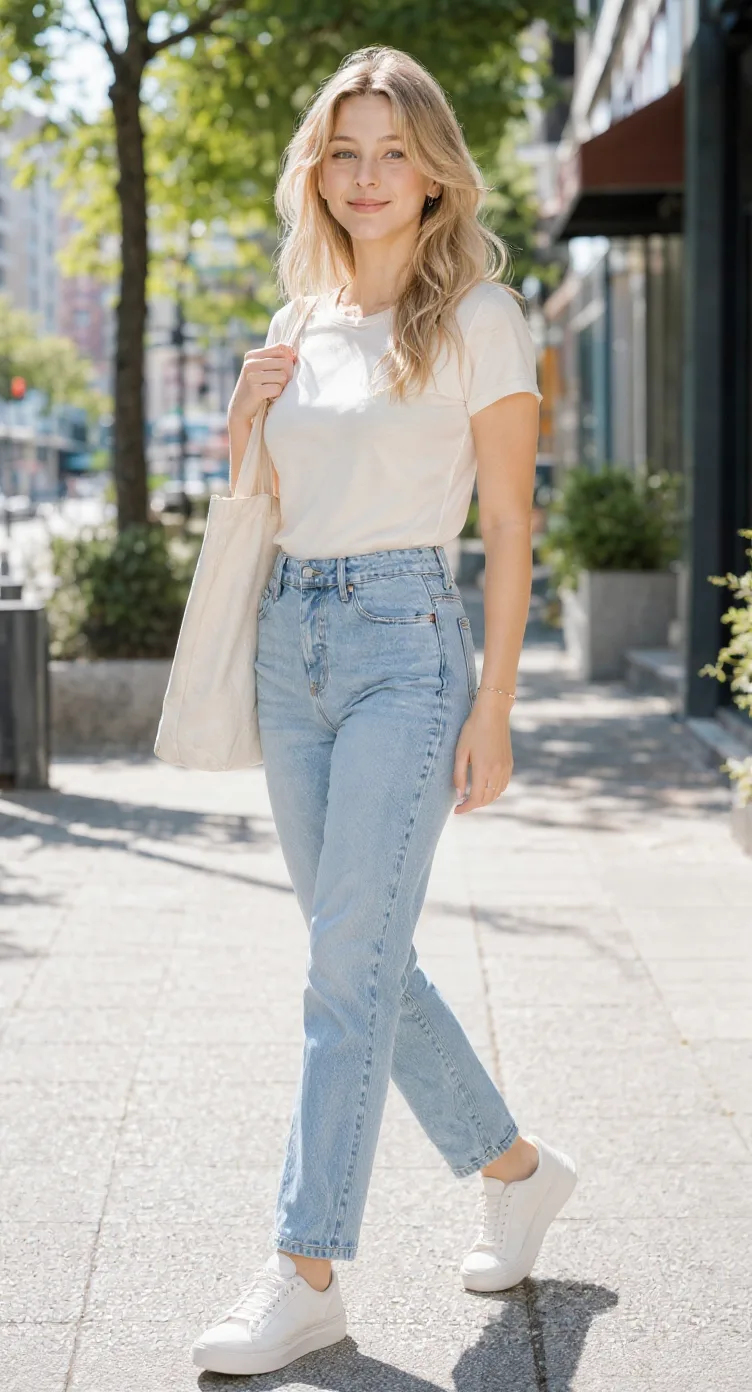
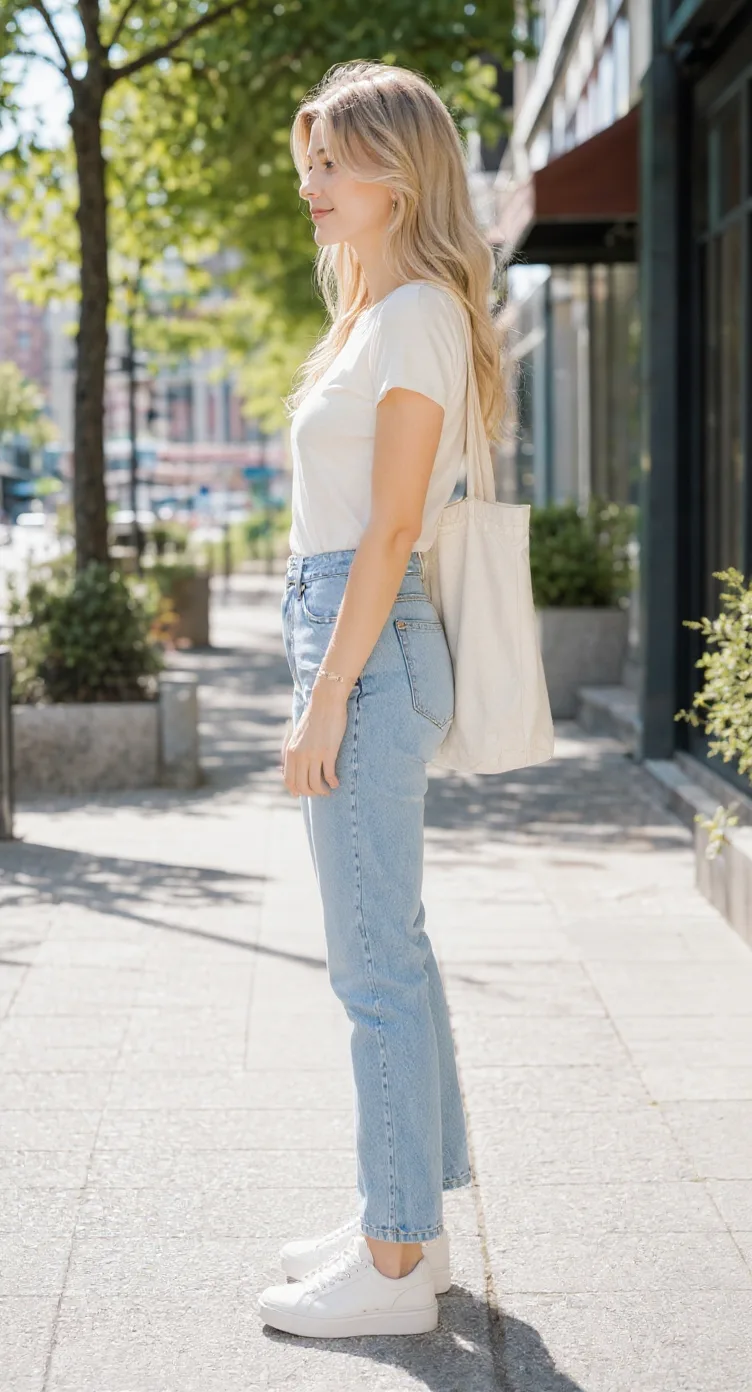
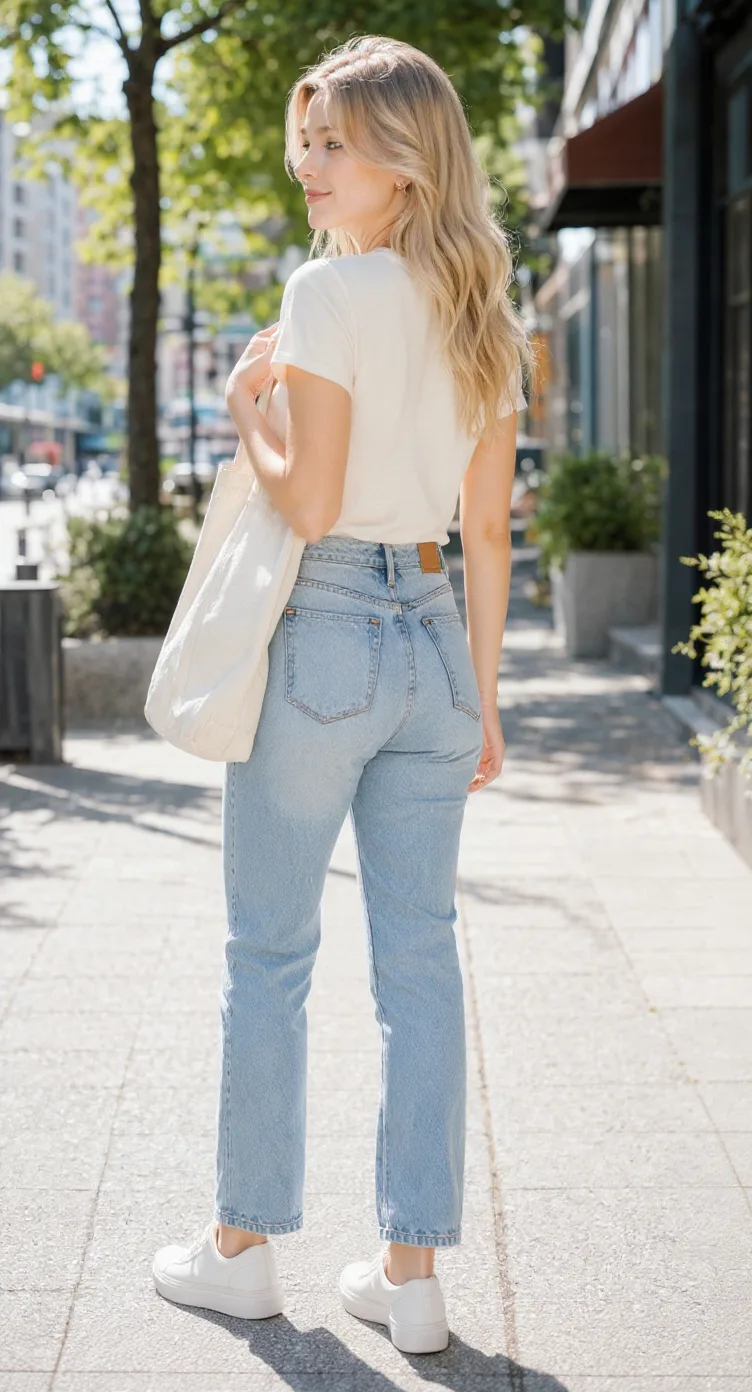
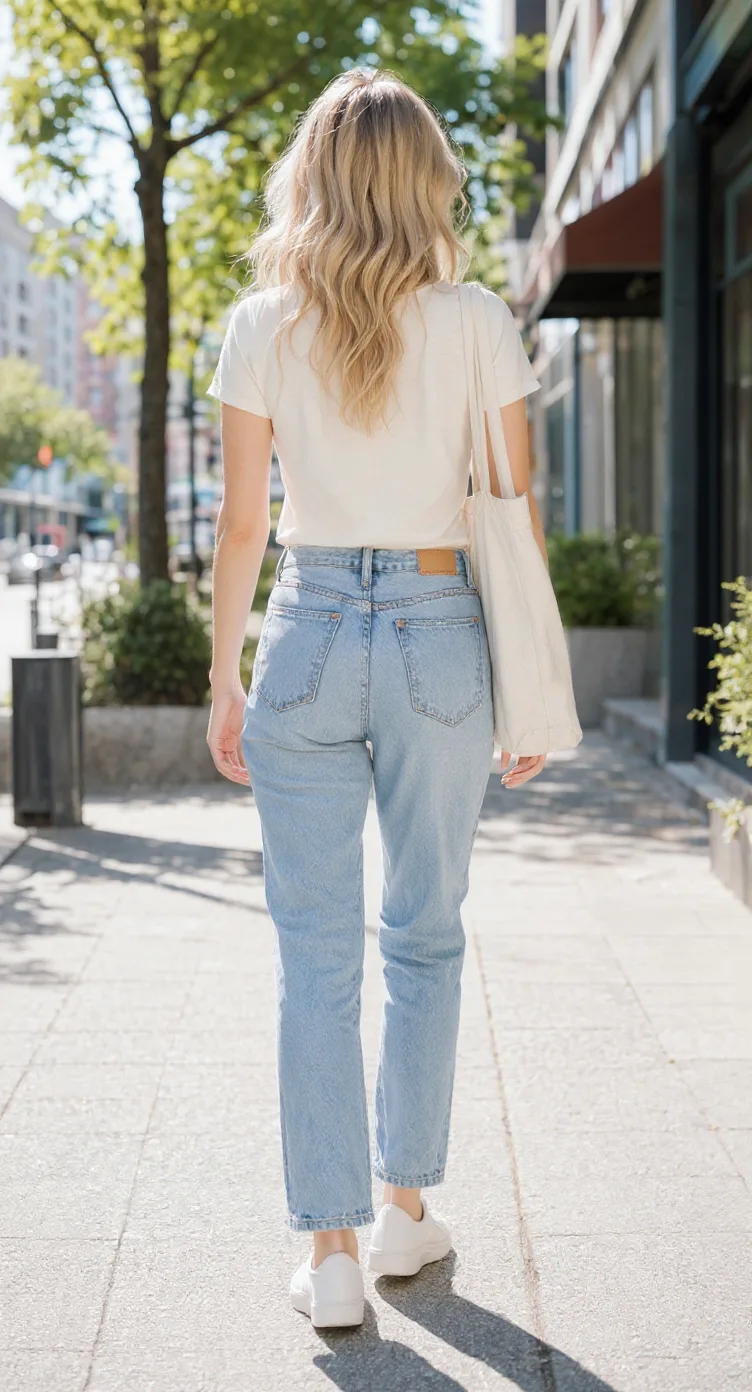
Generated views are AI-created references. Review character proportions, construction, and design consistency before production use.
You've designed a character you love. Now your next scene needs them facing sideways, turning away, or appearing from a different camera angle. Upload your existing character artwork and generate front, side, back, and three-quarter views. Bring the results together into a character model sheet for planning animation, drawing storyboards, or sharing the design with another artist. Build a more complete visual reference without drawing every angle from scratch.
Start from the design you've already created instead of generating a new character.
Explore front, side, back, and optional three-quarter views.
Download the views together so you and other artists have a common design reference.
Front, side, back & 3/4 views in one run
Lateral, heel & outsole sneaker views
Front, side & rear model reference sheets
Share your original character in multiple views
Prepare multi-view references for model artists
Prepare character views for Blender and 3D modeling
Generate a rear perspective from a character image
Front, side, back & 3/4 views for anime characters
One left or right profile, 30 credits
Clean marketplace angles for listings
Interactive 360° rotatable spin view
Precise azimuth & elevation controls
FROM ONE DRAWING TO MULTIPLE ANIMATION VIEWS
A character may look perfect in one illustration, but animation needs more than a single view. A multi-view model sheet helps you explore the same character facing the camera, seen in profile, or walking away before you create additional artwork.
Start with a cartoon character illustration and review its shape, hairstyle, clothing, and silhouette from the main perspectives.
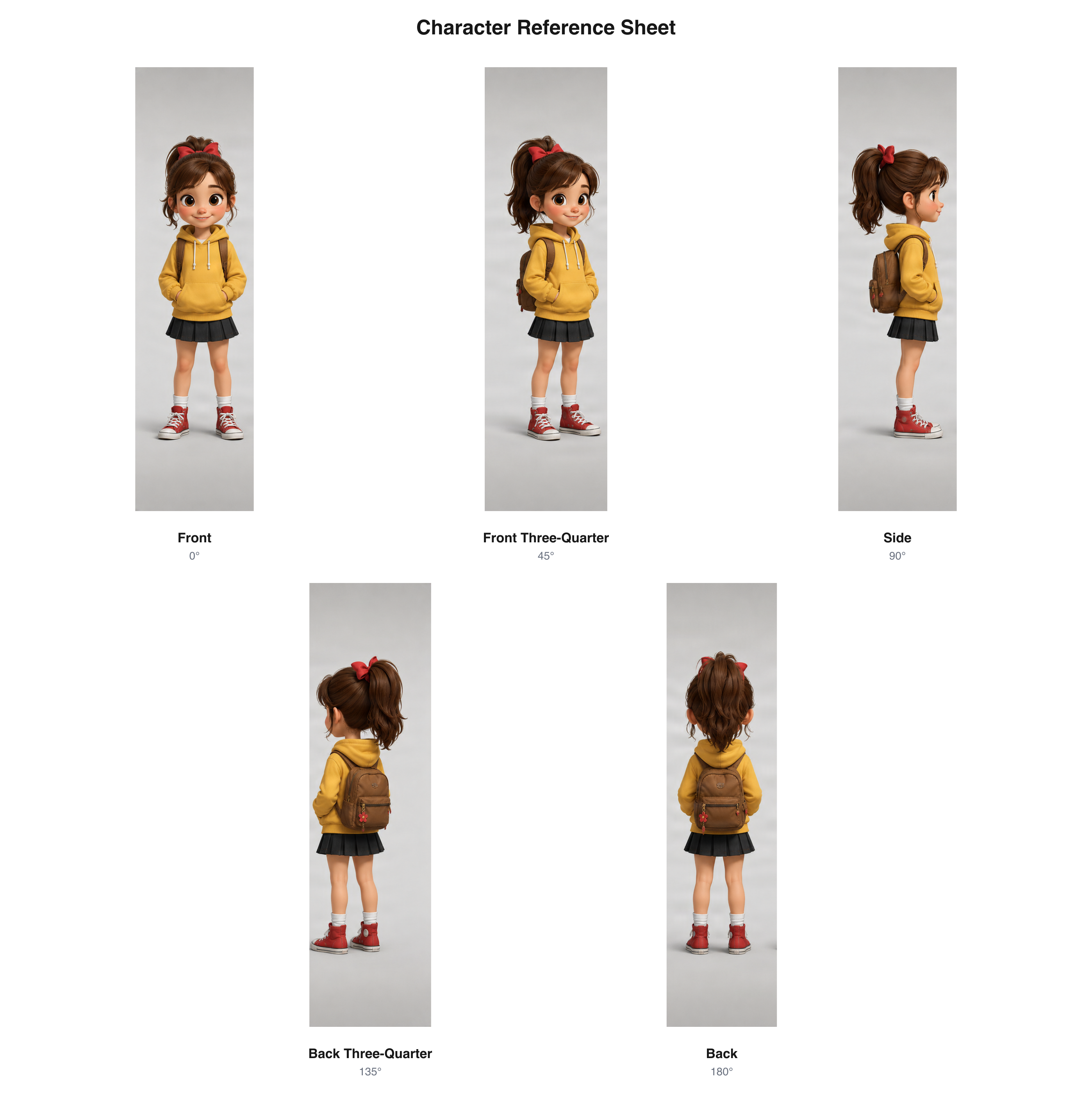
A five-view cartoon character reference arranged as a single sheet.
View example sheetReview hair shape, clothing, proportions, and distinctive features across generated views before continuing your animation artwork.
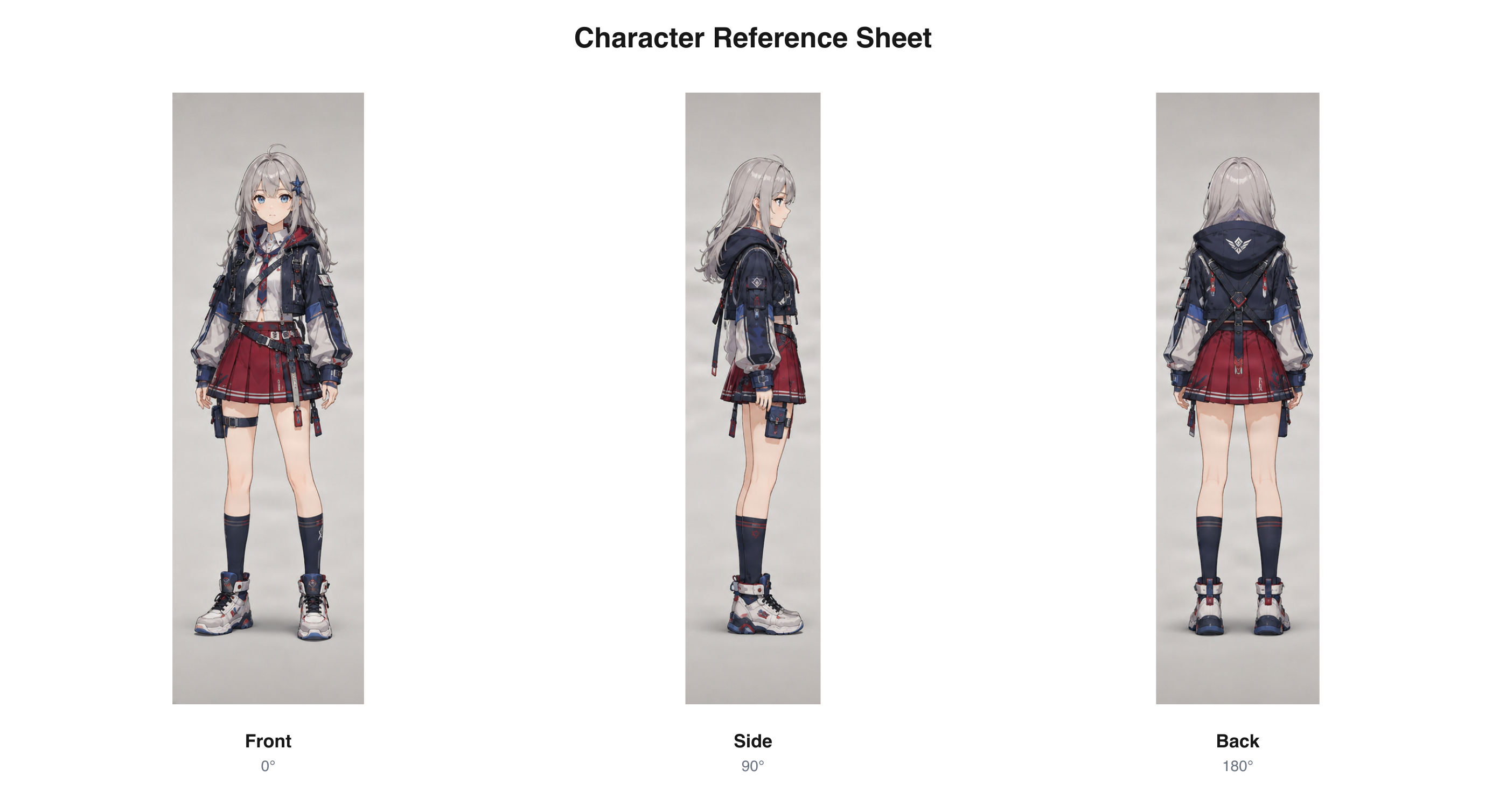
Three generated anime character perspectives presented together.
View example sheetExplore how a fantasy character's cape, armor, hairstyle, and costume elements may appear from different directions.
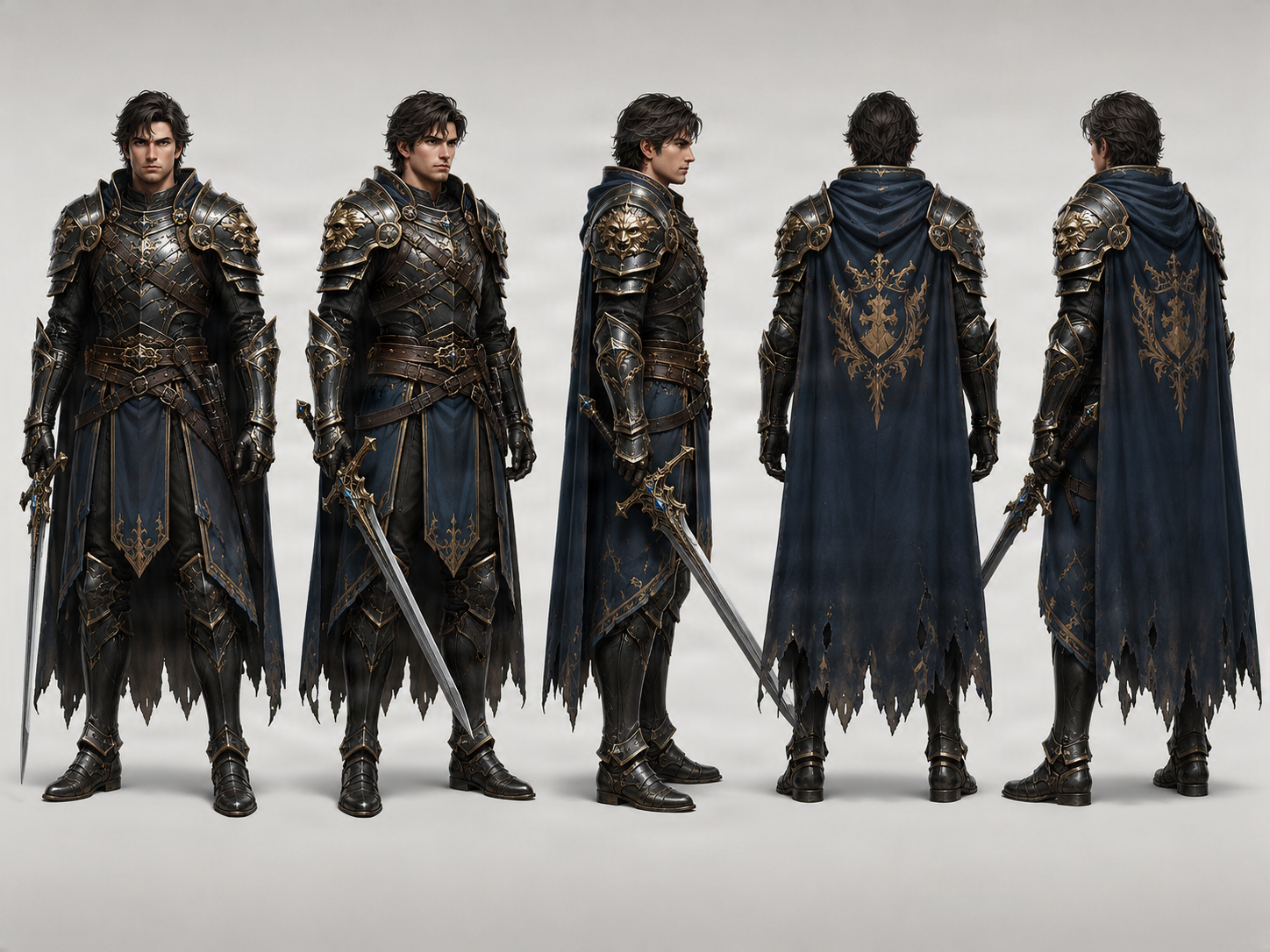
Fantasy character design arranged into a multi-angle reference.
These examples demonstrate multi-view reference output. Generated details should still be reviewed against the intended character design.
Create a Model Sheet From My CharacterKEEP YOUR CHARACTER RECOGNIZABLE BETWEEN SHOTS
You spend hours deciding how your character should look: the face, hairstyle, body shape, clothing, and small details that make the design recognizable. Then you plan an animation. Without references, the hairstyle may change shape, a jacket may look shorter, proportions may shift, or a distinctive accessory may disappear. A multi-view model sheet gives you a place to compare those details before treating the views as an approved reference.
Use front, side, back, and three-quarter images as visual references when planning new artwork.
Compare the hairstyle, face shape, costume, and silhouette across generated views.
Share the sheet instead of expecting another artist to reconstruct the character from one illustration.
Review proportions or clothing details before treating a view as production-approved.
CREATE AN ANIMATION MODEL SHEET IN THREE STEPS
Choose a clear character illustration. A full-body image is useful when clothing, hairstyle, proportions, and footwear matter. You don't need to draw every angle yourself.
Select three essential views or five perspectives with additional three-quarter angles. Choose Neutral, A-Pose, T-Pose, or Match Original as a pose preference.
Compare the face, outfit, hairstyle, proportions, and distinctive features. When the selected views have completed successfully and passed applicable checks, download the combined PNG, individual views, or available archive.
CHOOSE THE RIGHT LEVEL OF CHARACTER REFERENCE
Different animation projects need different amounts of reference. Three perspectives may be enough to get started. Additional three-quarter views can help you inspect complicated hair, layered clothing, or distinctive proportions.
Front 0° · Side 90° · Back 180°. Useful for early design development, simple characters, basic storyboard reference, costume review, and a first-pass character guide.
Front 0° · Front Three-Quarter 45° · Side 90° · Back Three-Quarter 135° · Back 180°. Useful for complex hairstyles, layered costumes, changing shot angles, design reviews, and animator handoffs.
The generator provides a selected set of viewing angles, not a continuous 360° rotation or a sequence of in-between frames.
A VISUAL REFERENCE FOR DESIGN CONSISTENCY
A useful model sheet helps communicate which features should remain recognizable. Generated views are a starting point for reviewing these parts of the design.
Compare the general head shape, facial proportions, and recognizable appearance.
Explore how the hair may look from the front, side, and back; check its shape, length, and distinctive features.
Review the relative size of the head, torso, arms, and legs across views.
Look for changes in jackets, sleeves, footwear, armor, belts, and other design elements.
Compare the overall character shape and how the design reads from different directions.
Check whether major colors, markings, and important accessories remain recognizable.
AI can introduce inconsistencies. This tool helps generate and compare reference views; it does not certify that the character is perfectly on-model.
BEFORE YOU DRAW THE NEXT SCENE
A single illustration shows a character in one moment. Animation planning often needs the same character from other directions. A multi-view model sheet helps prepare visual references for that work.
Review the character's overall design, outfit, and proportions.
Examine the facial profile, hairstyle, body silhouette, and clothing.
Use the back view when planning a shot where the character faces away.
Explore how the character may look between front, side, and back.
Give collaborators a visual starting point for discussing the design across scenes.
The output helps with design planning. It does not generate keyframes, in-between drawings, motion, or completed animation.
THE DESIGN REFERENCE BEHIND YOUR SHOTS
Storyboards can place a character in many situations: facing the audience, turning toward another character, walking through a doorway, or seen from behind. A multi-view model sheet gives you a visual starting point while you develop the scene.
Consult front, side, rear, and three-quarter references when planning a shot.
Refer to hairstyle, head shape, costume, and silhouette in new directions.
Show collaborators the angle you mean instead of describing every detail.
Use generated views as drafts, then correct features that do not match the approved design.
HELP ANOTHER ANIMATOR UNDERSTAND YOUR DESIGN
Another animator, illustrator, or clean-up artist may need to draw your character later. A multi-view model sheet gives your team a clearer visual reference for discussing the design.
Help collaborators understand the character beyond the original illustration.
Use side and rear views to explain details that may not be visible from the front.
Compare the generated views and decide what needs correction.
Save the sheet so artists can consult the same intended design later.
A generated sheet should be reviewed and approved by the relevant artist or design lead before it becomes an authoritative production reference.
CHOOSE A USEFUL REFERENCE POSE
A model sheet is easier to use when the character's body and costume are clearly visible. Pose preferences guide generation, but do not guarantee exact anatomy or alignment.
A practical starting point for reviewing the design without emphasizing a dramatic action.
Arms angled away from the torso may make parts of the shoulders, sleeves, and upper body easier to inspect.
Arms extended outward, a familiar construction reference for body and clothing.
Use the source artwork's pose as the preferred starting point when the existing stance matters.
Exact anatomical positioning, symmetrical construction, and matching proportions across views are not guaranteed.
CHARACTER REFERENCES FOR YOUR ANIMATION STYLE
Different animation styles place different demands on character design. Start with your own illustration and explore additional views.
Review the overall head shape, body proportions, clothing, and recognizable silhouette.
Explore facial profile, hairstyle construction, outfit details, and rear appearance.
Inspect capes, armor, costumes, and other features from different angles.
Prepare additional references for characters who appear throughout a story or series.
CREATED FOR ANIMATION WORKFLOWS
Explore character angles before drawing additional scenes.
Practice reviewing designs from multiple directions.
Keep a visual reference close while planning shot orientation.
Review how hairstyles, costume details, and silhouettes read across views.
Share a common starting point during pre-production and handoff.
Prepare additional perspectives from an existing character illustration.
Help clients discuss a design beyond its original front-facing image.
ONE DOWNLOADABLE SHEET FOR REVIEWING YOUR CHARACTER
Use the available result exports to review and share the generated character views.
Download the completed multi-view layout when selected views pass the applicable checks.
Save a specific generated angle for a separate design review.
Keep the available result images together in an archive.
The arranged sheet identifies the selected perspectives.
Check each view for design changes, especially features hidden from the source angle.
TURN GENERATED VIEWS INTO A CHARACTER DESIGN GUIDE
Choose the existing design that should guide the new views.
Select the essential three angles or a five-view set.
Review face, hair, costume, proportions, colors, and silhouette.
Redraw or adjust details that do not match the intended design.
Use the approved reference when discussing shots or handing off the character.
Draw storyboards, keyframes, in-betweens, and final animation through your usual process.
A BETTER STARTING IMAGE GIVES YOU MORE TO REVIEW
Include the whole character when footwear and body proportions matter.
Choose a source image where the body shape is easy to understand.
Use an image where the costume details you want to preserve are visible.
Overlapping objects can hide details the model needs to infer.
A distinct outline helps you review the character from other directions.
The back of the hair or clothing may not appear in the source and needs careful review.
A MODEL SHEET STARTING POINT, NOT A FINISHED ANIMATION PACKAGE
A selected set of static front, side, back, and three-quarter character views, with pose preferences and available PNG or ZIP exports.
Production-approved proportions, construction guides, expressions, keyframes, in-between drawings, walk cycles, rigging, sprite sheets, layered PSDs, and 3D models require other tools or artist work.
Treat the output as a design draft. A qualified artist or animation lead should review it before production use.
A MODEL SHEET, A TURNAROUND, OR AN ANIMATION?
Prepare static multi-view references for 2D animation planning, storyboards, and design handoff.
Review a character's design, silhouette, proportions, and clothing from multiple angles.
Explore front, side, back, and optional three-quarter character views.
Arrange generated views into one image for reference and sharing.
Use an animation-specific workflow when you need movement frames or a sprite sequence.
This page focuses on multi-view static references for animation pre-production, not motion generation.
An animation character model sheet is a visual reference that helps artists understand how a character should look from different directions. It commonly includes front, side, back, and three-quarter views. Professional sheets may also include construction guides, expressions, colors, and design notes; this generator focuses on multi-view references from an existing illustration.
Yes. Upload an existing character illustration and select three or five views. The generator uses your artwork as the starting reference for additional perspectives that can be arranged into a model sheet.
No. Begin with one character image and generate additional front, side, back, and three-quarter references. You may still need to refine or redraw parts if your project requires precise construction or strict consistency.
Yes, as a visual design reference. It can help you understand the character from different directions before creating storyboards, keyframes, or additional drawings. It does not create animation frames or finished 2D animation.
No. The generator produces static character views. Walk cycles, facial animation, keyframes, in-between drawings, and completed animation require separate production steps.
The three-view mode includes Front (0°), Side (90°), and Back (180°). The five-view mode adds Front Three-Quarter (45°) and Back Three-Quarter (135°). These are reference angles, not frames of an animated rotation.
Three views cover the main front, side, and back directions. Five views add more information between those directions, which may help with complex hairstyles, outfits, or design reviews. Choose based on how much reference information your project needs.
Perfect consistency is not guaranteed. Facial details, proportions, hairstyle, clothing, or accessories may vary. Compare and correct the results before using them as approved production references.
Yes. Upload an existing cartoon character illustration to generate additional viewing angles for design review, storyboarding, or animation planning.
Yes. Use an anime-style character image as the starting reference, then review the hairstyle, face shape, outfit, and silhouette across the selected views.
Yes. The workbench provides Neutral, T-Pose, A-Pose, and Match Original pose preferences. They guide generation but do not guarantee identical anatomy, symmetry, or joint positioning across views.
Accurate, consistent proportions matter in professional references. This generator creates multi-view drafts but does not guarantee exact alignment or identical proportions. Have a character designer or animation lead review and correct the views before using them as a production standard.
Yes, as a character appearance reference. The views can help plan how the character looks from the front, side, and back. The tool does not create storyboard panels, shot composition, or complete scenes.
Yes. A combined PNG can help communicate a character's intended appearance. Review the generated details first, especially features hidden in the original image.
No. This workflow focuses on different viewing angles. A complete expression sheet, mouth chart, or acting-pose guide requires additional artwork or another workflow.
Yes. It can propose a rear-facing perspective based on details visible in the source. Since unseen features must be inferred, check the back hairstyle, clothing, and accessories against your intended design.
Yes, as a visual design reference. Rigged or cutout animation still requires artwork preparation, layer separation, and rigging. The generated sheet is not a rigged character or production-ready layered file.
Yes. When all selected views complete successfully and pass applicable quality checks, you can download a combined model sheet PNG. The result workflow also provides individual views and available image archives.
Generating character views uses credits, with the total shown in the workbench. Arranging already generated and approved images into a combined sheet does not require a separate AI image-generation run.
The results page shows the status of each generated view. If a required perspective fails or needs review, a complete approved model sheet may not be available until the applicable checks are satisfied. Existing generation, quality review, and settlement rules continue to apply.
Generate front, side, back, and three-quarter views of a character.
Character Model Sheet GeneratorReview a character's design, silhouette, proportions, and clothing from multiple angles.
Character Reference Sheet GeneratorArrange generated character views into one reference image.
Anime Character Turnaround GeneratorGenerate additional perspectives of anime-style character artwork.
Character Side View GeneratorGenerate a single character profile when you only need one side angle.
Character Back View GeneratorGenerate a rear-facing character reference without creating a full multi-view set.
OC Reference Sheet GeneratorCreate multi-view references of an original character for drawings and commissions.
READY TO BRING YOUR CHARACTER INTO MORE SCENES?
Explore the angles you haven't drawn, review the design, and prepare references for your next storyboard or animation project. Upload your character image, choose your views, and download a multi-view model sheet.
Create My Animation Character Model SheetYour character artwork · 3 or 5 reference views · Downloadable PNG sheet
Creative Toolkit Index
Quick access to precision layer extraction, AI photo editing & asset tools.