
Extract Editable Parts From a Character Image
Your character already looks right. The problem is that the hair, face, clothing, and body are all stuck together in one flat image. Upload your character and turn overlapping regions into separate, editable layers — with plausible hidden areas reconstructed where needed so the result is more useful when you move or edit individual parts.
Extract Character Parts
PNG, JPG, or WebP
Click or drag your character image here
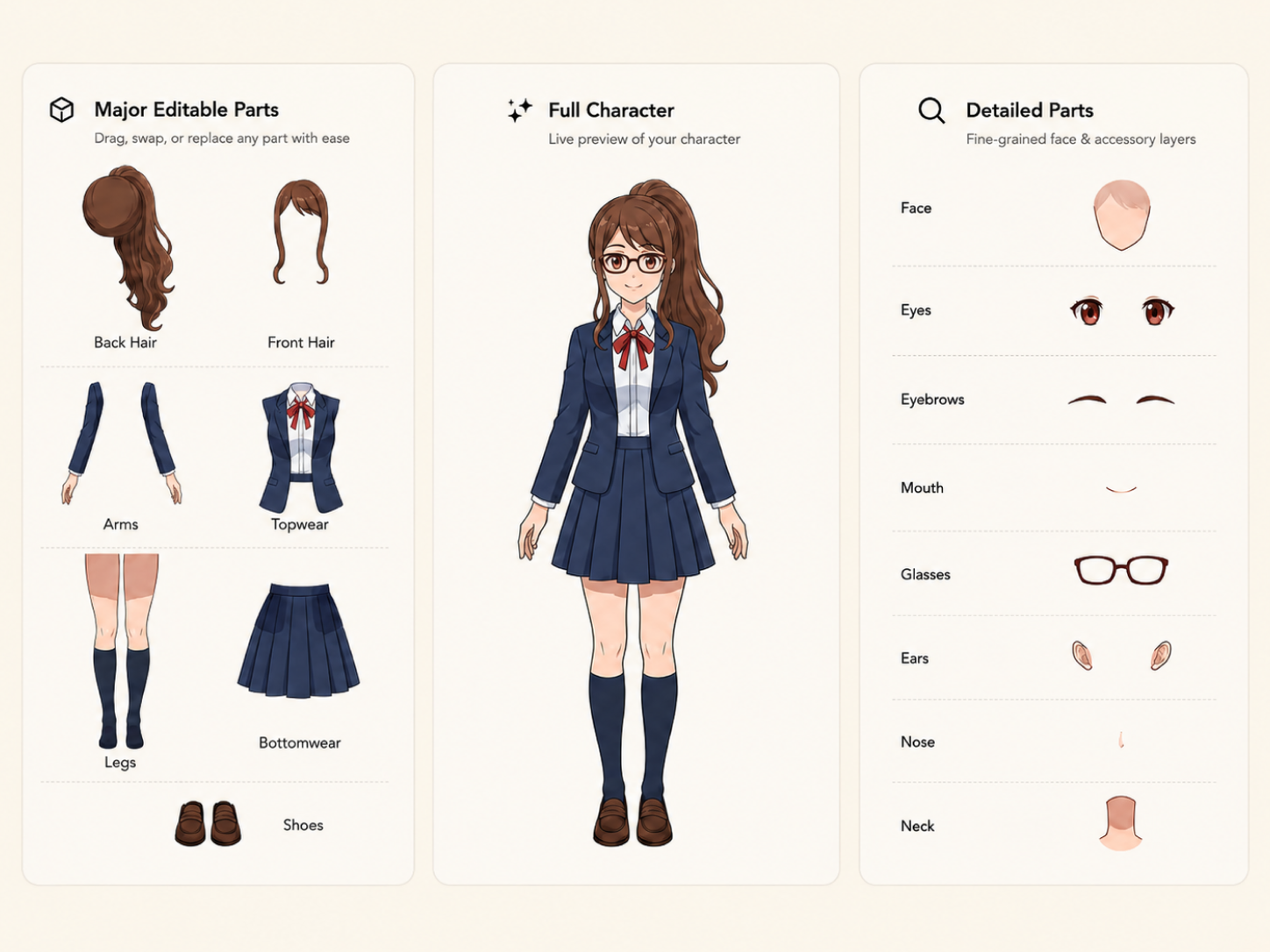
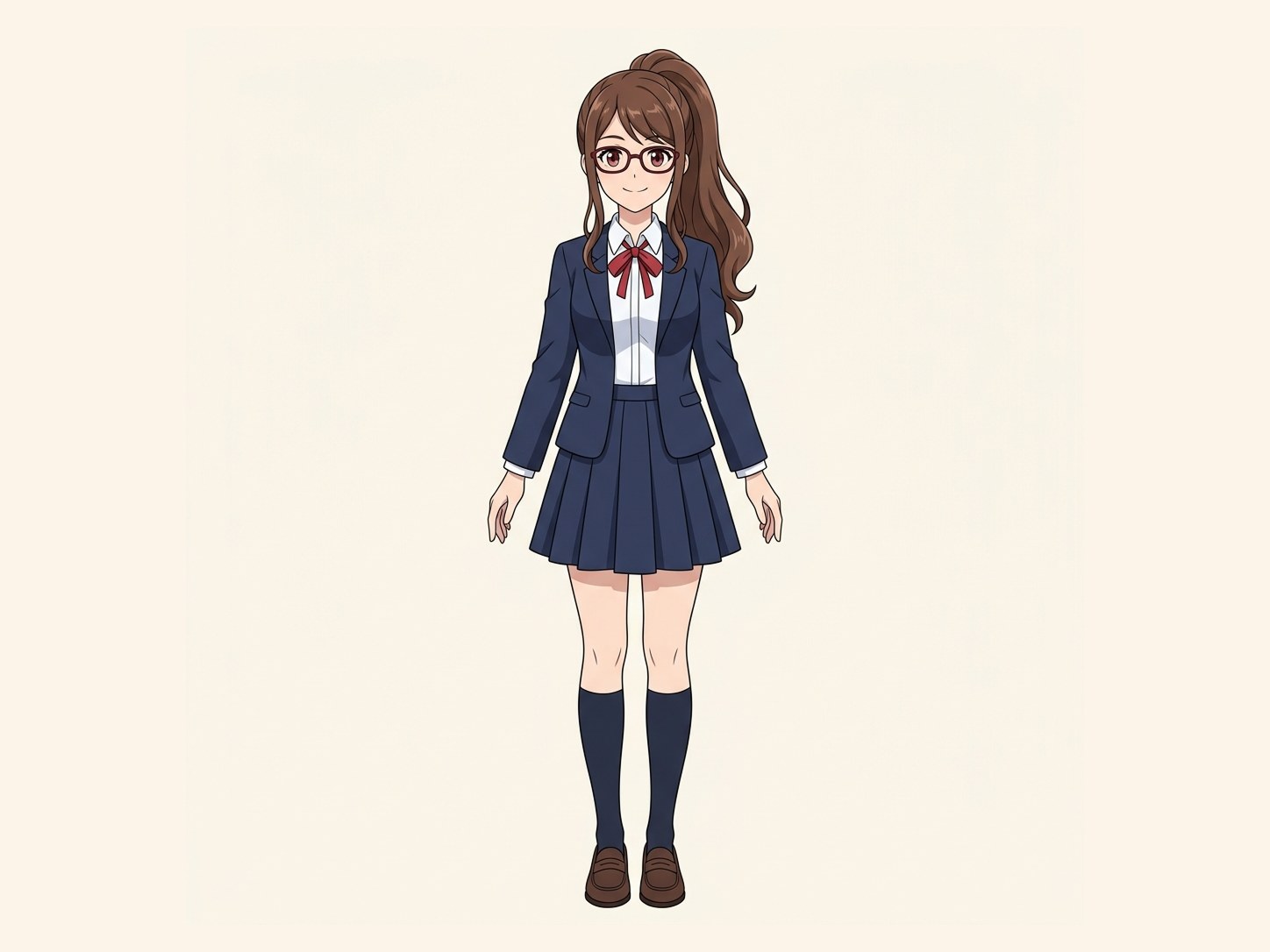
Upload → separate → review editable layers
Clear 2D character artwork with distinguishable overlapping regions usually produces the most useful separation.
Your image is processed securely.
Uses 30 credits per image
Processing time varies with image complexity. Detailed characters and complex poses may take longer.
Start with one flat character image. No manual cutting required.
One Small Edit Shouldn’t Mean Rebuilding the Whole Character
A flat character image is easy to share, but frustrating to edit. Move the hair and part of the face may be missing underneath. Change the clothing and the body behind it may not exist. Try to reposition one section and suddenly you are repainting everything around it. Character Parts Extractor gives you a more workable starting point by separating the character into editable regions instead of leaving everything permanently flattened together.
The hair and face are fused together
Clothing covers the body underneath
Overlapping parts cannot move independently
You only have the final flattened image
Move a Part Without Leaving an Empty Hole Behind
Simply cutting visible pixels apart is not enough. In finished character art, one region often hides another. Hair can cover the face. Clothing can cover the body. Other character regions can overlap in ways that make a basic cutout unusable once you move the pieces apart. ImageToLayers uses reconstruction of hidden areas to create plausible hidden regions behind those overlaps, helping separated layers remain more useful for editing.
Flat Character
Separate Character Regions
Reconstruct Hidden Areas
Editable Layers
hidden-area reconstruction does not recover the original hidden artwork. Hidden areas are AI-generated reconstructions based on the visible character and surrounding context.
Work With the Part You Actually Want to Change
Change Hair Without Starting Over
Make the Face More Accessible
Work With Clothing Separately
Move Overlapping Regions More Freely
Keep Editing After Separation
See What a Flat Character Becomes
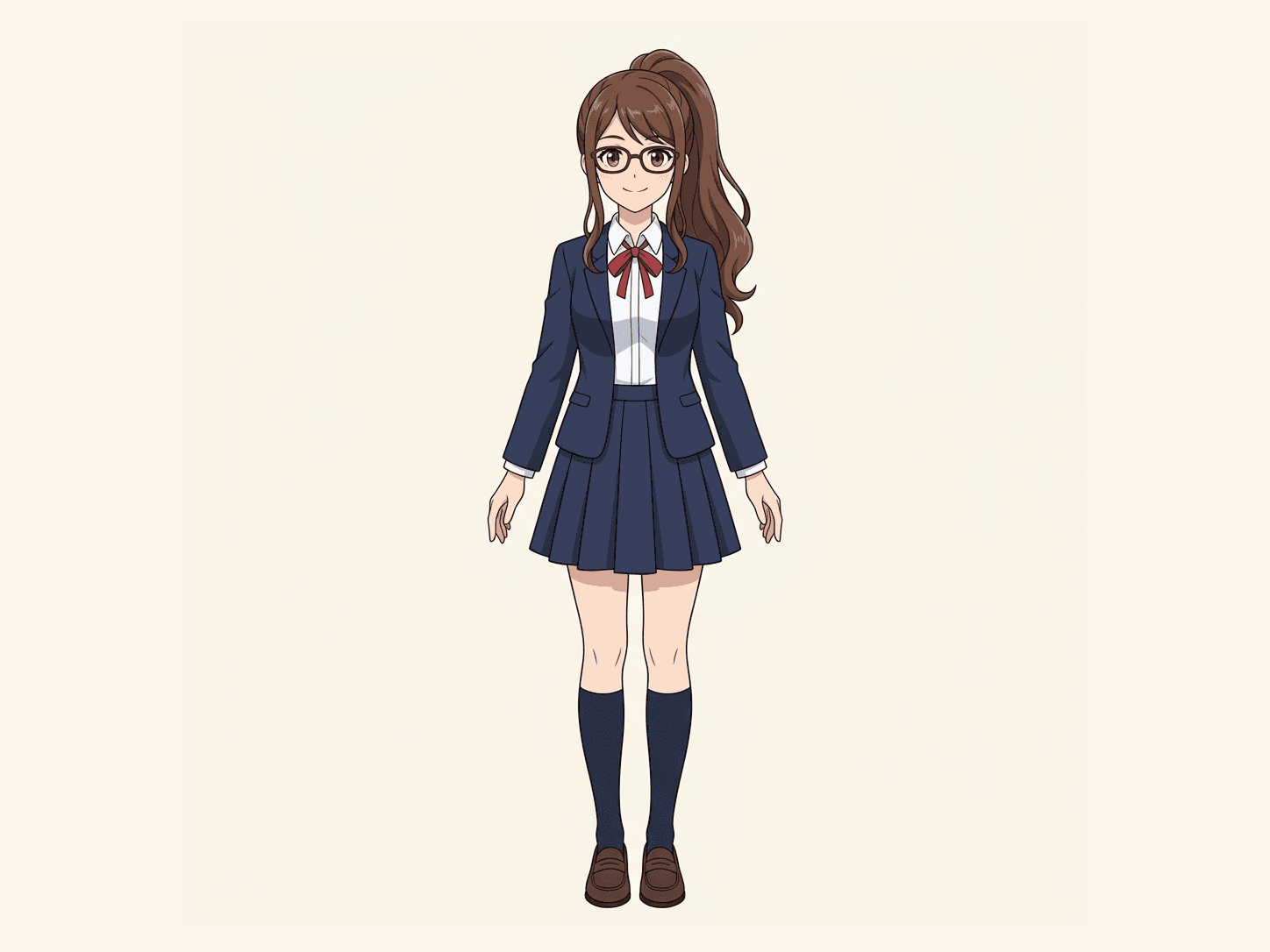
Explore real Character to Layers examples and see how flattened artwork can become a more editable layered starting point.
Input
Flat character
Separated Output
Editable layers
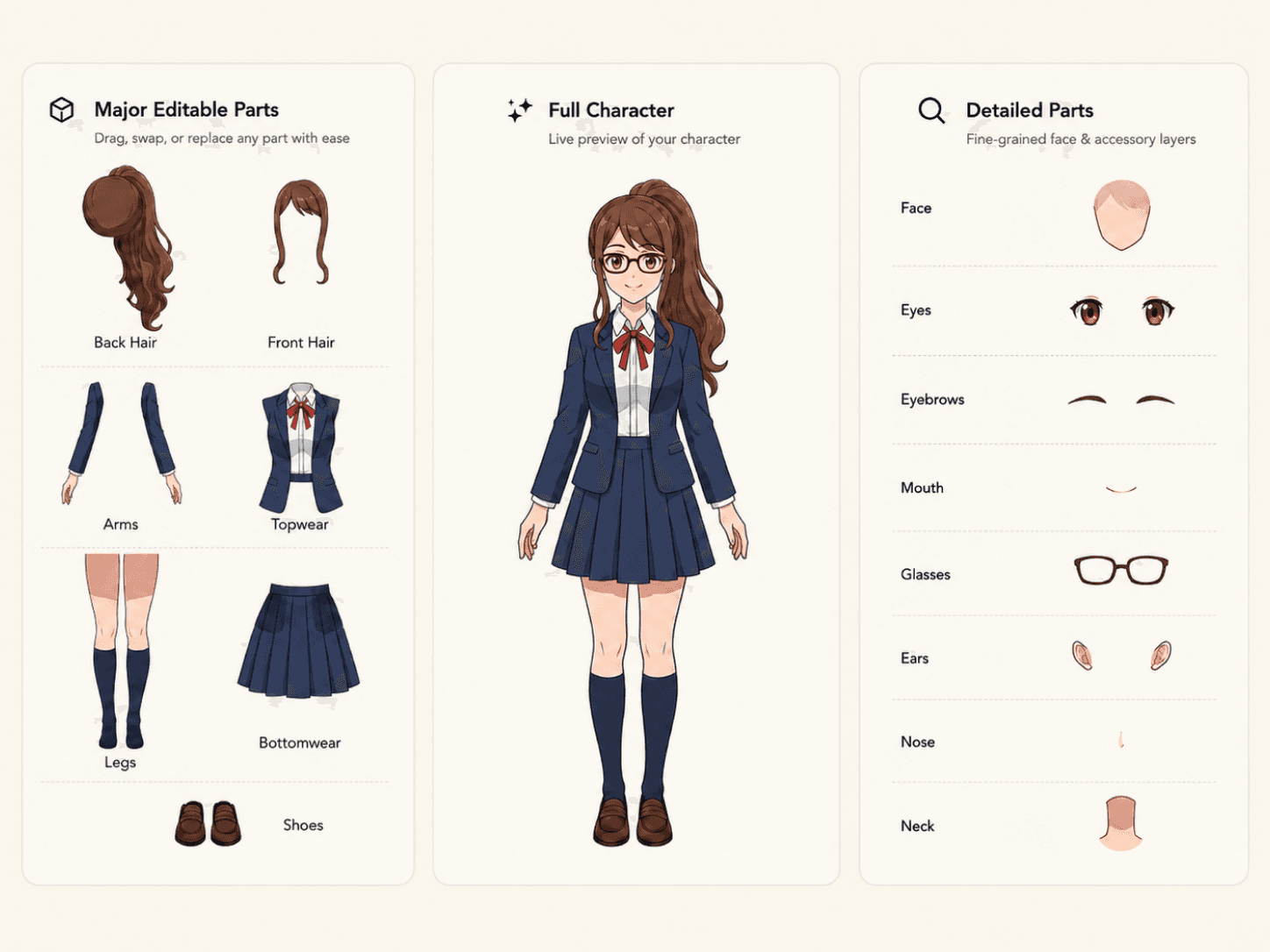
These examples use the same Character to Layers workflow and real output.
More Than Cutting the Visible Pixels Apart
Basic Cutout
Character Parts Extractor
The Difference
Useful When You Need to Keep Working on the Character
Hair Editing
Clothing Editing
Character Redesign
2D Animation Preparation
Layered Character Editing
From a Flat Character to Editable Parts
01
Upload Your Character
02
Extract Character Regions
03
Reconstruct Hidden Areas
04
Continue Editing
This Isn’t Just Background Removal
Background removal separates the entire character from the scene behind it. Character Parts Extractor works inside the character itself, helping separate supported character regions such as hair, face, body, and clothing.
← Swipe horizontally to compare →
| Background Removal | Character Parts Extractor | |
|---|---|---|
| Removes the outer background | Yes | Not the main purpose |
| Separates regions inside the character | No | Yes |
| Hair and face can become separate regions | No | When supported |
| Reconstructs plausible hidden areas | No | Yes |
| Designed for continued character editing | Limited | Yes |
Looking for a Full Character Layering Workflow?
Character Parts Extractor is for people who are specifically trying to get usable, editable parts out of a flattened character. Character Layer Separator covers the broader workflow of turning flat character artwork into a layered character document.
Anime Art Into Layers
Separate flat anime artwork into editable layers for further creative work.
Comic & Manga Into Layers
Turn flattened comic and manga artwork into a more editable layered structure.
Live2D
Prepare separated character artwork for the next stage of a Live2D workflow.
Spine
Start with separated character artwork before continuing into a Spine animation workflow.
VTuber
Turn flat character artwork into a more useful layered starting point for VTuber creation.
Built to Give You a Better Starting Point — Not Pretend the Original Layers Still Exist
If you only have a flattened image, the original hidden artwork is no longer present in that file. ImageToLayers does not claim to recover those missing original pixels. Instead, hidden-area reconstruction creates plausible new content where hidden areas need to be completed. That means you get a more practical layered reconstruction while still keeping a clear distinction between the original visible artwork and AI-generated hidden regions.
Frequently Asked Questions
What is a character parts extractor?
A character parts extractor turns a flat character image into separate editable regions instead of keeping the entire character merged into one bitmap. This can make areas such as hair, face, body, and clothing easier to work with independently.
What character parts can ImageToLayers extract?
Depending on the artwork, ImageToLayers can separate supported regions such as hair, face, body, clothing, and other detected character areas. The exact layer structure varies from image to image.
Can it separate hair from the face?
Yes, when the character artwork provides enough visual information to distinguish those regions. The result can place the hair and face into separate layers.
Can it separate clothing from the body?
It can separate supported clothing and body regions where the artwork allows them to be distinguished.
What happens to the parts hidden behind hair or clothing?
ImageToLayers can use reconstruction of hidden areas to generate plausible hidden areas behind overlapping character regions.
Does hidden-area reconstruction recover the original hidden artwork?
No. Pixels hidden in the flattened source image are not available to recover. hidden-area reconstruction generates a plausible reconstruction based on the visible artwork and surrounding context.
Is Character Parts Extractor the same as background removal?
No. Background removal isolates the whole character from the background. Character Parts Extractor is designed to separate regions within the character itself.
Is this the same as Character Layer Separator?
They use related technology but serve slightly different needs. Character Parts Extractor focuses on useful individual components, while Character Layer Separator describes the broader process of turning the whole character into a layered structure.
Will every image produce the same set of layers?
No. Character designs vary significantly. The number and type of extracted layers depend on what is visible, how regions overlap, and how clearly they can be distinguished.
Can I move the extracted parts independently?
Separated parts are intended to be worked with independently, making it easier to move, hide, or continue editing supported regions.
Can I use the result for animation?
Yes, the extracted layers can be useful as a starting point for 2D animation preparation. Additional cleanup, pivot setup, mesh work, deformation, or rigging may still be required.
Does this automatically create a rigged character?
No. Character Parts Extractor creates separated visual layers. It does not automatically create a finished Live2D, Spine, or other animation rig.
Does it work with anime characters?
It can work with illustrated character artwork, including anime-style characters, when the relevant regions are visually distinguishable.
Do I need the original PSD?
No. The purpose of the tool is to work from a flat character image when the original layered source file is unavailable.
Will the extracted result be identical to the artist’s original layers?
No. The tool creates a new layered interpretation of the flattened image. It cannot know the exact original layer structure or recover artwork that was never visible in the source.
Your Character Is Already Finished. Make It Editable Again.
Stop rebuilding the whole image every time you want to change one part. Upload your flat character artwork and turn it into separate, workable layers with reconstruction of hidden areas where overlapping regions need to be completed.
Extract Character PartsStart with the image you already have.