
Separate a Flat Game Character Into Editable Layers
You already have the character art. You just need more control over it. Turn a flat game character image into separate editable layers for hair, face, body, clothing, and other supported regions — with plausible hidden areas reconstructed where overlapping parts would otherwise leave gaps.
Separate My Game Character
PNG, JPG, or WebP
Click or drag your character image here
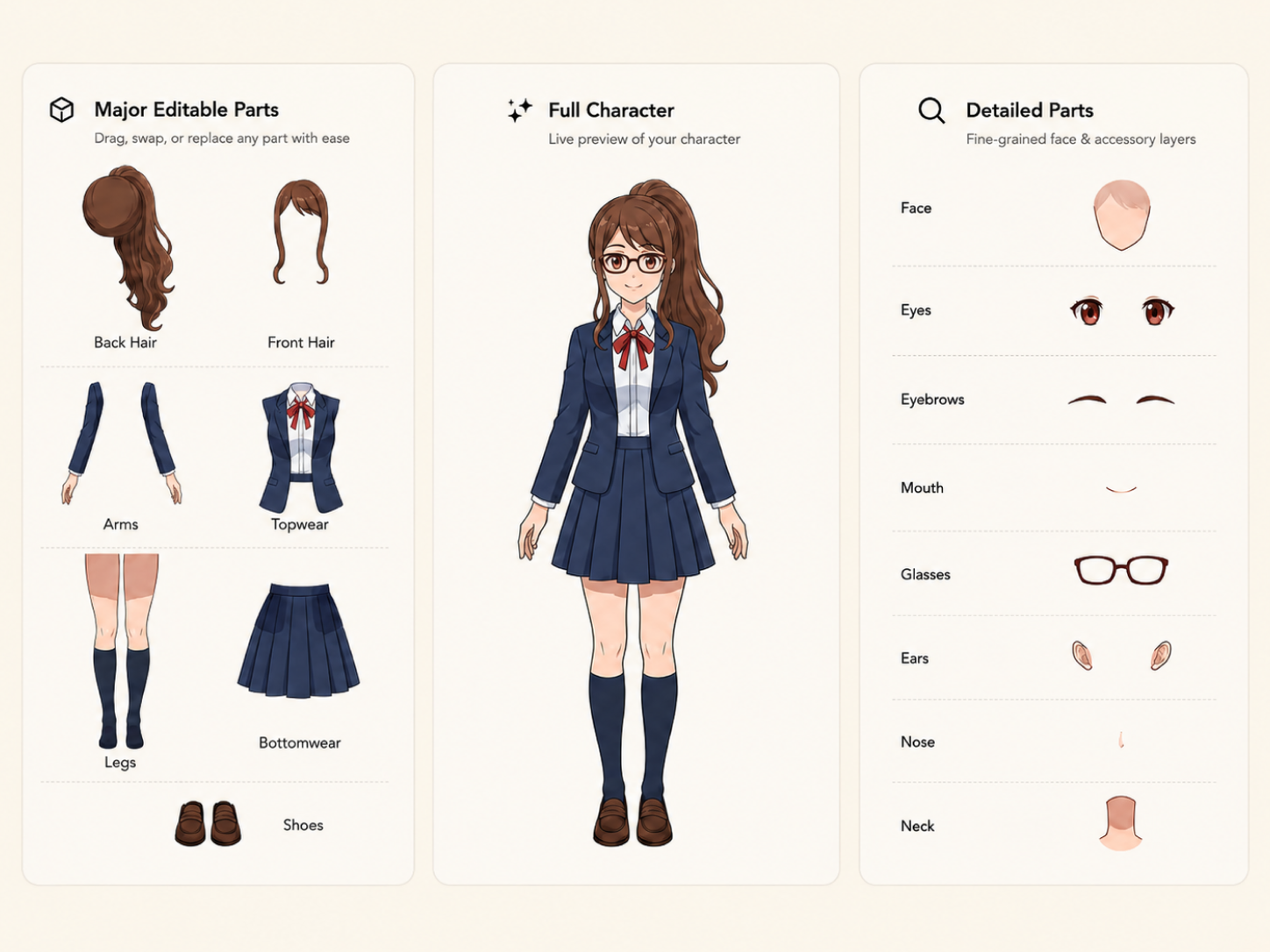
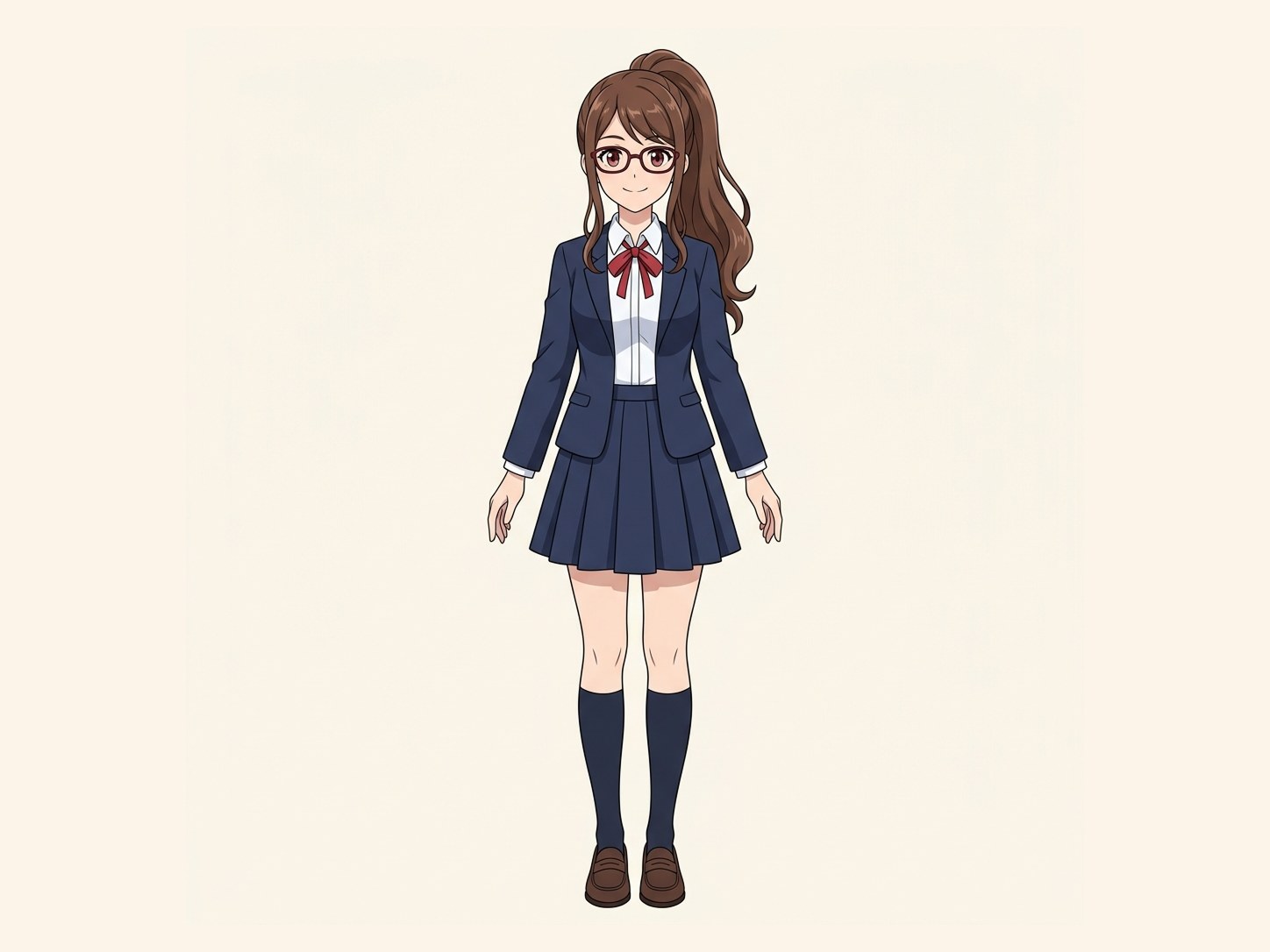
Upload → separate → continue game asset production
Clear 2D game character artwork with visually distinct regions usually produces the most useful separation.
Your image is processed securely.
Uses 30 credits per image
Processing time varies with image complexity. Detailed characters and complex poses may take longer.
Start with the character image you already have. No original PSD required.
Your Character Is Finished. Your Asset Still Isn’t Flexible.
A flattened character may look ready for the game, but every part of the artwork is locked together. Want to adjust the hair, change the clothing, reposition part of the character, or prepare it for animation? Once everything is merged into one image, even a small change can turn into a manual repainting job. Game Character Layer Separator gives you a more flexible layered starting point without forcing you to rebuild the entire character from scratch.
Everything is fused into one bitmap
Overlapping parts hide missing artwork
Simple variations become repetitive work
The original layered source may be gone
Moving a Character Part Shouldn’t Reveal an Empty Hole
Basic image segmentation only separates the pixels you can already see. Hair may cover part of the face. Clothing may cover the body. One character region may overlap another. If you simply cut those visible pixels apart, moving a layer can expose a transparent gap underneath. ImageToLayers uses reconstruction of hidden areas to generate plausible hidden regions behind overlapping character parts, giving you a more useful result for continued editing.
Flat Game Character
Separate Character Regions
Reconstruct Plausible Hidden Areas
Editable Character Layers
Continue Game Asset Production
hidden-area reconstruction does not recover the artist’s original hidden pixels. Hidden areas are AI-generated reconstructions based on the visible character and surrounding context.
Get More Control Over the Character You Already Have
Edit Character Regions Independently
Make Hair and Face Easier to Adjust
Work With Clothing Separately
Prepare for Character Animation
Create a Better Base for Variations
See How Flat Character Art Becomes Layered
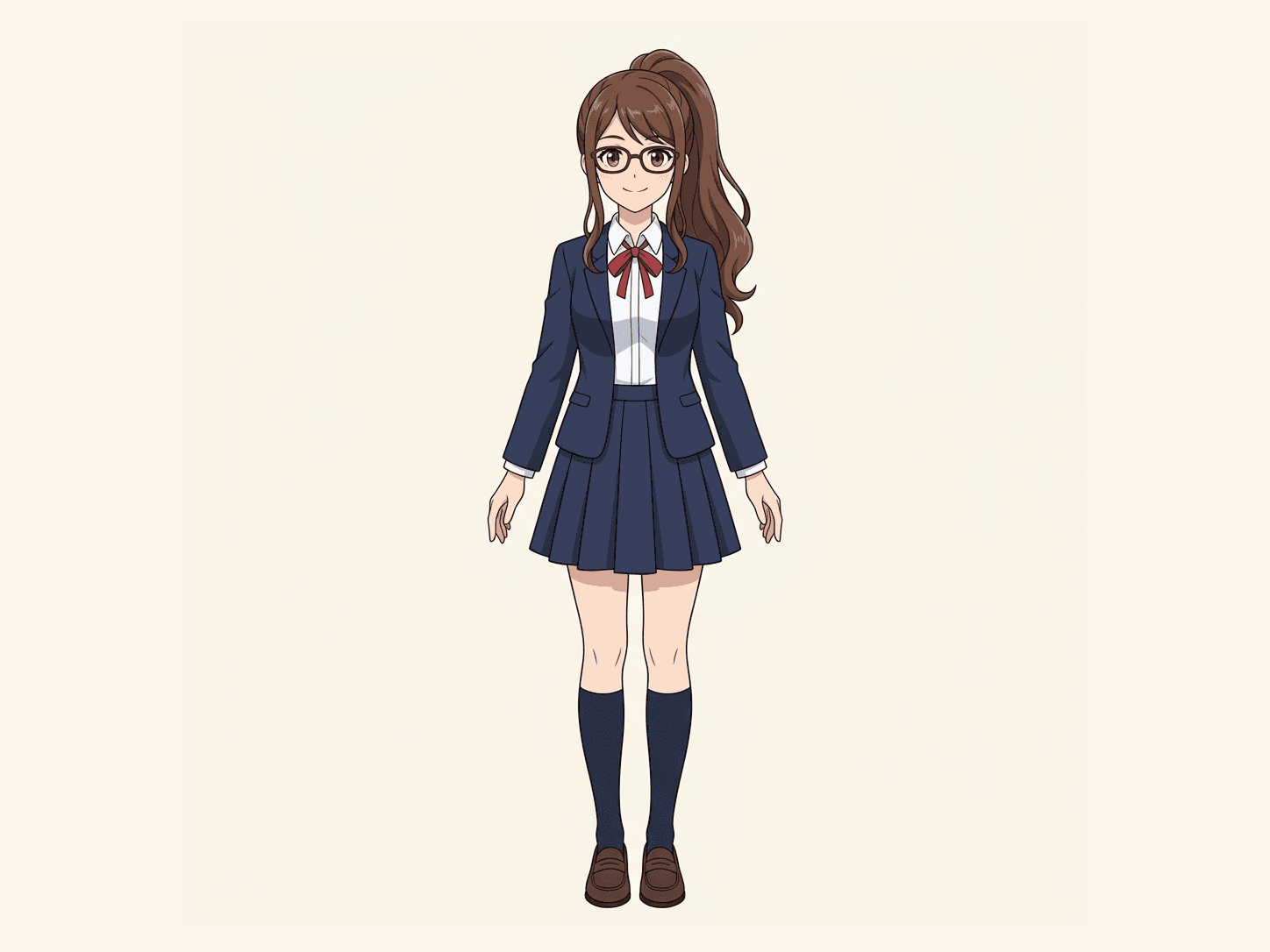
Explore real Character to Layers examples and see how flattened artwork can become a more flexible layered starting point.
Original Artwork
Flat character artwork
Separated Game Asset
Layered character asset
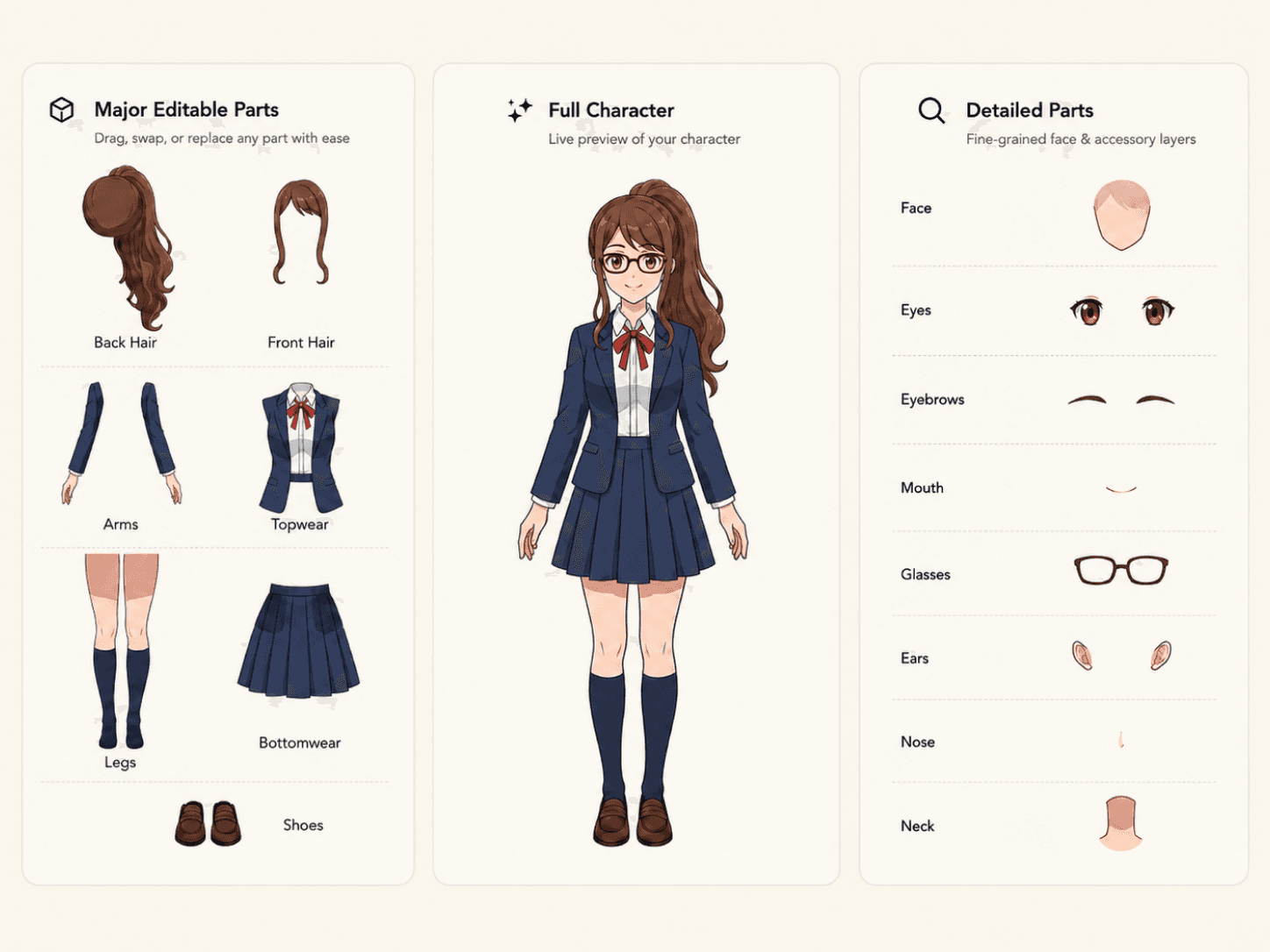
Same Character to Layers workflow. No fake game animation result.
One Character Asset, More Ways to Keep Working With It
Separating a game character into layers does not automatically create a finished animation or game-ready rig. What it does give you is a more flexible visual asset.
Character Art Adjustments
Outfit and Clothing Work
Pose and Animation Preparation
Character Variations
Separate Your Game Character in Four Steps
01
Upload Your Character Art
02
Separate Character Regions
03
Reconstruct Hidden Areas
04
Continue Your Game Workflow
Built for Character Art Separation — Not Automatic Game Production
It does
- Separate supported character regions
- Create editable visual layers
- Reconstruct plausible hidden areas
- Give you a better starting point for character asset work
It does not
- Create a finished game rig
- Automatically add bones or joints
- Generate gameplay animations
- Create hitboxes or collision data
- Build a sprite state machine
- Recover the exact original PSD
- Recover the exact hidden source artwork
Which One Should You Use?
Game Character Layer Separator is best when your main goal is turning a flat game character asset into a more editable layered asset for continued game art work. 2D Character Rigging Prep is best when your immediate next step is preparing artwork specifically before building a 2D rig.
Explore 2D Character Rigging Prep
Prepare flat character artwork before moving into a 2D rigging workflow.
Explore Spine Character Layers
Prepare character artwork for a Spine-focused workflow.
Explore Character Layer Separator
Turn supported flat character artwork into layers with the broader character workflow.
A New Layered Interpretation — Not the Lost Original File
If your game character was exported as a flat PNG or JPG, the original layer structure is no longer contained in that image. ImageToLayers creates a new layered interpretation based on the visible artwork. Where overlapping regions hide parts of the character, hidden-area reconstruction can create plausible new content — but it cannot recover pixels that were never visible in the flattened source. You get a more useful working asset without pretending the original source file has been restored.
Related Character Workflows
Character Parts Extractor
Pull supported regions out of a flattened character when your main goal is editing individual character parts.
2D Character Rigging Prep
Prepare flat character artwork before moving into a 2D rigging workflow.
Spine
Prepare character artwork for a Spine-focused workflow.
Live2D
Turn character artwork into a better layered starting point for Live2D production.
Anime Art Into Layers
Separate flat anime-style artwork into editable layers.
Frequently Asked Questions
What is a game character layer separator?
A game character layer separator turns a flat character image into separate editable visual regions instead of keeping the entire character merged into one bitmap.
What parts of a game character can ImageToLayers separate?
Depending on the artwork, supported regions may include hair, face, body, clothing, and other visually distinguishable character areas. Results vary between characters.
Can I use a flat PNG game character?
Yes. The workflow is designed for flattened character artwork, so you do not need the original PSD to start.
Do I need the original layered character file?
No. ImageToLayers can create a new layered interpretation from the flattened image you already have.
Can it separate hair from the face?
When those regions are visually distinguishable, ImageToLayers can separate them into different layers.
Can it separate clothing from the body?
Supported clothing and body regions can be separated when the source artwork provides enough visual information.
What happens to areas hidden behind another character part?
reconstruction of hidden areas can generate plausible hidden content behind overlapping regions so the resulting layers are more useful when moved apart.
Does hidden-area reconstruction recover the original hidden artwork?
No. Hidden pixels are not present in the flattened image. hidden-area reconstruction generates a plausible reconstruction rather than recovering the artist’s original hidden content.
Can I use the separated layers for game animation?
They can be used as a starting point for animation preparation. You will still need to create the actual rig, bones, meshes, pivots, deformation, or animation in your chosen software.
Does this automatically rig my game character?
No. The tool separates visual artwork. It does not automatically create a finished skeletal or mesh-based rig.
Does it generate sprite animations?
No. Character separation prepares the visual asset. It does not automatically create idle, walk, attack, or other gameplay animation sequences.
Can I use the layers to make character variations?
The separated result can provide a more flexible starting point for visual variations because supported regions can be worked with independently.
Does every game character produce the same layers?
No. Layer structure depends on the character design, overlaps, pose, visibility, and clarity of the source artwork.
Is this only for anime-style game characters?
No. It can be useful for different types of illustrated 2D game characters as long as relevant visual regions can be identified.
Will the result match the original artist’s PSD?
No. ImageToLayers generates a new layered interpretation. It cannot know or restore the exact layer structure originally used by the artist.
Your Game Character Already Exists. Make the Asset Easier to Work With.
Stop rebuilding the entire character every time one part needs to change. Separate your flat character art into editable layers, reconstruct plausible hidden regions where needed, and continue with a more flexible character asset.
Separate My Game CharacterStart with the character image you already have.