
Understand the whole character
A front-facing portrait may show the face clearly without explaining the hairstyle or outfit from behind. A turnaround gives you more angles to consider.
Drop an image or click to browse
PNG, JPG, or WebP up to 10 MB. Full-body references work best; head-and-shoulders or half-body crops work too, but the views only show what your image shows.
Consistency mode generates five reference views from one normalized character reference.
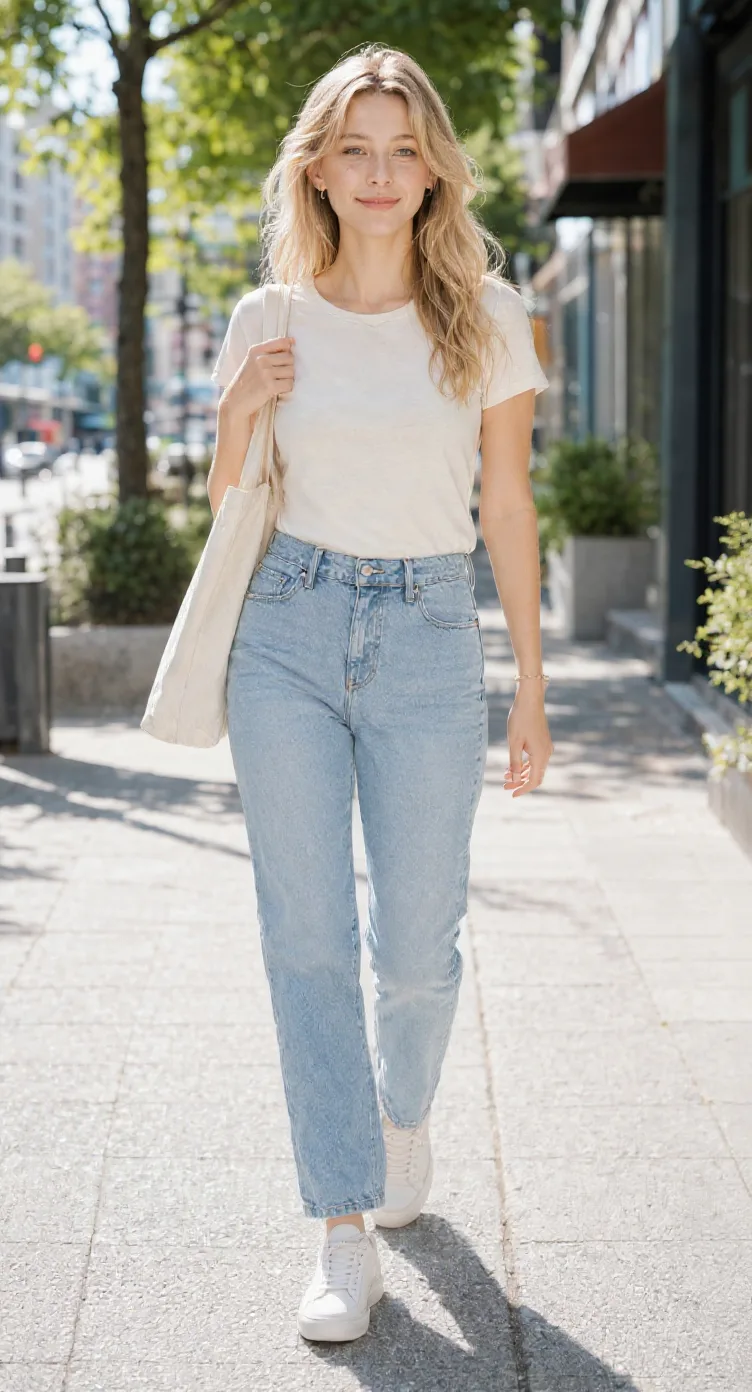
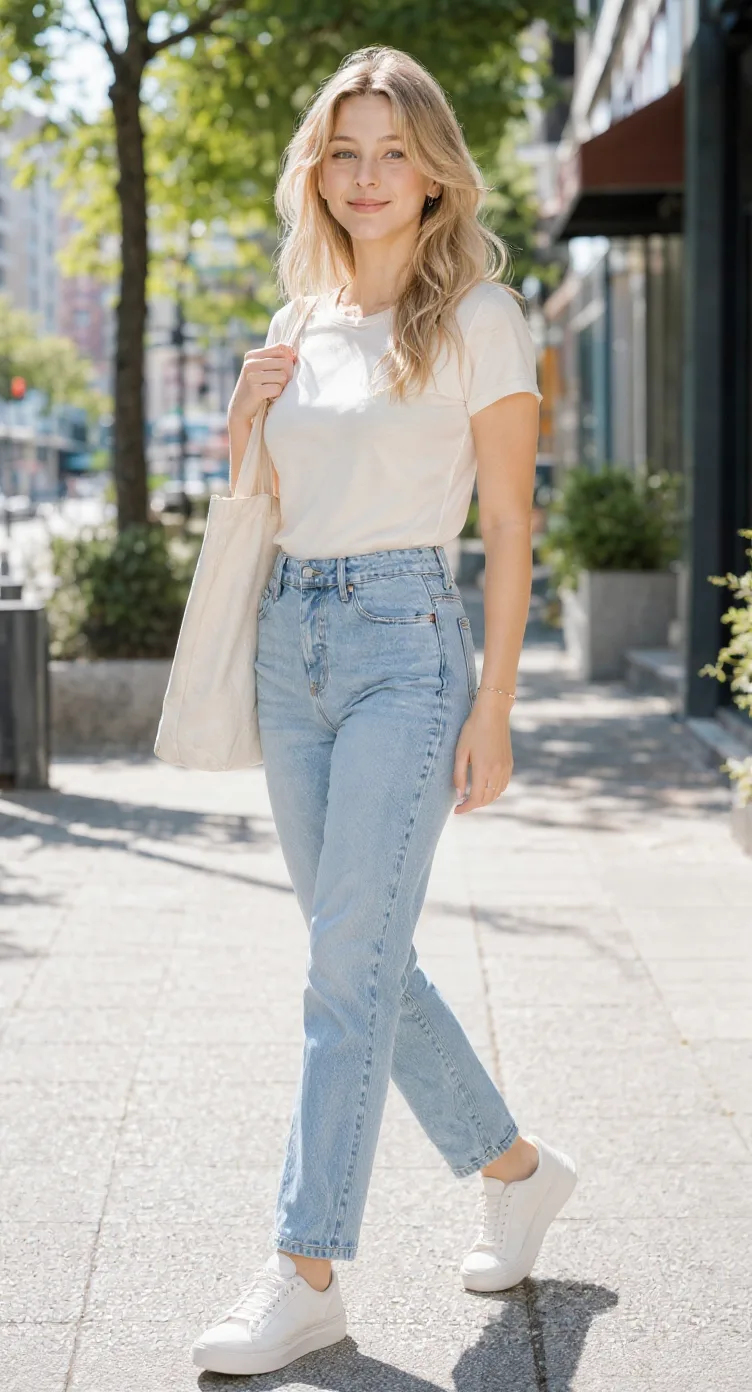
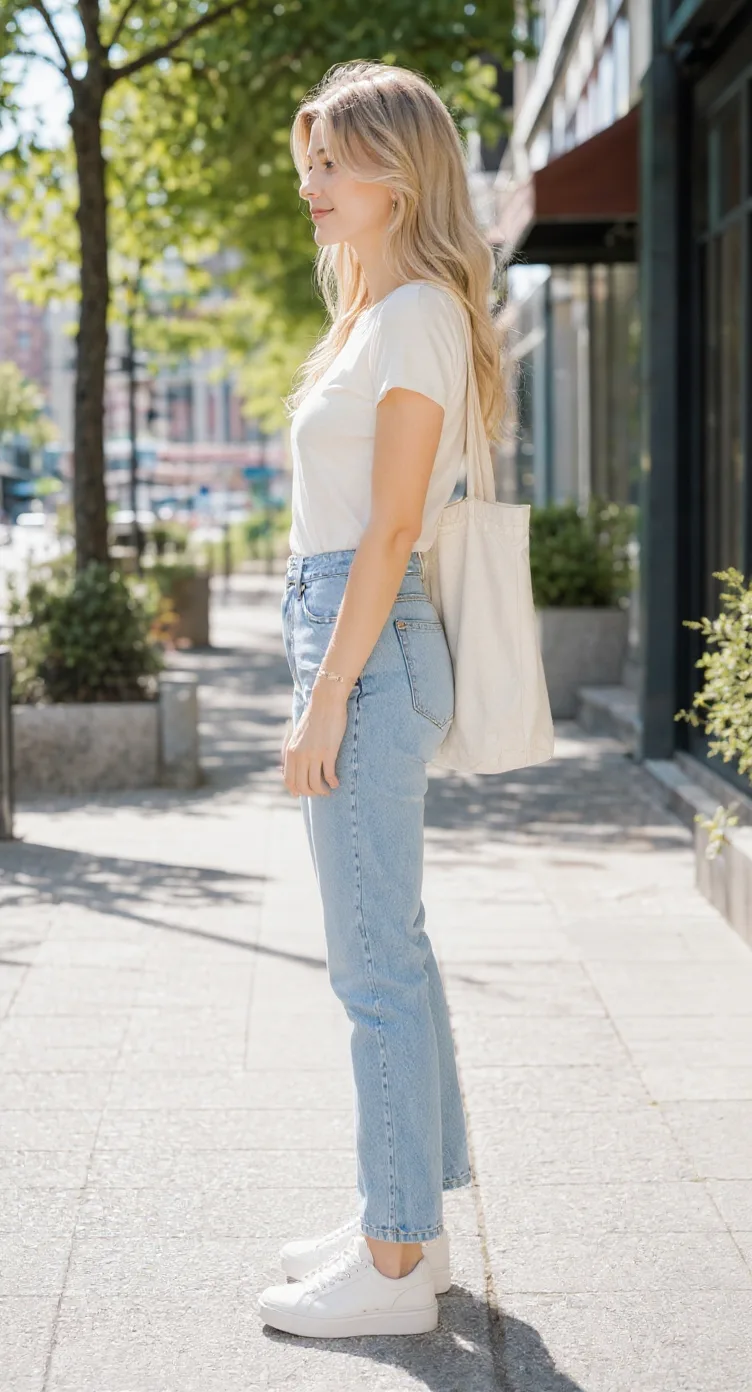
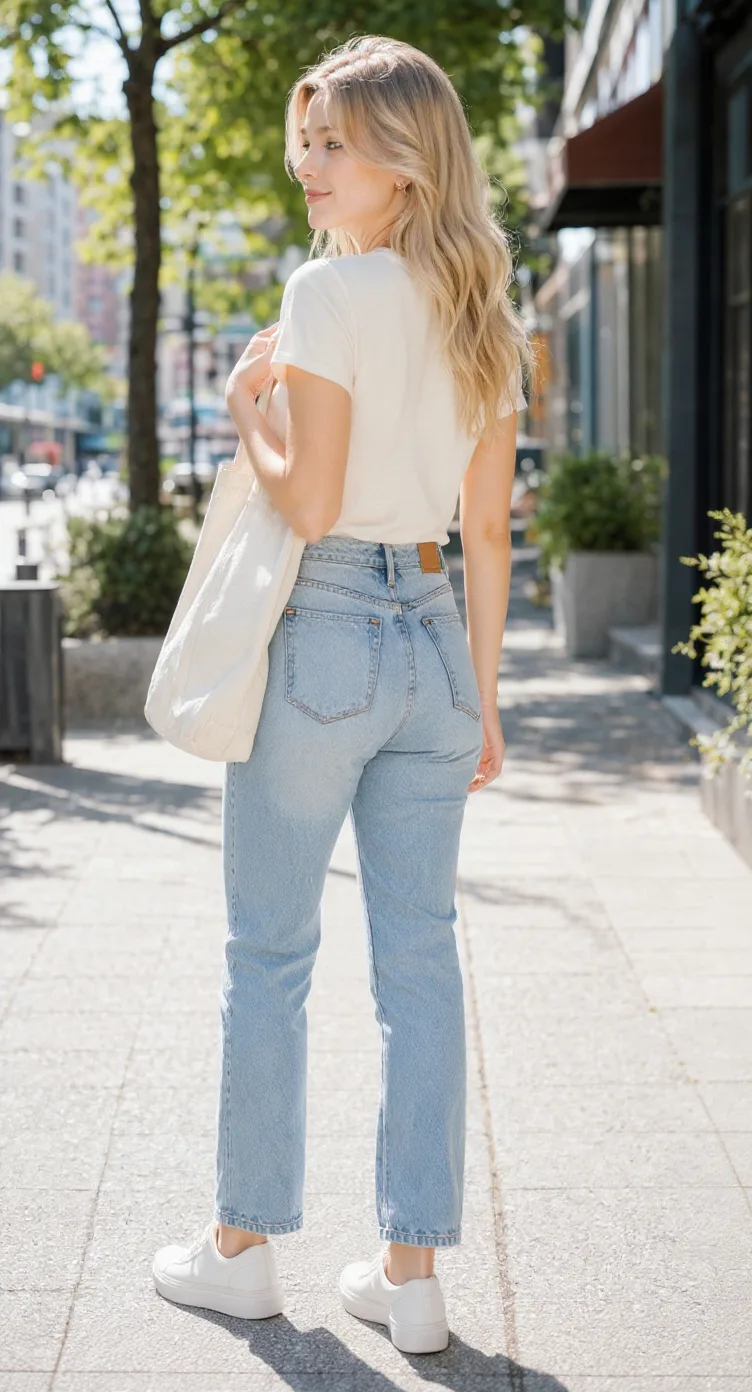
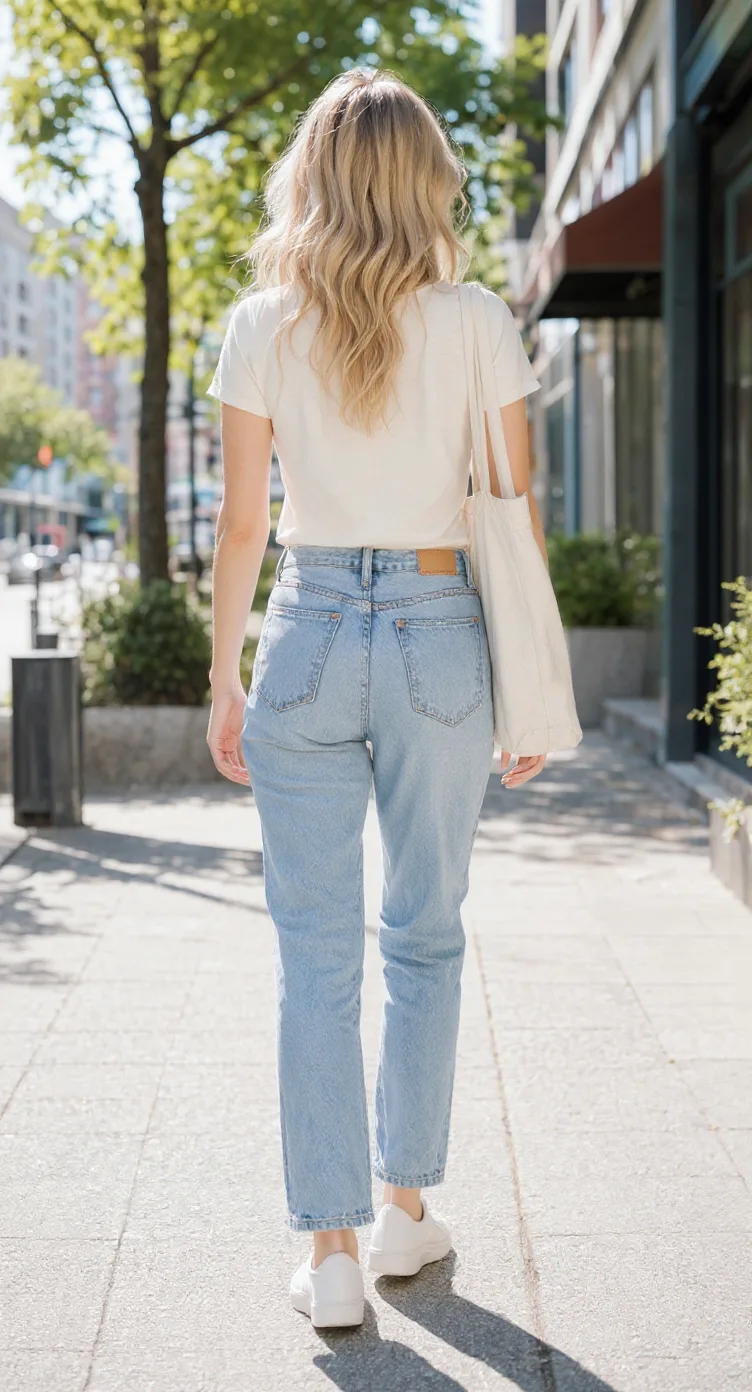
AI-generated views are reference images. Hidden details are estimated and may need manual refinement.
See how a character comes together
A single drawing shows a character from one angle. These existing multi-view examples show how a design can be explored from other directions.
Explore how armor, boots, hairstyle, and silhouette appear from different directions.
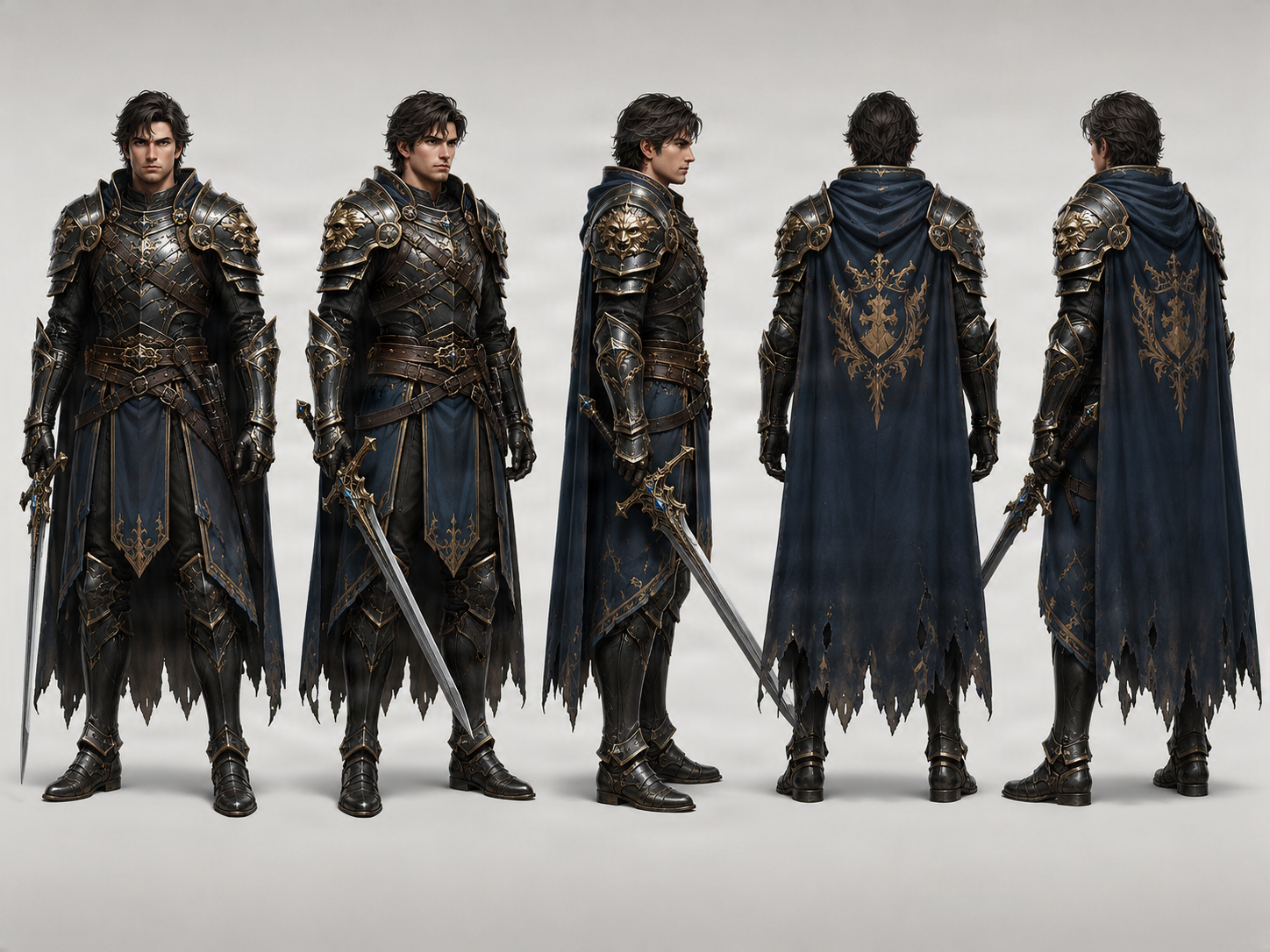
Knight turnaround example. Review armor details and accessories between views.
Compare the shape of a stylized character's head, outfit, and proportions across views.
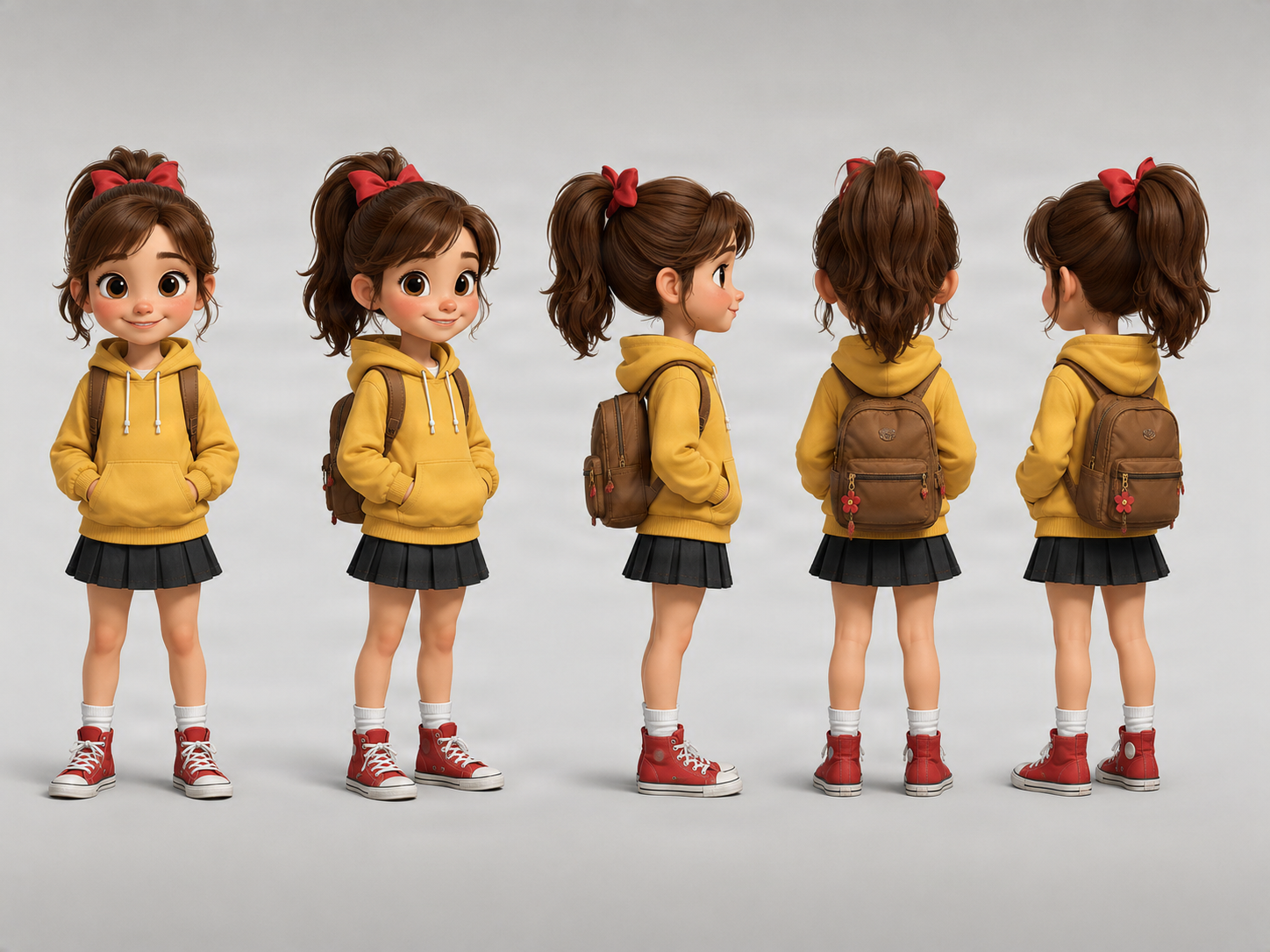
Cartoon turnaround example for exploring a recognizable design from several angles.
Compare the hairstyle, outfit, colors, and overall design of an anime-style character from different perspectives.
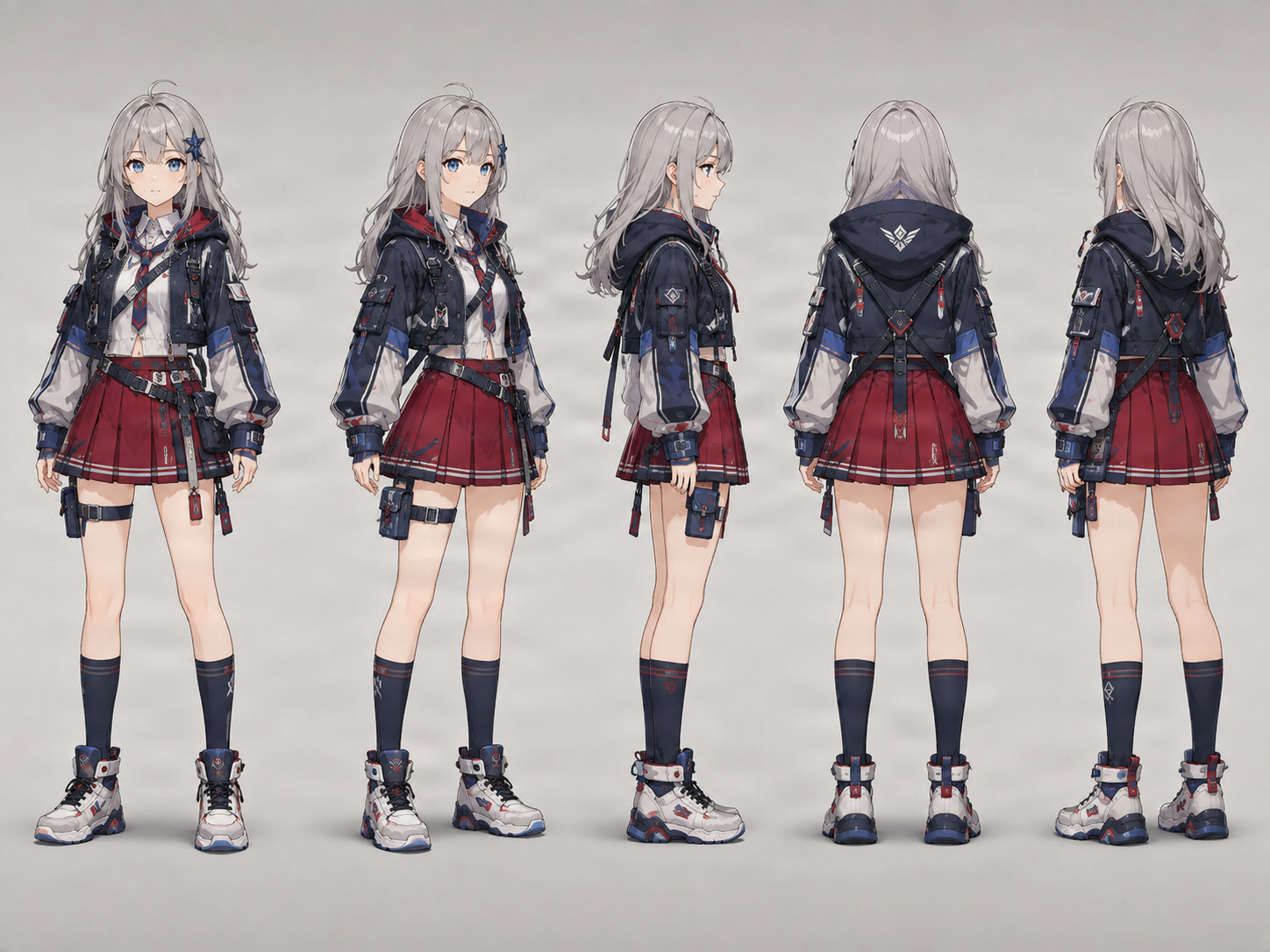
Anime turnaround reference. Facial and clothing details can vary between views.
Explore how a tail, ears, fur, clothing, and an unusual silhouette may appear from different directions.
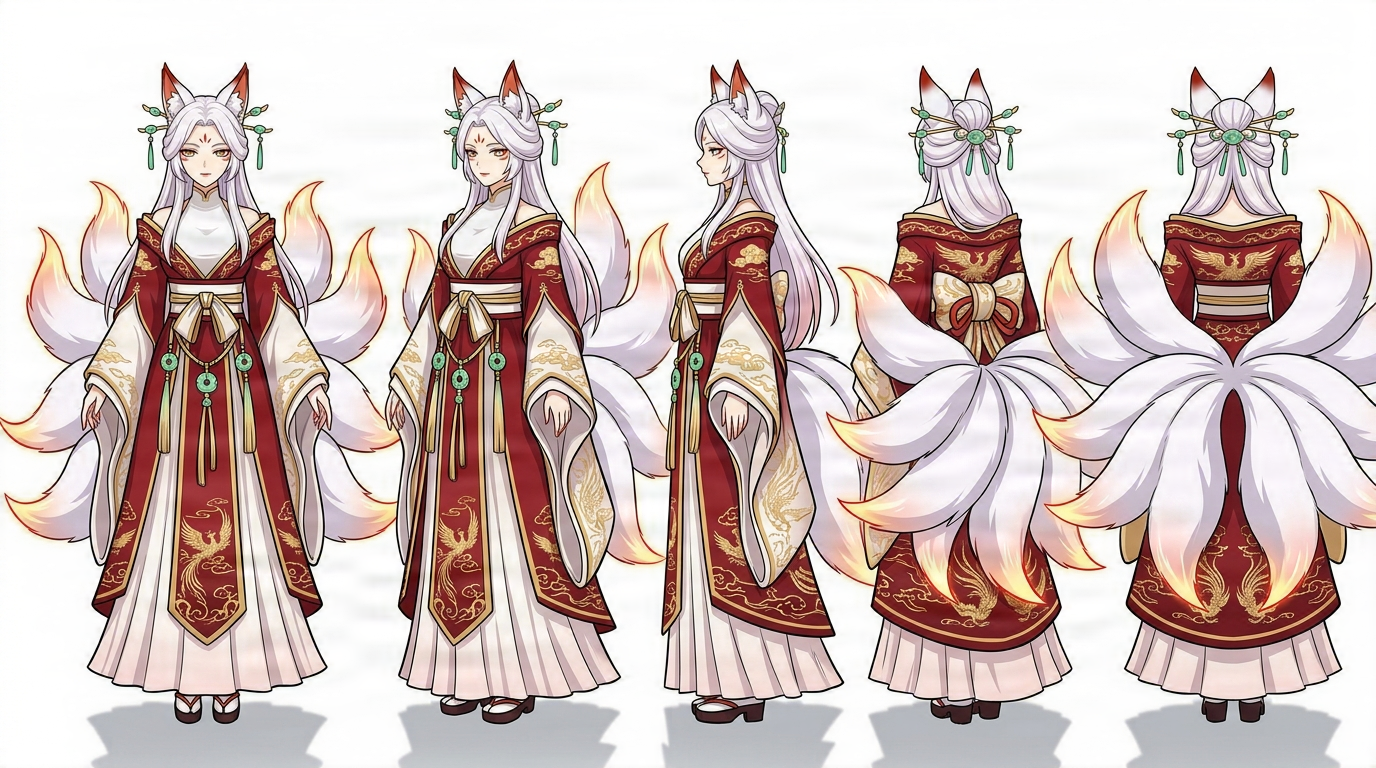
Stylized creature example. Complex anatomy and hidden details may need artistic correction.
These examples illustrate multi-view character references. Check generated views for accuracy before using them in production.
Character design essentials
A character turnaround is a set of images that shows the same character from multiple viewing directions. Instead of seeing only one drawing, you can compare front, side, back, and sometimes three-quarter angles.
A turnaround helps answer questions one illustration cannot: What does the back of the jacket look like? How far does the hair extend behind the head? Does the character have a different silhouette from the side? Where do accessories sit when the character turns around?
For artists, these views communicate a design more clearly. For games, comics, animation, or 3D modeling, they can be a starting point for additional artwork. Traditionally, artists draw each angle manually. An AI-assisted turnaround can generate initial views from an existing character image, but unseen details still need human review.
A character turnaround helps you see the design beyond its original pose.
A front-facing portrait may show the face clearly without explaining the hairstyle or outfit from behind. A turnaround gives you more angles to consider.
A profile changes how hairstyle, nose, armor, clothing, and accessories read. A side view can reveal design decisions you have not made yet.
A set of reference views can help another artist, animator, or modeler understand the design more clearly than one hero illustration.
Characters appear from different directions in a story. Multi-view references can help you plan how a recognizable character changes with the camera angle.
Front, side, and back images communicate a character's overall visual design before a 3D artist starts building a model.
Generating the back or profile may expose areas that need more artistic decisions. Treat AI interpretations as ideas to accept, revise, or replace.
Understand the angles
Each angle answers a different character-design question. The extended mode supports these five directions.
Inspect facial design, clothing arrangement, body proportions, and the overall silhouette.
Useful for: Character introductions, frontal drawing reference, and proportion checks.
See facial features with more depth and reveal more of the side of the head and body.
Useful for: Concept exploration, comics, game art, and presentation.
Reveal the profile, hairstyle depth, nose shape, clothing thickness, and side silhouette.
Useful for: Profile drawings, animation reference, and early 3D planning.
See the transition from the side toward the rear, including how hair, jackets, or equipment may connect.
Useful for: Exploring rear details and design continuity.
Inspect design areas hidden in the original. AI estimates the back of a hairstyle, clothing, equipment, or body silhouette.
Useful for: Planning previously unseen details and completing a visual reference.
The current tool does not generate a complete eight-view sheet or an actual 360-degree 3D model.
Upload an existing design, choose a view set and pose, then review the generated references.
Start with an illustration or render. A full-body image with visible clothing, hair, and accessories gives AI more information than a tightly cropped portrait.
Choose Standard for front, side, and back views. Choose Consistency Mode for front and back three-quarter perspectives too.
Select neutral standing, T-pose, A-pose, or a pose closer to the original. Pick the option that suits how you will review the character.
AI uses the uploaded character as a reference to create the selected perspectives. Hidden features have to be interpreted.
Compare face, hairstyle, clothing, proportions, colors, and accessories. Treat differences as design decisions to review.
Save the available reference images for your drawing, animation, comic, or modeling workflow.
Make my character turnaround
Choose the number of angles based on how much reference you need.
Front · Side · Back. A simple way to understand a character from the three essential directions.
Front · Front ¾ · Side · Back ¾ · Back. Intermediate references show how shapes change between directions.
Three views may be enough while exploring a design. Five views offer more information when communicating it to another person or examining transitions between angles. The workspace displays the current credit cost before generation.
Explore the rest of an original character's design when you have only drawn one angle.
Plan how the same character may appear from different directions in panels, illustrations, or reference sheets.
Think through a character facing left, looking over a shoulder, or walking away across panels.
Explore front, side, and back references before developing sprites, portraits, or game assets.
Use generated perspectives as early visual references. Production animation still needs pose-specific art and consistency checks.
Use views as exploratory references while blocking out a character. They are not a mesh or guaranteed orthographic blueprints.
Share additional angles as a starting point for another artist, and identify uncertain details before commissioning final artwork.
Choose the right reference
These terms are related, but they do not always describe the same deliverable.
Primarily shows the same character from multiple viewing directions, communicating how the design changes around the body.
Best when: You need front, side, back, and optional three-quarter views.
A broader production reference that may include turnarounds, expressions, poses, proportions, and design notes.
Best when: You need to document a character for a larger creative workflow.
Collects defining details such as clothing, colors, features, accessories, and sometimes several views.
Best when: You want to communicate a character's visual identity to yourself or another artist.
If your main question is how a character looks from the side and back, start with a turnaround. For expressions, notes, or a wider visual specification, explore a model sheet or reference sheet afterward.
When reviewing a turnaround, compare details that help the views feel like one coherent design.
Compare eye shape, face proportions, ears, and other defining characteristics.
Check hair volume, parting, bangs, length, and accessories from different directions.
Look for changed seams, sleeve lengths, armor, boots, or color placement.
Check whether the head, torso, arms, legs, and overall silhouette remain reasonably consistent.
Belts, jewelry, weapons, backpacks, and decorative items may move or change between views.
Compare line quality, shading, and color palette across the generated angles.
Consistency is a goal, not a guarantee. Review the views before treating them as a final reference.
Better reference, better starting point
A complete figure reveals clothing, body proportions, footwear, and accessories.
Relaxed or standing poses usually provide clearer information than extreme action poses.
Include the outfit features you want interpreted from other angles.
A simple background can make the character easier to distinguish from the surroundings.
Anime, cartoon, comic, fantasy, and stylized character illustrations can all be explored. Clear designs are easier to review.
If an arm, weapon, object, or another person blocks the character, AI has less information about hidden areas.
You can start with a partial-body image, but the resulting references may also be limited. A full-body source is the stronger choice when you need full-body views.
Important to understand
A single image does not show every side of a character. The back of a hairstyle, jacket, armor attachment, or backpack may be invisible. AI can generate plausible versions of these hidden details, but it cannot know exactly what you originally intended.
An AI-generated turnaround is useful for exploring options and identifying design decisions you have not made yet. For production work, inspect the views, correct inconsistencies, and approve the final design before using it as an authoritative reference. A turnaround is not a rigged character, finished animation, or downloadable 3D mesh.
Let AI help you explore the unseen angles. You decide which details become part of your character.
A face-only source provides little reliable information about the character's full-body design.
If the original does not show the back, AI must interpret it. Verify important costume and hairstyle decisions.
A jacket may gain pockets, an accessory may disappear, or proportions may shift. Compare the images rather than judging each alone.
Multi-view images can support early planning, but they are not guaranteed dimensionally exact or orthographic.
Several generated directions do not create continuous geometry or a true 360-degree 3D object.
A character turnaround is a set of views showing the same character from different directions, commonly front, side, and back. Three-quarter views can add more context.
Upload a clear character image, choose a three-view or five-view turnaround, select a pose, and generate the additional angles. Review face, hairstyle, clothing, and proportions before downloading.
Yes. This AI-assisted workflow starts from one character reference and generates additional directions. Details not visible in the original have to be inferred.
A basic turnaround commonly includes front, side, and back views. A more detailed set can add front and back three-quarter views.
Yes. Standard mode generates these three directions from one uploaded image. Consistency Mode supports five views.
Three views include front, side, and back. Five views add front and back three-quarter perspectives to show more transitions between angles.
Yes. Upload anime-style artwork and review hair shape, facial features, clothing, and art-style consistency between views.
You can use the views as exploratory references to communicate a design. They are not guaranteed orthographic or dimensionally accurate, so a modeler may need to adjust them.
No. This workflow generates 2D views from different directions. It does not create a rigged or editable 3D mesh.
Exact consistency is not guaranteed. AI can change faces, hairstyles, costume elements, proportions, or accessories. Compare the generated views carefully.
AI analyzes visible design features and predicts how unseen areas might look. The back is a generated interpretation, not recovered information from the source.
Yes. Views can support early animation planning and help communicate a character design. They are not finished animation frames or a substitute for production consistency checks.
A neutral standing pose is a practical starting point. T-pose and A-pose options can also help when reviewing proportions or preparing visual references for modeling.
You can upload a supported image that clearly shows the character. Results may be less predictable when the subject is partly hidden or the pose is complex.
The current workspace supports three-view and five-view modes. It does not offer a full eight-view turnaround as a standard option.
The current workflow charges 30 credits per generated view: 90 credits for Standard with three views, or 150 credits for Consistency Mode with five views. Check the workspace price before submitting because pricing may change.
A turnaround focuses on the same character from different angles. A model sheet may also include expressions, poses, proportion guides, and production notes.
Commercial use depends on your rights to the source character, the service terms, and any third-party rights. Make sure you have permission to use the original design and review applicable terms.
Open the dedicated multi-view workspace and explore its generation options.
Character model sheet generatorPrepare a broader collection of character references for design and production planning.
Character reference sheet generatorCollect views and defining details to communicate a character's visual identity.
Anime character turnaround generatorExplore multi-angle references for anime-style characters.
Character side view generatorCreate a focused side-profile reference when you need one additional view.
Bring your character full circle
You've created the design. Now explore how it could look from the front, side, back, and in between. Upload a character image, choose the views you need, and create a turnaround to guide your next creative step.
Generate 3 or 5 AI-assisted reference views from one image. Review consistency and hidden details before using the results in a creative project.
One cute character, more ways to see it
A real example of one chibi character explored from five directions. Compare its hairstyle, outfit, proportions, and accessories across the generated views.
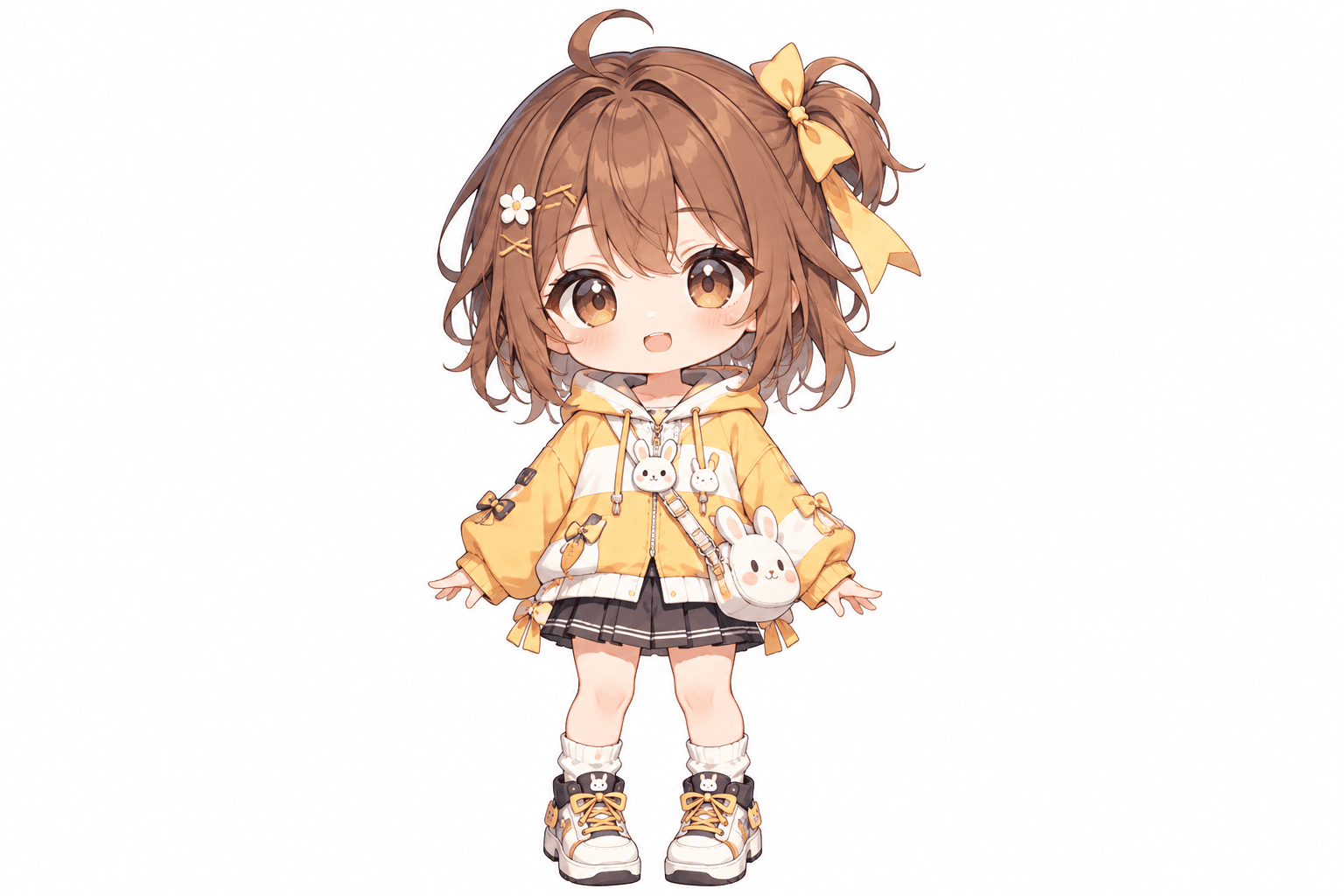
This cheerful chibi girl has oversized eyes, fluffy brown hair, a yellow hoodie, and playful bunny accessories. Her bow, skirt, shoes, and little bag all contribute to the design. The additional views show how AI interprets the character from other directions.
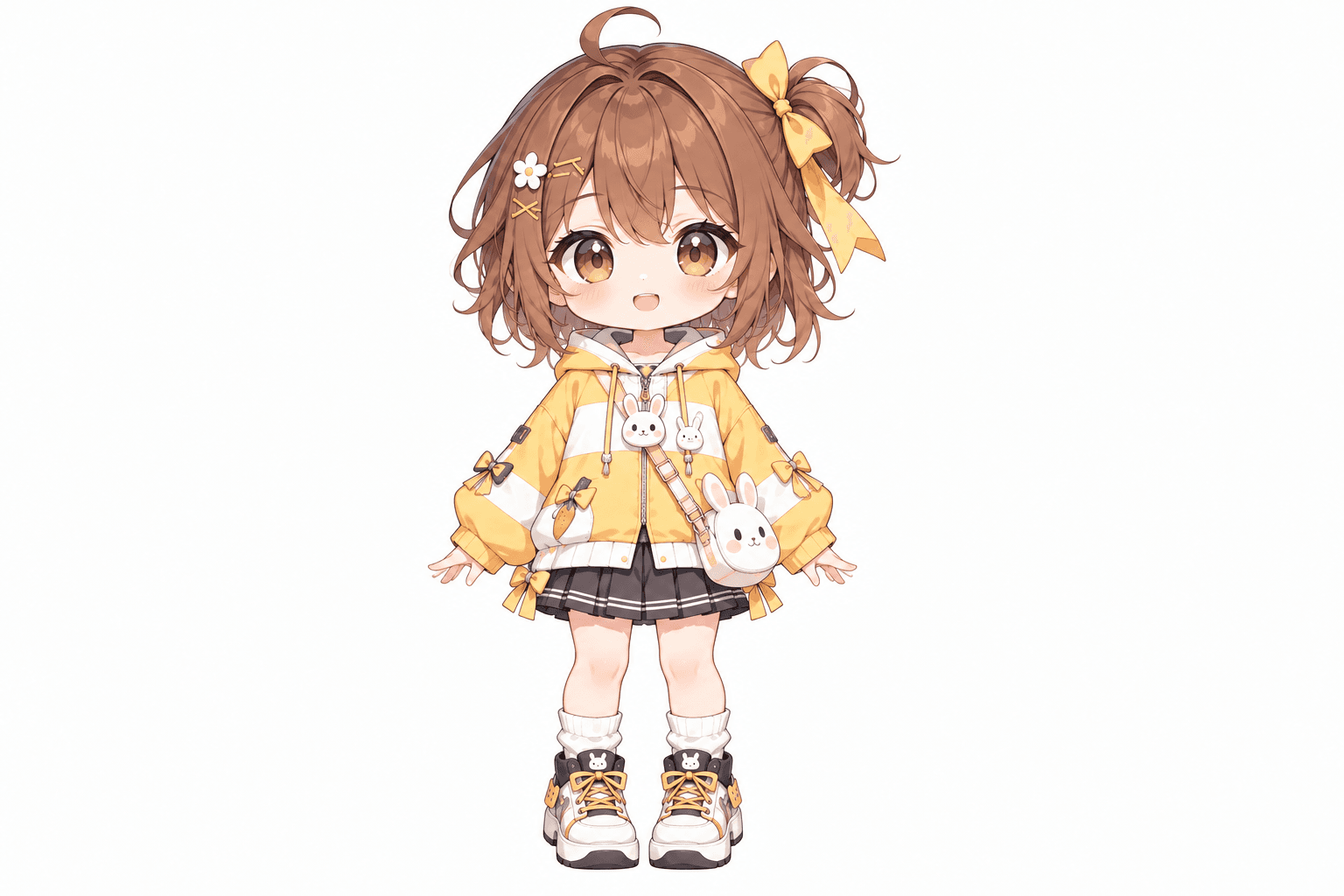
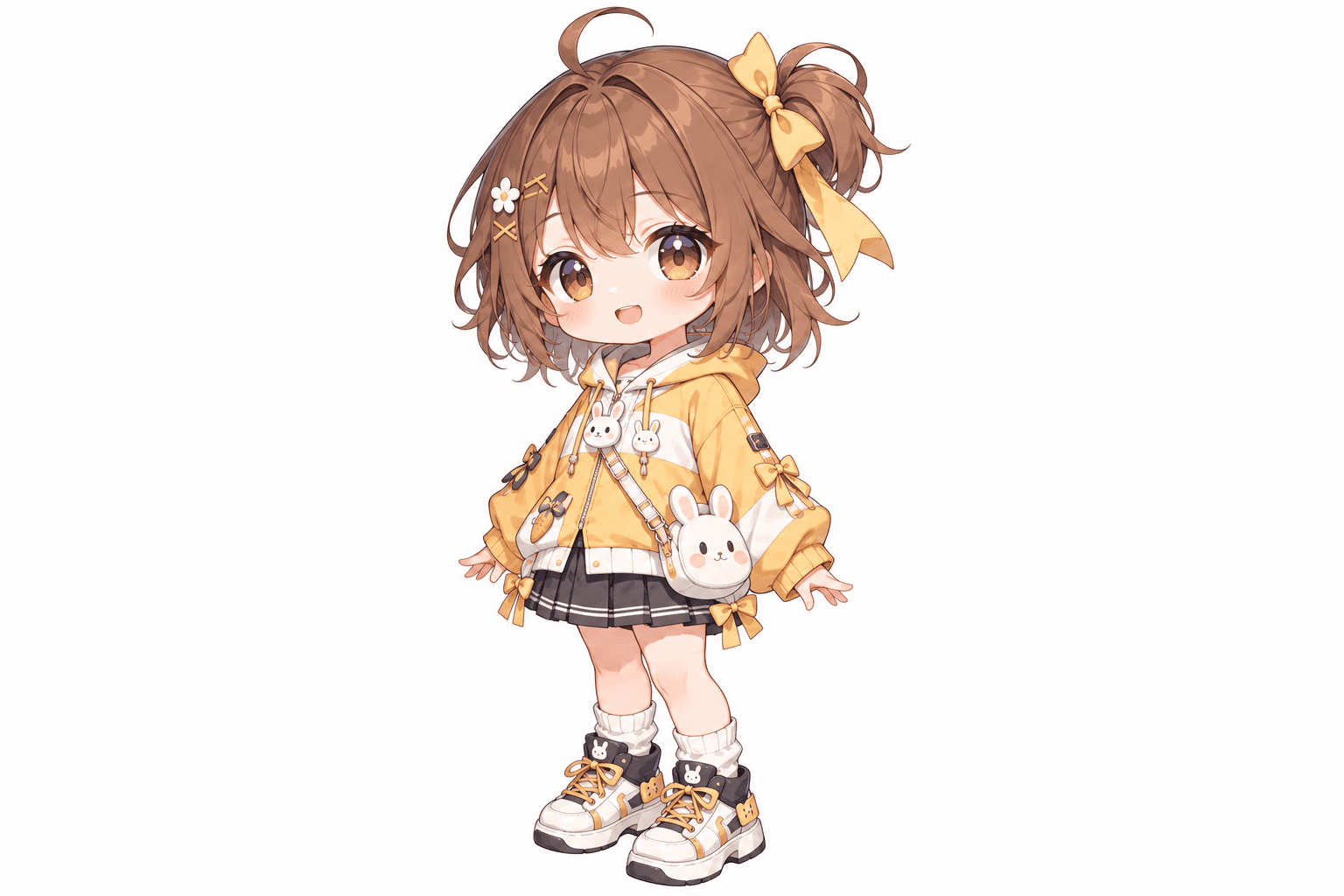
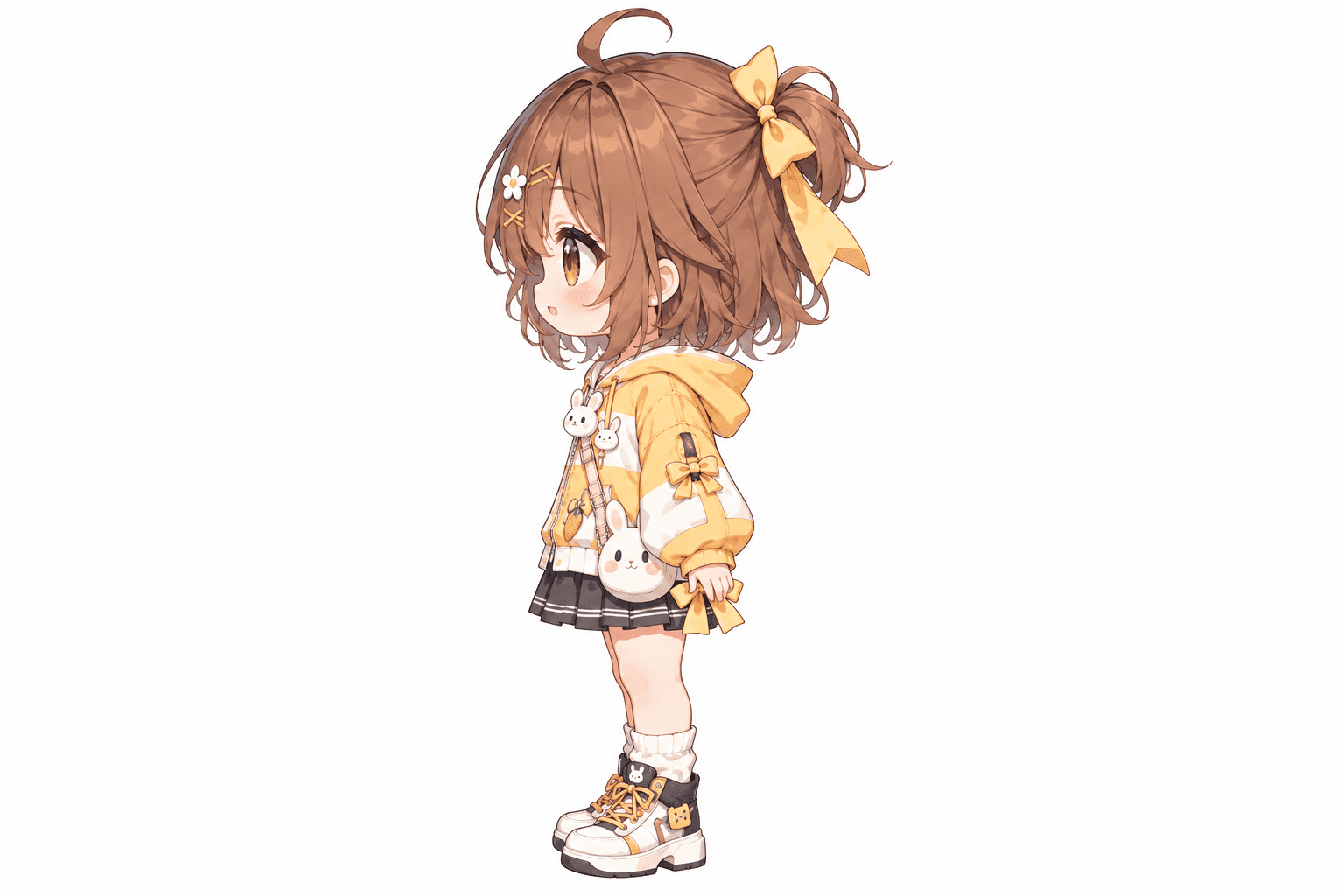
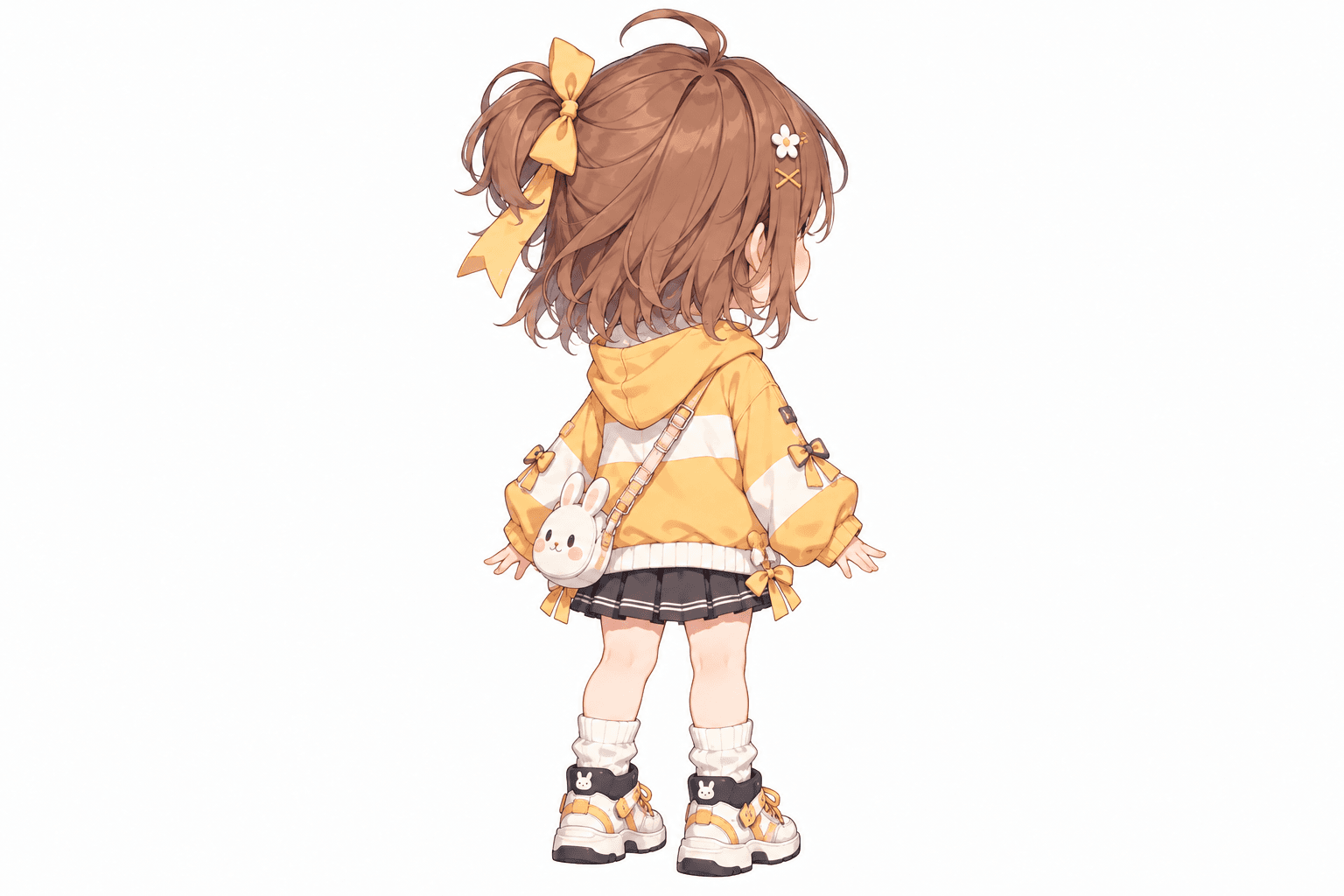
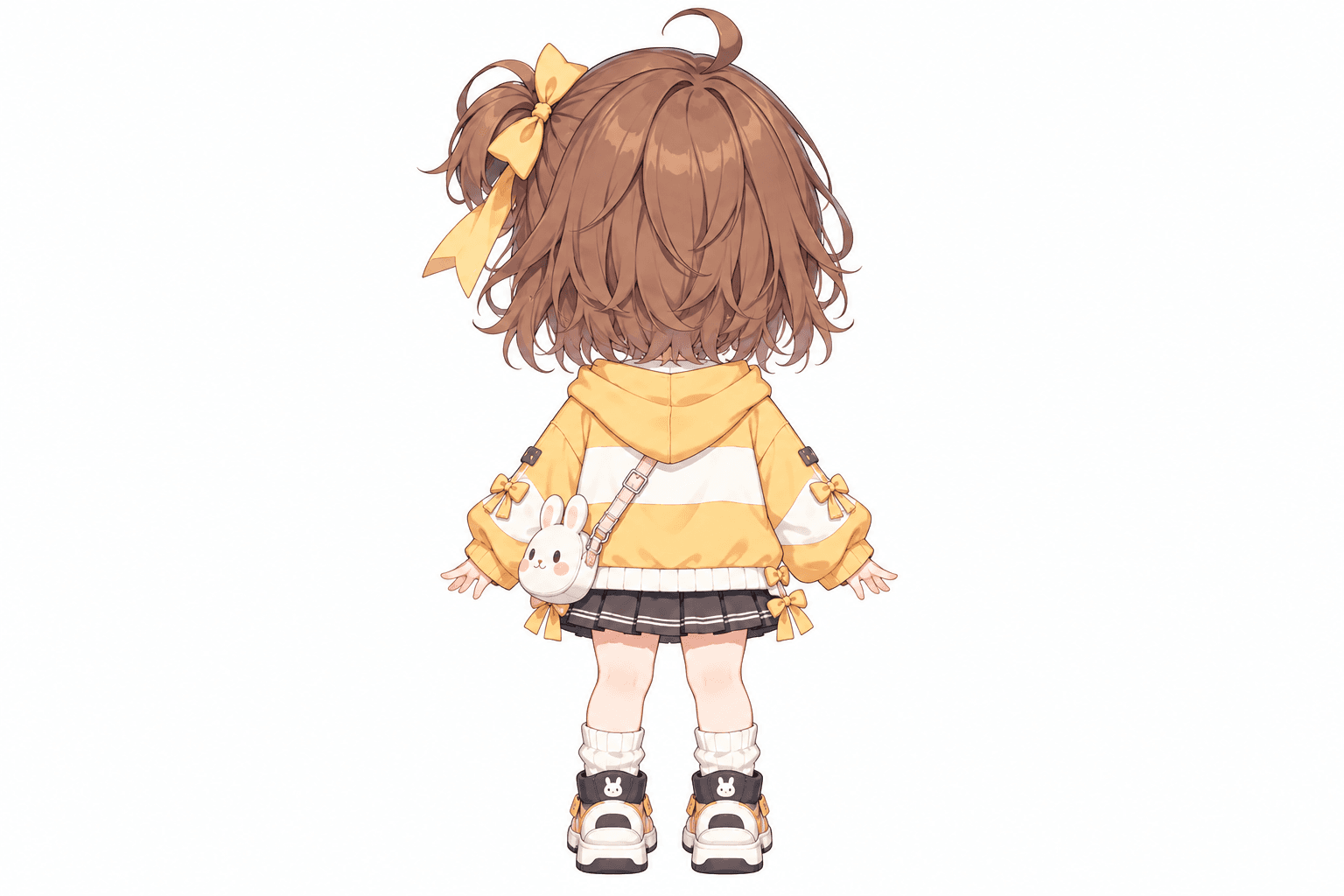
AI-generated turnaround
These five views were generated from the original image shown here. Details in hidden areas are AI interpretations and can differ from the source.
Front, side, back & 3/4 views in one run
Lateral, heel & outsole sneaker views
Front, side & rear model reference sheets
Share your original character in multiple views
Prepare multi-view references for model artists
Prepare character views for Blender and 3D modeling
Generate a rear perspective from a character image
Prepare multi-view references for 2D animation planning
Front, side & back references in a T-pose
Explore front, side & back views for cute chibi characters
Front, side, back & 3/4 views for anime characters
One left or right profile, 30 credits
Clean marketplace angles for listings
Interactive 360° rotatable spin view
Precise azimuth & elevation controls
Creative Toolkit Index
Quick access to precision layer extraction, AI photo editing & asset tools.