
See the arms and sleeves more clearly
A T-pose request helps you explore how sleeves and side details might look with the arms extended.
Drop an image or click to browse
PNG, JPG, or WebP up to 10 MB. Full-body references work best; head-and-shoulders or half-body crops work too, but the views only show what your image shows.
The basic sheet always includes these three production views.
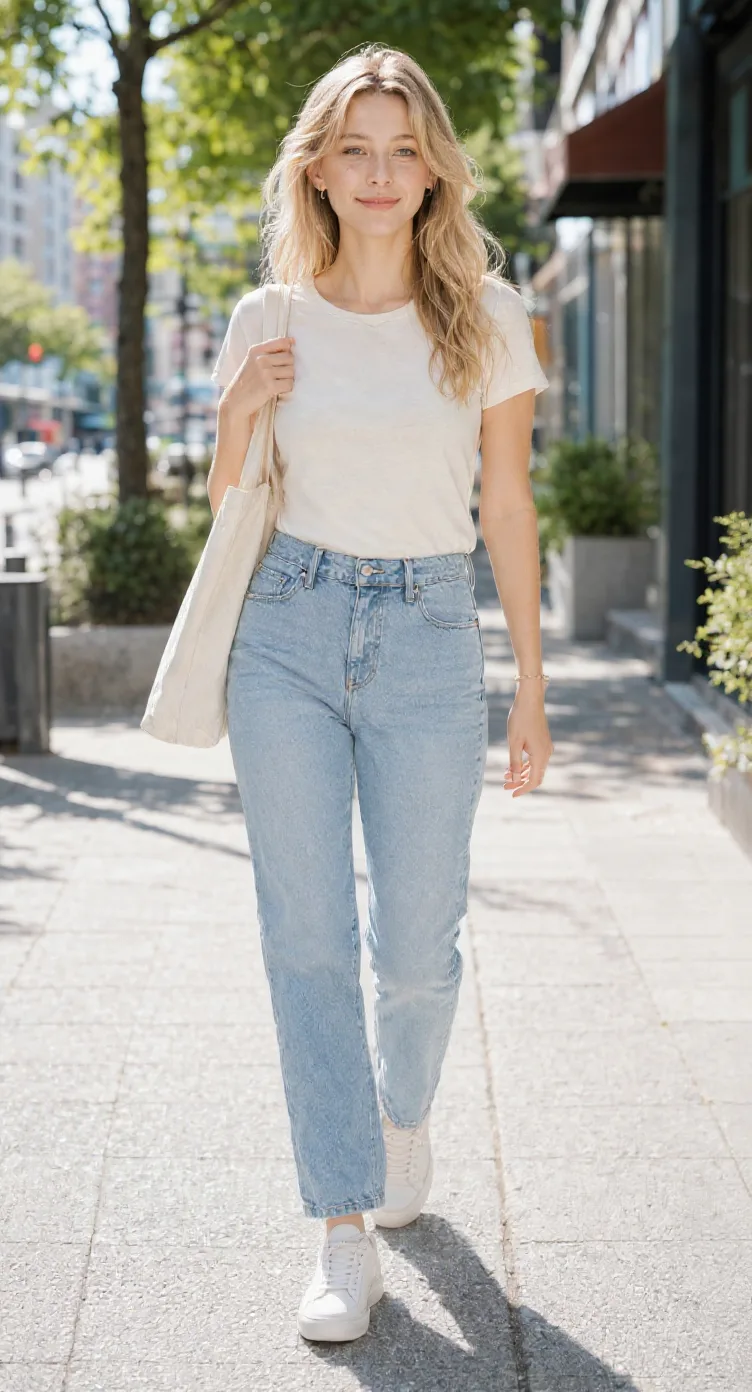
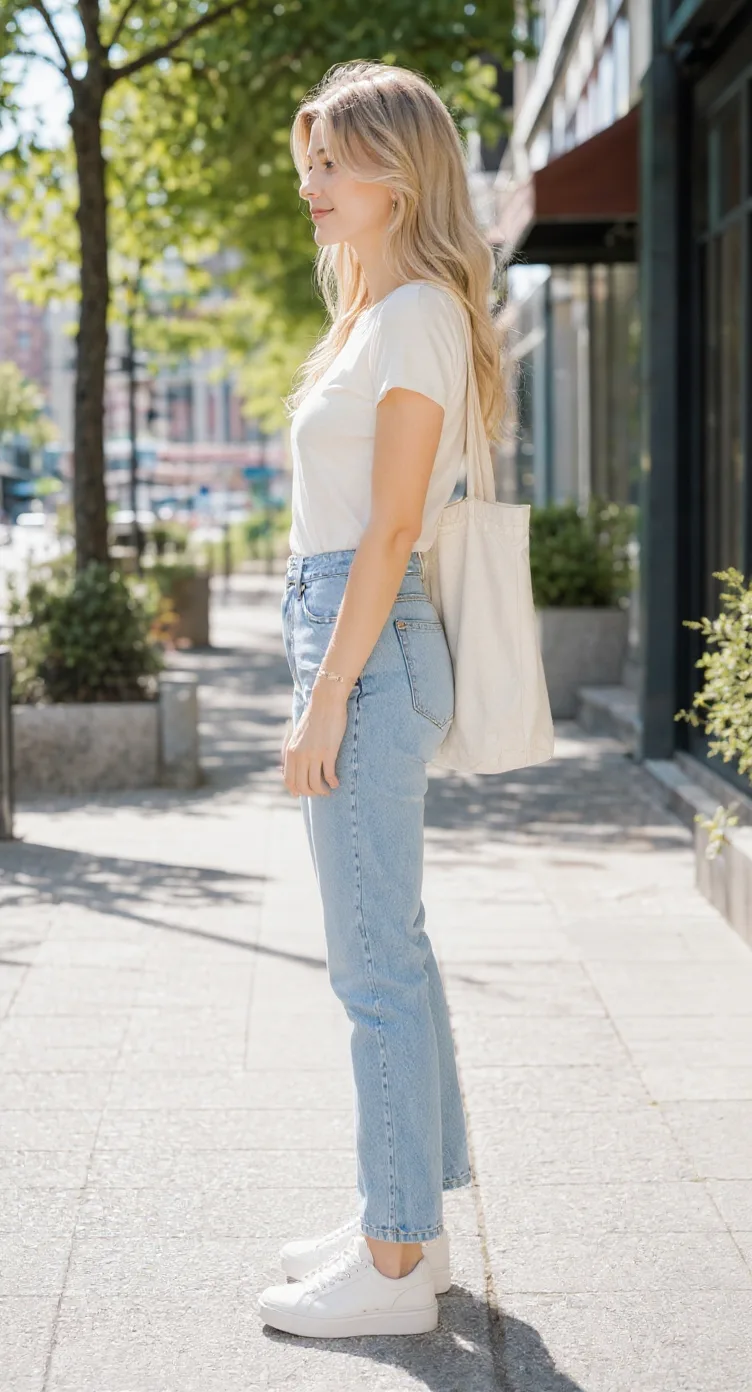
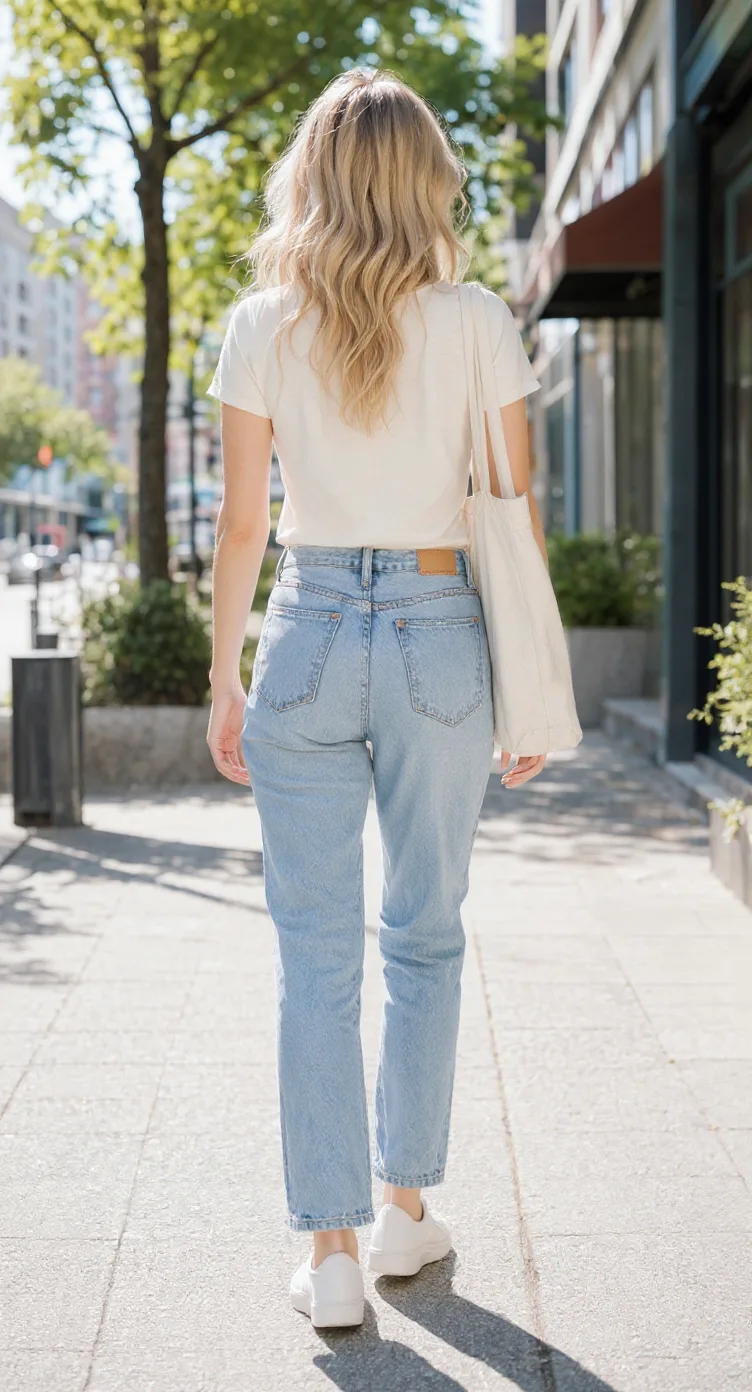
Pose selections guide the AI. They do not guarantee exact shoulder angles, straight arms, or matching joint positions across every view. The workspace shows the required credits before you submit.
From one character to three views
A character might look great in one illustration, but there can still be a lot you haven’t seen. Explore this character from multiple directions and compare details that make the design recognizable.
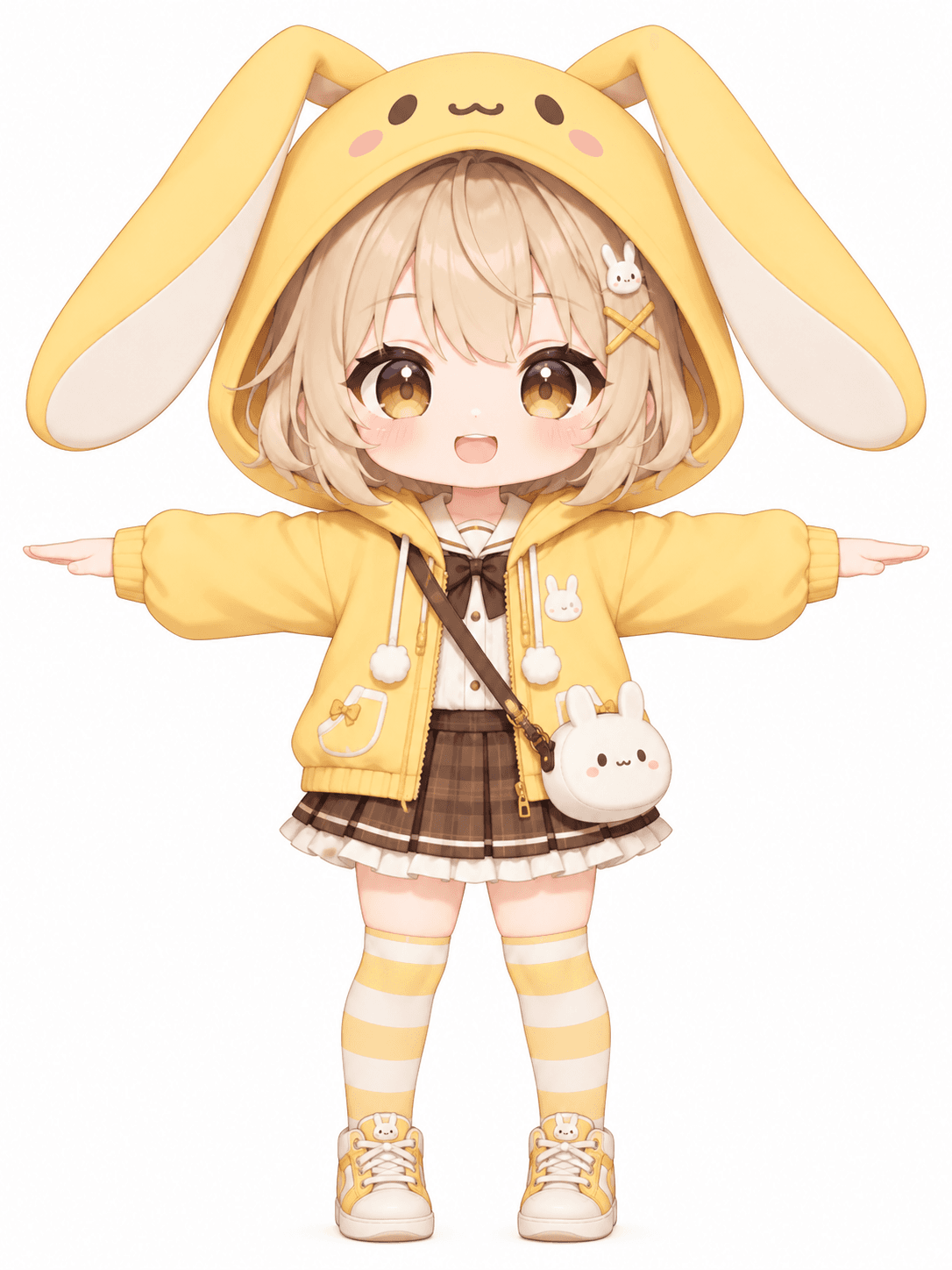
This cheerful chibi character wears a yellow bunny hoodie and has large expressive eyes and playful outfit details. The five generated views explore the same character from other directions.
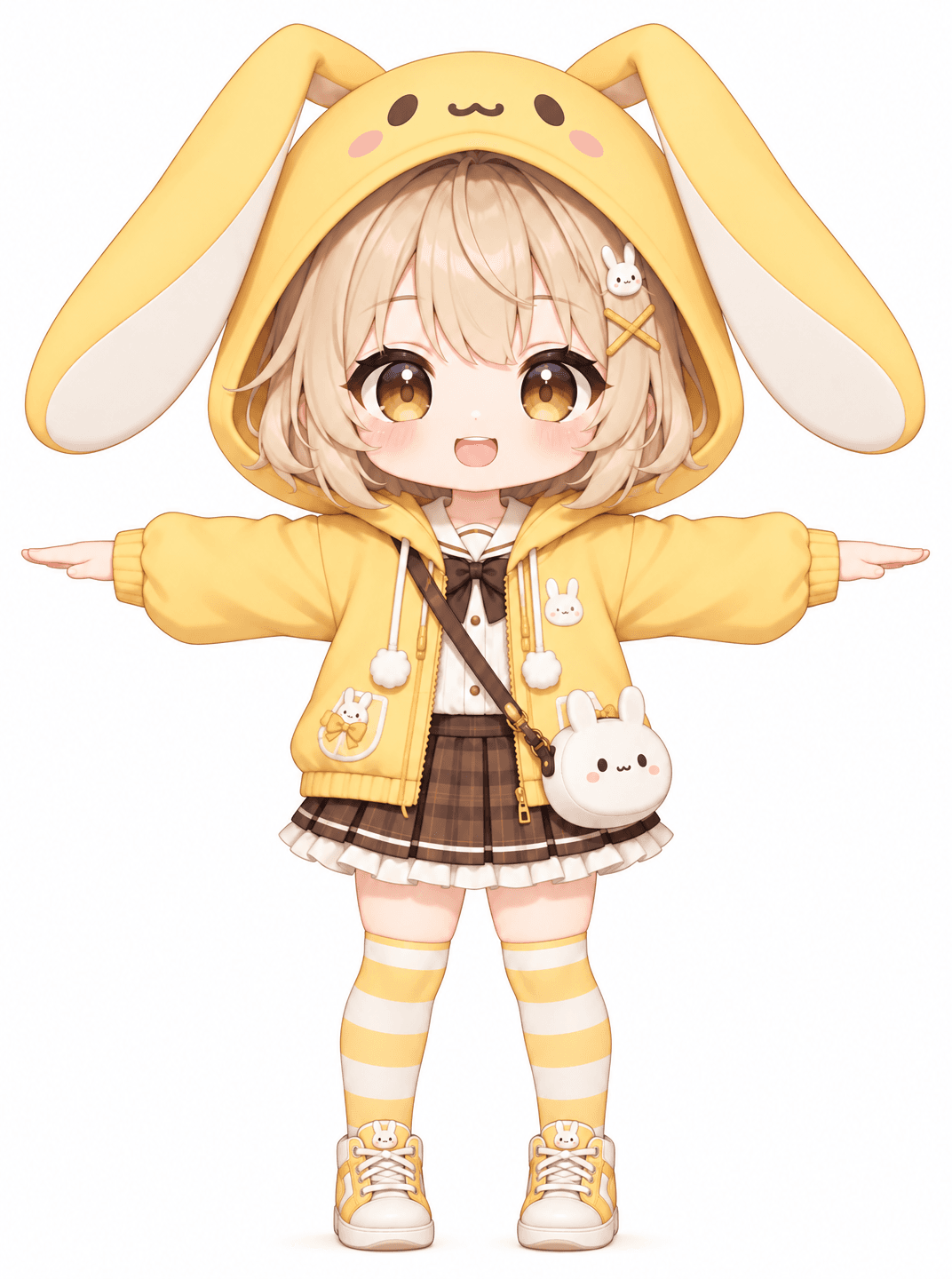
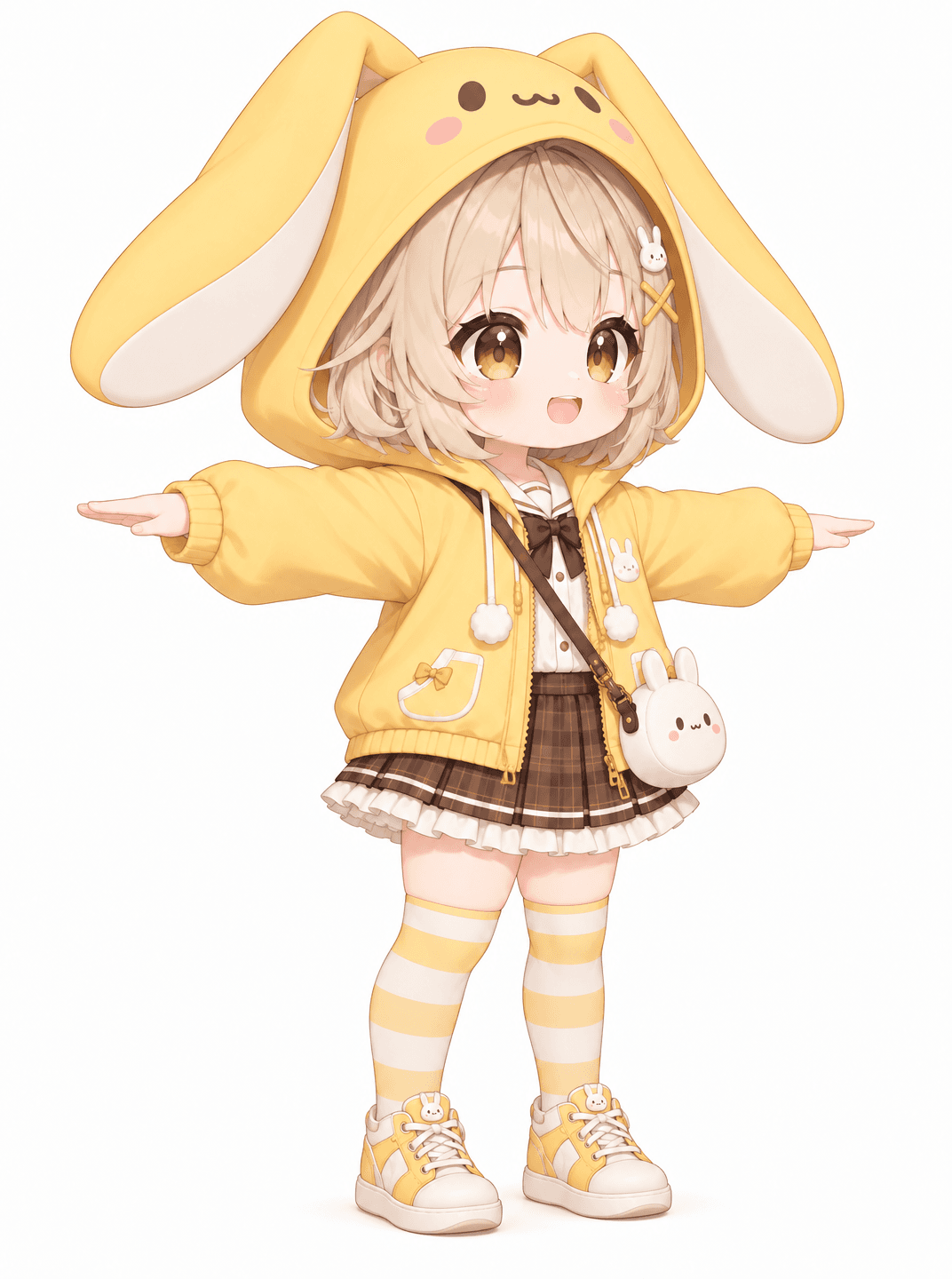
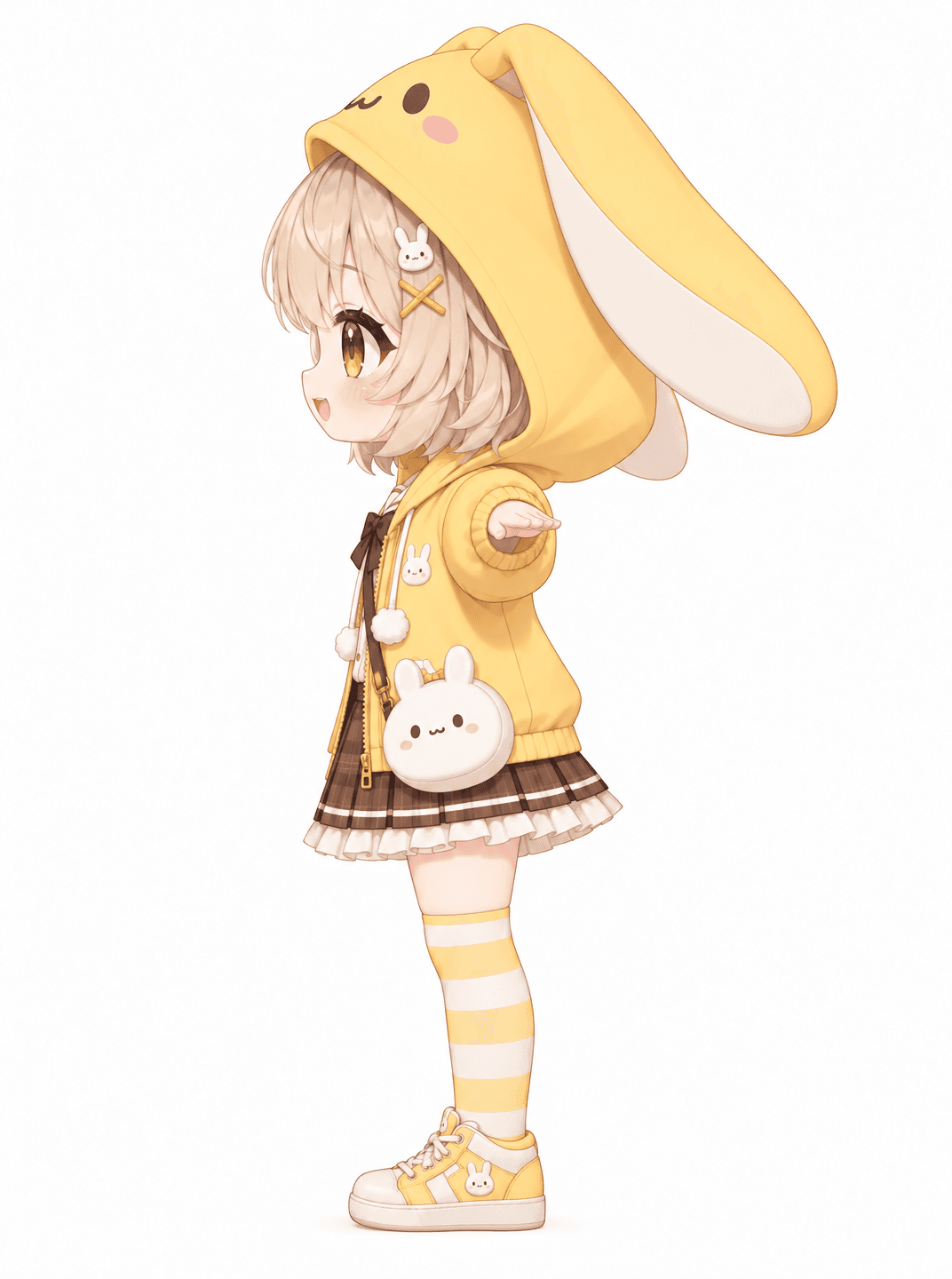
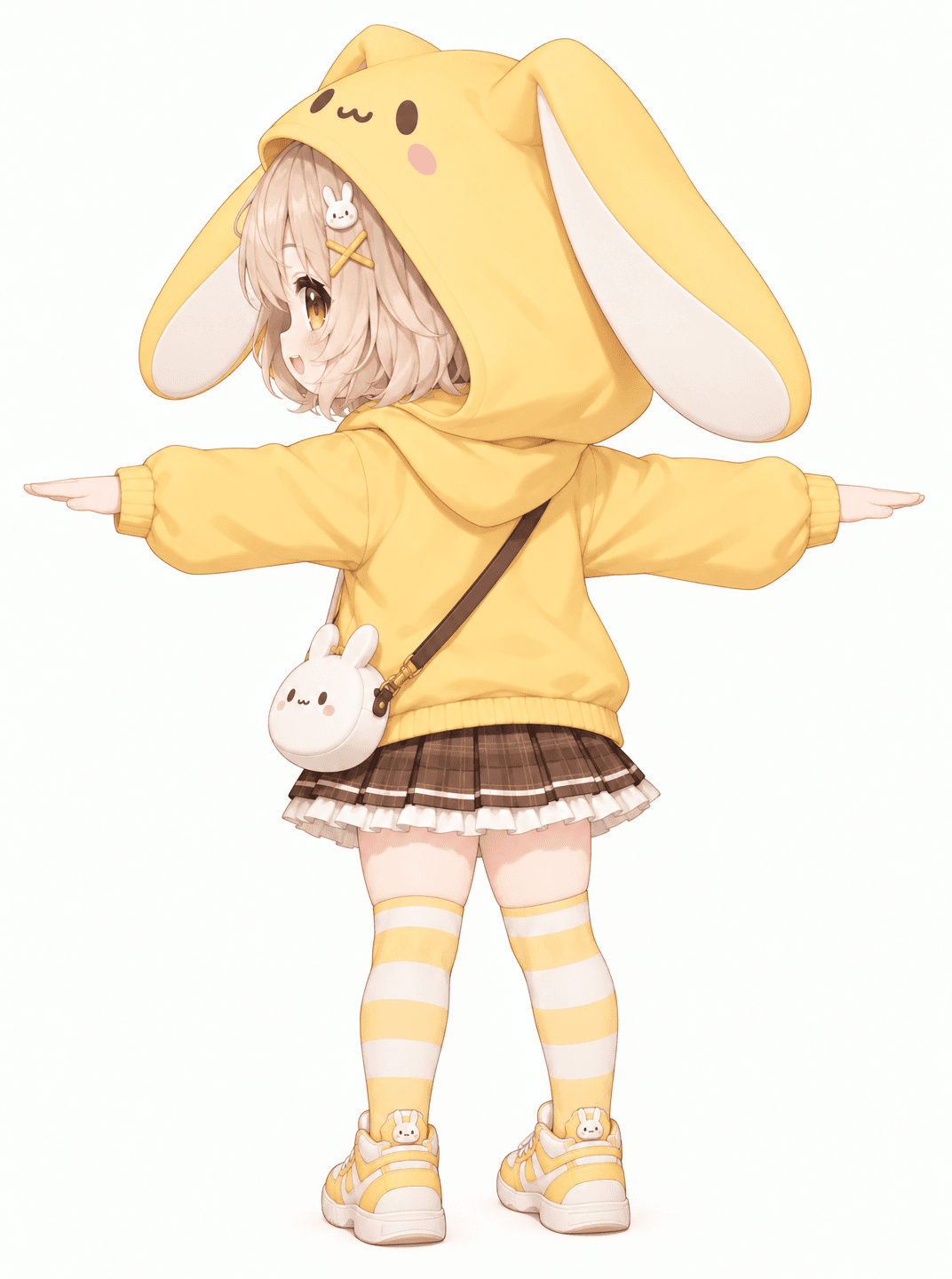
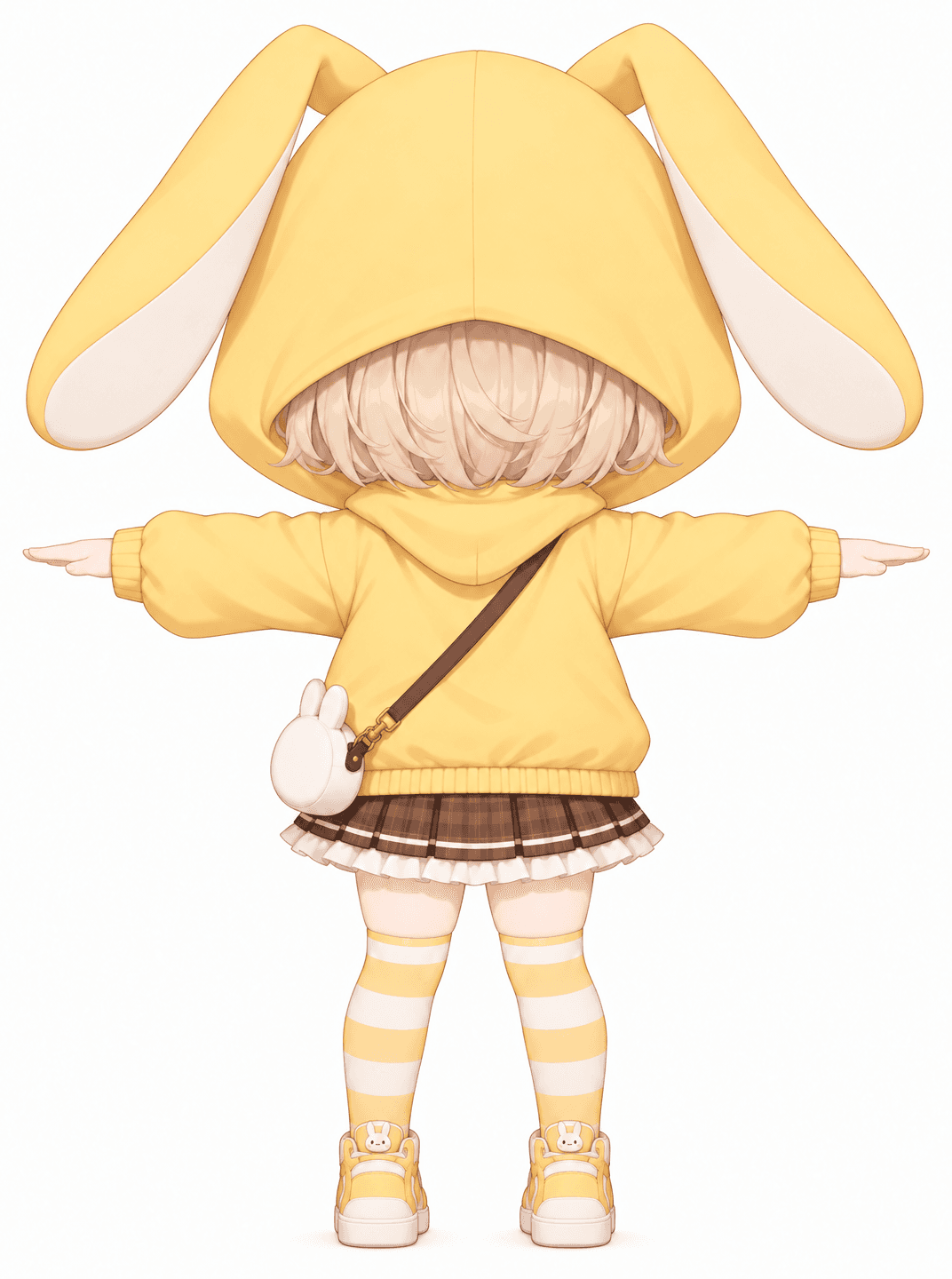
Generated character views
These actual views came from one input image in a five-view generation task. Compare the outputs for pose continuity, proportions, clothing, and accessories. Unseen details are AI-generated interpretations. Results are visual references, not dimensionally aligned or guaranteed orthographic drawings. They are not ready for direct rigging. The selected example contains five views even though this page defaults to the three-view mode.
The next view of your character
A T-pose request helps you explore how sleeves and side details might look with the arms extended.
Compare the head, shoulders, torso, arms, and legs across views.
Additional views help you consider details that aren’t visible in a front image.
Use the character image you already like as the starting reference for other angles.
Front, side, and back views can communicate more than one illustration.
Generated perspectives can reveal missing hairstyle, costume, or accessory details to refine.
Understanding the reference
Simple character reference workflow
Use one character image to explore three essential directions or five perspectives.
Choose a drawing, illustration, or render. Include the full body to give the AI more information about the arms, legs, and outfit.
Standard gives front, side, and back. Consistency Mode adds front and back three-quarter references.
T-Pose is selected by default. You can switch to A-Pose, Neutral Standing, or Match Original.
AI uses your original image to create the selected viewpoints and attempts to follow the chosen pose.
Check arm direction, shoulders, proportions, face, hairstyle, and clothing for differences.
Use the generated views for character art, reference sheets, game concepts, or modeling preparation.
Generate my character views
Three views provide a practical starting set. Check the visible details and how the requested pose reads from each direction.
Inspect the face, shoulders, extended arms, clothing colors, and proportions. Check both arms, facial features, outfit details, head size, and silhouette.
Explore the head profile, clothing depth, footwear, and silhouette. A T-pose arm may overlap the body or point toward the viewer, making it appear shorter.
See an AI interpretation of the hairstyle, sleeves, clothing, and accessories from behind. Check outfit continuity and inferred details.
Additional views can add context, but they do not automatically make the references geometrically exact.
Choose the number of directions that fits your current reference task.
Front · Side · Back. A focused set for basic character references, costume exploration, silhouette checks, and early 3D concepts. Current cost: 90 credits.
Front · Front ¾ · Side · Back ¾ · Back. Add perspectives to explore costume depth, large hairstyles, shoulder details, and complex silhouettes. Current cost: 150 credits.
For most basic needs, start with three views. Use five if intermediate perspectives would help you understand the design. The workspace displays the actual cost before generation.
Two common character reference poses
The arms extend outward from the shoulders. Explore arm span, sleeves, and the upper-body silhouette.
The arms angle downward from the shoulders. Try a less extended arm position for a relaxed reference.
See the character with a more natural, relaxed arm position.
Ask AI to follow the pose in your uploaded image.
No pose is universally better. Select the one that fits your design task. AI-generated poses still need review; the control is a request, not a rigid joint constraint.
Explore a large-headed character in T-pose and check that its cute proportions remain recognizable.
Review the face, hair, outfit, and overall proportions from additional angles.
Explore layered costumes, boots, gloves, capes, armor, and accessories.
Consider futuristic jackets, equipment, uniforms, and stylized armor from several directions.
See how a simplified character silhouette might work from another angle.
Use an existing render to explore the same design from more directions.
The generator follows the uploaded character’s style. It does not automatically convert every source into a specific artistic style.
Explore more of an OC’s design when you have one finished illustration.
Use the images as early visual references. Correct scale, pose, and perspective before detailed modeling.
Develop a clearer picture of a character before creating game assets. Results are not animation-ready.
Show another artist multiple perspectives and review AI-created details before treating them as specifications.
Plan hairstyles, outfits, and proportions for characters seen from different directions.
Explore an avatar concept before building a 3D asset. The tool does not provide rigging or platform-ready exports.
Prepare your character image
Include the character from head to shoes.
Clear shoulders and upper arms give AI more useful pose information.
Large props, effects, or overlapping characters can make the body harder to interpret.
Distinct clothing layers and colors are easier to compare across views.
A standing or relaxed source is generally easier to interpret than an action pose.
If the back of a jacket is unseen, AI must make a design guess.
Check face, legs, footwear, accessories, and clothing—not just the arms.
Save the source image to compare with the generated references.
Review the complete set together. A useful concept reference may still need manual corrections before production.
Look for a reasonable T-pose. Bent, missing, or unusually positioned arms may need correction.
Compare height, head size, torso, and limb lengths across views.
Check sleeves, collars, armor, belts, and other recognizable details.
Make sure the character retains recognizable features where visible.
Look for missing bags, equipment, ears, tails, or other details.
Consider whether an arm appears shorter because of viewing direction or because of an anatomical error.
Check whether the images feel like views of one character rather than separate variations.
From concept art to modeling reference
Best for exploring a character with arms extended in front, side, and back views. Output: AI-generated 2D reference images.
Best for several viewing angles without centering the workflow on one pose. Output: AI-generated 2D multi-view references.
Best for broader character design references, potentially including more design information and views. Output: character reference artwork.
Best for creating actual 3D geometry with a dedicated 3D generation process. Output: a 3D asset, depending on the tool and workflow.
If you already have a character image and specifically need T-pose front, side, and back references, start here.
Know what to expect
An extended arm may point toward or away from the viewer, causing overlap.
A head-only image provides little information about arms, torso, clothing, or legs.
If a detail is hidden, AI must infer it.
A visual T-pose image has no joint constraints or skeletal data.
Three may be enough when you mainly need front, side, and back references.
Use your input image to judge whether the results fit the intended design.
A T-pose character turnaround is a set of reference images showing the same character from different viewing directions while requesting an extended-arm pose. Typical views include front, side, and back.
Upload your character image, keep T-Pose selected, choose Standard for three views, and generate. AI attempts to create front, side, and back reference images based on your original design.
No. You can upload a character shown in another pose and request T-Pose during generation. However, changing the pose may be more difficult when the source has bent arms, strong perspective, or hidden body parts.
You can choose three or five views. Standard includes front, side, and back. Consistency Mode adds front three-quarter and back three-quarter perspectives.
Three views are a practical starting point for examining the main front, side, and back directions. If you need more information about shoulders, accessories, or costume depth, two additional three-quarter views may help.
Yes. Select Consistency Mode to request five views. Keep in mind that more views also mean more images to check for pose, proportion, and clothing consistency.
A T-pose has the arms extended outward, commonly near shoulder height. An A-pose lowers the arms at an angle. Both can be useful for different character reference and 3D workflows.
Yes, as visual character references. However, the images aren't guaranteed to be perfectly orthographic or aligned. You may need to adjust scale, perspective, and proportions before using them for accurate modeling.
It attempts to create front, side, and back character views, but it doesn't guarantee exact orthographic projection, identical scale, or precise geometric alignment between images.
Not necessarily. T-Pose is a generation instruction, not a rigid skeletal constraint. AI may create slight differences in shoulder height, arm direction, or hand position.
When the character is viewed from the side, extended arms may point toward or away from the viewer. This can cause foreshortening and visual overlap. Some results may also contain AI-generated pose errors.
Yes. You can upload a chibi-style character and request T-Pose views. Check that the exaggerated head-to-body proportions remain recognizable, as the AI may interpret them differently across angles.
Yes. You can try anime-style drawings, fantasy character concepts, cartoon designs, and other supported character images. Complex outfits and accessories may require closer review.
If the original image doesn't show the back, AI must estimate those details. The generated version may be plausible but different from the design you intended.
You can use the views as early visual references for character design. They are not automatically game-ready sprites, rigged 3D models, or complete animation assets.
No. It generates 2D reference images. It doesn't create geometry, bones, skin weights, or animation-ready rig controls.
Under the current pricing configuration, Standard uses 90 credits for three views and Consistency Mode uses 150 credits for five views. Check the price shown in the workspace before submitting, as pricing may change.
Commercial use depends on your rights to the uploaded character, the applicable service terms, and any third-party intellectual property. Make sure you have the required permissions for your intended use.
---
Create character references from multiple angles with the general turnaround workflow.
Character turnaround generatorAccess the full character turnaround generator and explore available views and pose options.
Image to character turnaroundGenerate additional character views from an existing illustration.
Chibi character turnaround generatorExplore front, side, and back views for cute, stylized characters.
3D character reference sheet generatorCreate visual character references to support 3D character concept development.
Character model sheet generatorExplore broader character design references for artistic and production planning.
One character, more ways to see it
You already have the design you want to keep. Now explore how the same character might look with extended arms, from the front, side, and back. Upload one image, choose your views, and create references to help move your character project forward.
Start with three reference views or choose five. Results are AI-generated and may need review or correction before technical production use.
Front, side, back & 3/4 views in one run
Lateral, heel & outsole sneaker views
Front, side & rear model reference sheets
Share your original character in multiple views
Prepare multi-view references for model artists
Prepare character views for Blender and 3D modeling
Generate a rear perspective from a character image
Prepare multi-view references for 2D animation planning
Explore front, side & back views for cute chibi characters
Front, side, back & 3/4 views for anime characters
One left or right profile, 30 credits
Clean marketplace angles for listings
Interactive 360° rotatable spin view
Precise azimuth & elevation controls
Creative Toolkit Index
Quick access to precision layer extraction, AI photo editing & asset tools.