
Explore the whole outfit
See how an oversized hoodie, tiny skirt, colorful jacket, or chunky shoes could look from the side and back.
Drop an image or click to browse
PNG, JPG, or WebP up to 10 MB. Full-body references work best; head-and-shoulders or half-body crops work too, but the views only show what your image shows.
Consistency mode generates five reference views from one normalized character reference.
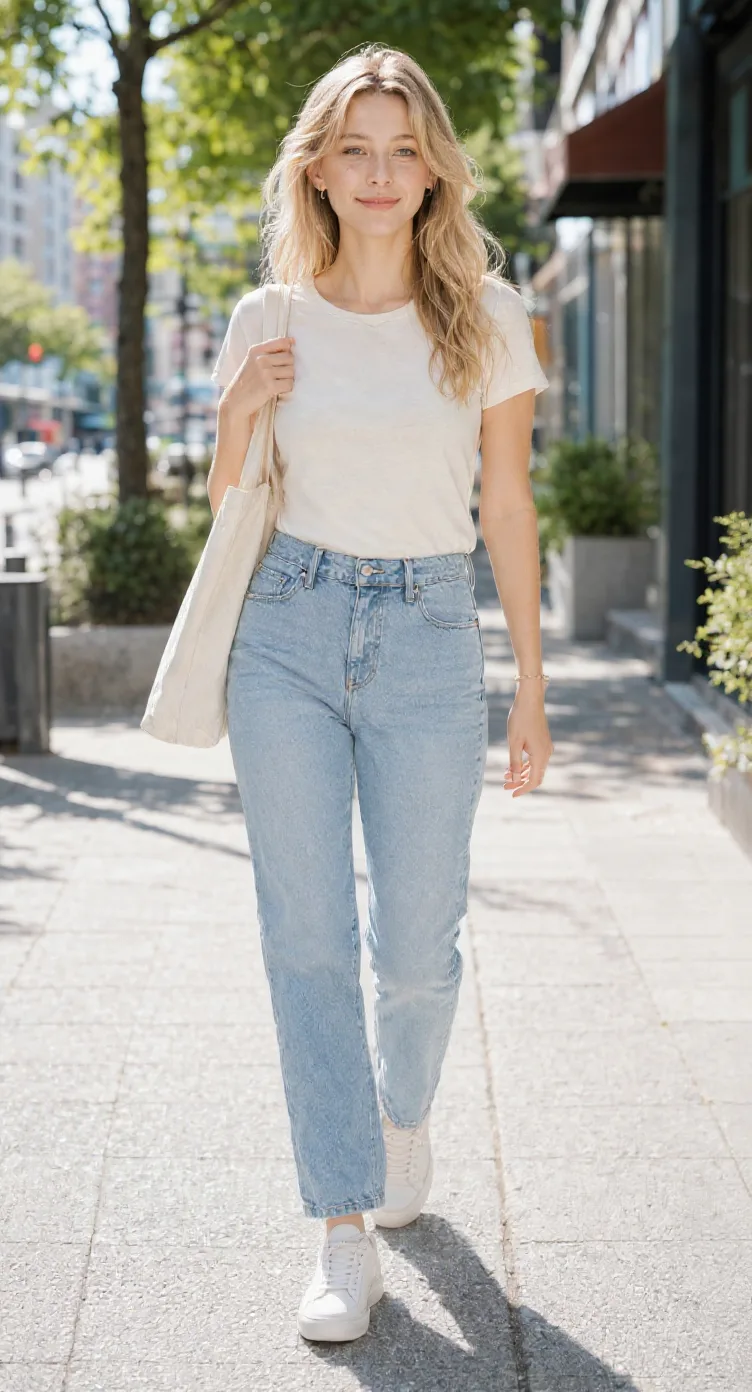
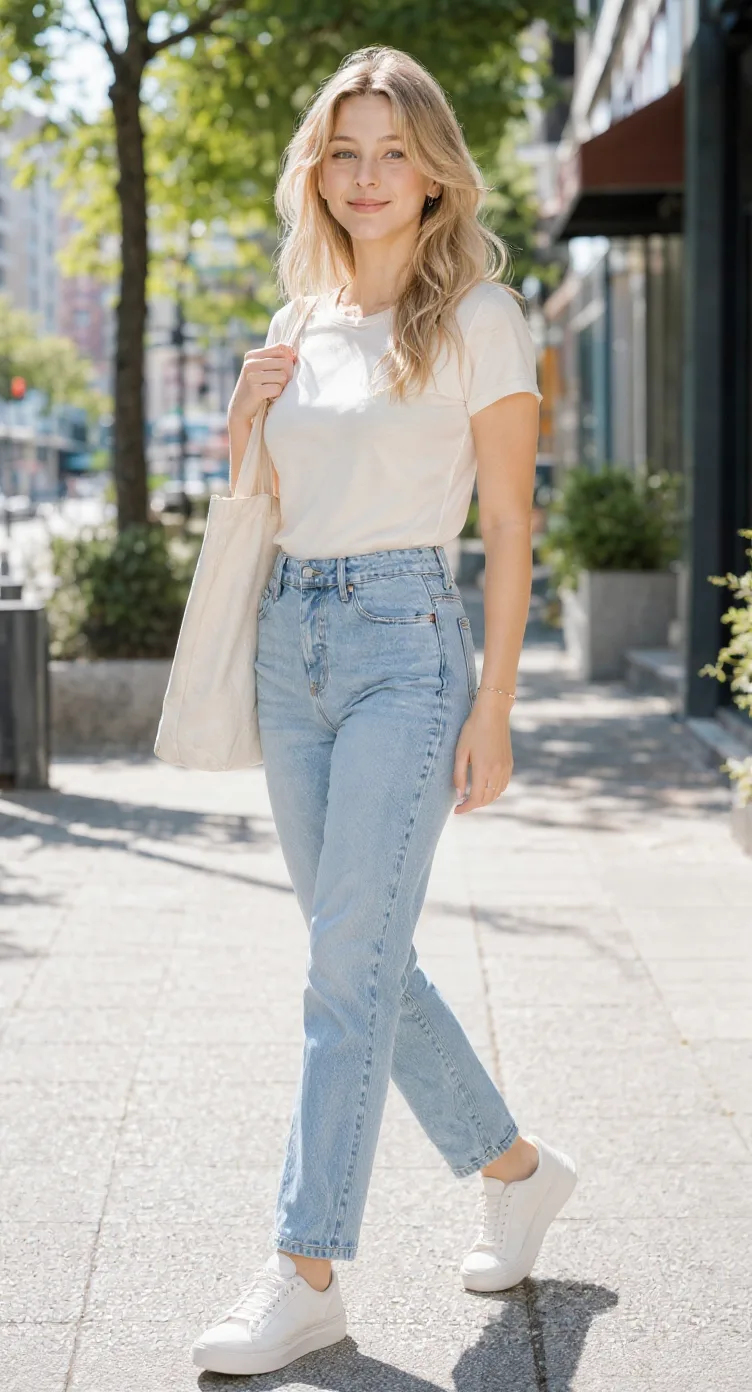
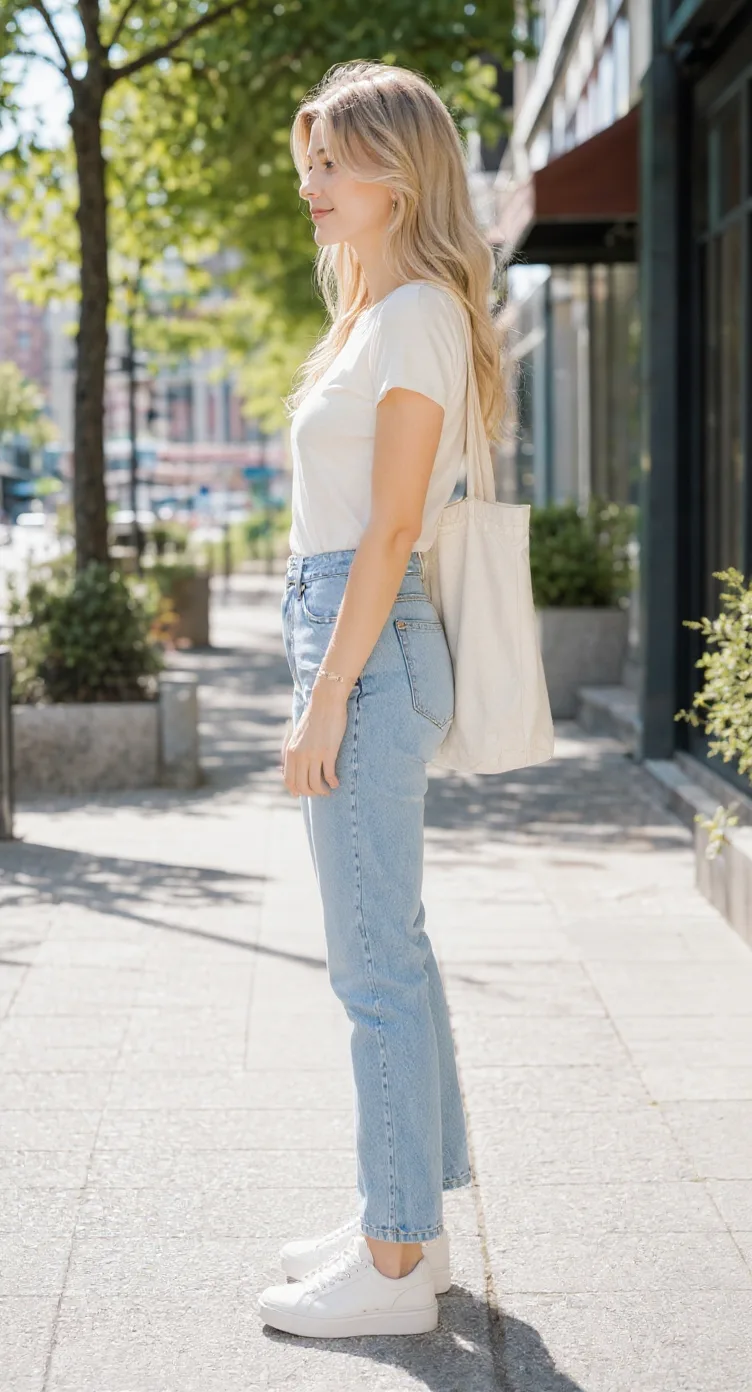
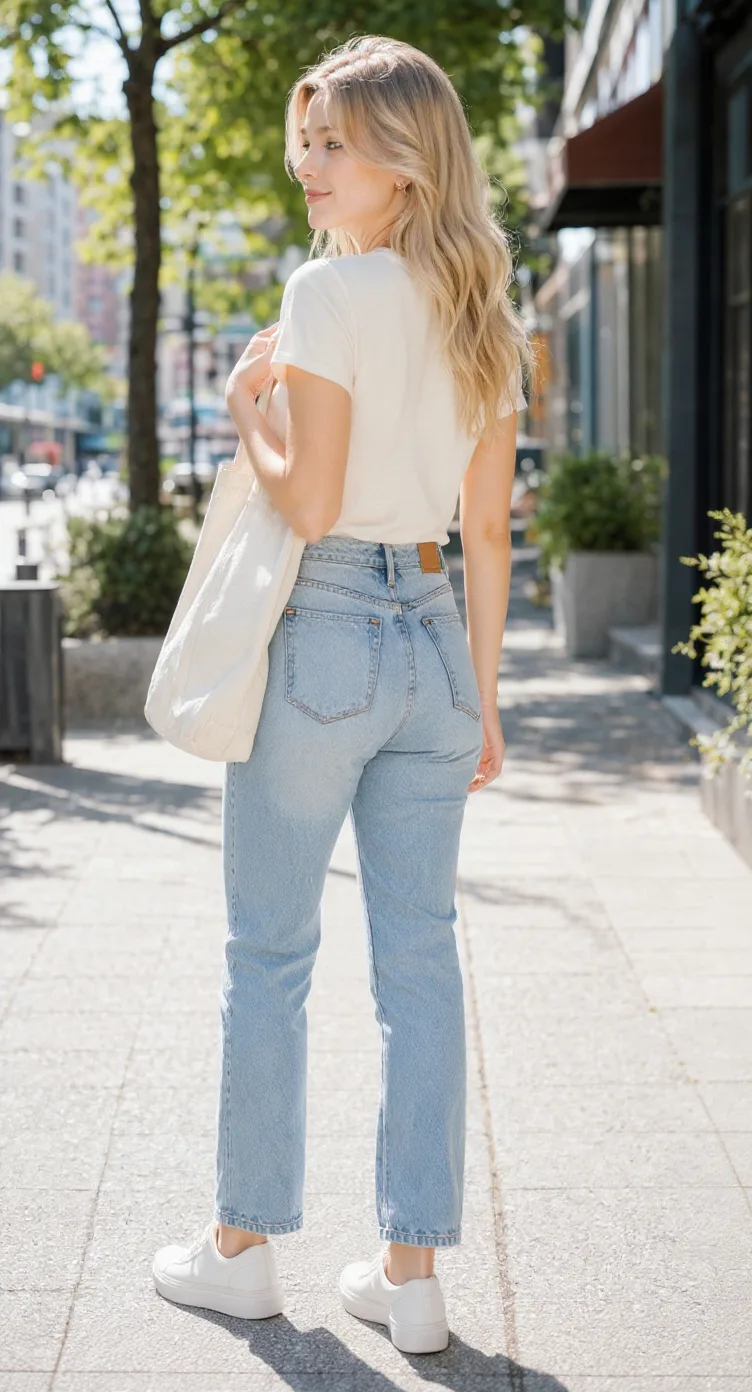
One cute character, more ways to see it
A real example of one chibi character explored from five directions. Compare its hairstyle, outfit, proportions, and accessories across the generated views.
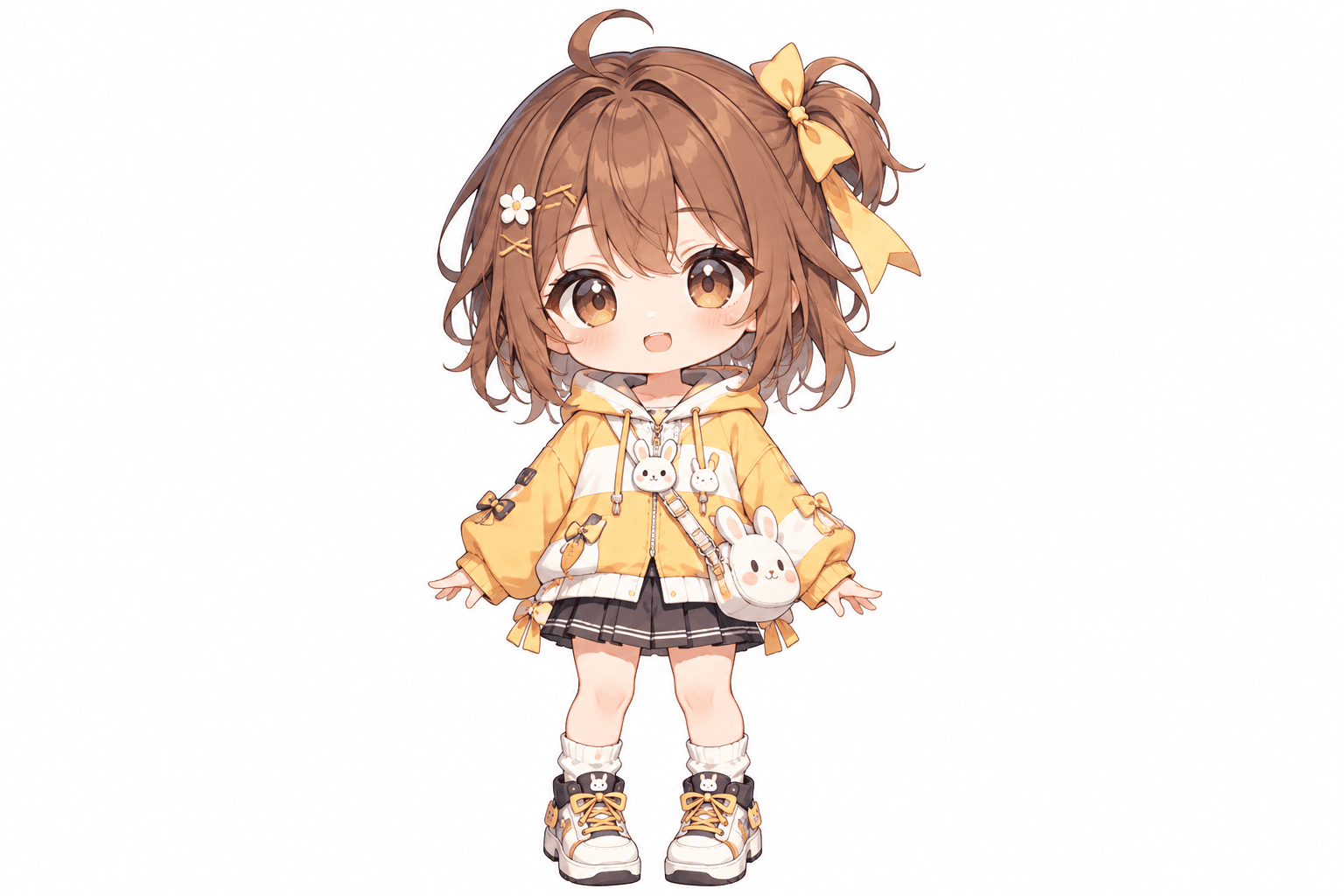
This cheerful chibi girl has oversized eyes, fluffy brown hair, a yellow hoodie, and playful bunny accessories. Her bow, skirt, shoes, and little bag all contribute to the design. The additional views show how AI interprets the character from other directions.
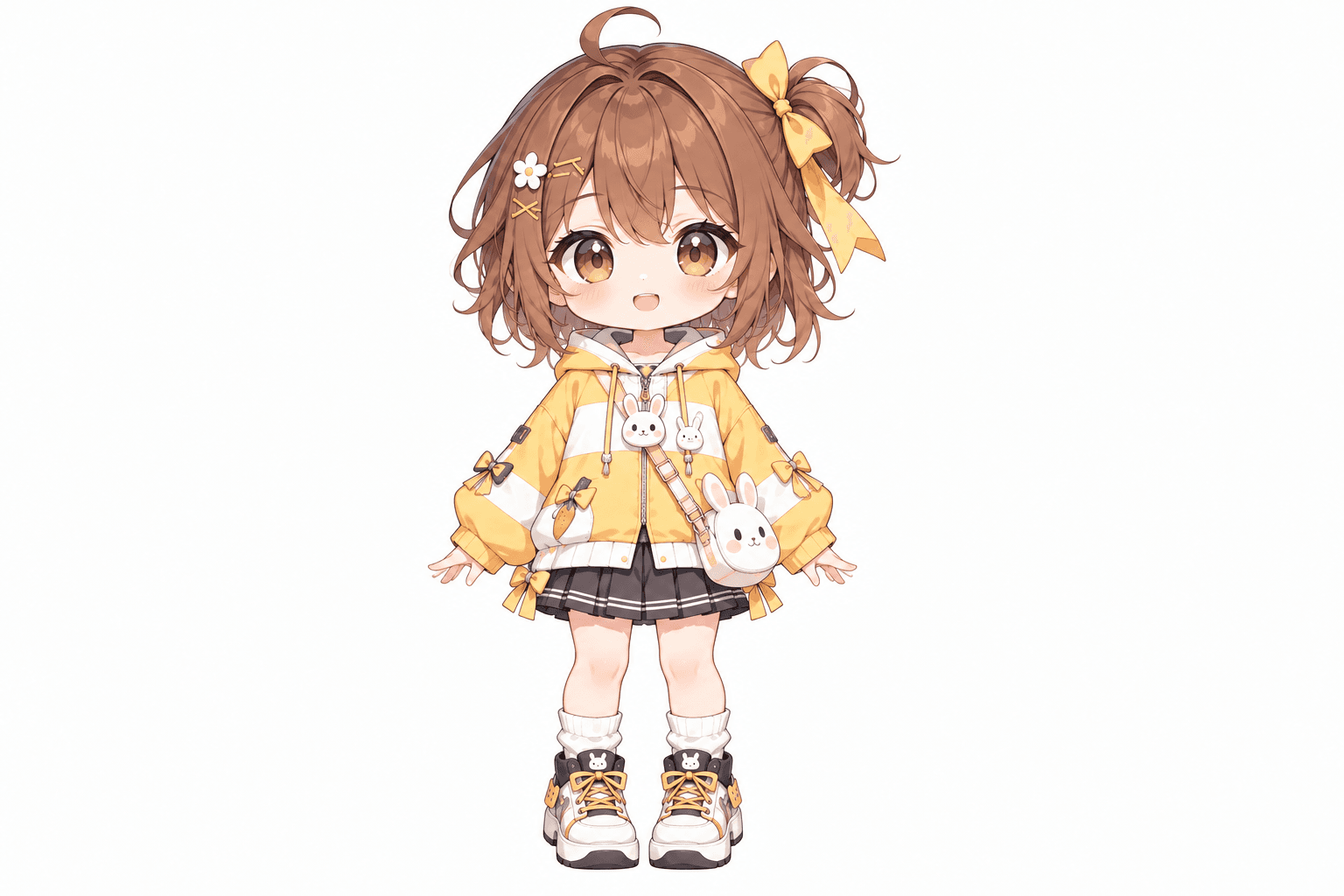
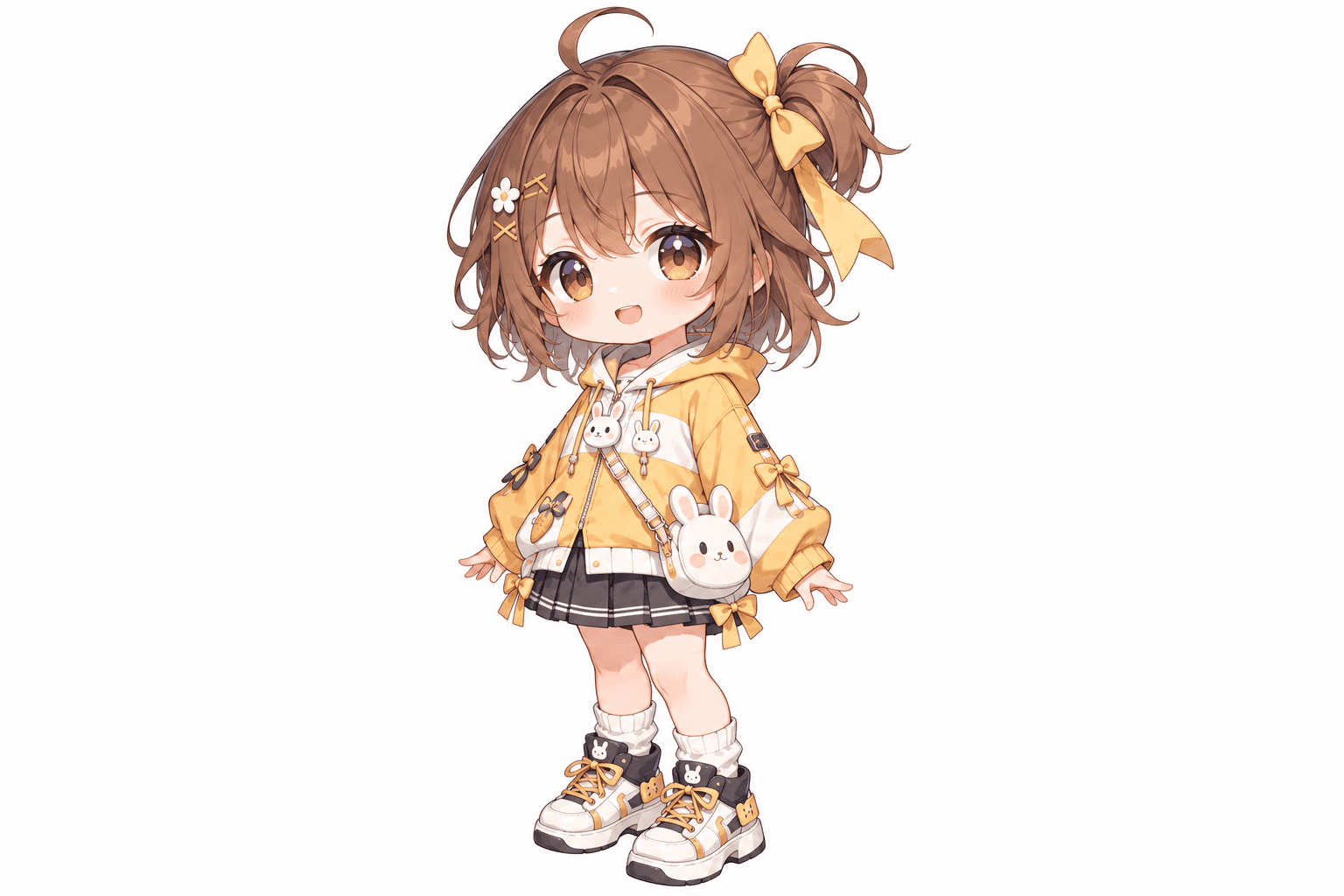
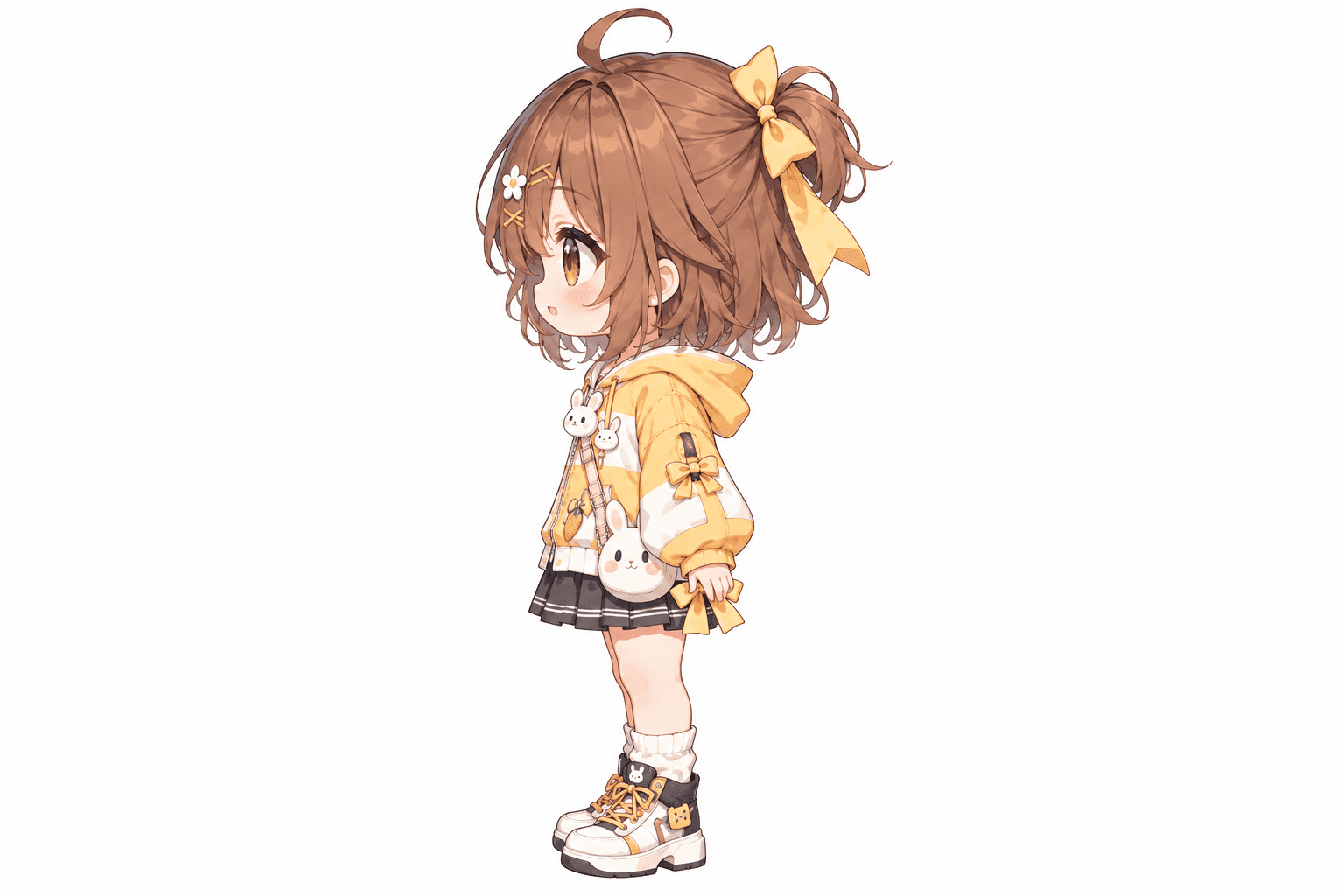
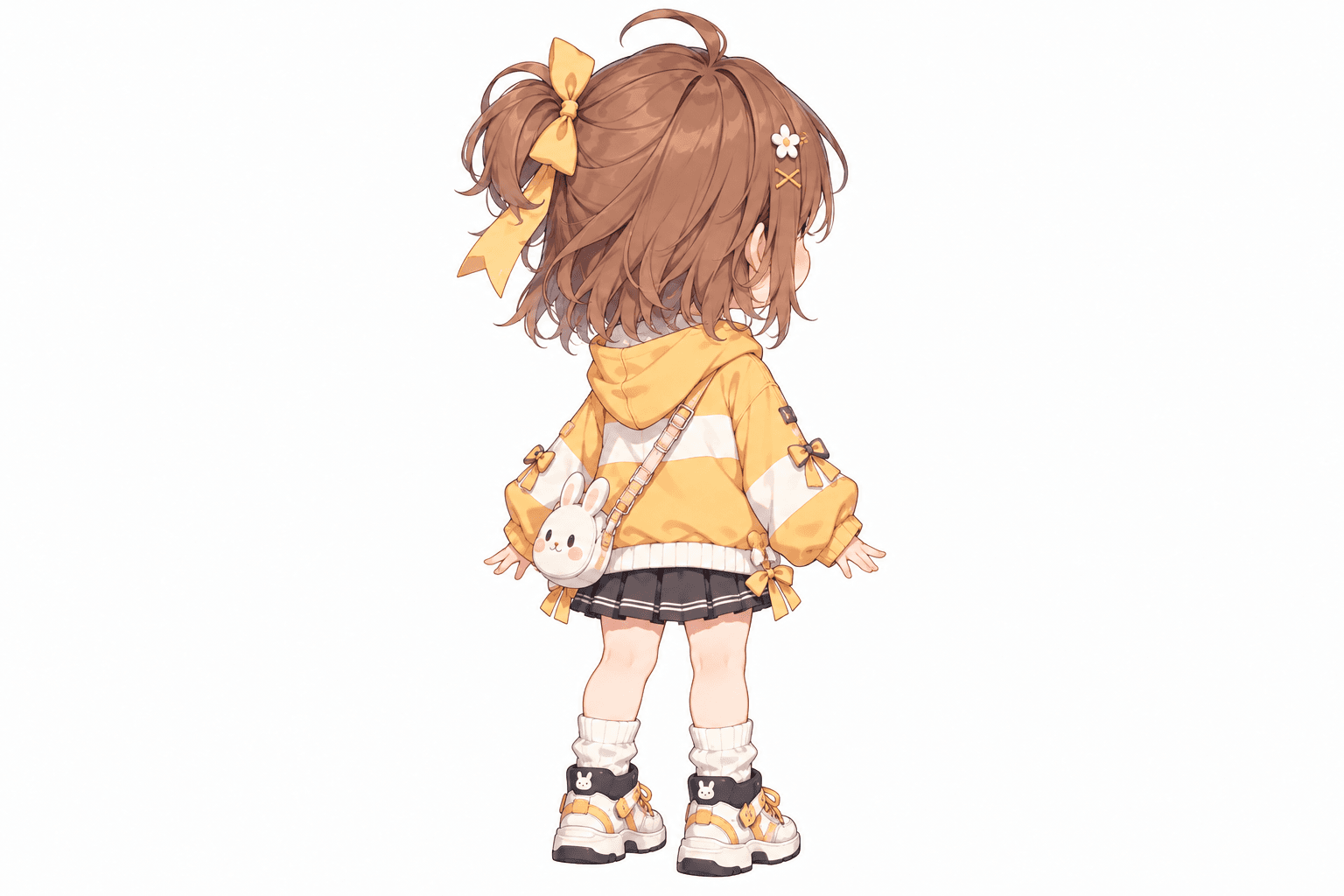
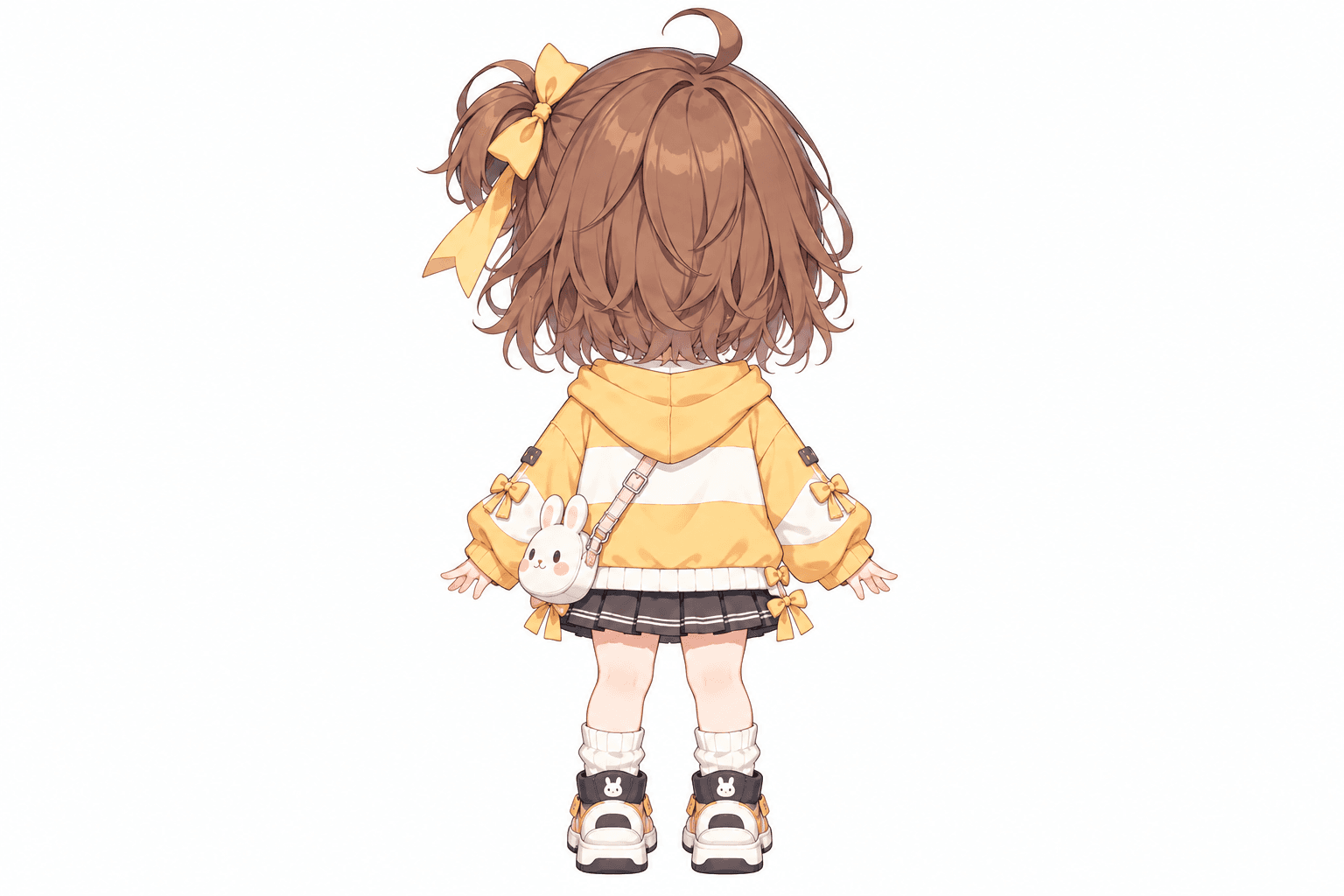
AI-generated turnaround
These five views were generated from the original image shown here. Details in hidden areas are AI interpretations and can differ from the source.
Keep the character you love
You spend time creating a little character you absolutely love. Maybe it is an original character in a bunny hoodie, a tiny fantasy adventurer, or a cute mascot for future illustrations. The face, colors, and accessories feel right. Then you try to draw the character from the side: how large should the head look in profile, where should the ponytail sit, and how does the jacket wrap around a tiny body? A turnaround helps you explore those missing perspectives from your existing drawing. Use the results to decide how the hair, outfit, accessories, and proportions should work together.
Your chibi character is already yours. The missing angles are what you want to explore.
See how an oversized hoodie, tiny skirt, colorful jacket, or chunky shoes could look from the side and back.
Compare the large head, small body, short limbs, and simplified shapes that make the design recognizable.
A bow, pigtails, animal ears, or fluffy hairstyle can define a chibi character. Explore another perspective.
Use different angles as a starting point for new illustrations and scenes.
Show another artist more than one angle so they have a clearer starting point.
Use generated perspectives as early references instead of exploring every angle from scratch.
Cute character design basics
A chibi character turnaround is a collection of images showing the same chibi-style character from multiple angles. Chibi characters often use exaggerated proportions, larger heads, smaller bodies, simplified facial features, and playful expressions. A turnaround lets you examine how that stylized design might look from the front, side, back, and intermediate directions. AI can generate initial views from one reference image, but it may interpret hidden details differently from what the original artist intended.
A chibi turnaround explores the same cute design from different directions; it does not make the character more realistic.
From one chibi image to more views
Upload a character, choose a view set and pose, then review the generated angles as references.
Choose a character image. Include the whole character, including head, body, clothing, and shoes.
Select Standard for three essential perspectives or Consistency Mode for five angles.
Choose Neutral Standing, T-Pose, A-Pose, or Match Original. Neutral Standing is a simple starting point.
AI interprets unseen areas, including the back of the hairstyle, clothing, and accessories.
Compare head-to-body ratio, face, hairstyle, outfit, and accessories across the views.
Use the results when planning illustrations, OC references, comics, or character designs.
Choose three essential directions or five perspectives to explore the character’s shape and outfit.
See the face, outfit colors, accessories, and overall proportions. Check eye size, face shape, shoulder width, and head-to-body balance.
Explore cheek shape, hairstyle volume, and clothing depth. Check facial consistency, hair silhouette, and oversized accessories.
See the profile and how the large head, small torso, and short limbs work together. Check head size, face profile, shoe shape, and silhouette.
Explore how hairstyle, hood, bag straps, and clothing transition toward the back. Check accessory placement and hair length.
See an AI interpretation from behind. Check back-of-head shape, hood details, clothing, shoes, tail, or backpack.
Standard includes three views. Consistency Mode includes all five. These are fixed 2D reference perspectives, not a rotatable 3D model.
Small character, important details
Compare the design elements that give your chibi its recognizable silhouette.
Compare whether the exaggerated head-to-body relationship feels similar from each direction.
Check large eyes, simplified features, and whether the character remains recognizable at another angle.
A bow, animal ears, short bob, or pigtails can change dramatically between front and back.
Baggy hoodies, sleeves, bows, hats, and coats can define the silhouette. Look for changes in size or placement.
Simplified hands, rounded shoes, and small legs may be reinterpreted as the character turns.
Compare shoes, bags, ribbons, patches, and decorative details across views.
The generator aims for visual continuity but does not enforce an exact head-to-body ratio or guarantee identical details.
Explore an OC designed for storytelling, fun, or your personal art collection.
Use anime-inspired chibi drawings to explore additional perspectives.
Explore tiny warriors, mages, knights, and adventurers with stylized outfits.
Generate new views of a mascot with a distinctive outfit, face, or silhouette.
Explore how cat ears, bunny ears, tails, and other animal-inspired elements might look.
Use the views as early visual references for a cute doll or miniature concept.
These outputs are concept references, not manufacturing drawings, 3D models, or ready-to-print figurines.
Give your original character more visual directions to share with other artists.
Use extra views to plan artwork where your character faces sideways or looks away.
Explore the shape before developing sticker, keychain, or personal merchandise artwork.
Get visual starting points for scenes where the character appears from different directions.
Use multi-angle references when designing a cute game character. Animation-ready sprites require separate preparation.
Explore a flat illustration from other sides before planning a miniature or 3D character design.
The existing workspace shows the actual credit cost before generation.
Front, side, and back. Start here to explore the character’s essential directions. Useful for side profiles, outfit planning, personal OC references, and basic multi-view concepts. Current price: 90 credits.
Front, front ¾, side, back ¾, and back. Add angles to explore design continuity, large hairstyles, accessories, mascots, outfit details, and references for another artist. Current price: 150 credits.
For a character with a large bow, animal ears, layered outfit, or distinctive hairstyle, five views can provide more reference information. Credit amounts reflect current generation settings; the workspace displays the cost before you generate.
Before you generate
Include the entire character if you want full-body front, side, and back views.
A simple standing pose usually shows more of the outfit than crossed limbs or strong perspective.
Chibi designs often depend on face shape and hairstyle, so keep these features visible.
Include a bag, hat, bow, ears, tail, or decorative features you care about.
A clean background makes the character silhouette easier to distinguish.
Review the set together; one view may look cute while differing from the others.
If the source only shows the front, the back of the outfit and hairstyle requires AI interpretation.
Choose the character style that matches your reference
Both tools use the multi-view workflow. Choose based on the character image and details you want to evaluate.
Best for an existing cute, super-deformed, or exaggerated-proportion character. Focuses on large heads, compact bodies, simplified shapes, distinctive outfits, and cute silhouettes. Input: an existing chibi character image. Result: generated references from multiple angles.
Best for anime characters with conventional or detailed proportions. Focuses on facial identity, clothing, hairstyle, anatomy, and visual continuity. Input: an anime-style character image. Result: generated front, side, back, and optional three-quarter references.
This page does not automatically convert a normally proportioned character into chibi style. Upload an existing chibi design.
What AI can and cannot do
AI-generated views can help explore a chibi design, but they may introduce differences. The head may become slightly larger or smaller; a sleeve, bow, shoe, or backpack may change; unseen hairstyle and clothing details may be invented; and the pose may vary. Review results before using them as final character references. The turnaround does not create animation frames, rigging layers, an editable 3D model, or a printable figure. For professional illustration, modeling, or animation, treat the images as starting references and correct details where needed.
AI helps you imagine the missing views. You decide what your chibi character really looks like.
The tool creates viewing angles from an existing image; it does not guarantee a change to chibi proportions.
A close-up gives little information about outfit, body, and shoes.
Generated views may subtly change proportions. Review the silhouette.
Hair clips, bows, charms, buttons, and bag straps may be missing or moved.
A turnaround shows directions; it does not produce a full walking, running, or idle animation.
The generated views are 2D images of selected directions, not a continuous 3D asset.
A chibi character turnaround shows the same cute, stylized character from different directions, usually including the front, side, and back. Extra three-quarter views can help show how proportions, hairstyle, and outfit change around the body.
Upload a chibi character image, choose Standard for three views or Consistency Mode for five views, select a pose, and generate. Review the results for differences in proportions and design details.
Yes. Start with a single chibi character drawing or illustration. AI estimates additional viewing angles, including details that may not be visible in the source.
Yes. Standard mode generates front, side, and back reference views. Consistency Mode also adds front and back three-quarter perspectives.
The workflow aims to preserve recognizable proportions and design features, but cannot guarantee an exact head-to-body ratio across every view. Check head size, limb length, and overall silhouette.
You can upload chibi anime illustrations as character references. The resulting angles can help explore the hairstyle, outfit, face, and body shape from other directions.
Yes. Upload an original chibi character you created or have permission to use, then generate additional reference views.
Yes. Consistency Mode produces front, front three-quarter, side, back three-quarter, and back perspectives.
The workspace includes Neutral Standing, T-Pose, A-Pose, and Match Original settings. These guide the requested pose, but generated poses may vary and should be reviewed.
No. The workflow creates additional viewing angles based on an existing character image. Start with a chibi-style reference for a chibi turnaround.
AI predicts unseen parts using the visible image as reference. It may estimate the back of a hairstyle, hoodie, backpack, or costume. These are generated interpretations, not recovered original details.
The workflow attempts to carry recognizable design elements into new views, but small accessories may be missing, moved, resized, or changed. Compare the images carefully.
You can use the images as creative references for sticker or keychain concepts. Additional artwork, sizing, background removal, and print preparation may be needed. Confirm you have rights for your intended use.
Yes, as a visual reference for game character design. The output is not automatically a production-ready sprite sheet or animated character.
No. The tool generates 2D reference views. It does not create a 3D mesh, rig, or printable figurine.
A clear, full-body chibi image with a readable pose, visible clothing, and distinctive accessories is a good starting point. Cropped or obstructed images provide less information.
The current workflow uses 30 credits per generated view. Standard costs 90 credits for three views, and Consistency Mode costs 150 credits for five views. Confirm the displayed price before submitting.
Commercial use depends on your rights to the source character, applicable service terms, and any third-party intellectual property. Make sure you have permission for your intended use.
Explore the general character turnaround workflow and how multi-view references work.
Image to character turnaroundTurn an existing character illustration into additional front, side, and back reference views.
Anime character turnaround generatorCreate multiple viewing angles for anime and manga character designs.
Character reference sheet generatorBuild additional visual references to communicate your character’s appearance.
Character model sheet generatorExplore character model sheet references for design and planning.
Character side view generatorGenerate a focused side view when you only need one extra character perspective.
Your little character, more possibilities
You have already created the character you love. Now explore how the oversized hoodie, hairstyle, tiny shoes, and playful accessories could look from other directions. Upload your chibi drawing and create front, side, back, and optional three-quarter references.
Create three or five AI-generated character views from one image. Review proportions, details, and consistency before using results as final references.
Front, side, back & 3/4 views in one run
Lateral, heel & outsole sneaker views
Front, side & rear model reference sheets
Share your original character in multiple views
Prepare multi-view references for model artists
Prepare character views for Blender and 3D modeling
Generate a rear perspective from a character image
Prepare multi-view references for 2D animation planning
Front, side & back references in a T-pose
Front, side, back & 3/4 views for anime characters
One left or right profile, 30 credits
Clean marketplace angles for listings
Interactive 360° rotatable spin view
Precise azimuth & elevation controls
Creative Toolkit Index
Quick access to precision layer extraction, AI photo editing & asset tools.