
1
Upload Your Character Design
Choose an existing illustration, character concept, or render. A full-body character with clearly visible clothing and accessories provides more useful visual information.
Drop an image or click to browse
PNG, JPG, or WebP up to 10 MB. Full-body references work best; head-and-shoulders or half-body crops work too, but the views only show what your image shows.
Consistency mode generates five reference views from one normalized character reference.
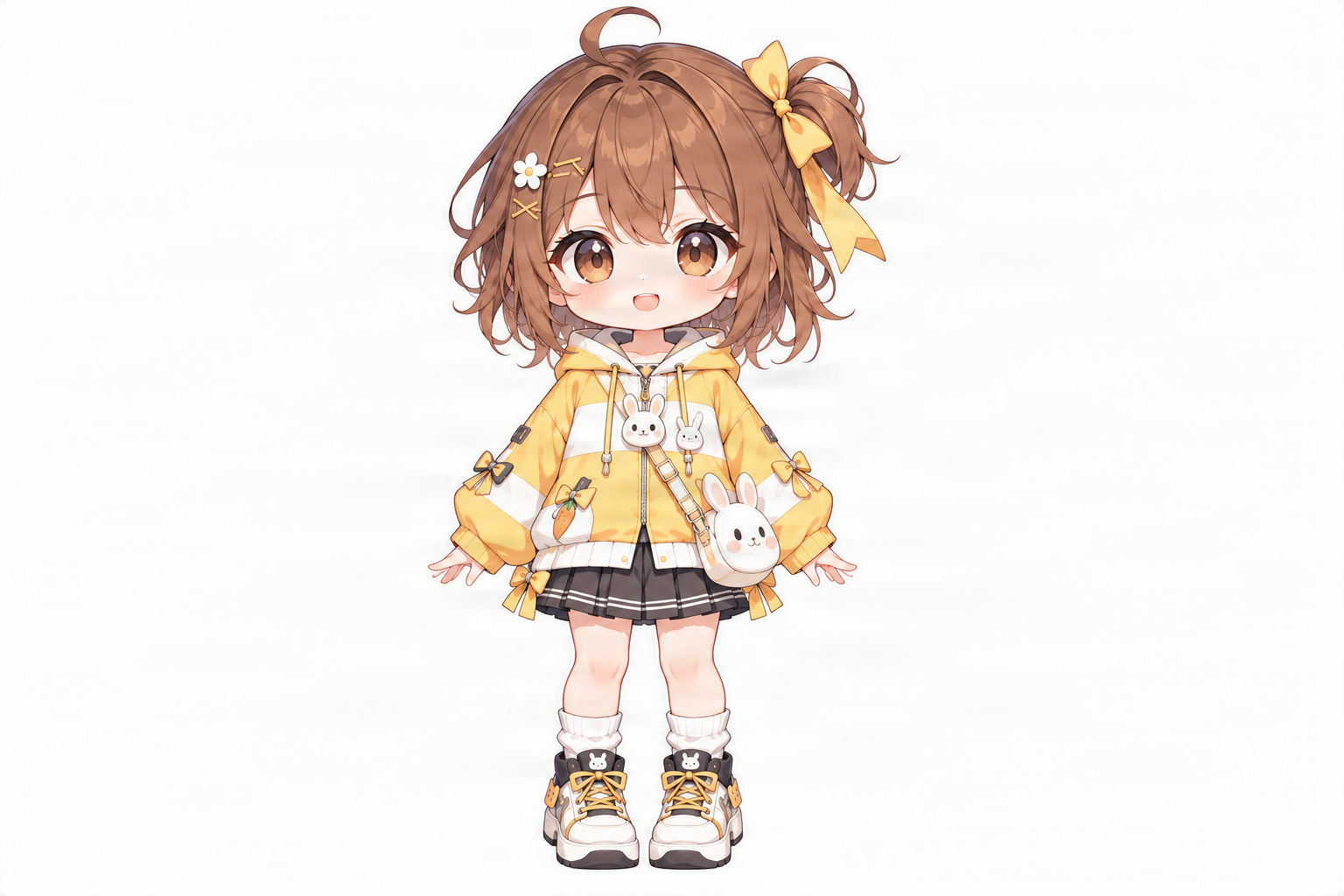
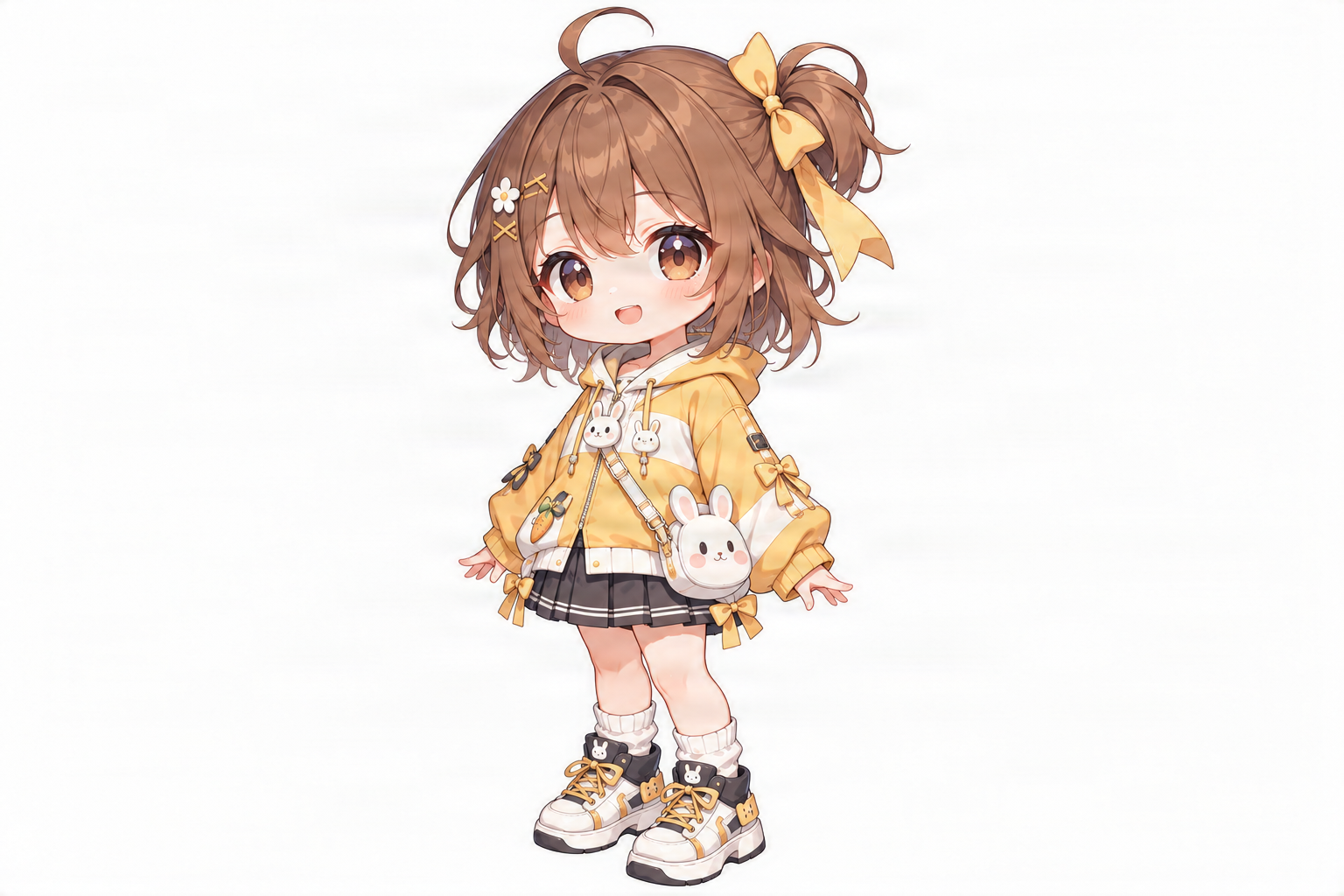
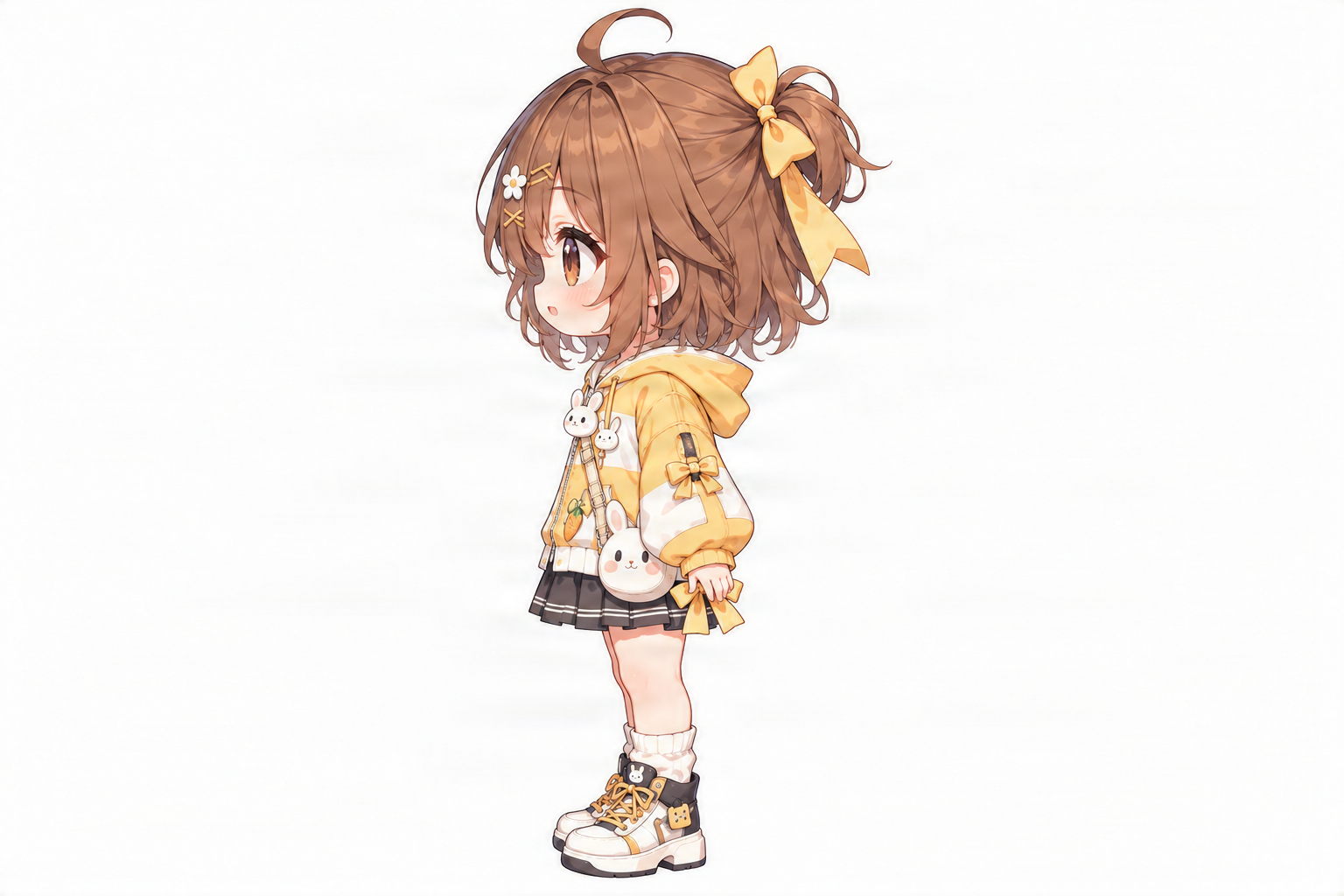
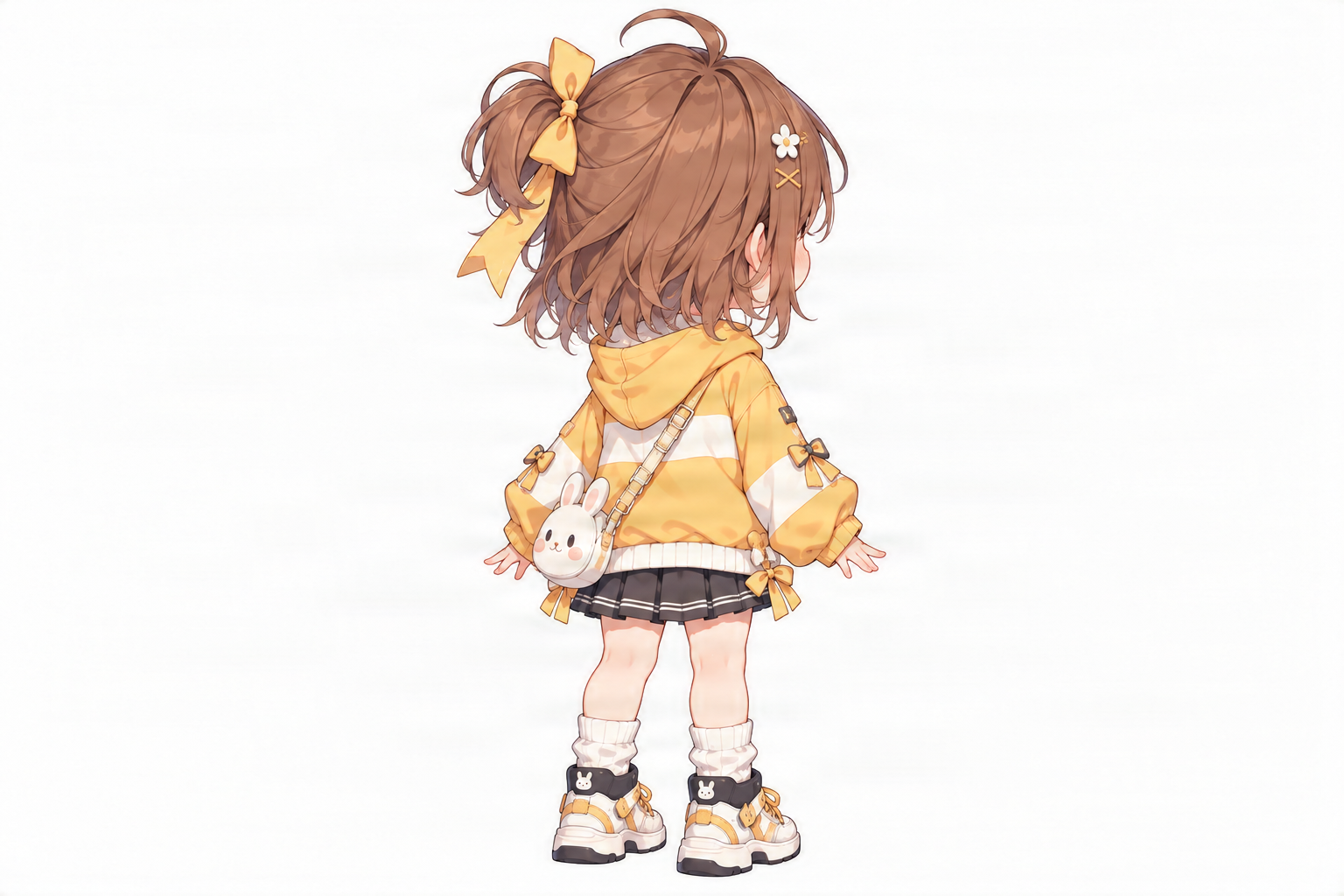
Your game character looks great in the original artwork. The outfit fits the personality, the colors feel right, and the accessories make the character recognizable. But your game won't always show that character from the same angle. What does the character look like from behind? How does the hairstyle appear in profile? Where does that backpack sit when the character turns? Upload one character image and generate front, side, back, and optional three-quarter reference views with AI. Explore your character from more directions before moving on to sprites, animations, or 3D modeling.
Generated views are design references, not finished sprites, animation frames, or rigged 3D models. Review consistency before production use.
FROM ONE DESIGN TO MULTIPLE VIEWS
You don't need a realistic warrior or a highly detailed 3D model to benefit from character turnaround references. Even a cute game character can have design details that are hard to understand from a single drawing.
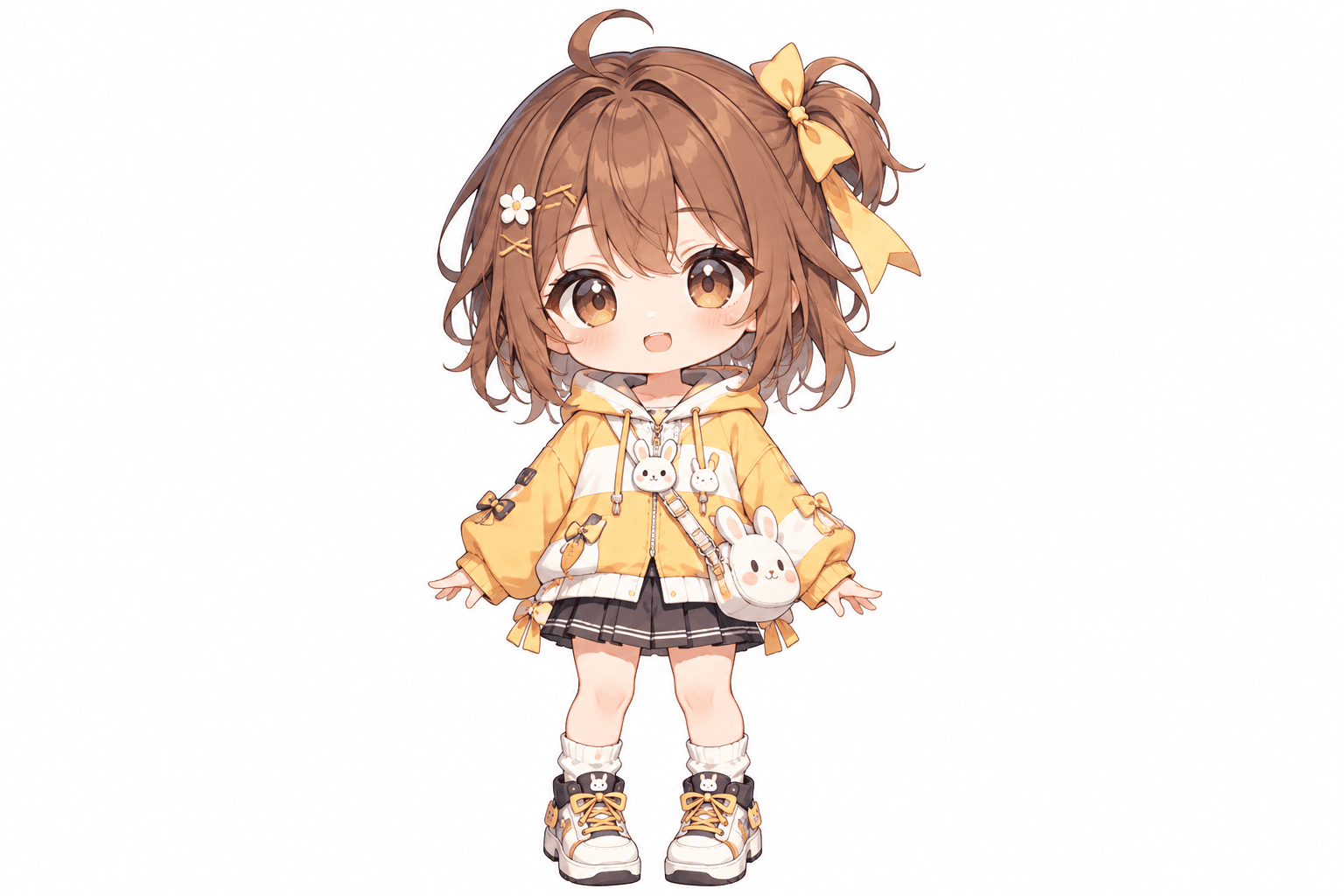
This stylized character example features a cheerful bunny-themed girl with a yellow outfit, distinctive hairstyle, oversized accessories, and a recognizable silhouette. It's the kind of visual style that could inspire a cozy game NPC, character mascot, or cute adventure-game protagonist. The multi-view reference helps explore how the character's hairstyle, clothing, bag, and footwear appear from different directions.
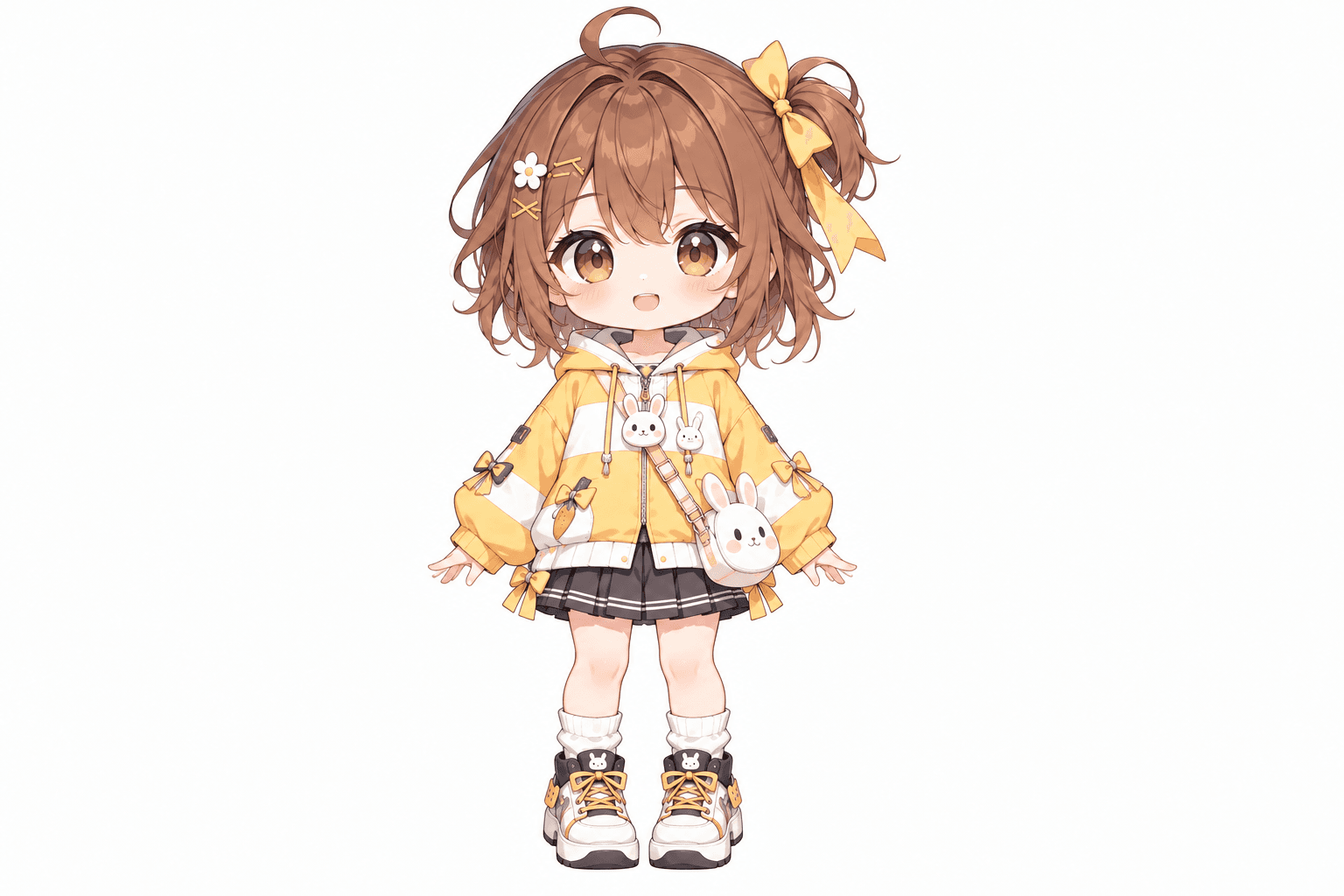
See the face, outfit colors, front accessories, and overall character proportions.
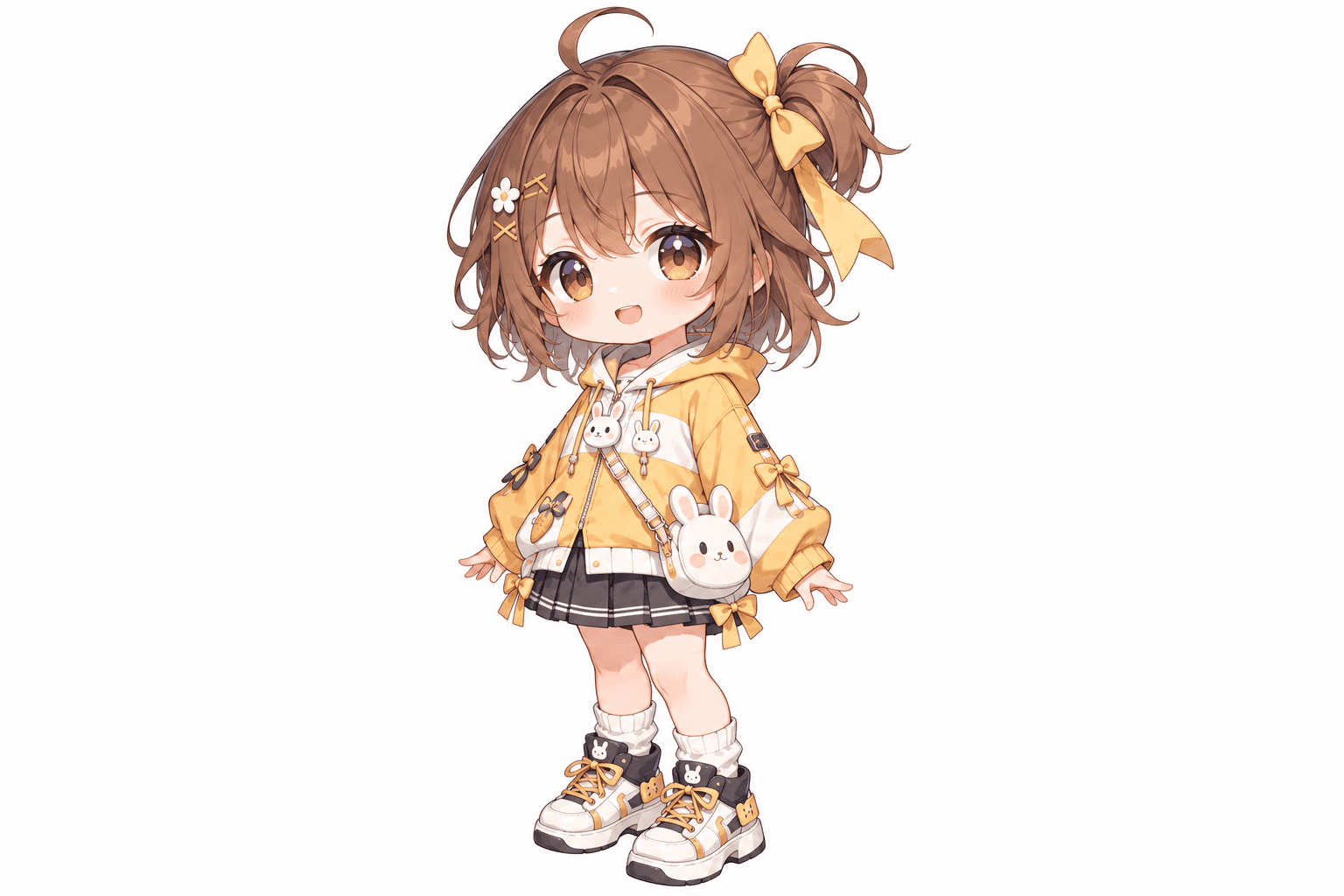
Explore how the face, hairstyle, and outfit gain depth.
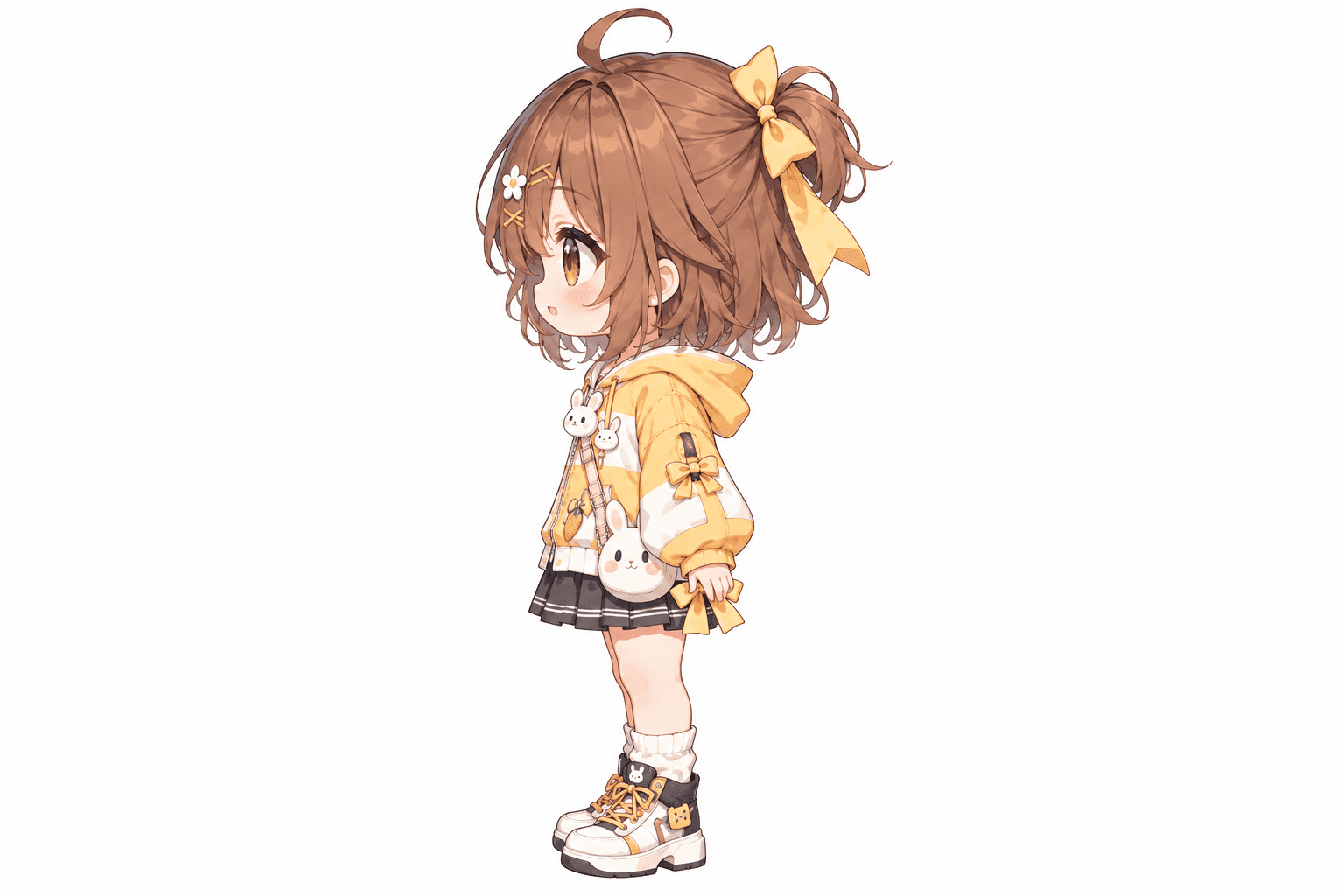
Look at the character's profile, clothing shape, bag placement, and side silhouette.
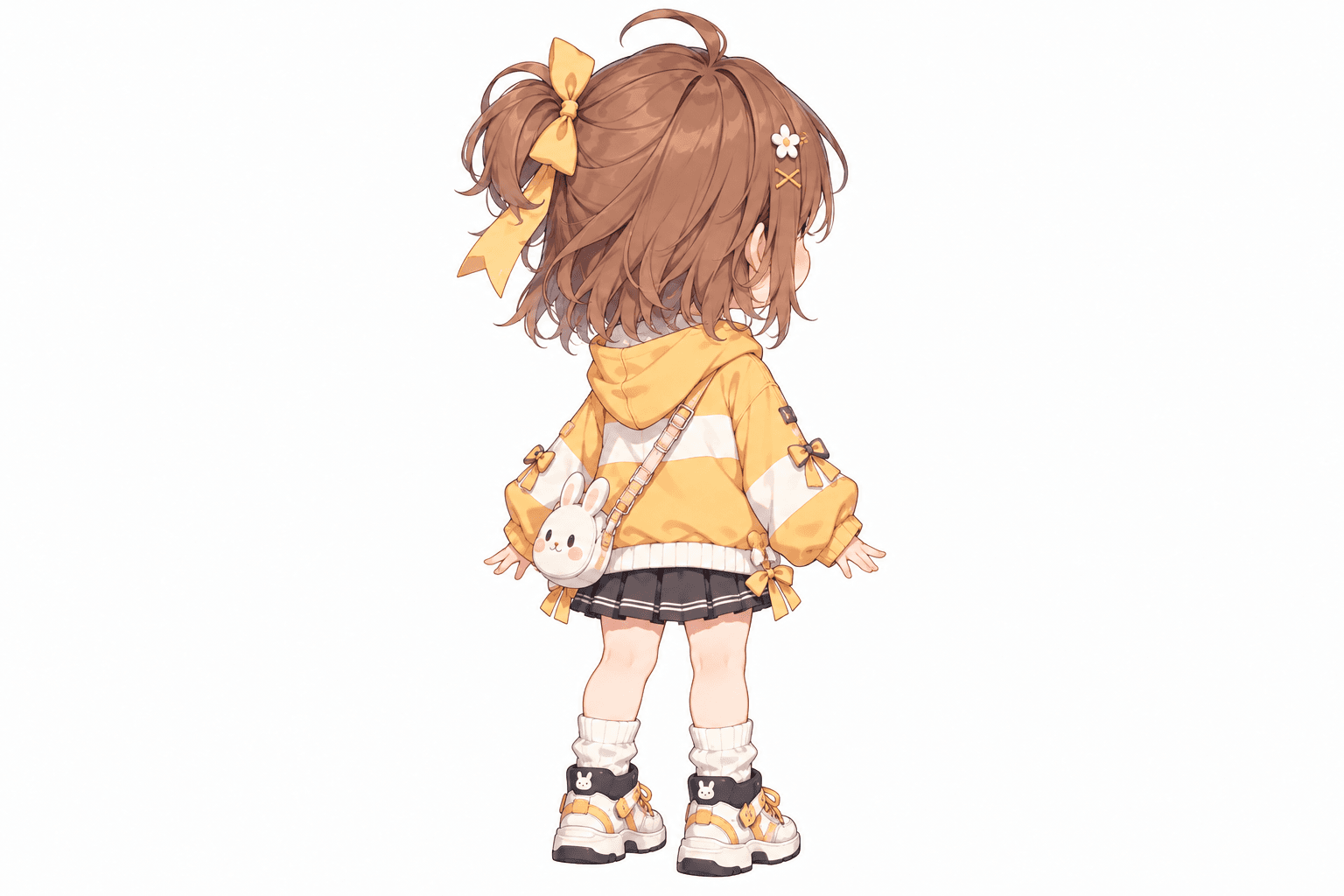
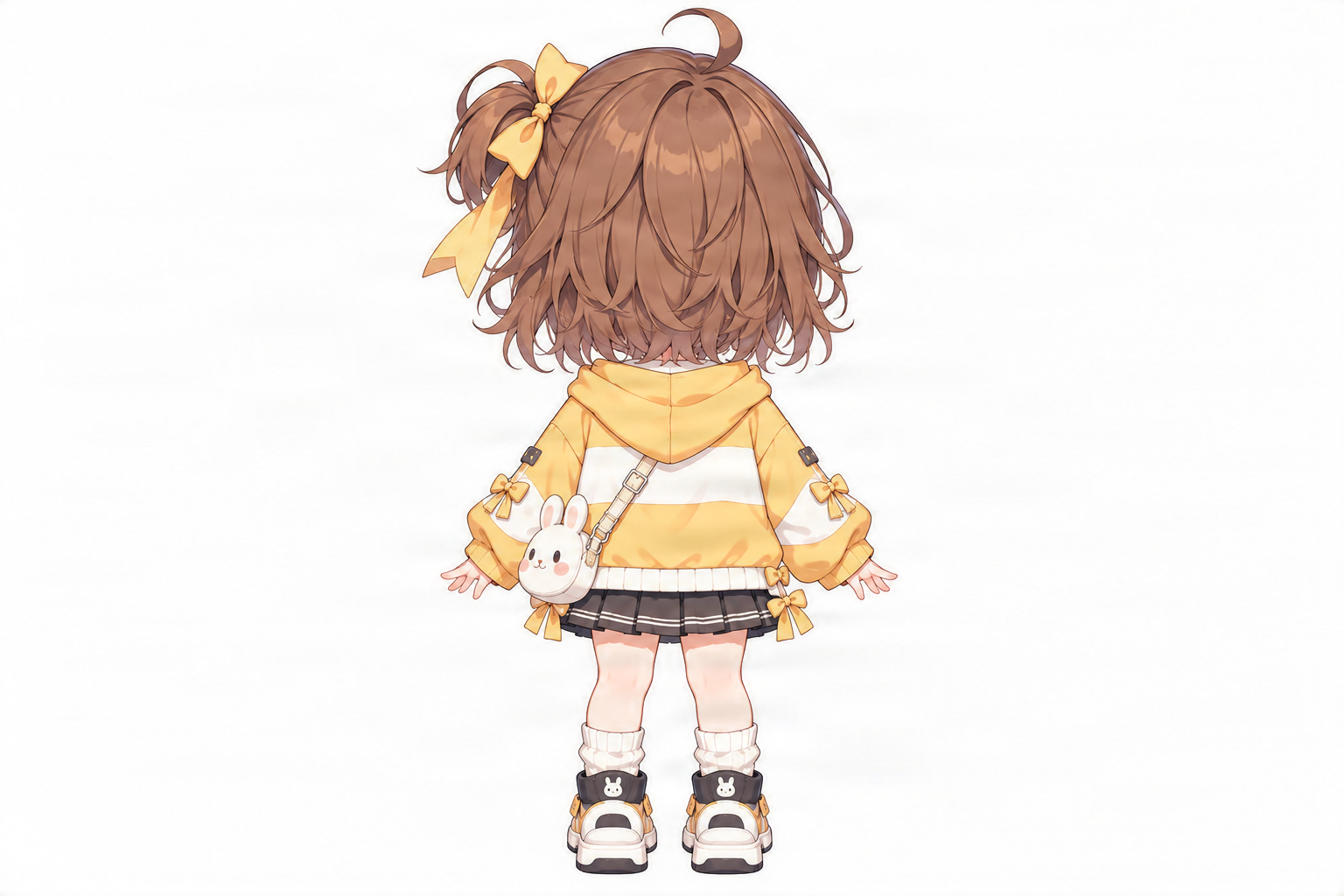
Explore how the hair, clothing, and accessories transition toward the back.
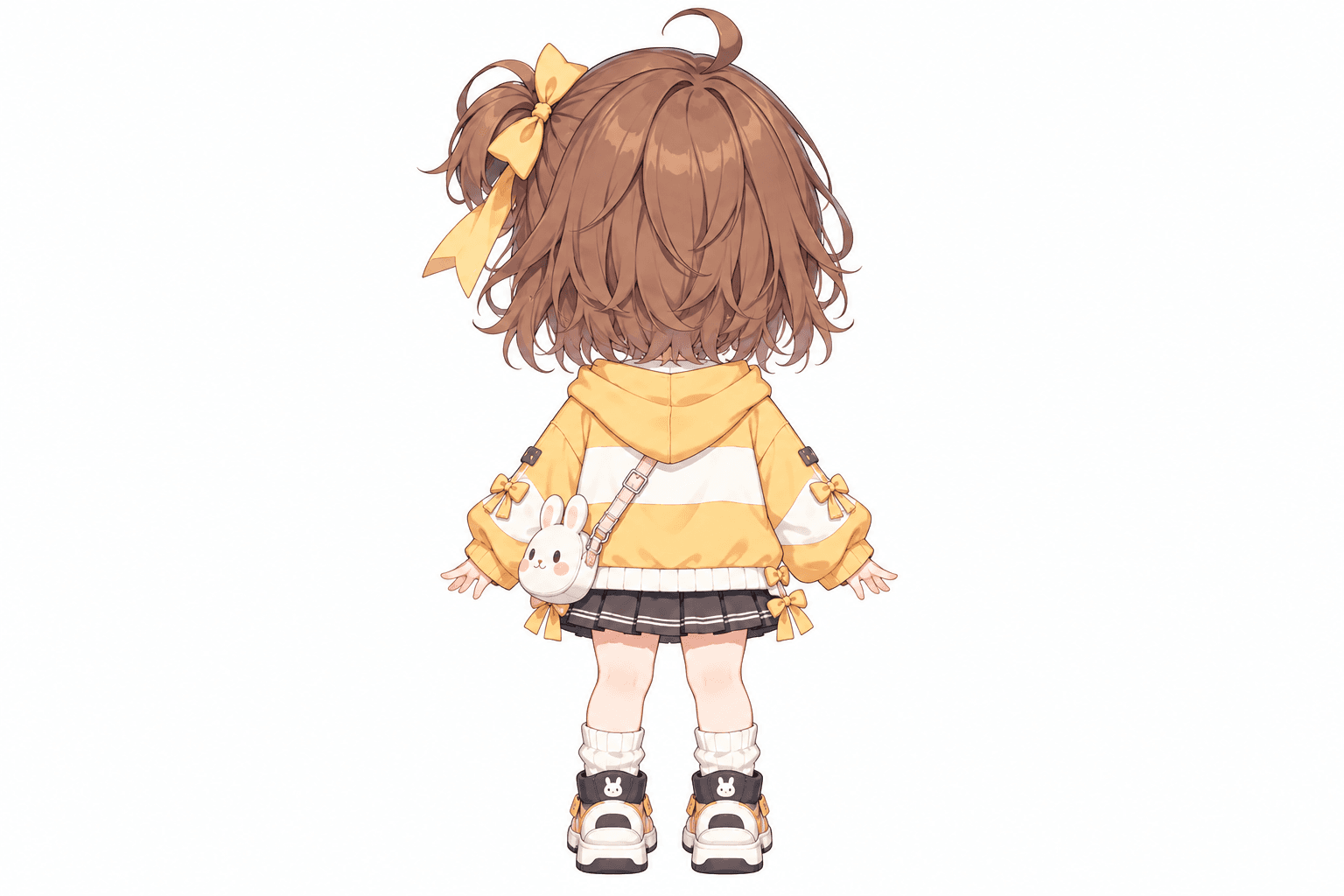
See an AI-generated interpretation of the rear hairstyle and outfit.
AI-Generated Character Views
One stylized character shown in multiple AI-generated reference views. Compare the actual images to review proportions, clothing, colors, and accessories across angles. This example uses the existing Chibi turnaround artwork. It illustrates a stylized game-character reference workflow, not a game-ready sprite sheet, animated character, or 3D asset.
YOU HAVE THE CHARACTER. WHAT'S NEXT?
Imagine you're making your own game.
You've already designed a character you really like.
Maybe it's the player character in a small RPG. Maybe it's a friendly shopkeeper for a cozy game. Or maybe it's a little mascot that appears throughout your world.
You have a beautiful front-facing illustration.
Then you start planning the rest of the game.
The character needs to face sideways. A scene shows them walking away. Another artist needs to understand the back of the outfit.
Suddenly, one illustration isn't enough.
You could spend hours drawing every new perspective—or you could start by generating reference views from the artwork you already have.
An AI game character turnaround gives you a way to explore those missing directions.
It doesn't finish the animation or build the model for you. Instead, it helps you visualize the whole character so you can make the next creative decisions with more information.
Callout: You don't have to redesign your character every time the camera angle changes.
SIMPLE CHARACTER REFERENCE WORKFLOW
Turn one existing game-character design into a useful set of multi-angle visual references.
1
Choose an existing illustration, character concept, or render. A full-body character with clearly visible clothing and accessories provides more useful visual information.
2
Select Standard for front, side, and back references. Choose Consistency Mode for five views, including the two three-quarter directions.
3
Choose Neutral Standing, T-Pose, A-Pose, or Match Original based on the type of reference you need.
4
AI uses the uploaded image to create the selected perspectives. It estimates the appearance of details that aren't visible in the original.
5
Compare the hairstyle, face, proportions, costume, colors, and accessories across the generated results. Identify anything that needs correction before treating the views as approved references.
6
Save the generated images and use them as visual references for your next game art task.
A front-facing character image doesn't show the back of a jacket, hairstyle, backpack, or armor.
Additional views help you explore how those elements might continue around the body.
Your character's outline may change dramatically from the side or rear.
A turnaround helps you compare those shapes before creating more artwork.
Belts, capes, bags, boots, armor pieces, and other accessories become easier to examine when shown from different directions.
Give your artist or collaborator a better starting point than one hero illustration.
Multi-view references help communicate how you imagine the character from several angles.
Use generated references while thinking through sprites, portraits, animation, and 3D character development.
These later assets require their own production steps.
Start from the design you already like rather than creating an unrelated character for each new direction.
The front view presents the character's face, costume design, color placement, and body proportions.
Useful for: Character introductions, front-facing references, and reviewing the main outfit design.
This view combines front details with a clearer sense of depth.
Useful for: Character portraits, concept art planning, and understanding the relationship between facial features and costume shape.
The side view reveals the character's profile, body silhouette, and clothing depth.
Useful for: Profile artwork, side-view character concepts, and examining accessories.
This view helps connect the side and back designs.
Useful for: Exploring capes, backpacks, hairstyles, equipment, and other elements that wrap around the body.
The back view reveals an interpretation of the character from behind.
Useful for: Planning rear-facing references and examining the back of the costume.
Important: The back and other unseen details are AI-generated interpretations rather than guaranteed reconstructions of the original design.
Front · Side · Back
A straightforward option when you want to explore the character's three main directions.
Good for:
Current Cost: 90 credits
Front · Front ¾ · Side · Back ¾ · Back
Get additional perspectives when your character has important design elements between the main angles.
Good for:
Current Cost: 150 credits
Recommendation: Start with three views if you need the basics. Choose five when the intermediate perspectives would help you understand your character more completely.
Pricing Note: The current workspace charges by generated view and displays the total cost before submission.
Explore friendly villagers, shopkeepers, farmers, and other characters with warm, stylized designs.
Create reference views for characters with oversized heads, small bodies, and playful clothing.
Explore the appearance of adventurers, mages, warriors, and other fantasy concepts with distinctive outfits.
Use additional angles to develop a recognizable mascot for a casual or family-friendly game.
Generate additional perspectives for anime-inspired character designs while reviewing the hairstyle and costume.
Explore futuristic clothing, equipment, and body silhouettes from different directions.
Supporting Text: The tool uses your uploaded image as the visual reference. It doesn't guarantee conversion into a different art style or finished game asset.
FROM CONCEPT TO CREATIVE WORKFLOW
Explore missing parts of a character design before finalizing the outfit and overall appearance.
Use different views as references while creating your own sprites, character portraits, or scene illustrations.
Create additional perspectives of friendly, mysterious, or fantasy NPCs so their designs can be interpreted more consistently.
Study how the same character appears from multiple viewing directions before drawing animation poses.
The views themselves are not animation frames.
Use the images as conceptual front, side, and back references when planning a character model.
Correct proportions, perspective, and alignment before precision modeling.
Share the visual references with an artist or designer to explain how you'd like your character to look.
Review any AI-invented details first.
A turnaround is most useful when the character still looks recognizable in every direction.
Here are the details worth checking.
Look at the character's facial features, head proportions, ears, and other defining elements.
Compare hair volume, length, parting, accessories, and silhouette.
Check major clothing shapes and the placement of recognizable colors.
Review belts, bags, armor, shoes, bows, weapons, and other character details.
Compare the head, torso, limbs, and general silhouette across the images.
The resulting views should feel like they belong to the same visual design.
Review Note: These are goals to evaluate, not guaranteed outcomes. AI may change or infer details across views.
START WITH A STRONG REFERENCE
Show as much of the character as possible, including the head, legs, hands, and feet.
If your character's clothing is important, avoid source images that hide large parts of it.
A relaxed standing pose is often easier to interpret than a highly dynamic action pose.
If the character has a backpack, hat, cape, or other defining feature, make it clearly visible.
Busy backgrounds and overlapping subjects can make it harder to distinguish the character.
AI must estimate details that weren't shown in the original artwork.
An individual image may look convincing even when a costume or accessory differs from the other views.
Save the source image alongside the generated references so you can check which details were inferred or changed.
KNOW WHICH ASSET YOU NEED
No. They serve different purposes.
A character turnaround shows the same character from different viewing directions.
Use it when: You need visual references for designing the character.
Output: Multi-angle character images.
A sprite sheet typically contains organized character images or frames for use in a game.
It may include different actions, directions, or animation frames.
Use it when: You need actual sprite images or a sequence of frames for a game engine.
Output: Sprites or animation frames, depending on the tool.
A 3D model contains geometry representing the character in three dimensions.
It may be rigged and animated through a separate process.
Use it when: You need an actual 3D character rather than reference pictures.
Output: A 3D asset in a supported model format.
Supporting Text: This page creates multi-angle references. It does not automatically produce a finished sprite sheet, animation, or 3D model.
Yes, as references for creating game art.
If you're using Unity, Godot, or Unreal Engine, you may already have a character concept but need additional views before creating the final game assets.
The generated images can help you explore the character's appearance from the front, side, and back.
However, these images are not automatically packaged as engine-ready character assets.
A 2D game may require separate sprite preparation, transparent images, frame alignment, animations, and import settings.
A 3D game may require modeling, materials, rigging, animation, and asset export.
This tool handles the earlier visual-reference stage.
Callout: Use your turnaround to plan what the character should look like. Build the actual game asset through the appropriate 2D or 3D workflow.
WHAT TO EXPECT FROM AI
AI can generate additional perspectives of your existing character design.
It can help explore the rear of an outfit, the side of a hairstyle, or the shape of accessories from different directions.
But it doesn't know exactly what hidden parts of the character were supposed to look like.
Generated views may include differences in costume details, facial features, pose, scale, or body proportions.
The tool also doesn't guarantee exact orthographic projection or alignment between images.
It doesn't create a skeleton, rig, animated walk cycle, sprite atlas, or downloadable 3D model.
If your game needs precise character consistency, you'll still need to inspect and refine the artwork.
Callout: AI helps you explore more of your character. You decide which details become part of the final game design.
Turnaround views show different directions, not a sequence of walking or running poses.
If the input only shows the head, AI has little reliable information about the full outfit and body.
Belts, backpacks, armor, and other accessories can change position or appearance between angles.
Unseen hairstyle and costume features are estimates made by AI.
The generated images may contain differences in scale, pose, and perspective.
Five views provide more information, but three may be enough for a simple character concept.
A game character turnaround is a set of reference images showing the same character from different viewing directions, typically front, side, and back. It helps artists understand how a character design should appear beyond one illustration.
Upload your character image, choose Standard for three views or Consistency Mode for five views, select a pose, and generate. AI creates additional reference images based on the design you uploaded.
Yes. You can start with one character illustration, concept image, or render. AI estimates how the character might look from other viewing angles, including parts that were hidden in the original.
Yes. Standard mode generates front, side, and back views. Consistency Mode adds front three-quarter and back three-quarter perspectives.
Yes. You can use the generated views as visual references when planning 2D character sprites, illustrations, or game artwork. They are not automatically finished game sprites.
Yes. An NPC is a useful example of a character that may need consistent visual design from different directions. You can start with one NPC concept image and generate additional perspectives.
You can use the images as visual references while developing Unity game assets. They are not automatically ready-to-use Unity character controllers, animations, or rigged models.
Yes, as references for designing a Godot character. Additional steps are required to create sprites, animations, collision shapes, and any other assets your game needs.
You can use them as conceptual references for a character intended for Unreal Engine. Creating a usable 3D character requires separate modeling, rigging, materials, and export work.
No. This workflow generates character reference views. A sprite sheet usually requires additional preparation and may include actual animation frames, depending on the intended game.
No. A turnaround is a set of viewing directions, not a motion sequence. You would need a separate animation workflow to create walking, running, or idle frames.
The workflow aims to maintain recognizable character details, but AI may alter or invent clothing and accessory elements. Review the results for consistency before finalizing your design.
Yes. You can upload a chibi-style character and generate additional views. This can be useful when exploring a cute NPC, mascot, or stylized game character. Check the proportions carefully.
Yes. Consistency Mode offers five views: front, front three-quarter, side, back three-quarter, and back.
No. The current turnaround workflow supports three or five reference directions, not a complete eight-direction sprite sheet.
No. The tool generates 2D images from selected viewpoints. It doesn't produce a 3D mesh, rig, or game-ready character model.
Under the current configuration, Standard uses 90 credits for three views and Consistency Mode uses 150 credits for five views. Check the actual displayed price before submitting.
Commercial use depends on your rights to the uploaded artwork, the applicable service terms, and any third-party intellectual property. Make sure you have the necessary permissions for your intended use.
Explore the general character turnaround workflow and create reference images from several directions.
Image to Character TurnaroundStart with a single existing character illustration and generate new viewing angles.
Chibi Character Turnaround GeneratorCreate additional reference views for cute, stylized, large-headed characters.
T-Pose Character Turnaround GeneratorExplore front, side, and back character references using a T-Pose request.
3D Character Reference Sheet GeneratorCreate visual references for character concept development before 3D modeling.
Character Model Sheet GeneratorExplore broader character reference and model sheet workflows.
KEEP BUILDING YOUR GAME WORLD
You've already created a character that fits your game. Now explore how that design could appear from the front, side, and back. Upload your character image and create multi-angle references to help plan your next drawing, sprite, or model.
Choose three or five reference views. AI-generated results may require review and refinement before production use.
Front, side, back & 3/4 views in one run
Lateral, heel & outsole sneaker views
Front, side & rear model reference sheets
Share your original character in multiple views
Prepare multi-view references for model artists
Prepare character views for Blender and 3D modeling
Generate a rear perspective from a character image
Prepare multi-view references for 2D animation planning
Front, side & back references in a T-pose
Explore front, side & back views for cute chibi characters
Front, side, back & 3/4 views for anime characters
One left or right profile, 30 credits
Clean marketplace angles for listings
Interactive 360° rotatable spin view
Precise azimuth & elevation controls
Creative Toolkit Index
Quick access to precision layer extraction, AI photo editing & asset tools.